
Most outages end before the milk goes bad. The ones worth planning for are the others: the hurricane that takes the grid down for a week, the ice storm that snaps lines across a whole county, the second morning when the utility still says "unknown restoration time."
They are getting more common. According to the U.S. Energy Information Administration, American electricity customers averaged 11 hours without power in 2024, nearly twice the average of the decade before, and major events such as Hurricanes Beryl, Helene and Milton accounted for 80% of those hours. Helene alone cut power to 5.9 million customers across 10 states.
Source: U.S. Energy Information Administration, December 2025.
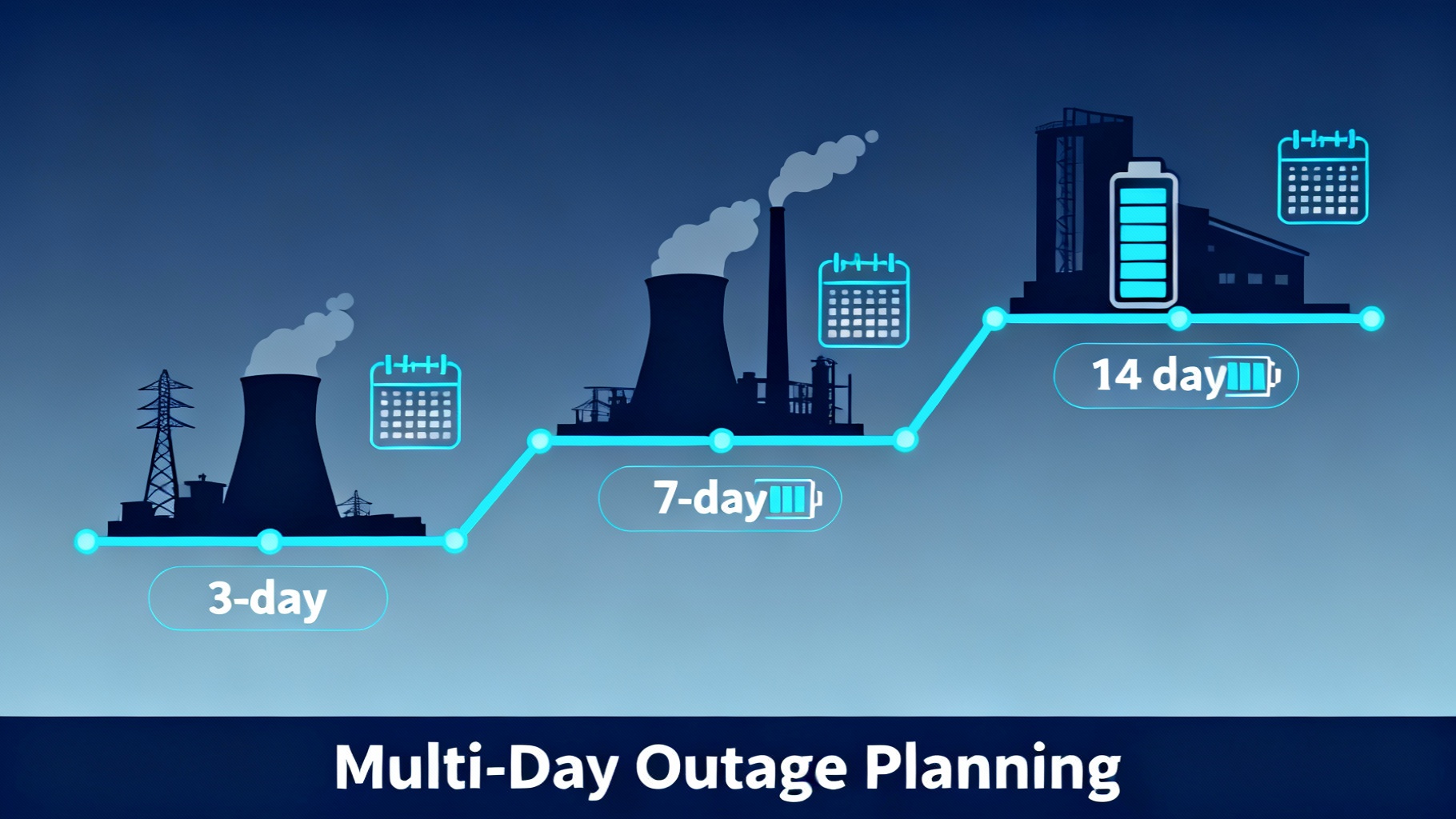
This guide sizes a backup plan by how long it has to last: 3 days, 7 days and 14 days or more. For each tier you get a typical day of use in watt-hours, what a battery covers on its own, how much solar it takes to keep going, and the power stations we would look at first. BackupPowerHub doesn't run lab tests (see our editorial guidelines): every runtime here is a calculation from the brands' specs that you can redo for your own home.
- 3 days, essentials: about 2.2kWh a day. A 2kWh station plus 800W of solar, such as the Anker SOLIX C2000 Gen 2.
- 7 days, comfortable: about 3.7kWh a day. A 3 to 4kWh station with 1,000W or more of solar, such as the BLUETTI Apex 300 or Elite 400.
- 14 days or more, most of the house: about 10kWh a day. A 5kWh-class home battery with 240V, expansion and big solar input: the Anker SOLIX S5000 or EcoFlow TITAN 5000 Plus.
- The rule behind all three: the battery gets you through the night and the cloudy days. Past two or three days, what refills it (solar or a generator) matters more than its size.
Start with the numbers. Our hour-by-hour outage guide shows what a 1, 2 and 3kWh power station keeps running through a night, and how to stretch it to a second one. For a whole-home approach to hurricanes, see our E10 hurricane backup planning guide.
Understanding Multi-Day Outages: What You're Really Planning For
A short outage is a battery problem: how many watt-hours do you have? A long one is an energy budget: how many watt-hours do you use each day, and how many can you make back? That is the whole shift in thinking this guide is built on.
Three kinds of events cause most multi-day outages in the U.S.:
- Hurricanes and tropical storms. They destroy poles, lines and substations over large areas, and restoration can take days to weeks. In 2024, Beryl left 2.6 million Texas customers without power and Milton 3.4 million in Florida, according to the EIA.
- Winter storms. Ice brings down lines and branches, and the cold raises demand at the same time. They also make solar charging harder, since days are short and panels may be covered.
- Planned shutoffs and grid stress. In wildfire country, utilities may switch power off during high winds until crews can inspect the lines. Elsewhere, a tighter grid means more risk: PJM, the grid for 13 states and D.C., now runs below its reliability target, as we explain in what the data center boom means for the grid.
How Long Should You Really Plan For?
Ready.gov doesn't give a fixed number of days for power. It advises having enough food and water and to "plan for batteries and other alternative power sources". Three practical answers:
- 3 days if you live in a city or suburb where outages are rare and short, and you mostly want to keep the food, the internet and a medical device going.
- 7 days if you live on the Gulf or Atlantic coast, in ice-storm country, or anywhere a week without power has happened before.
- 14 days or more if you are rural, on a well, at the end of a long line, or caring for someone who depends on powered medical equipment (see our medical equipment guide).
Two food-safety numbers from Ready.gov frame the first hours: a closed refrigerator keeps food cold for about four hours, and a full freezer holds its temperature for about 48 hours. Food that reaches 40°F or warmer should be thrown out.
Want to see a 3-day outage play out? Our video runs one house and one storm through 72 hours, hour by hour, with six of the power stations from this guide. Day one has no sun, and the winner is not the biggest battery.
The 3-Tier Power Outage Planning Framework
Each tier adds loads to the one before it. The daily totals below are examples built from typical appliance figures. Replace them with your own: the label on each appliance gives its watts, and a cheap plug-in meter gives the real number over 24 hours.
Tier 1 · 3 days
2.2 kWh/day
- Fridge
- Internet
- Lights
- Laptop and phones
A 2 to 4kWh station, solar helpful. Start with the C2000 Gen 2.
Tier 2 · 7 days
3.7 kWh/day
- Everything in Tier 1
- Chest freezer
- Fan at night
- Short cooking
A 3 to 6kWh station, solar essential. Start with the Apex 300.
Tier 3 · 14+ days
10.5 kWh/day
- Everything in Tier 2
- Well pump
- Window AC or furnace blower
- Electric cooking
A 10kWh+ home battery, big solar or a generator. Start with the S5000.
For a whole house, the numbers climb fast: the average U.S. home uses about 29.6kWh a day. Our guide to how many batteries to power a house turns that into a battery count for 1, 3 or 7 days.
Get the 1-page outage plan
What to plug in first, how long a fridge really runs on a battery, and the 3 safety rules for connecting a power station to your home. Printable, sent by email.
About one email a week. Unsubscribe in one click. We may earn a commission when you buy through our links, at no extra cost to you. Privacy Policy
Tier 1: Essential Survival (3-Day Outage)
Tier 1 keeps the food cold, the household connected and a medical device running for 72 hours. It isn't about air conditioning or the oven. A typical day looks like this:
Tier 1: where a day of essentials goes
- Newer full-size fridge60W average1,440Wh (67%)
- Wi-Fi router and modem15W, all day360Wh (17%)
- LED lights30W, 5 hours150Wh (7%)
- Laptop50W, 3 hours150Wh (7%)
- Phones4 full charges60Wh (3%)
That day is the surprise for most people: a 2kWh station runs it for less than a day on its own, about 19 hours. The fridge is most of it. An older fridge averaging 120W instead of 60W adds another 1,440Wh, and the same station then lasts about 12 hours. Read your fridge's EnergyGuide label before you size anything: our fridge backup guide shows how.
So a 3-day plan needs one of two things: about 7.6kWh of battery, or a station that can refill. With 800W of panels and 4 hours of full sun, solar makes about 2,240Wh a day, a little more than the whole day uses. The catch is the first day: the storm itself rarely leaves any sun. Here is the same 2kWh station through a typical 3-day outage, alone and with one expansion battery:
Anker SOLIX C2000 Gen 2, 800W of panels, 3 days
Battery charge at the end of each day
C2000 Gen 2 alone (2,048Wh)
Out at 19h
5%
9%
With one BP2000 Gen 2 (4,096Wh)
38%
40%
43%
Example weather: no sun on day 1, then two sunny days. Tier 1 day of 2,160Wh, battery × 0.85, sunny day = 800W × 4 h × 0.7. On its own, the station runs out in the evening of day 1 and the fridge waits for the sun; with the extra battery it never drops below a third.
If you live in an apartment without room for panels, the extra battery does the job on its own for about a day and a half. See also our best power stations for apartments.

Best for a 3-Day Plan
Anker SOLIX C2000 Gen 2
2,048Wh and 2,400W, 800W of solar, expandable to 4,096Wh.
- 2,048WhLiFePO4, 4,000 cycles
- 2,400W5 outlets + TT-30
- 800Wsolar input
- 4,096Whwith one BP2000 Gen 2
Check price at Anker SOLIXLive price on the official Anker SOLIX storeRead our review
The C2000 Gen 2 is the 2kWh station that grows into a 3-day plan. It takes 800W of solar, enough to refill an essentials day on a sunny afternoon, and one BP2000 Gen 2 battery doubles it to 4,096Wh, close to two days with no sun at all.
It delivers 2,400W through five outlets plus a TT-30, so it starts a fridge, a microwave or a coffee maker, and it switches to battery in 10 ms when the grid drops. It refills from the wall at 1,800W. At 41.7 lb it is a two-hand carry, and Anker rates the battery for 4,000 cycles.
On this tier's day: the battery alone covers about 19 hours of the 2,160Wh day (39 hours with one expansion battery). With 800W of panels and 4 hours of full sun, solar makes about 2,240Wh, 104% of the day, so a sunny day refills more than you use.
Pros
- Expands to 4,096Wh
- 800W of solar on a 2kWh unit
- 10 ms UPS switchover
- TT-30 for an RV or inlet
Cons
- 41.7 lb
- 120V only
- Only one expansion battery
More detail in our C2000 Gen 2 review and C2000 Gen 2 solar setup.

Quietest 2kWh
EcoFlow DELTA 3 Max
2,048Wh and 2,400W, a 4,800W surge and a 25 dB rating.
- 2,048WhLiFePO4
- 2,400W4,800W surge
- 500Wsolar input
- 25 dBat 600W, per EcoFlow
Check price at EcoFlowLive price on the official EcoFlow storeRead our review
The DELTA 3 Max holds the same 2,048Wh and 2,400W as the C2000 Gen 2, switches over in 10 ms, and is often a little cheaper. EcoFlow rates it at 25 dB at 600W, which matters if it sits in a bedroom next to a CPAP, and its 4,800W surge rating helps with motors that are hard to start.
For a 3-day plan its limits are solar and growth: it takes 500W of panels and cannot add a battery. In good sun that covers about two-thirds of an essentials day, so the battery drains a little each day. It is the better pick for a 1 to 2-day plan, or for someone who will cut the day down to the fridge and the router.
On this tier's day: the battery alone covers about 19 hours of the 2,160Wh day. With 500W of panels and 4 hours of full sun, solar makes about 1,400Wh, 65% of the day, so the battery slowly drains even in good sun.
Pros
- Highest surge rating at 2kWh
- Quiet
- 10 ms UPS switchover
Cons
- Not expandable
- 500W of solar
- 44.8 lb
More detail in our DELTA 3 Max review.
Tier 2: Comfortable Resilience (7-Day Outage)
Tier 2 keeps a reasonably normal routine for a week: no central air, but the freezer stays frozen, a fan runs at night and you can heat a meal. Add three loads to the Tier 1 day:
Tier 2: a comfortable day
- Newer full-size fridge60W average1,440Wh (39%)
- Wi-Fi router and modem15W, all day360Wh (10%)
- LED lights30W, 5 hours150Wh (4%)
- Laptop50W, 3 hours150Wh (4%)
- Phones4 full charges60Wh (2%)
- Chest freezer35W average840Wh (23%)
- Box fan50W, 8 hours400Wh (11%)
- Microwave1,100W, 15 minutes275Wh (7%)
Seven of those days add up to about 26kWh, far more than any portable battery holds. At this tier, solar stops being optional. The plan is a battery big enough for one or two cloudy days, and enough panels to make the whole day back when the sun is out. For bigger homes, see our best power stations for large houses.
BLUETTI Apex 300, 1,600W of panels, one week
Battery charge at the end of each day
Apex 300 alone (2,765Wh)
Out at 15h
34%
69%
Out at 19h
34%
69%
100%
With one B300K (5,530Wh)
22%
39%
56%
6%
24%
41%
58%
Example weather: storm on day 1, one cloudy day mid-week (30% of a sunny day). Tier 2 day of 3,675Wh, sunny day = 1,600W × 4 h × 0.7. The base unit runs out on the storm day and again on the cloudy one; with one B300K the week goes through without a gap.

Best for a Week With Solar
BLUETTI Apex 300
2,765Wh, 3,840W, 2,400W of solar, 120V and 240V.
- 2,765WhLiFePO4, 6,000+ cycles to 80%
- 3,840W7,680W Power Lifting
- 2,400Wsolar, 2 inputs
- 120V/240VNEMA 14-50R
Check price at BLUETTILive price on the official BLUETTI storeRead our review
The Apex 300 is built around solar. It takes up to 2,400W of panels on two 1,200W inputs, enough to make more than a full Tier 2 day in good sun, and it grows with up to six B300K batteries. That makes it the one pick in this tier that can run a week, or longer, with no generator.
It delivers 3,840W in total, with four 20A outlets, a TT-30R and a NEMA 14-50R that supplies 120V and 240V at the same time, so a 240V well pump or dryer circuit is possible through a proper inlet. From the wall it reaches 80% in 45 minutes, per BLUETTI. The trade-off is that the base unit holds less than the Elite 400, so most owners will want at least one B300K.
On this tier's day: the battery alone covers about 15 hours of the 3,675Wh day (31 hours with one expansion battery). With 1,600W of panels and 4 hours of full sun, solar makes about 4,480Wh, 122% of the day, so a sunny day refills more than you use.
Pros
- Most solar input in this tier
- Expands with up to six batteries
- 240V from one unit
- 5-year warranty
Cons
- Smaller base battery than the Elite 400
- 83.8 lb
More detail in our Apex 300 review and our best Bluetti for home backup.

Most Battery in One Box
BLUETTI Elite 400
3,840Wh and 2,600W on wheels, 1,000W of solar.
- 3,840WhLiFePO4, 3,000+ cycles
- 2,600W120V
- 1,000Wsolar input
- 15 msUPS switchover
Check price at BLUETTILive price on the official BLUETTI storeRead our review
The Elite 400 is the simplest way to get almost 4kWh: one box, no expansion modules, built-in wheels and a telescoping handle. Its battery alone covers most of a Tier 2 day, which buys time through the first cloudy day after a storm.
It delivers 2,600W at 120V, switches over in 15 ms, and refills to 80% in 1.9 hours from the wall, or faster with AC and solar together. Its 1,000W solar input makes about three-quarters of a Tier 2 day in good sun, so for a full week it pairs best with a few hours of generator charging or a lighter day.
On this tier's day: the battery alone covers about 21 hours of the 3,675Wh day. With 1,000W of panels and 4 hours of full sun, solar makes about 2,800Wh, 76% of the day, so the battery slowly drains even in good sun.
Pros
- Nearly 4kWh in one unit
- Wheels and a telescoping handle
- Fast wall recharge
Cons
- No expansion battery
- 120V only
- 86 lb
More detail in our Elite 400 review.

Most Output at 120V
Jackery HomePower 3000
3,072Wh and 3,600W, with a 30A outlet, at 59.5 lb.
- 3,072WhLiFePO4, 4,000 cycles to 70%
- 3,600W7,200W surge peak
- 1,000Wsolar input
- 59.5 lblightest in this tier
Check price at JackeryLive price on the official Jackery storeRead our review
The HomePower 3000 is the light one in this tier. It holds 3,072Wh and delivers 3,600W (7,200W surge peak) at 120V through four 20A outlets and one 30A outlet, at 59.5 lb, about 25 lb less than the BLUETTI pair.
Like the Elite 400, it takes 1,000W of solar and cannot add a battery, so it covers a 7-day plan with sun plus a lighter day or a generator top-up. Jackery covers it for 3 + 2 years when bought on jackery.com.
On this tier's day: the battery alone covers about 17 hours of the 3,675Wh day. With 1,000W of panels and 4 hours of full sun, solar makes about 2,800Wh, 76% of the day, so the battery slowly drains even in good sun.
Pros
- 3,600W at 120V
- Lightest 3kWh pick
- 30A outlet
Cons
- No expansion battery
- 120V only
More detail in our HomePower 3000 review and our best Jackery for home backup.
Tier 3: Long-Term Independence (14+ Day Outage)
Tier 3 runs most of the house: a well pump, a window AC or the furnace blower, electric cooking. It needs 240V, a transfer switch or inlet installed by an electrician, and a lot of energy. Add these to the Tier 2 day:
Tier 3: most of the house
- Newer full-size fridge60W average1,440Wh (14%)
- Wi-Fi router and modem15W, all day360Wh (3%)
- LED lights30W, 5 hours150Wh (1%)
- Laptop50W, 3 hours150Wh (1%)
- Phones4 full charges60Wh (1%)
- Chest freezer35W average840Wh (8%)
- Box fan50W, 8 hours400Wh (4%)
- Microwave1,100W, 15 minutes275Wh (3%)
- Well pumpabout 1 hour of run time a day1,000Wh (10%)
- Window AC or furnace blower600W, 8 hours4,800Wh (46%)
- Electric cookingabout 1 hour1,000Wh (10%)
Two weeks of that is about 147kWh. No battery stores that, so Tier 3 is a battery of about 10kWh plus 3,000W or more of solar, with a generator for the gray stretches. If you are on a well, our well pump backup guide covers starting surges, and our guide to power stations for HVAC covers the cooling side.
Two weeks, about 10kWh of battery
Battery charge at the end of each day
S5000 + one battery, 3,000W of panels + 2 h of generator when needed
83%+ GEN
95%+ GEN
71%
46%
100%+ GEN
100%+ GEN
100%+ GEN
76%
51%
27%
100%+ GEN
100%+ GEN
76%
51%
TITAN 5000 Plus + one battery, 6,000W of panels solar only
Out at 20h
Out at 12h
74%
100%
100%
36%
Out at 19h
74%
100%
100%
100%
36%
100%
100%
Example weather over 14 days: a storm, then cloudy days mixed with sun. Tier 3 day of 10,475Wh. The generator line assumes about 2 hours at 4,500W (roughly 9,000Wh) on days when the battery would otherwise fall below a quarter: 7 of the 14 days. Without it, 3,000W of panels never quite keep up with a 10kWh day. The bigger solar array carries the sunny stretches on its own but runs out on the stormy and gray days.

Best 5kWh Home Battery
Anker SOLIX S5000
5,024Wh, 4,500W at 120V/240V, 3,000W of solar, up to 30kWh.
- 5,024WhLiFePO4, 6,000 cycles to 80%
- 4,500W8,000W peak, 120V/240V
- 3,000Wsolar input
- 30kWhwith five batteries
Check price at Anker SOLIXLive price on the official Anker SOLIX storeRead our review
The S5000 is the most compact way into this tier: 5,024Wh and 4,500W (8,000W peak) in a 97 lb unit on wheels. Its L14-30R delivers 240V, and Anker lists connection through a transfer switch or inlet box, or straight into appliances. Five expansion batteries take it to about 30kWh.
For long outages, its refill options matter as much: 3,000W of solar across two inputs, 1,800W from a 120V outlet, 4,500W at 240V, and a 4,500W DC generator input. Anker rates its idle draw at 8.8W in 120V, which keeps standby losses small over two weeks. Coverage is 5 years.
On this tier's day: the battery alone covers about 10 hours of the 10,475Wh day (20 hours with one expansion battery). With 3,000W of panels and 4 hours of full sun, solar makes about 8,400Wh, 80% of the day, so the battery slowly drains even in good sun.
Pros
- 240V and big solar in 97 lb
- Generator input up to 4,500W
- Low idle draw
- Expands to about 30kWh
Cons
- Charges only above 32°F
- 240V only through the L14-30R
More detail in our Anker SOLIX S5000 review.

Most Solar and Output
EcoFlow TITAN 5000 Plus
5kWh, 7.2kW split-phase, up to 8,000W of solar.
- 5kWhLiFePO4, up to 30kWh
- 7.2kW120V/240V split-phase
- 8,000Wsolar, 2 inputs
- IP20indoor install
Check price at EcoFlowExtra 5% off with code BPHUB5Live price on the official EcoFlow storeRead our review
The TITAN 5000 Plus is the pick when Tier 3 means the whole house, including cooling. It delivers 7.2kW at 120V/240V split-phase, and EcoFlow says it powers a 3-ton AC, a refrigerator and the rest of the home at the same time without a soft starter. Its solar input reaches 8,000W on two inputs, so a large roof array can make a full Tier 3 day and more.
It holds 5kWh and grows to 30kWh with five TITAN batteries. It connects to the house through EcoFlow's Smart Home Panel 10, a 10-circuit panel with a 20 ms switchover. It is a fixed install rather than a portable: rated IP20 for dry indoor use, 121.3 lb, with no wheels. Coverage is 5 years.
On this tier's day: the battery alone covers about 10 hours of the 10,475Wh day (20 hours with one expansion battery). With 4,000W of panels and 4 hours of full sun, solar makes about 11,200Wh, 107% of the day, so a sunny day refills more than you use.
Pros
- Most output and solar here
- Whole-home panel option
- Up to 30kWh
Cons
- Not portable
- Needs a panel install for whole-home use
- No USB ports
More detail in our EcoFlow TITAN review and best EcoFlow for home backup. The Jackery Explorer 5000 Plus sits in the same class.
All Seven Picks Compared
Live prices first, then how each one handles its tier's day.
How far each pick gets on its tier's day
| Model | Capacity / output | Price now | Per kWh | Lowest tracked | Link |
|---|---|---|---|---|---|
 Anker SOLIXC2000 Gen 2 | 2,048Wh · 2,400W | $849.99 Lowest we have tracked | $415 | $849.99 (Nov 23) | Check deal |
 EcoFlowDELTA 3 Max | 2,048Wh · 2,400W | $854 | $417 | $799 (Oct 8) | Check deal |
 BLUETTIElite 400 | 3,840Wh · 2,600W | $1,499 | $390 | $1,299 (Oct 30) | Check deal |
 Anker SOLIXS5000 | 5,024Wh · 4,500W | $2,499.99 Lowest we have tracked | $498 | $2,499.99 (Nov 23) | Check deal |
 EcoFlowTITAN 5000 Plus | 5,018Wh · 7,200W | $3,699 Lowest we have tracked | $737 | $3,699 (Nov 23) | Check dealExtra 5% off with code BPHUB5 |
 BLUETTIApex 300 | 2,765Wh · 3,840W | $1,699 Sold out on store | $614 | $1,499 (Nov 18) | Check stock |
 JackeryHomePower 3000 | 3,072Wh · 3,600W | $1,499 Sold out on store | $488 | $1,284 (Oct 8) | Check stock |
Prices come from each brand's US store and refresh automatically every few hours (oldest check on this table: Nov 23, 3:29 AM ET). Sale prices can change within the hour; the price in your cart is the one that counts. Prices, not coupon codes: some stores stack extra member or sign-up discounts at checkout.
| Model | Capacity | Battery alone, tier day | Sunny-day solar |
|---|---|---|---|
| Anker SOLIX C2000 Gen 2Tier 1 · 3 days | 2,048Whup to 4,096Wh · 800W solar max | 19 h of 24 | 104% of the daywith 800W of panels |
| EcoFlow DELTA 3 MaxTier 1 · 3 days | 2,048Whnot expandable · 500W solar max | 19 h of 24 | 65% of the daywith 500W of panels |
| BLUETTI Apex 300Tier 2 · 7 days | 2,765Whup to 5,530Wh · 2,400W solar max | 15 h of 24 | 122% of the daywith 1,600W of panels |
| BLUETTI Elite 400Tier 2 · 7 days | 3,840Whnot expandable · 1,000W solar max | 21 h of 24 | 76% of the daywith 1,000W of panels |
| Jackery HomePower 3000Tier 2 · 7 days | 3,072Whnot expandable · 1,000W solar max | 17 h of 24 | 76% of the daywith 1,000W of panels |
| Anker SOLIX S5000Tier 3 · 14+ days | 5,024Whup to 10,048Wh · 3,000W solar max | 10 h of 24 | 80% of the daywith 3,000W of panels |
| EcoFlow TITAN 5000 PlusTier 3 · 14+ days | 5,018Whup to 10,035Wh · 8,000W solar max | 10 h of 24 | 107% of the daywith 4,000W of panels |
Battery alone: capacity × 0.85, spread over the tier's typical day (2,160Wh, 3,675Wh or 10,475Wh). Sunny day: panel watts × 4 hours × 0.7. Specs from the brands' US product pages, checked between October 4 and November 7, 2026. The Anker SOLIX F3800 Plus and EcoFlow DELTA Pro 3 were sold out on their brands' US stores on November 7, 2026, so they are not in this list.
Calculating Your Power Needs by Outage Duration
Walk through the house and list what you would keep on. For each item, write down two numbers: its running watts and the hours a day it runs. Watts tell you whether the station can run it. Watt-hours (watts × hours) tell you how long the battery lasts. If a label is missing, our appliance wattage chart lists typical running and starting watts.
The 0.85 covers inverter and conversion losses. Three things trip people up:
- Fridges and freezers cycle. The 150W on the spec sheet is the running draw, not the average. The EnergyGuide label gives the average: kWh per year ÷ 8.76 = average watts.
- Motors start hard. A fridge compressor or a well pump can draw several times its running watts for a moment. The station's surge or peak rating must cover it.
- Small loads that never stop add up. A 15W router is 360Wh a day, a quarter of a 1.4kWh fridge day. The station itself also draws a few watts while it is on.
Our power station calculator does the sums for your own list, and our load management guide shows how to stretch a battery by running the big loads one at a time.
Solar Charging Strategy for Extended Coverage
Solar turns a power station from a tank that empties into a system that refills. The sizing rule is simple: on a sunny day, the panels should make at least what you use.
The 0.7 is the convention of our calculator: panels rarely deliver their rated watts, because of heat, angle and dust. We use 4 hours of full sun as a round example; your location, the season and the weather decide the real number, and an overcast day after a storm can make a small fraction of it.
- Check the station's solar limit. Panels beyond the input limit add nothing. In this guide it ranges from 500W (DELTA 3 Max) to 8,000W (TITAN 5000 Plus).
- Check the voltage range. Each input accepts a voltage window, and panels wired in series add their voltages. Stay inside it, with margin for cold mornings, when panel voltage rises.
- Battery for the gray days, solar for the sunny ones. Size the battery to cover one or two days with little sun, and the panels to cover a full day when it shines.
Battery, Solar or Generator?
For a week or more, the honest answer is often a mix. A power station is silent, has no fumes, can sit in the living room and switches on by itself in milliseconds. A fuel generator refills it for as long as there is fuel, even after three cloudy days.
- Run the generator for a few hours, then let the battery carry the house. Most stations recharge from a generator through their AC input: 1,800W on the C2000 Gen 2, 4,500W at 240V on the S5000.
- Keep it outside, always. Ready.gov says generators and fuel should be used outdoors and at least 20 feet from windows, doors and attached garages, with working carbon monoxide detectors on every level of the home.
- Past two or three days, add a way to refill rather than more battery. A week on batteries alone takes tens of kilowatt-hours; a few panels or a small generator for part of the day costs far less.
Common Mistakes to Avoid
Sizing from the spec sheet instead of your own day
A fridge rated 150W might average 60W, or 120W if it is old and lives in a warm kitchen. That gap doubles or halves your runtime. Measure, or at least read the EnergyGuide label, before you buy capacity.
Buying battery and forgetting the refill
A 4kWh station without panels runs a Tier 2 day once. The same station with 1,000W of panels runs most of a week in good weather. For long outages, budget for panels, cables and a place to set them up.
Letting auto-off switch the fridge off
Some stations cut an outlet when the load stays very low for a while, to save battery. A fridge between compressor cycles can look like nothing is plugged in. Find the ECO or auto-off setting and turn it off for the fridge outlet.
Never rehearsing
Plug the fridge, the router and the lights into the station for one evening before storm season. You learn how fast the battery drops, whether any setting cuts an outlet, and where the cords go, while the grid is still there.
More pitfalls in our list of common mistakes when buying a power station.
Real-World Outage Scenarios and Solutions
Hurricane Preparation: 7-10 Day Scenario
Hurricanes come with days of warning. Charge every battery to 100% the day before landfall, fill the freezer (a full freezer holds its cold longer), and keep the station and its cables indoors, above any expected water line.
The first days after a hurricane are often cloudy and hot. Plan for the battery to carry the first day or two, with the fridge, the freezer, a fan and the internet. A Tier 2 setup with solar input of 1,000W or more, such as the Apex 300 with one B300K, then refills each sunny day. Our hurricane preparedness checklist covers the rest of the kit.
Winter Storm: 3-5 Day Scenario
Winter outages are harder on batteries. Electric heat uses a lot of energy: a 1,500W space heater run for one hour uses 1,500Wh, most of what a 2kWh station delivers. Heat one room, close the doors, and keep the heater for short bursts. If you have a gas furnace, its blower and controls need far less power than electric heat, but a hardwired furnace needs a transfer switch or inlet installed by an electrician.
Keep the station inside the heated part of the house: most LiFePO4 stations won't charge below 32°F. Solar is weak in winter, with short days and snow on panels, so lean on battery capacity and a generator for refills.
Planned Shutoffs and Earthquakes
A planned shutoff gives notice, so the job is simple: charge everything and set up before the power goes off. An earthquake gives none, which is why a station kept charged and plugged in as a UPS is worth it. Our earthquake preparedness guide covers the details.
Getting Started: Your Action Plan
- Write down your day. List the loads you would keep on and their watt-hours, starting from the tier tables above.
- Pick your tier. 3 days for rare, short outages; 7 days for storm country; 14 or more for rural homes, wells and medical needs.
- Choose the battery for one or two gray days, and a station whose solar input can make your whole day back.
- Add the refill. Panels sized to your day, or a generator kept outdoors, or both.
- Rehearse once, then keep the station charged and check it every few months.
For more options by budget and brand, see our whole-home backup battery systems guide and the Emergency Preparedness Power Hub. Shopping around Black Friday? Our Black Friday power station deals page tracks live prices every day.
Frequently Asked Questions
How long will a 2000Wh power station run a refrigerator?
On our formula (capacity × 0.85 ÷ average watts), a 2,048Wh station such as the EcoFlow DELTA 3 Max or Anker SOLIX C2000 Gen 2 runs a newer full-size fridge averaging 60W for about 29 hours, and an older one averaging 120W for about 14.5 hours. The number that decides it is your fridge's average draw: divide the kWh per year on its yellow EnergyGuide label by 8.76. Our fridge backup guide walks through it hour by hour, with a video.
How big a power station do I need for a 3-day outage?
For the essentials (a fridge, internet, lights, phones and a laptop) plan on about 2.2kWh a day. Three days on battery alone means about 7.6kWh of rated capacity. Most people get there more cheaply with a 2kWh station and 400 to 800W of solar panels, or a 2kWh station that takes one expansion battery, such as the Anker SOLIX C2000 Gen 2.
Can solar panels keep a power station running for a week?
Yes, if the panels make as much as you use on a sunny day and the battery covers the cloudy ones. As a rule of thumb, panel watts × hours of full sun × 0.7 gives the daily output: 1,000W of panels and 4 hours of sun make about 2,800Wh. The station's solar input limit matters too: 500W on the DELTA 3 Max, 1,000W on the Elite 400, 2,400W on the Apex 300 and 3,000W on the S5000.
Is a power station or a generator better for a multi-day outage?
They work best together. A power station is silent, safe indoors and switches on instantly, but it holds a fixed amount of energy. A fuel generator refills it for as long as you have fuel, but it must run outdoors: Ready.gov says generators and fuel should be at least 20 feet from windows, doors and attached garages. Past two or three days, a generator or solar that refills the battery matters more than extra capacity.
Can a portable power station run central air or a furnace?
Central air needs 240V and a large starting surge, so it is a job for the whole-home tier. The Anker SOLIX S5000 delivers 240V through its L14-30R outlet (4,500W, 8,000W peak), and EcoFlow says the TITAN 5000 Plus can start a 3-ton AC without a soft starter. A gas furnace only needs power for its blower and controls, which a 120V station can often run, but a hardwired furnace has to be connected through a transfer switch or inlet installed by an electrician.
Should I buy extra battery capacity now or later?
Start with a station that takes expansion batteries, then add one once you know your real daily use. Run your setup for a day before you need it and read the station's app: it shows exactly how many watt-hours you used. The C2000 Gen 2 takes one battery (4,096Wh total), the Apex 300 up to six, and the S5000 and TITAN 5000 Plus up to five (about 30kWh).
How do I protect a power station during a hurricane or flood?
Keep it indoors, dry and above the expected water line, and fully charged before the storm arrives. Power stations are not waterproof, and the TITAN, for example, is rated IP20, meaning indoor use only. Panels can stay outside if they are tied down. After the storm, check every connection for moisture before plugging anything back in.
Can a power station charge in freezing weather?
Usually not. Most LiFePO4 stations stop charging below 32°F: Anker lists a 32 to 104°F charging range for the S5000, and EcoFlow 32 to 113°F for the TITAN. They can still discharge in the cold (down to -4°F for the S5000), but in a winter outage, keep the station inside the heated part of the house so it can refill from solar or a generator.
Final Verdict
- 3 days, essentials: the Anker SOLIX C2000 Gen 2 with 800W of panels, or one BP2000 Gen 2 if you have no room for solar.
- 7 days with solar: the BLUETTI Apex 300, the one pick in its tier that can make a full day back from the sun.
- 7 days, simplest setup: the BLUETTI Elite 400, nearly 4kWh in one rolling box.
- 14 days or more: the Anker SOLIX S5000 for a compact 240V home battery, or the EcoFlow TITAN 5000 Plus for whole-home cooling and the biggest solar array.
Originally published: January 4, 2026