
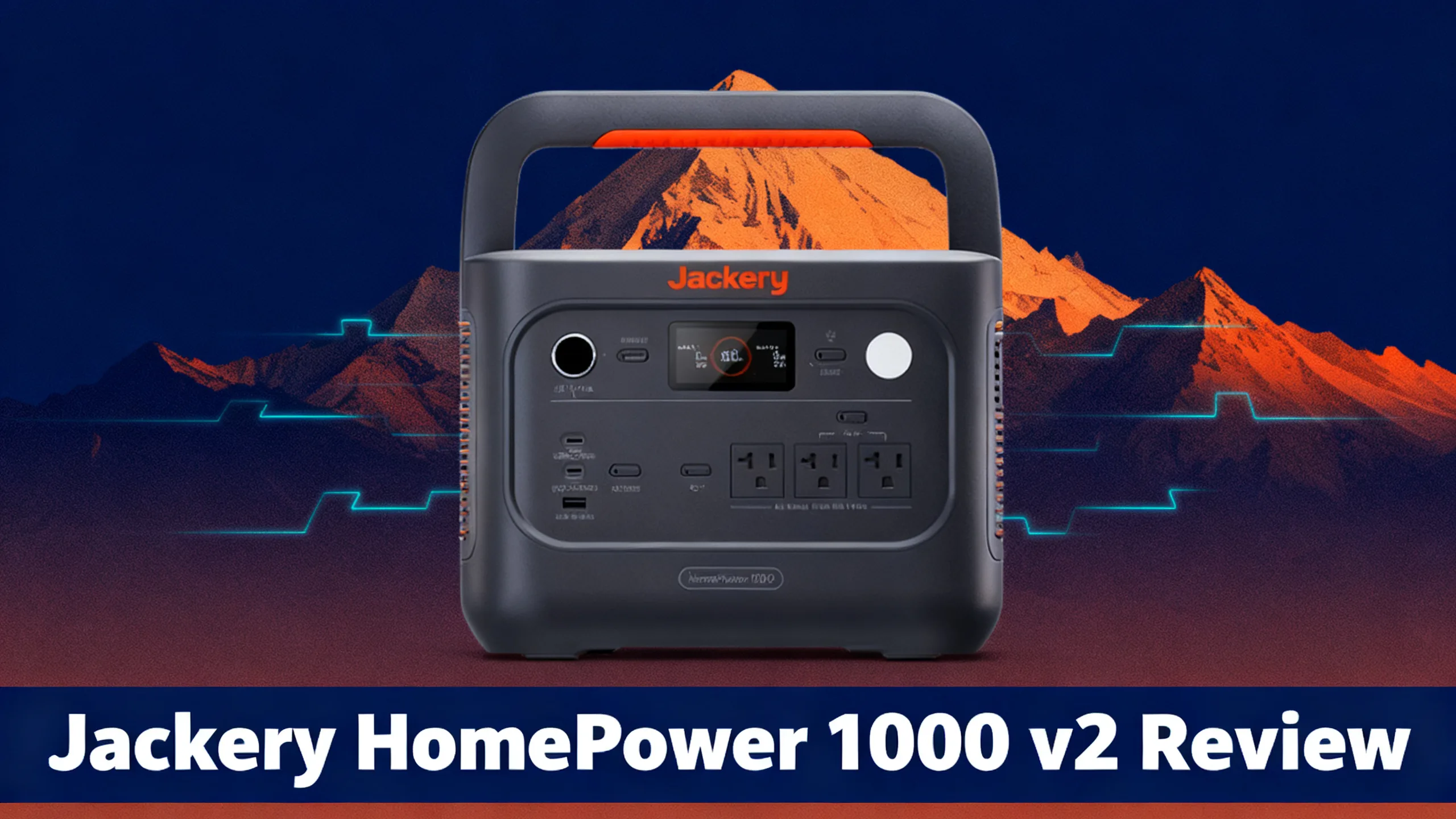
A standard desktop UPS buys you 5 to 15 minutes. That is enough to save a file and shut down, not enough to finish a client call or keep the Wi-Fi alive through a two-hour outage. The Jackery HomePower 1000 v2 is built to close that gap: a 1,024Wh LiFePO4 home battery that doubles as an uninterruptible power supply, switching over in under 10 milliseconds.
Priced at $554 (down from $649), it targets home offices, households in storm-prone areas, and anyone who needs a router, CPAP, or fridge to keep running when the grid drops. Jackery claims it runs a PC up to 100 times longer than a traditional UPS. That is the brand’s own figure, so this analysis looks at what the specs actually support.

Launched in June 2026, it opens the Jackery HomePower range, one step below the expandable HomePower 1000 Plus v2 and HomePower 2000 Plus v2. Here’s what the data says about whether it works as a real computer UPS.

Jackery HomePower 1000 v2
$554 $649
- Sub-10ms UPS switchover with 3kV surge protection
- 1,024Wh LiFePO4, 6,000 cycles
- Full recharge in 50 minutes
Quick verdict: what the data shows
The short answer: yes, it works as a real UPS for most home office gear. Three things stand out in the spec sheet: a sub-10ms switchover, lightning and 3kV surge protection, and a full recharge in 50 minutes. That combination is what separates the HomePower 1000 v2 from a generic power station with a pass-through outlet.
The limitation is just as clear. Capacity is fixed at 1,024Wh with no expansion port, which means about 6 hours on a full-size fridge and no way to grow the system later.
Jackery HomePower 1000 v2: Overall Rating
8.7/10
“A home office UPS with far more runtime than a standard battery backup”
UPS Performance 9.3/10
Value 8.8/10
Charging Speed 9.4/10
Capacity 7.5/10
Portability 9.0/10
Longevity 9.4/10
📊 Pros and cons at a glance
✅ Pros
- Sub-10ms UPS switchover for computers and routers
- Lightning and 3kV surge protection
- Full recharge in 50 minutes (Emergency mode)
- 6,000-cycle LiFePO4 battery
- 23.4 lbs and under 30dB in Quiet Mode
❌ Cons
- Fixed 1,024Wh capacity, no expansion
- About 6 hours on a full-size fridge
- Not a true 0ms transfer
- 400W solar input limits off-grid refills
Jackery HomePower 1000 v2 specs
Here’s the full spec sheet, based on Jackery’s published data.
| Specification | HomePower 1000 v2 |
|---|---|
| Battery Capacity | 1,024Wh LiFePO4 |
| AC Output | 1,500W (Surge 3,000W), 3 outlets |
| USB / DC | 2x USB-C 100W, 1x USB-A, 1x 12V car port |
| UPS Switchover | Under 10ms |
| Surge Protection | Lightning protection, 3kV surge |
| AC Recharge | 50 min (Emergency) / 1.25 hrs (default) |
| Max Solar Input | 400W, about 3.3 hrs |
| Cycle Life | 6,000 cycles to 70% |
| Noise | Under 30dB (Quiet Mode) |
| Weight | 23.4 lbs |
| Warranty | 5 years (3 + 2 via jackery.com) |
Two numbers deserve attention: the 6,000-cycle rating and the 50-minute recharge. LiFePO4 (lithium iron phosphate) chemistry is what makes that cycle count possible. At one full cycle per day, Jackery rates it for roughly 16 years before capacity drops to 70%. Full details are on the official product page.
UPS performance: built for computers and sensitive gear
A UPS (uninterruptible power supply) has one job: keep your devices running when the wall outlet dies, without a reboot. The HomePower 1000 v2 switches from grid to battery in under 10 milliseconds. Desktop computers, routers, modems, and NAS drives typically ride through a transfer that short without noticing.
What changes is how long the backup lasts. A classic battery backup gives you time to shut down. This unit gives you time to keep working, since the same 10ms switchover hands over to a 1,024Wh battery instead of a small lead-acid cell.

Surge and lightning protection
Jackery lists lightning protection and 3kV surge protection, aimed squarely at the PC and fridge plugged into it. For households in thunderstorm-prone regions, that matters as much as runtime. An outage interrupts your work; a surge can damage the power supply behind it.
⚠️ Important: Under 10ms is not 0ms. If your equipment’s manual specifies zero transfer time (some workstations, lab instruments, or medical devices), confirm compatibility before relying on this unit as its only backup.
Priority Routing™
Priority Routing™ is Jackery’s answer to fixed capacity. You set a battery threshold, and once the charge falls to that level, secondary devices are cut off so the essentials (fridge, router, lights) keep running as long as possible. In practice, that means a TV or space fan stops drawing power long before your internet or food is at risk.
Best Power Station for Medical Equipment at Home
Anyone relying on a CPAP or oxygen concentrator should read our medical equipment backup guide before choosing a unit.
What can it power? Runtime analysis
Runtime depends on two numbers: the battery’s usable energy and your device’s draw. With roughly 85% inverter efficiency, the 1,024Wh battery delivers about 870Wh of usable AC power. The wattages below are typical figures: your device’s exact wattage is on its label or charger, and the U.S. Energy Information Administration’s guide to measuring electricity explains how watts turn into watt-hours.


The home office numbers are where this unit makes the most sense. A desktop and monitor at 200W run for about 4.3 hours, enough to get through most outages without shutting down. A router and modem at 20W stay online for roughly 43 hours, which keeps a laptop-based setup connected for nearly two days.
What Can It Power? (1,024Wh)
🖥️
Desktop PC + monitor
~4.3 hrs
200W
📶
Router + modem
~43 hrs
20W
❄️
Full-size refrigerator
~6 hrs
150W average
😴
CPAP machine
~2.5 nights
40W, 8 hrs/night
The fridge figure is the honest limit. At roughly 6 hours per charge on a full-size fridge, households that need more should compare other refrigerator backup options. A CPAP at 40W is a better match, with about 2.5 nights per charge.
Portable Power Station Runtime Calculator
Real consumption varies by model and settings, so calculate your exact runtime with your own devices.

Charging options
Charging speed is the other half of the UPS story: a fast recharge means you’re ready for the next outage sooner. Emergency Charging mode, enabled in the Jackery app, fills the battery in 50 minutes from a wall outlet. The default mode takes about 1.25 hours and is the one Jackery recommends for battery longevity.
💡 Pro Tip: Leave the default mode on for everyday top-ups and switch to Emergency Charging in the app when a storm is forecast. You get the 50-minute turnaround only when it actually matters.
Off-grid options cover the rest. The two DC8020 inputs accept up to 400W of solar (16-60V), which translates to about 3.3 hours for a full charge in good sunlight. A 600W DC-DC alternator charger needs about 2.7 hours, and a generator about 50 minutes.

Jackery also sells the Solar Generator HomePower 1000 v2 bundle with a SolarSaga 200W panel for $754 (regularly $939). It makes sense if multi-day outages are a real risk where you live, since the wall is no help once the grid is down.

Design and build
At 23.4 pounds and 12.4 x 7.9 x 9.2 inches, it sits closer to a desktop tower than a camping cooler. The foldable handle lies flat, so the unit tucks under a desk or onto a shelf and still carries easily to the kitchen when the fridge needs it more.
Noise stays under 30dB in Quiet Mode, which matters for a unit that lives next to your desk or bed. Output covers three 120V pure sine wave AC outlets, two 100W USB-C PD ports, one USB-A, and a 12V car port, plus a built-in LED light for outages.

HomePower 1000 v2 vs Explorer 1000 v2: what changed?
The HomePower 1000 v2 shares its 1,500W inverter and 400W solar input with the Explorer 1000 v2, so the question is fair: what are you paying for? If camping and road trips come first, our analysis of the outdoor-focused Explorer sibling is the better starting point. For home use, the differences below are the ones that count.
| Feature | HomePower 1000 v2 | Explorer 1000 v2 |
|---|---|---|
| Capacity | 1,024Wh | 1,070Wh |
| Cycle life | 6,000 | 4,000 |
| UPS switchover | Under 10ms | 20ms |
| 3kV surge protection | Yes | – |
| Priority Routing | Yes | – |
| Fastest recharge | 50 min | About 1 hr |
| Weight | 23.4 lbs | 23.8 lbs |
The trade is simple: 46Wh less capacity in exchange for a switchover at least twice as fast, surge protection, Priority Routing, and 2,000 extra cycles. Owners of an older unit can check the Jackery 1000-series comparison to see how far the lineup has moved.
If you want room to grow, the Jackery HomePower 1000 Plus v2 ($679) expands up to 11kWh with add-on batteries. Our HomePower 1000 Plus v2 review covers what the extra $125 buys.
Who is it for?
This is a home unit first. It suits remote workers who can’t afford to drop off a call, households in lightning-prone areas, and anyone who needs one or two essentials running overnight.

It is less convincing for whole-home backup or long outages, where the fixed capacity becomes the bottleneck.
✅ Buy this if…
- You want a UPS for a home office that lasts hours, not minutes
- You live in a storm or lightning-prone area
- You need backup for a router, CPAP, or one fridge overnight
- You want a small unit you can move room to room
❌ Skip this if…
- You want to add capacity later: it is not expandable (look at the 1000 Plus v2)
- You need to keep a fridge running through a full day
- Your equipment requires a true 0ms transfer
- You mostly camp: the Explorer 1000 v2 is often cheaper
Frequently asked questions
Can the Jackery HomePower 1000 v2 be used as a UPS?
Yes. It switches to battery in under 10 milliseconds, fast enough for desktop computers, routers, and most home office equipment. It is not a 0ms device, so gear that requires zero transfer time should be checked first. Lightning and 3kV surge protection add a layer that basic power stations usually skip.
How long will the HomePower 1000 v2 run a desktop computer?
About 4.3 hours for a desktop and monitor drawing around 200W, based on 1,024Wh capacity and roughly 85% inverter efficiency. A lighter setup lasts longer: a laptop, router, and modem together can run for most of a day.
Is the HomePower 1000 v2 expandable?
No. Capacity is fixed at 1,024Wh. Buyers who want to add batteries later should look at the HomePower 1000 Plus v2, which expands to 11kWh. If your needs are one desk, one router, or one fridge for a few hours, the fixed capacity is rarely a problem.
What is the difference between the HomePower 1000 v2 and the Explorer 1000 v2?
The HomePower 1000 v2 has slightly less capacity (1,024Wh vs 1,070Wh) but adds a faster sub-10ms UPS, 3kV surge protection, Priority Routing, 6,000 cycles instead of 4,000, and a 50-minute emergency recharge. The HomePower targets home backup, while the Explorer leans toward outdoor use.
How fast does the HomePower 1000 v2 charge?
In 50 minutes using Emergency Charging mode in the Jackery app, or about 1.25 hours in the default mode. With 400W of solar input, a full charge takes around 3.3 hours in good sunlight. A 600W alternator charger needs about 2.7 hours.
Final verdict
The Jackery HomePower 1000 v2 earns its 8.7/10 by doing one job well: acting as a home office UPS that lasts hours instead of minutes. The sub-10ms switchover, 3kV surge protection, 50-minute recharge, and 6,000-cycle LiFePO4 battery make it a strong fit for remote workers, storm-prone households, and overnight essentials.
The fixed 1,024Wh capacity is the deciding factor. If there’s any chance you’ll want more storage later, the HomePower 1000 Plus v2 is the safer long-term buy. If not, this is a practical, well-priced way to keep your desk and your router running through the next outage.
Jackery HomePower 1000 v2
$554
Best Jackery UPS for home offices under $600
Price verified September 2026. Free shipping available.
Originally published: September 25, 2026