
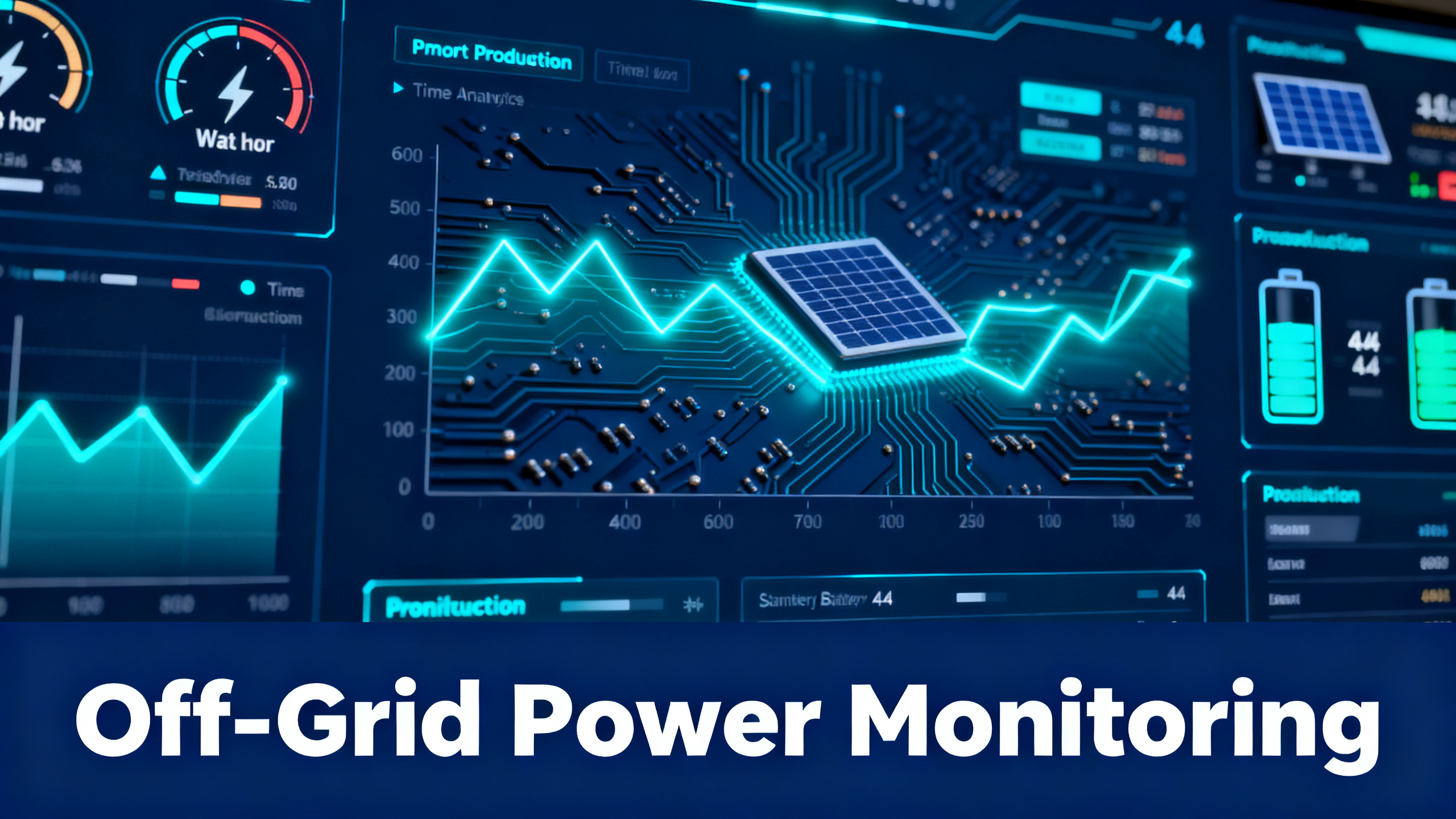
Running an off-grid power system without monitoring is like driving with the dashboard taped over. You know the engine works. You just have no idea how much fuel is left, how hard the alternator’s working, or whether something’s about to fail at 2 a.m.
This guide breaks down the four major solar power monitoring app ecosystems available in 2026 (Anker SOLIX, EcoFlow, Bluetti, Jackery), explains which metrics actually matter for off-grid living, and walks through load management strategies that turn your off grid power monitoring setup into a true control system rather than a passive readout.

Anker SOLIX C1000
Best-in-Class App Monitoring
$999.00
- 1,056Wh LFP, 1,800W AC output
- Real-time Bluetooth + Wi-Fi monitoring
- 600W solar input, full charge in under 2h
Get our Black Friday alerts for power stations
We track live prices on 40+ models from Jackery, EcoFlow, BLUETTI and Anker SOLIX. When a deal beats the lowest price we've recorded, you'll hear from us. During Black Friday week, one short recap a day at most.
Unsubscribe in one click. We may earn a commission when you buy through our links, at no extra cost to you. Privacy Policy
Why Power Monitoring Is Critical for Off-Grid Living
Effective monitoring is the operational backbone of any well-designed system, a principle explored in depth in our off-grid solar power systems guide. Without it, you’re guessing. And guessing is what kills batteries, drains expensive cells below their cutoff voltage, and leaves you with a dead inverter halfway through a winter night.
The shift over the last few years has been dramatic. Power stations that used to ship with a basic LCD now bundle full Wi-Fi connectivity, remote alerts, and load scheduling. The hardware is cheaper. The software is what separates a usable off-grid setup from a frustrating one.
What Happens Without Monitoring (Real Consequences)
A recurring pattern in owner reports illustrates the cost of flying blind. The fridge runs through the night, draws more than expected because the compressor cycles harder in the heat, and by morning the battery sits at 8%. You wake up to a beeping inverter and spoiled food. None of this would have happened with a 20% low-battery push notification.
Other failure modes that monitoring catches early include:
- Solar panel underperformance: a partial shadow, dirty glass, or a failing MPPT controller often shows up as a 30 to 50% input drop on the app dashboard before you’d ever notice visually.
- Phantom loads: a forgotten 40W draw at 3 a.m. eats 500Wh by sunrise. The app’s load history makes this obvious.
- Battery temperature spikes: in desert installs or insulated cabinets, thermal alerts prevent expensive cell damage.
The Case for App-Based Control vs Manual Guesswork
The on-device LCD on most power stations shows you state of charge and current load. That’s it. The companion apps add layers that are operationally critical for off-grid use: scheduled charging, alert thresholds, usage history, and (on the better platforms) remote access from anywhere with cell service.
For users running critical circuits, understanding home power load management strategies is just as important as choosing the right monitoring app. The two work together: the app shows you what’s happening, and load management determines what to do about it.
App Comparison: Anker SOLIX vs EcoFlow vs Bluetti vs Jackery
Spec-for-spec, the four major brands position their apps very differently. Some treat the app as the core of the product. Others treat it as a nice-to-have add-on. Here’s how they actually compare on the power station app features that matter for off-grid use.
Power Station App Comparison, 2026
| Feature | Anker SOLIX | EcoFlow | Bluetti | Jackery |
|---|---|---|---|---|
| Bluetooth Control | ✓ | ✓ | ✓ | ✓ |
| Wi-Fi Remote Monitoring | ✓ | ✓ | ✓ | ✗ |
| OTA Firmware Updates | ✓ | ✓ | ✓ | ✗ |
| Scheduled Charging | ✓ | ✓ | Partial | ✗ |
| Energy Usage History | ✓ | ✓ | Limited | ✗ |
| Smart Plug Integration | Partial | ✓ | ✗ | ✗ |
| iOS + Android Support | ✓ | ✓ | ✓ | ✓ |
Based on published app features and specs, verified May 2026. Cross icon = not available. Partial = limited model support.
Anker SOLIX App, Most Complete Feature Set
The Anker SOLIX app and monitoring features stand out as the most complete in this category, with both Bluetooth and Wi-Fi connectivity available on C-series and F-series units. Published feature data confirms support for OTA firmware updates, scheduled charging windows, configurable battery threshold alerts, and full energy usage history with weekly and monthly trend views.
The standout for off-grid use is the scheduled charging feature combined with silent mode. You can configure the unit to charge from solar during peak production hours, drop into low-fan mode at night, and only fall back to AC backup if state of charge drops below a threshold you define. More information is available on the Anker SOLIX official app page.
One limitation worth noting: smart plug integration on the Anker SOLIX ecosystem is partial. EcoFlow has a clearer advantage if smart-home automation is your top priority. For everything else, the Anker app is the most polished platform of the four.
EcoFlow App, Best Smart Plug Integration
The ecoflow app (also referenced as the ecoflow application on some marketing pages) takes a different approach. EcoFlow has built the broadest ecosystem of compatible smart plugs, smart switches, and AC charging accessories of any portable power station brand. If your goal is automating which appliances draw from your power station and when, EcoFlow’s platform is currently the most flexible.
The ecoflow app android and iOS versions both support the full feature set, including remote monitoring over Wi-Fi, scheduled charging, and configurable load priority through compatible smart plugs. See the EcoFlow app download page for current compatibility lists.
Bluetti App, Solid Basics, Limited History
The bluetti app covers the fundamentals well. Bluetooth control, Wi-Fi remote monitoring on flagship models, and OTA firmware updates are all present. Where the platform lags is in usage history depth and scheduled charging granularity, where Bluetti’s implementation is partial and limited to certain models in their lineup.
For users with a single Bluetti unit who need basic remote check-ins and firmware updates, the app is sufficient. For multi-device fleets or users who need fine-grained scheduling, the Anker or EcoFlow platforms offer more depth.
Jackery App, Monitoring Without Remote Access
The jackery app is the most basic of the four. As of 2026, Jackery models use Bluetooth-only control on most units, which limits range to roughly 30 feet. There’s no remote Wi-Fi monitoring, no scheduled charging, and no usage history. For weekend campers who only need to check state of charge from across the campsite, this is fine. For unattended off-grid properties, Jackery is currently the wrong tool.
⚠ Important: If remote alerts and Wi-Fi monitoring are non-negotiable for your off-grid setup, eliminate Jackery from your shortlist before comparing other features. The hardware is solid, but the app gap is significant.
Get our Black Friday alerts for power stations
We track live prices on 40+ models from Jackery, EcoFlow, BLUETTI and Anker SOLIX. When a deal beats the lowest price we've recorded, you'll hear from us. During Black Friday week, one short recap a day at most.
Unsubscribe in one click. We may earn a commission when you buy through our links, at no extra cost to you. Privacy Policy
Remote Monitoring for Unattended Properties
Remote off grid power management is where the gap between brands becomes most visible. If your power station sits in a cabin, a workshop, or a rental property you visit twice a month, you need to know what’s happening without driving out. This is where the remote power monitoring off grid use case separates the serious platforms from the basic ones.

Wi-Fi vs Bluetooth: Which You Actually Need Off-Grid
The distinction matters more than it sounds. Bluetooth gives you control when you’re on-site, within roughly 30 feet of the unit. Wi-Fi (when paired with internet at the property, often via a cellular hotspot or Starlink) gives you control from anywhere on Earth.
For a weekend camper, Bluetooth is enough. For an off-grid cabin, a hunt camp, or a remote tool shed, Wi-Fi is the only configuration that prevents nasty surprises. This same remote-monitoring capability applies to mobile setups, see our guide to remote power monitoring for RV and mobile systems for deployment considerations.
Setting Up Alerts and Thresholds
The Anker SOLIX and EcoFlow apps both support configurable battery threshold alerts. The standard recommendation for off-grid use is a 20% low-battery alert, which gives you enough buffer to either cut non-critical loads or schedule a generator top-up before the inverter cuts out at the protection threshold (typically 5% to 10%).
To configure alerts in the Anker SOLIX app:
- Open the device settings page for the connected power station.
- Navigate to “Notifications” and enable push alerts for state-of-charge thresholds.
- Set a primary threshold at 20% and (optionally) a secondary critical threshold at 10%.
- Enable thermal alerts if your unit sits in an enclosure or hot environment.
Load Management: Prioritizing Consumption
For users running critical circuits, app monitoring is half the equation. The other half is load management, the practice of deciding what to power, when, and what to cut first when capacity gets tight. The energy management off grid approach below works regardless of which brand you’ve chosen.
Off-Grid Load Priority Framework
🔴 Tier 1, Critical (Never Cut)
- Medical equipment (CPAP, oxygen concentrator)
- Refrigerator / medication storage
- Communication devices (phone, radio)
- Water pump (if off-grid well)
🟡 Tier 2, Essential (Reduce if Needed)
- Lighting (LED, low draw)
- Laptop / work devices
- Router / internet
- Security cameras
🟢 Tier 3, Comfort (Cut First)
- TV / entertainment
- Coffee maker / small appliances
- EV charging (reschedule to solar peak)
- Washing machine
Configure your app’s scheduled charging to auto-prioritize Tier 1 loads. Anker SOLIX and EcoFlow apps support load scheduling natively.
The Load Priority Framework (3 Tiers)
The three-tier framework above is the simplest mental model that holds up in practice. Tier 1 loads stay powered no matter what. Tier 2 loads stay on as long as state of charge is above 30%. Tier 3 loads are scheduled to run only during solar peak hours, when production is highest and excess energy would otherwise be lost.
This is where smart plug integration earns its keep. EcoFlow’s ecosystem (and increasingly Anker’s) lets you wire Tier 3 appliances through smart plugs that can be cut from the app or automated against a state-of-charge threshold.
Scheduled Charging: When to Let the App Decide
Scheduled charging on the Anker SOLIX and EcoFlow apps lets you define windows when AC charging is allowed. The use cases that matter:
- Generator-paired setups: only run the generator between 9 a.m. and 11 a.m. to top off the battery, never overnight.
- Time-of-use grid setups: charge from grid only during off-peak rate windows (typically midnight to 6 a.m.).
- Solar-only setups: disable AC charging entirely so the unit only draws from panels.
Portable Power Station Calculator
Before configuring your monitoring alerts, calculate your real consumption baseline first.
Use our portable power station runtime calculator to establish baseline consumption thresholds for your appliances. Without those numbers, scheduled charging is guesswork.
Best for Large Off-Grid Systems
Anker SOLIX F3800
3,840Wh, expandable to 26.9kWh
$1,999.00
Best Value with Smart App
Anker SOLIX C1000
1,056Wh, 600W solar, Wi-Fi monitoring
$999.00
Smart Integrations: Automating Your Off-Grid System
Smart Plugs and Their Compatibility
Smart plug integration is what turns a passive monitoring app into a true automation platform. The anker solix app features include partial smart plug support through scheduling, while EcoFlow offers the most open ecosystem with native compatibility for their own smart plugs and a growing list of third-party devices.
Bluetti and Jackery currently lag here. If voice assistant control or smart home routines matter for your setup, Anker SOLIX and EcoFlow are the only two platforms worth considering as of 2026.
Building a Dashboard: What Metrics Actually Matter
Every app gives you a screen full of numbers. Most of those numbers don’t matter day-to-day. The six metrics below are the ones that actually drive operational decisions in an off-grid system.
6 Metrics Every Off-Grid System Should Track
🔋
State of Charge
Real-time %, set low-battery alerts at 20% threshold
⚡
Input Wattage
Solar + AC charging rates, detect panel underperformance
🏠
Load Draw
Live W consumption, identify energy hogs remotely
⏱️
Estimated Runtime
Hours remaining at current draw, plan daily load schedule
🌡️
Battery Temp
Thermal alerts, critical in desert or cold-climate installs
📊
Usage History
Weekly/monthly trends, right-size future system upgrades
Track these six in your app’s dashboard, and you have everything you need to run an off-grid system without surprises. Everything else (port-by-port output, fan RPM, individual cell voltage on advanced units) is useful for deep diagnostics but doesn’t drive day-to-day decisions.
💡 Pro Tip: Screenshot your app dashboard at the same time each day for a week. Patterns in solar input, peak load, and overnight drain become visible quickly, and they’ll tell you whether your system is right-sized for your actual consumption.
Frequently Asked Questions
What is the best app for monitoring an off-grid power station?
Analysis of published features confirms that the Anker SOLIX app and EcoFlow app currently offer the most complete monitoring feature sets, both supporting Bluetooth and Wi-Fi connectivity, OTA firmware updates, and scheduled charging. For users requiring remote access to unattended off-grid properties, these two platforms have the clearest advantage over Bluetti and Jackery apps, which either lack Wi-Fi or limit usage history access.
Can I monitor my power station remotely when away from the property?
Remote monitoring is possible with Wi-Fi-connected power stations using the Anker SOLIX, EcoFlow, and Bluetti apps. All three support internet-based access once the unit is connected to a home or site Wi-Fi network. Jackery models, as of 2026, use Bluetooth-only control, which limits range to approximately 30 feet and does not support remote access.
Do all portable power stations have companion apps?
All four major brands (Anker SOLIX, EcoFlow, Bluetti, Jackery) offer iOS and Android companion apps. However, feature depth varies significantly. Bluetooth-only connectivity, limited usage history, and the absence of scheduled charging features are common limitations on entry-level and older models. Mid-range and flagship models from Anker SOLIX and EcoFlow tend to offer the broadest app feature sets.
How do I set up alerts for low battery in my off-grid system?
The Anker SOLIX and EcoFlow apps support configurable battery threshold alerts. In the Anker app, navigate to device settings and enable notifications for state-of-charge thresholds (a 20% minimum alert is the standard recommendation for off-grid use). EcoFlow’s app offers similar push notification configuration in the device dashboard. Bluetti offers basic alerts on select models. Jackery’s app does not currently support remote push alerts.
What is load management in an off-grid power system?
Load management refers to the practice of prioritizing and scheduling which appliances draw power from a battery system, with the goal of extending runtime and protecting critical circuits. In app terms, scheduled charging allows the system to charge from solar during peak production hours and avoid grid or generator top-ups during expensive periods. A tiered approach (critical circuits first, comfort loads last) ensures that essential devices stay powered even when battery levels drop.
Can I integrate my power station with smart home devices?
Integration capability depends on the brand and ecosystem. EcoFlow offers the most open smart plug compatibility as of 2026. Anker SOLIX supports partial automation via the app’s scheduling features. Bluetti and Jackery do not currently offer direct smart plug or voice assistant integration on their standard models. Third-party solutions using smart plugs (KASA, TP-Link) connected to separate monitoring systems can extend automation capabilities for any brand.
Conclusion
The right app turns an off-grid power station from a battery-on-wheels into a real control system. For most setups, the decision comes down to two platforms: Anker SOLIX for the most complete feature set across the price range, and EcoFlow for users prioritizing smart-plug ecosystems and home automation.
For mid-capacity off-grid systems where app monitoring is non-negotiable, the Anker SOLIX C1000 hits the sweet spot of feature depth, solar input speed, and price. For larger installations where whole-home backup matters, the F3800 extends the same app platform to 3,840Wh and beyond.
Anker SOLIX C1000
$999.00
Best app monitoring for off-grid mid-capacity systems
Price verified May 2026, free shipping available
Originally published: May 7, 2026