
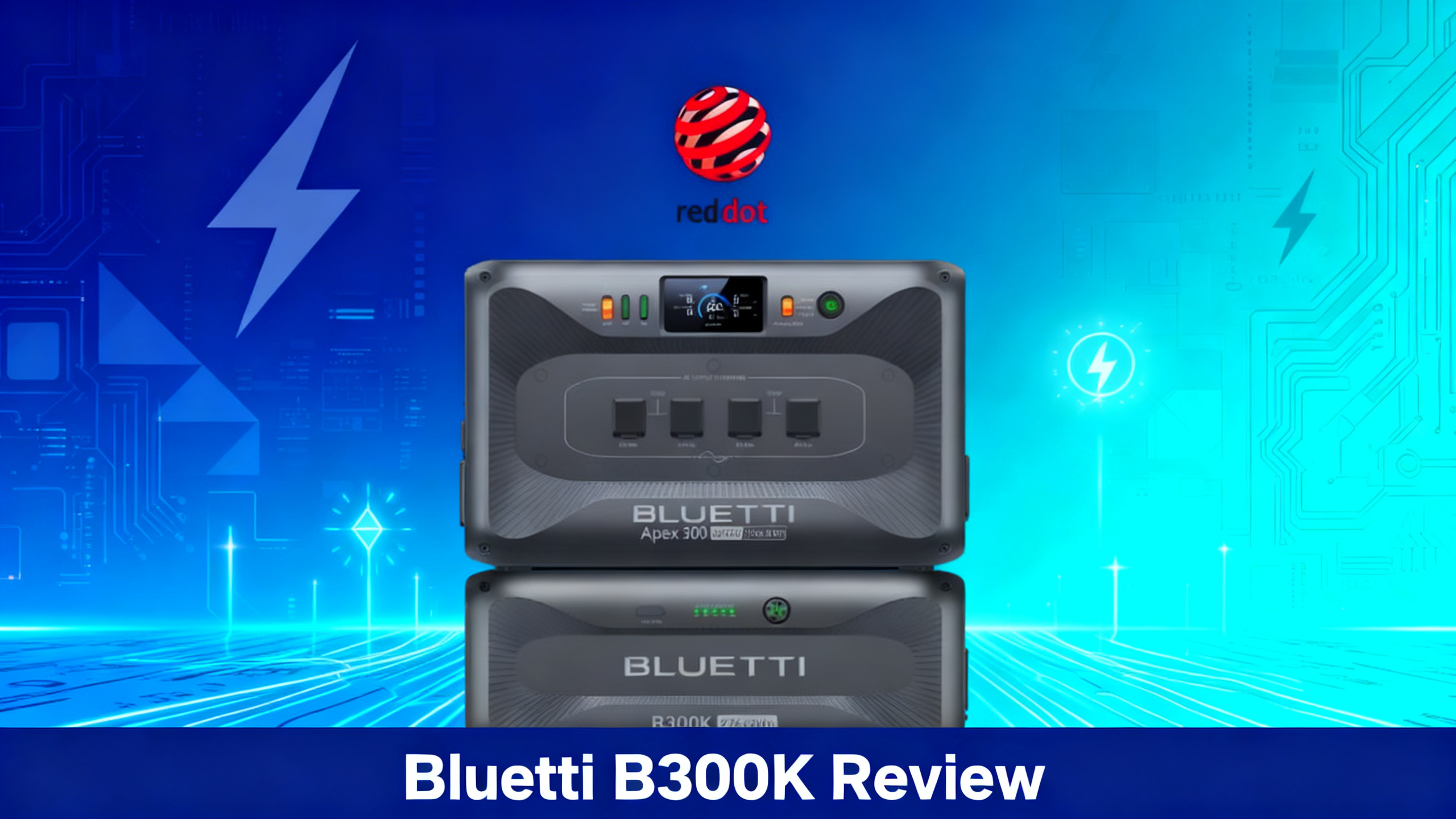
Already own a Bluetti Apex 300 and wondering if the B300K expansion battery is worth adding? Capacity is the single biggest constraint for serious home backup users, and the B300K is Bluetti’s answer: a dedicated 2,764.8Wh LiFePO4 battery module built to stack directly with the Apex 300 and double its total energy storage.
This review focuses on the B300K hardware itself; for full system configuration options, the full B300K expansion guide covers every compatible bundle. Here, we break down the specs, compatible host units, installation process, bundle pricing, and the key question: how many B300K units do you actually need?

Get our Black Friday alerts for BLUETTI
We track live prices on 40+ models from Jackery, EcoFlow, BLUETTI and Anker SOLIX. When a deal beats the lowest price we've recorded, you'll hear from us. During Black Friday week, one short recap a day at most.
Unsubscribe in one click. We may earn a commission when you buy through our links, at no extra cost to you. Privacy Policy
Real-World Look: The Bluetti B300K in Use
Studio renders only tell part of the story. Here is the Bluetti B300K as it actually looks in a real owner’s hands, away from the polished marketing shots.
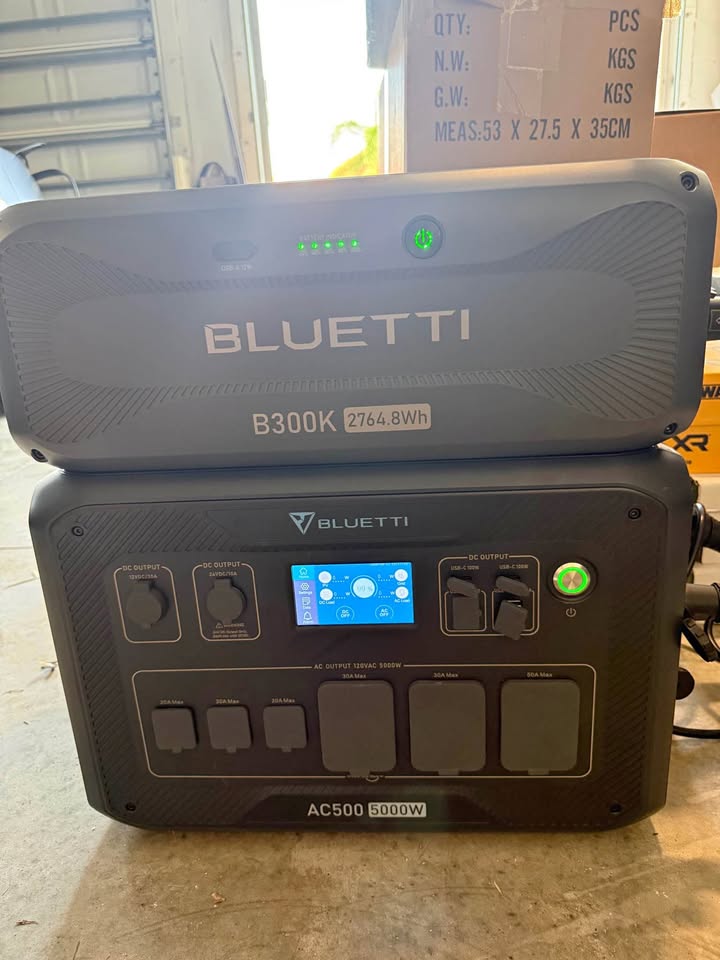
Real-world photos of the Bluetti B300K.
Bluetti Apex 300 + B300K Bundle
$2,599 $2,799
- 5,529.6Wh total system capacity (2,764.8Wh Apex 300 + 2,764.8Wh B300K)
- Dual-voltage AC output up to 3,840W
- Expandable to 6 B300K packs (19,353.6Wh)
What Is the Bluetti B300K?
The B300K is not a standalone power station. It’s an external expansion battery designed specifically to connect to a compatible host unit and increase the total energy storage of that system. On its own, the B300K has no inverter and no AC outlets: just a single 12W USB-A port for small devices, and it can only be recharged through a host unit. Its real job is to extend the capacity of whichever unit it’s attached to.
That distinction matters if you’re comparing it to the older B300 and B300S packs. The Apex 300 accepts all three, and Bluetti lets you mix models, but the B300K is the one designed alongside it. It uses LiFePO4 (lithium iron phosphate) chemistry rated for 6,000+ charge cycles to 80% capacity, and with a B300K attached the Apex 300 updates the firmware of both units in one step, where B300 and B300S packs must be updated one by one. The B300K also works with the AC500, AC300, AC200L and AC200MAX.

Get our Black Friday alerts for BLUETTI
We track live prices on 40+ models from Jackery, EcoFlow, BLUETTI and Anker SOLIX. When a deal beats the lowest price we've recorded, you'll hear from us. During Black Friday week, one short recap a day at most.
Unsubscribe in one click. We may earn a commission when you buy through our links, at no extra cost to you. Privacy Policy
Technical Specifications
The B300K carries a 2,764.8Wh LiFePO4 battery pack (51.2V, 54Ah) rated for 6,000+ cycles to 80% capacity. It weighs 29.5 kg (65 lbs) and measures 20.67 × 12.87 × 8.23 in. It connects to the Apex 300 with a P090A battery cable (a short one if you stack the Apex 300 on top, a long one for side-by-side placement), and each Apex 300 accepts up to six expansion batteries.
Bluetti lists a 3+1-year warranty on the B300K. Below is the full spec breakdown across the B300K unit and the combined system configuration.
For the full technical documentation on the Apex 300 ecosystem, Bluetti’s Apex 300 product page lists the expansion limits, battery cable types and parallel setup options.


How Much Capacity Does the B300K Add?
The Apex 300 ships with a 2,764.8Wh internal battery. Add one B300K and that figure doubles to 5,529.6Wh. Add a second B300K and the system reaches 8,294.4Wh, which puts it squarely in whole-home backup territory for multi-day outages. The ceiling is six B300K packs per Apex 300, for 19,353.6Wh.
With one B300K, the combined 5,529.6Wh is enough to run a refrigerator for about 31 hours even at a conservative 150W average draw, keep ten LED lights on for about two days, or power a CPAP machine for more than six days. Here’s how those runtime figures break down by appliance type.
What Can the Apex 300 + B300K Power? (5,529.6Wh)
❄️
Refrigerator
~31 hrs
150W avg
💡
LED Lights (x10)
~47 hrs
100W avg
💻
Laptop + Router
~67 hrs
70W avg
📡
CPAP Machine
~157 hrs
30W avg
Keep in mind that real-world consumption varies based on appliance efficiency, temperature, and simultaneous load. Runtime figures above use our standard formula: capacity × 0.85 (inverter and conversion losses) ÷ average draw. Running a refrigerator alongside a laptop and lights simultaneously will compress those figures. Still, 5,529.6Wh is a meaningful safety net for most households during a 24-48 hour outage.
Compatibility and System Design
The primary host unit is the Apex 300 the B300K pairs with, which provides the dual-voltage inverter and all AC/DC outputs. Bluetti also lists the B300K as compatible with the AC500, its previous flagship, as well as the AC300, AC200L and AC200MAX.
Limits differ by host: up to six B300K on the Apex 300 or the AC500, up to four B300 or B300K packs on the AC300, and up to two B300K on the AC200L and AC200MAX (7,577.6Wh). Each host uses its own cable, which is why Bluetti sells separate B300K listings for the Apex 300, the AC200L/AC300 and the AC500. The AC180, Elite 200 V2 and EB3A cannot use the B300K at all.
⚠️ Important: Order the B300K listing that matches your host unit (Apex 300, AC200L/AC300 or AC500). Do not purchase the B300K if your current Bluetti unit is the AC180, Elite 200 V2 or EB3A.

Installation and Setup
The physical connection process is straightforward. Place the B300K beneath or beside the Apex 300, connect the P090A battery cable between the two units (the short cable when stacked, the long one when side by side), then power on and configure via the Bluetti app. The app recognizes the expansion battery automatically and displays a unified capacity readout for the combined system.

For larger systems, the full step-by-step expansion guide covers cabling and multi-stack layouts: beyond three batteries, Bluetti recommends starting a second stack. Neither hub is needed to add batteries. The Hub A1 links two or three Apex 300 units in parallel, and the Hub D1 adds DC output ports; the dedicated which hub for B300K setup comparison clarifies the differences.
💡 Pro Tip: You never need a hub to add B300K packs: they plug straight into the Apex 300. The Hub A1 only matters if you run several Apex 300 units in parallel (up to 11,520W and 58,060.8Wh with three units and 18 B300K).
How Many B300K Units Do You Need?
The Apex 300 supports up to six expansion batteries, but most buyers choose between three capacity tiers: the base Apex 300 alone (2,764.8Wh), one B300K added (5,529.6Wh), or two B300K units stacked (8,294.4Wh).
For most homeowners planning for 24-48 hour outages, one B300K hits the practical sweet spot. The 5,529.6Wh total gives you enough to run a refrigerator, charge devices, power lights, and keep a router or medical device running through a standard grid interruption. The jump to two B300K units makes sense for households with higher baseline consumption, those in areas prone to extended outages, or anyone pursuing a partial off-grid lifestyle with solar charging.


Who Should Buy the B300K? Pros and Cons
Buy the B300K bundle if…
- You already own an Apex 300 and need more runtime
- You want 2-3 days of home backup during outages
- You plan to run a refrigerator, lights, and devices simultaneously
- You want a modular system you can expand later
Skip it if…
- You own a non-compatible Bluetti model (AC180, Elite 200 V2, EB3A)
- Your power needs are light (laptop, phone charging only)
- Budget is under $1,000 for the whole setup
- You need a standalone portable unit without a base station
Strengths
The B300K’s LiFePO4 chemistry and 6,000+ cycle rating stand out in the expansion battery category. At that cycle count, daily use would put the battery’s useful life well beyond a decade. It is also the key to high-voltage solar: Bluetti’s SolarX 4K controller, which adds up to 4,000W of solar input to the Apex 300, requires at least one B300K in the system. Physically, the stacking integration with the Apex 300 is clean and stable, which matters for a unit that will likely sit in a garage or utility room long-term.
The modular design is also a practical strength. You can start with the Apex 300 alone and add B300K packs one at a time as your needs grow. That flexibility is harder to find in comparable home backup systems at this price tier.
Limitations
Weight and form are the most significant limitations. At 29.5 kg (65 lbs), the B300K is a stationary battery, and on its own it offers only a 12W USB-A port: no AC outlets, no power bank mode, no UPS, and no way to recharge it without a host unit. Second, compatibility depends on the listing: Bluetti sells separate versions for the Apex 300, the AC200L/AC300 and the AC500, and the AC180, Elite 200 V2 and EB3A cannot use it at all.
Bluetti Brand Overview
For a full perspective on the Bluetti ecosystem, this guide covers every product line in depth.
Bluetti B300K Pricing and Where to Buy
On Bluetti’s US store (checked September 26, 2026, during an early-fall sale that Bluetti says ends October 5), the B300K for Apex 300 sells on its own for $1,079, the Apex 300 + B300K bundle for $2,599 (down from $2,799), and the Apex 300 + 2×B300K bundle for $3,699. The official Apex 300 + B300K product page reflects current pricing and availability.
Existing Apex 300 owners can therefore add a B300K without buying a new bundle. Pick the listing for your host unit: Bluetti also sells versions for the AC200L/AC300 ($1,099) and the AC500 ($1,249).
Verdict: Is the B300K Worth It?
Based on spec analysis and ownership data, the B300K delivers exactly what the Apex 300 ecosystem needs: more capacity at an acceptable cost-per-watt ratio, built on chemistry that will outlast most competing expansion options. At $2,599 for 5,529.6Wh (September 2026), the bundle works out to about $0.47 per watt-hour, which positions it competitively against standalone home backup systems with similar storage.
The B300K makes the most sense if you’re building around the Apex 300 as your primary home backup unit and want the headroom to handle multi-day outages without compromising on what you can run. It doesn’t make sense if you’re looking for a portable or standalone option, or if compatibility with your current Bluetti unit is uncertain. For those who want even more capacity per slot, see how the B500K compares with its 5kWh cells.
For existing Apex 300 owners, the practical question isn’t whether to add a B300K, it’s whether one unit covers your needs or whether the 8,294.4Wh configuration of two units is the better long-term investment.
Bluetti Apex 300 + B300K
$2,599
Best modular home backup system under $3,000
Price checked September 26, 2026. Free shipping available.
Frequently Asked Questions
Is the Bluetti B300K compatible with the AC180?
No. Bluetti lists the B300K as compatible with the Apex 300, AC500, AC300, AC200L and AC200MAX. The AC180, Elite 200 V2 and EB3A cannot use it.
How much capacity does the B300K add to the Apex 300?
Each B300K adds 2,764.8Wh, the same capacity as the Apex 300 itself. With one B300K, total capacity reaches 5,529.6Wh. With two, it reaches 8,294.4Wh, and with the maximum of six, 19,353.6Wh.
Can you buy the B300K without the Apex 300?
Yes. Bluetti’s US store sells the B300K on its own ($1,079 for the Apex 300 version in September 2026), with separate listings for the AC200L/AC300 and the AC500. On its own it only offers a 12W USB-A port and can only be recharged through a host unit.
How many B300K units can the Apex 300 support?
Up to six expansion batteries per Apex 300, for a maximum of 19,353.6Wh with six B300K. Beyond three batteries, Bluetti recommends starting a second stack. Three Apex 300 units linked through a Hub A1 can reach 58,060.8Wh with 18 B300K.
What is the battery chemistry of the B300K?
The B300K uses LiFePO4 (lithium iron phosphate) chemistry, rated for 6,000+ cycles to 80% capacity. This chemistry is recognized for thermal stability and long-term durability compared to NMC alternatives.
Does the B300K require a Hub A1 or Hub D1?
No. The B300K connects directly to the Apex 300 with a P090A battery cable. The Hub A1 is only for linking two or three Apex 300 units in parallel, and the Hub D1 adds DC output ports.
Originally published: April 7, 2026