
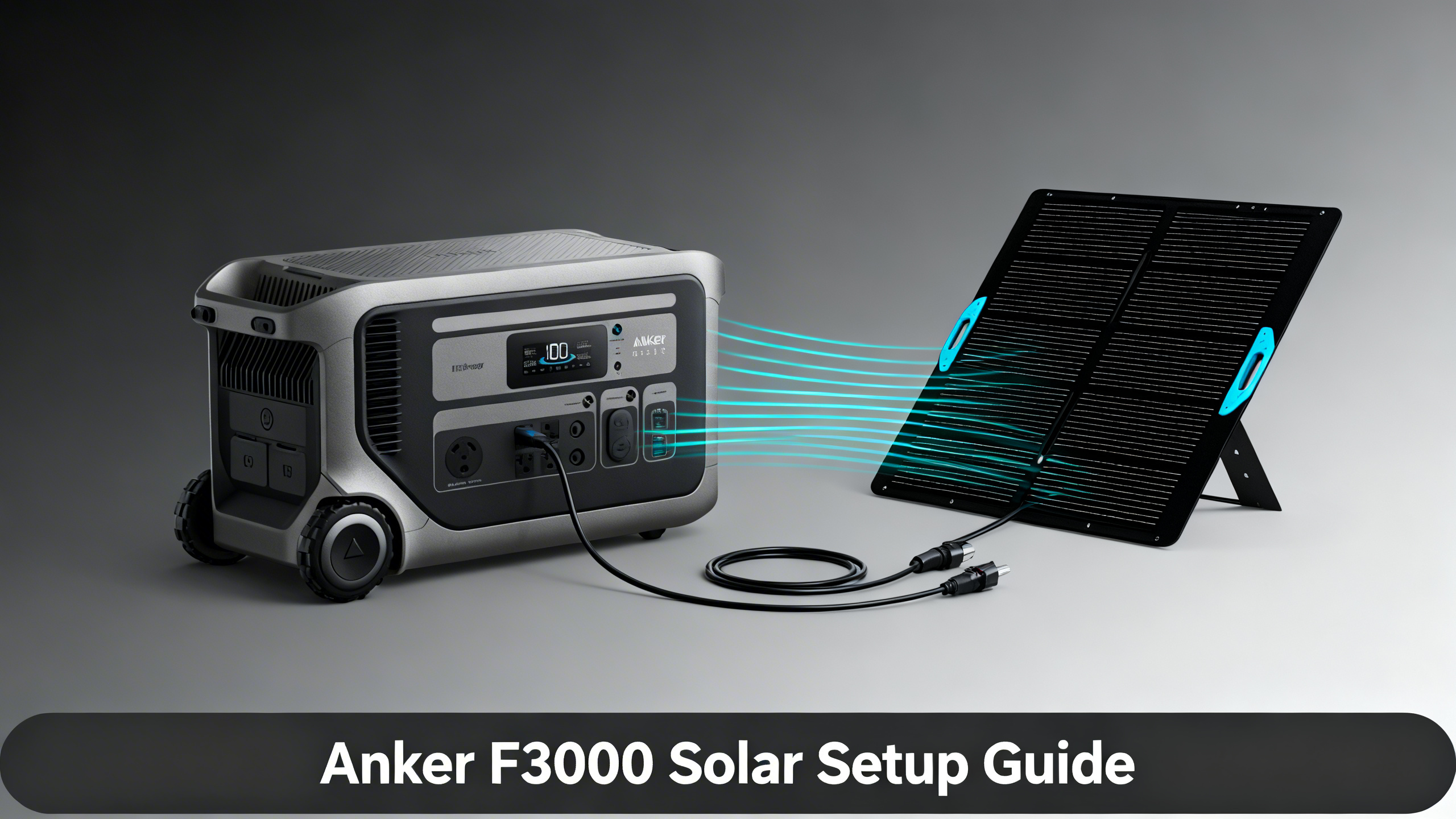
You have a 3,072Wh power station in hand and a few solar panels ready to go. The setup looks straightforward until you notice two separate solar input ports on the F3000’s side panel, each with different voltage ratings and connectors. Most solar setup guides treat a power station as a single-port device. The F3000 isn’t. Its dual MPPT architecture splits solar capacity across two independent controllers, and understanding that split is the difference between a 400W charge rate and a 2,400W one.
For a complete breakdown of ports, specs, and real-world performance, see our F3000 full review; this guide focuses specifically on squeezing every watt from its solar inputs. The steps below cover port identification, panel configuration selection, series and parallel wiring, and verification, with troubleshooting for the most common issues encountered when maximizing this system.

Anker SOLIX F3000 Portable Power Station
$2,599.00
- 3,072Wh capacity, expandable to 24kWh
- 2,400W dual MPPT solar input (60V/800W + 165V/1,600W)
- 120/240V output, 3,600W pass-through charging
What You’ll Need: Equipment Checklist
Required Equipment
Before diving into wiring configurations, check our overview of Anker SOLIX solar generator kits to understand which panel-and-station combos are available as pre-configured bundles. For this guide, you’ll need the Anker SOLIX F3000 as the base unit.
Compatible panels include the PS400 (400W portable), the 440W Rigid panel, and the PS200 (200W). For multi-panel configurations, you’ll also need MC4 Y-branch connectors for parallel wiring on Port 1, and the high-voltage solar cable for series strings on Port 2 (included with some bundles, sold separately in others).

F3000 Dual MPPT Solar Architecture
MPPT Port 1: Low Voltage
Input range: 12–60V open circuit
Max input: 800W
Ideal: 1–2x PS400 in parallel
MPPT Port 2: High Voltage
Input range: 12–165V open circuit
Max input: 1,600W
Ideal: 2–4x PS400 in series, or 440W rigid panels
Combined Max Solar Input: 2,400W
(800W Port 1 + 1,600W Port 2)
Estimated Time and Difficulty
The full setup takes 20 to 40 minutes on the first attempt, depending on how many panels you’re wiring. Difficulty level is intermediate: no special tools required, but understanding which port receives which wiring configuration matters. A sunny day is recommended so you can verify input wattage in real time as you connect each port.
Shopping List
| Item | Purpose | Est. Cost |
|---|---|---|
| Anker SOLIX F3000 | Main power station, dual MPPT host | $2,599 |
| Anker SOLIX PS400 (x1–4) | Portable solar input, 400W each | $499–$999 |
| MC4 Y-Branch Connectors (x2) | Parallel wiring for Port 1 | $15–25 |
| High-Voltage Solar Cable (Port 2) | Required for 165V series strings | Included or $35 separately |
Before You Start: Safety and Preparation
Safety Precautions
Four safety points apply before you connect anything. First, never connect panels to the F3000 while the unit is actively charging from another source: disconnect AC or generator input before plugging in solar. Second, always verify MC4 polarity before snapping connectors together, positive to positive and negative to negative. Third, keep all connections dry and off wet surfaces.
Fourth, and most important for this setup: Port 2 accepts up to 165V open circuit. The PS400’s typical open-circuit voltage (Voc) is approximately 48V. That means three PS400 panels wired in series produce roughly 144V Voc, which stays within spec. Four panels in series produce approximately 192V Voc, which exceeds the port’s limit and will trigger the overvoltage protection. Limit series strings on Port 2 to a maximum of three PS400 panels.
⚠️ Important: Always calculate your series string’s open-circuit voltage before connecting to Port 2. Multiply the number of panels by the panel’s Voc rating. For PS400 panels: 3 panels max (3 x 48V = 144V, within the 165V limit). Exceeding 165V trips the overcurrent protection and Port 2 will show 0W input.
Step-by-Step Solar Setup Instructions
Step 1: Identify the Two MPPT Input Ports
On the F3000’s side panel, you’ll find two distinct solar input connectors. Port 1 uses a lower-voltage input rated for 12–60V open circuit with an 800W ceiling. Port 2 uses the high-voltage input rated for 12–165V open circuit with a 1,600W ceiling. The two ports use different connector types, so physically mismatching them isn’t possible. What matters is wiring your panels to the correct port for the configuration you’re using.
You’ll know the identification step is complete when you can visually distinguish Port 1 (lower-voltage, smaller wattage budget) from Port 2 (higher-voltage, larger wattage budget) without referring to the manual.


Step 2: Choose Your Panel Configuration
The F3000 supports four practical panel configurations, ranging from a single 400W panel to a full dual-port, mixed-panel setup approaching 2,400W. The right config depends on how many panels you have, your charge speed target, and whether you’re working with portable panels, rigid panels, or both.
Recommended Panel Configurations for the F3000
☀️
Config A
1x PS400
400W
Port 1 only
☀️☀️
Config B
2x PS400 (1 per port)
800W
Both ports active
☀️☀️☀️
Config C: Best Value
4x PS400 (series on P2)
1,600W+
High-voltage MPPT
⚡
Config D: Max
440W Rigid x4 (series P2) + PS400 (P1)
~2,400W
Both ports maxed
The F3000’s high-voltage MPPT port accepts up to 165V open-circuit, which makes it ideal for pairing with 440W rigid panels in series for rooftop or ground-mount installations. For portable setups, Configuration C (3x PS400 series on Port 2 plus 1x PS400 on Port 1) hits approximately 1,600W and represents the practical sweet spot for most users.
| Config | Panels | Port Used | Max Input | Charge Time (0–80%) |
|---|---|---|---|---|
| A | 1x PS400 | Port 1 | ~400W | ~6–7 hrs |
| B | 2x PS400 (1 per port) | Both | ~800W | ~3–4 hrs |
| C | 3x PS400 series (P2) + 1x PS400 (P1) | Both | ~1,600W | ~1.5–2 hrs |
| D | 440W Rigid x3 series (P2) + 1x PS400 (P1) | Both | ~2,400W | ~1 hr |
Step 3: Wire Multiple Panels (Series vs Parallel)
Our deeper dive on series vs parallel solar wiring explains the full electrical trade-offs; here’s what applies specifically to the F3000’s two-port architecture.
Port 1 (Parallel wiring): Connect two PS400 panels in parallel using MC4 Y-branch connectors (positive to positive, negative to negative). Parallel wiring keeps voltage the same while adding current. Two PS400 panels in parallel stay well under the 60V Voc limit on Port 1 while delivering up to 800W combined.
Port 2 (Series wiring): Connect panels end-to-end, positive of one to negative of the next. Series wiring adds voltage while current stays constant. Three PS400 panels in series produce approximately 144V Voc and 1,200W under real conditions, within Port 2’s 165V and 1,600W specs. The high-voltage cable required for Port 2 connects to this series string’s output leads.
⚠️ Common mistake: Attempting to wire 4x PS400 in series on Port 2. Four panels produce approximately 192V Voc, exceeding the 165V limit. The port will read 0W and may throw a protection error on the display. Limit Port 2 series strings to 3x PS400 panels maximum.
Step 4: Connect and Verify
Connect Port 1 first. The F3000’s LCD display should show a “Solar In” reading within a few seconds in direct sunlight. Note the wattage. A single PS400 in good sun should register between 280W and 380W; lower readings indicate partial shading or an angle issue.
Connect Port 2 next using the high-voltage cable. The display updates to show both MPPT port contributions. For Configuration C (3x PS400 series on Port 2 plus 1x PS400 on Port 1), combined solar input should read between 1,100W and 1,500W in peak sun conditions.

You’ll know the setup is correct when both ports show active solar input simultaneously and the combined wattage corresponds to your chosen configuration’s expected range. If one port reads 0W, disconnect and reconnect that port’s cable before troubleshooting further.
Verification and Testing

What the F3000 Can Power (3,072Wh)
❄️
Refrigerator
~42 hrs
190W avg draw
💡
LED Lighting (10x)
~125 hrs
~25W draw
💻
Laptop + Monitor
~30 hrs
100W avg draw
🌬️
Window AC (5,000 BTU)
~6 hrs
500W avg draw
Use the performance table below to cross-check your live display readings. If numbers fall consistently below the expected range, work through the “If Below Range” column before assuming a panel or port issue.
| Metric | Expected Range | If Below Range |
|---|---|---|
| Port 1 Input (1x PS400) | 280–380W (full sun) | Check angle, reconnect MC4 |
| Port 2 Input (3x PS400 series) | 900–1,100W (full sun) | Check series string polarity |
| Charge Time (0–80%, Config C) | 1.5–2 hrs (peak sun) | Check cloud cover or shading |
Troubleshooting Common Issues
Issue 1: Port 2 Shows 0W Despite Panels Connected
The most likely cause is a series string that exceeds the 165V open-circuit limit. This triggers the F3000’s overvoltage protection, which shuts Port 2 input down as a safety measure. Disconnect Port 2, remove one panel from the series string, reconnect, and check the display. If the reading returns, that confirms the voltage exceedance was the issue.
Issue 2: Port 1 Input Lower Than Expected
Two causes account for most cases. The first is a faulty MC4 Y-branch connection: disconnect and reconnect, ensuring both positive and both negative branches are fully seated. The second is partial shading on one panel pulling down the entire parallel string. In a parallel configuration, a shaded panel acts as a load rather than a source. Test each PS400 independently by plugging it directly into Port 1 to isolate the underperforming unit.
Issue 3: LCD Shows Solar Input But Battery Not Increasing
This is often pass-through operation rather than a fault. If appliances are running from the AC outputs during charging, total solar input may be equal to or less than the active load, resulting in a flat battery percentage. Disconnect all AC loads temporarily during the initial verification, confirm the net input registers as a battery percentage increase, then reconnect your devices.
Best Panel Configurations
Not sure which Anker SOLIX panel format fits your setup? Our guide on panel options compared covers PS100, PS200, PS400, 625, and 440W Rigid side by side.
Anker SOLIX Solar Generator Kits
All pre-configured F3000 bundle options compared side by side.
Pro Tips and Optimization

Tip 1: Prioritize Port 2 First
Spec analysis confirms that Port 2’s 1,600W ceiling accounts for the majority of the F3000’s solar capacity. If you have a limited panel budget, invest in filling Port 2 before Port 1. Three PS400 panels in series on Port 2 delivers up to 1,200W of real-world input, compared to 400W from a single panel on Port 1. The incremental return per panel is higher on Port 2 across every portable configuration.
Tip 2: Pair with the Power Saver Kit for Grid Arbitrage

The Bi-Directional Inlet Box (part of the Power Saver Kit, $448) enables the F3000 to store off-peak grid electricity and discharge during high-rate peak hours. Real-world solar efficiency data from NREL indicates that combining time-of-use arbitrage with solar input can reduce effective grid draw by 40 to 60 percent in sun-rich regions. The F3000 also supports 3,600W pass-through charging, which means appliances keep running while the battery replenishes from both solar and grid sources simultaneously.
Tip 3: Avoid Port 2 Series Strings at Low Sun Angles
At early morning or late afternoon angles, panel Voc drops as cell temperature rises and irradiance decreases. A 3-panel series string may fall below the MPPT tracking floor during these shoulder hours. Port 1 with its single-panel lower-voltage range handles shoulder-hour conditions more reliably. Schedule Port 2’s high-voltage series strings for the 10am to 3pm peak sun window and use Port 1 for the rest.
Tip 4: The Double Voltage Hub for 240V Output
Pairing two F3000 units via the Double Voltage Hub ($199) enables 240V/30A/7,200W output, practical for large RV setups or whole-home essential circuits during grid outages. Each unit brings its own 2,400W solar input capacity, so a two-station system with full panel configs can sustain up to 4,800W of continuous solar charging. That’s a meaningful self-sufficiency threshold for multi-day emergency scenarios.
Series vs Parallel Solar Wiring Guide
Detailed breakdown of the electrical trade-offs for every panel configuration.
What to Do Next
Once your solar setup is verified and running, the next steps depend on your use case. For a full breakdown of the F3000’s output ports, battery specs, and expandability options, the F3000 full review covers everything in depth. If you’re planning a fixed or semi-permanent installation, the guide on 440W rigid panels is worth reviewing before purchasing additional capacity: rigid panels deliver higher efficiency per square foot and can handle Port 2’s full 1,600W ceiling with fewer units than portable foldables.
Frequently Asked Questions
Can I use third-party solar panels with the Anker SOLIX F3000?
Yes. Port 1 accepts standard MC4 connections within a 12–60V open-circuit voltage range. Port 2 uses a proprietary high-voltage input (up to 165V OC) that requires an Anker-compatible cable or a verified adapter. Any panels whose open-circuit voltage and watt output fall within those port specifications can work, including third-party brands. Verify Voc for your specific panels before wiring a series string to Port 2.
What is the maximum number of PS400 panels I can connect to the F3000?
Specification data confirms a practical maximum of six PS400 panels: up to two in parallel on Port 1 (staying within the 60V and 800W limits) and up to three in series on Port 2 (approximately 144V Voc, within the 165V limit). Adding a fourth panel to the Port 2 series string would produce approximately 192V Voc, exceeding the input ceiling and triggering overvoltage protection.
Can I charge the F3000 with solar and a generator at the same time?
Yes. The F3000 supports simultaneous multi-source charging. Combining a 1,600W generator input via the 120V adapter with 800W from a single PS400 on Port 1 allows both sources to contribute at once. Published specs confirm that combining fuel generator and solar inputs can reach the 6,000W hyper-fast recharge ceiling when an expansion battery is connected to the system.
How long does it take to fully charge the F3000 with solar only?
Runtime calculations based on the 3,072Wh capacity show that Configuration C (approximately 1,600W total solar input) charges the F3000 from 0 to 80 percent in roughly 1.5 to 2 hours in peak sun conditions. A full 0 to 100 percent cycle takes approximately 2.5 to 3 hours at that input rate. Configuration A (single PS400, 400W) extends 0-to-80-percent time to approximately 6 to 7 hours.
Does the F3000 support MPPT optimization for each port independently?
Published specifications confirm that the dual MPPT design tracks each port’s maximum power point independently. This means two different panel types (for example, a PS400 on Port 1 and 440W rigid panels in series on Port 2) can each operate at their individual optimal voltage without interference. The F3000’s display reflects both MPPT values simultaneously.
Is the Anker SOLIX F3000 eligible for the 30% federal investment tax credit?
The F3000’s official product listing notes that the 30% ITC tax credit is available when the unit is deployed as part of a solar energy storage system. Eligibility depends on installation method and IRS guidelines for the applicable tax year. The credit applies at the federal level for qualifying residential and commercial installations; a tax professional should confirm final eligibility based on your specific setup and jurisdiction.
Conclusion
The Anker SOLIX F3000’s dual MPPT architecture is one of its most practical differentiators, and it only delivers full value when both ports are wired correctly. Configuration A gets you started with a single PS400. Configuration B activates both controllers. Configuration C pushes real-world input to roughly 1,600W, covering the needs of most residential backup and extended off-grid scenarios. Configuration D approaches the 2,400W ceiling for users who need maximum recharge speed.
The voltage limit on Port 2 (165V OC maximum) is the one constraint that shapes every high-capacity setup. Keep series strings to three PS400 panels maximum, verify display readings after connecting each port, and use Port 1 for shoulder-hour charging when sun angle is low. With both ports active and optimized, the F3000 recharges itself from 0 to 80 percent in under two hours on a clear afternoon.
Anker SOLIX F3000
$2,599.00
Best portable for whole-home solar backup
Price verified April 2026. Free shipping available
Originally published: April 6, 2026