
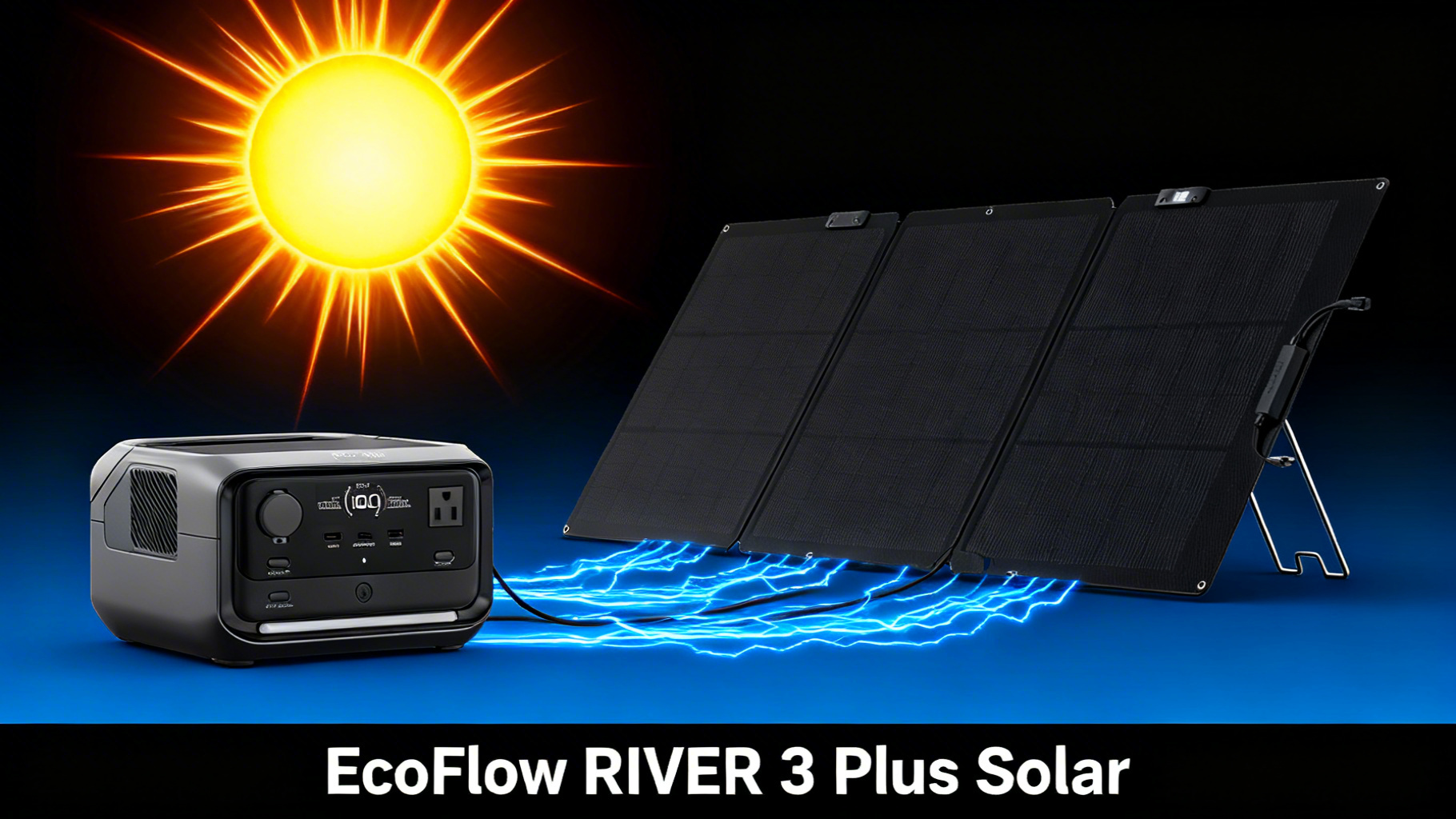
You just picked up the EcoFlow RIVER 3 Plus, and now you want to pair it with a solar panel for off-grid charging. Smart move. But which EcoFlow solar panel actually works best with this unit, and how do you set everything up without wasting half a day figuring it out?
This guide walks you through the entire EcoFlow RIVER 3 Plus solar setup process in under 20 minutes, from choosing between the 60W and 110W panels to connecting, positioning, and optimizing your charge. No prior solar experience needed: if you can plug in a phone charger, you can do this.

The RIVER 3 Plus consistently appears on our list of best power stations for camping thanks to its compact size and solar compatibility. With a 286Wh LFP battery (lithium ferro-phosphate, the chemistry known for long lifespan), 600W continuous output (1,200W with X-Boost), and up to 220W of solar input, it’s built for exactly this kind of setup. Let’s break down how to get the most out of it.
EcoFlow RIVER 3 Plus
$249 $299
- 286Wh LFP battery, 600W output (1200W X-Boost)
- Up to 220W solar input for fast charging
- Expandable to 858Wh with extra battery
Price verified March 2026 | Free shipping available
RIVER 3 Plus Solar Input Specs: What You Need to Know
Before connecting any panel, it helps to understand the EcoFlow RIVER 3 Plus solar input specs. These numbers determine which panels are compatible and how fast you can charge.
The key number is 220W maximum solar input. That’s the ceiling. Any single panel or combination of panels you connect cannot exceed 220W, or the unit’s built-in charge controller will cap the input automatically. No damage, but no benefit from going over, either.
The EcoFlow RIVER 3 Plus solar input voltage range is 11-50V DC with a maximum current of 13A. This is wide enough to work with most portable solar panels on the market, not just EcoFlow’s own lineup. The connection uses an XT60 port (the standard rectangular plug used for solar input on EcoFlow units).

Why does 220W matter for panel selection? It means you can pair the RIVER 3 Plus with a single large panel (up to 220W), two 110W panels in parallel, or go with a smaller 60W panel for lighter setups. The choice comes down to how fast you want to charge and how much weight you’re willing to carry. You can verify these numbers on the official RIVER 3 Plus specifications page.
What You’ll Need
🛠️ What You’ll Need for This Setup
Required Equipment
- EcoFlow RIVER 3 Plus ($249)
- EcoFlow 60W or 110W Solar Panel
- XT60 solar charging cable (included with panel)
- Sunny location with direct sunlight
Optional but Helpful
- MC4 extension cables (for longer distance)
- Panel tilt mount or adjustable stand
- Microfiber cloth (panel cleaning)
- EcoFlow app (iOS/Android) for monitoring
⏱️ Estimated Time: 15-20 minutes
📊 Difficulty: Beginner
☀️ Best Conditions: Clear sky, 10 AM – 2 PM
Required Equipment
The EcoFlow solar setup itself is simple. You need the RIVER 3 Plus ($249), an EcoFlow-compatible solar panel (the 60W at $99 or the 110W at $169), and the XT60 solar charging cable that comes included with the panel. Beyond that, you just need a sunny spot.

Optional but Helpful
MC4 extension cables let you position the panel further from the power station, useful if you need shade for the unit but sun for the panel. A panel tilt mount or adjustable stand helps dial in the angle for maximum output. A microfiber cloth keeps the panel surface clean (dust and debris reduce efficiency more than you’d expect). And the free EcoFlow app for iOS or Android lets you monitor solar input, battery percentage, and estimated charge time in real time.
Estimated Time and Difficulty
Plan for 15 to 20 minutes from unboxing to solar charging. This is a beginner-level setup with no tools required.
Choosing the Right Panel: 60W vs 110W
This is the decision most buyers get stuck on when planning their EcoFlow RIVER 3 Plus solar charging setup. Both panels work perfectly, but they serve different use cases.
The EcoFlow 60W portable solar panel ($99) uses TOPCon solar cells with up to a 25% conversion rate. It carries an IP68 waterproof rating, folds down to a compact 317 x 309 x 45 mm, and includes a Type-C output port for charging small devices directly. It’s the best solar panel for EcoFlow users who prioritize portability over speed.

The EcoFlow 110W portable solar panel ($169) nearly doubles the output with up to a 23% conversion rate. It also carries IP68 waterproofing and adds a self-supporting kickstand, so you don’t need to prop it against a tree or rock. The one-piece folding design makes setup faster, and it includes an XT60 charging cable in the box.


Which should you choose? The 60W makes sense if you’re on a tight budget, carrying everything on your back, or only need to top off the RIVER 3 Plus once over a long day. The 110W is the better pick for frequent use, multi-day trips, or if you simply want to spend less time waiting. For most campers, the EcoFlow 110W solar panel charger offers the best balance of speed and portability. You can compare detailed specs on the EcoFlow 60W panel tech specs page.
Step-by-Step Solar Setup
Step 1: Unpack and Unfold Your Solar Panel
Lay the panel flat on a stable, sun-facing surface. Open all panel sections fully. Before connecting anything, check the surface for any damage, dust, or debris that could reduce efficiency. Even a thin layer of dirt can cut output by 5-10%.
You’ll know it’s correct when: All sections unfold completely flat with no creases or obstructions, and the panel surface is clean and facing the sky.
Step 2: Connect the Panel to Your RIVER 3 Plus
Locate the XT60 solar input port on the RIVER 3 Plus. It’s on the side panel, typically marked with a small sun icon. Take the XT60 cable from your solar panel and plug it firmly into this port. The connector only fits one way, so don’t force it if it resists: rotate 180 degrees and try again.
You’ll know it’s correct when: The RIVER 3 Plus display lights up and shows “Solar Input” along with a wattage reading. If you see a number (even a low one), you’re connected and charging.

⚠️ Common mistake: Connecting the cable loosely. A half-seated XT60 connector will show 0W on the display. Push until you feel a firm click.
Step 3: Position Your Solar Panel for Maximum Output
Angle the panel toward the sun. In most locations, a tilt of 30 to 45 degrees works well during peak hours. The goal is for sunlight to hit the panel surface as close to perpendicular as possible.
Partial shading is the biggest performance killer. Even a small shadow across one cell can reduce output for the entire panel. Make sure no trees, tent poles, or other objects cast shade on any part of the surface.
Plan to adjust the panel every 2 to 3 hours as the sun moves across the sky. This is where the 110W panel’s self-supporting kickstand comes in handy: angle adjustments take seconds instead of minutes spent re-propping.
You’ll know it’s correct when: The wattage reading on the RIVER 3 Plus display sits within 70-85% of the panel’s rated output. For a 110W panel, that means seeing roughly 75 to 95W on a clear day. For a 60W panel, expect around 42 to 51W.
For a deeper guide on how to optimize your solar panel angle for your exact latitude and season, check our dedicated resource.
Charge Times: 60W vs 110W Panel
How long does a solar generator take to charge? That depends entirely on your panel. Here’s what the data shows for the EcoFlow RIVER 3 Plus solar charging from 0 to 100% under optimal conditions (clear sky, correct angle, peak sun hours).
With the 60W panel, expect approximately 5.5 to 7 hours for a full charge. That’s roughly a full day of sunlight. With the 110W panel, that drops to 3 to 4 hours, making a full charge achievable within a single morning or afternoon window. Connecting two 110W panels in parallel (hitting the 220W solar input cap) brings charge time down to approximately 1.5 to 2 hours.
Keep in mind that these are optimal-condition estimates based on the 286Wh capacity divided by each panel’s real-world output (accounting for ~15-20% efficiency loss). Overcast conditions can reduce these figures by 40-60%. Our guide to solar charging on cloudy days covers strategies to maximize output in less-than-ideal weather.
What Can the RIVER 3 Plus Power?
Understanding what 286Wh actually means in practice helps you plan your trips and manage expectations. Use our portable power station calculator to figure out exactly which appliances you can run simultaneously on 286Wh.
What Can It Power? (286Wh)
📱
Smartphone
20+ charges
~14W
💻
Laptop
4-5 charges
~60W
💡
LED Lights
28+ hours
~10W
📷
CPAP Machine
4-5 hours
~60W
Runtime calculations based on the 286Wh capacity show practical estimates for common camping devices. With a 110W panel connected, you’re replenishing roughly 75-95W per hour during peak sun. For low-draw devices like phones and LED lights, that means effectively unlimited runtime during daylight: you’re putting power back in faster than you’re using it.
For higher-draw devices like a CPAP, solar extends your total runtime significantly but won’t fully offset the draw in real time. The practical approach is to charge the unit fully during the day via solar, then run your CPAP through the night.
Pro Tips for Maximum Solar Output

Tip 1: Target the 10 AM to 2 PM window. Solar panels produce the most power during these peak hours when the sun is highest. If you can only get a few hours of EcoFlow RIVER 3 Plus solar charging in, this is the window to prioritize.
Tip 2: Clean your panels before each use. Dust, pollen, bird droppings, and even dew spots reduce conversion efficiency. A quick wipe with a microfiber cloth before deploying can recover 5-15% of lost output.
Tip 3: Monitor input through the EcoFlow app. The app displays real-time solar wattage, battery percentage, and estimated time to full. This lets you verify your angle is correct without walking over to check the unit’s screen.
💡 Pro Tip: Angle your panels every 2-3 hours to follow the sun’s path. This simple habit can capture up to 30% more power throughout the day compared to a fixed position.
Tip 4: Consider an extra battery for multi-day trips. The RIVER 3 Plus is expandable up to 858Wh with an additional battery pack. For trips lasting three days or more, that extra capacity paired with a 110W panel creates a self-sustaining EcoFlow solar generator system for moderate use.
Tip 5: Adjust for seasonal conditions. In winter months, increase the panel tilt angle (closer to 60 degrees at higher latitudes) and expect 30-50% less output compared to summer. Shorter days and lower sun angles mean you’ll need every efficiency advantage you can get. If you plan to use this setup during colder months, review our winter solar charging strategies for optimal panel placement and realistic expectations.
Troubleshooting Common Solar Issues
EcoFlow solar panel setups are straightforward, but a few common issues can trip up first-time users. Here’s how to diagnose and fix them quickly.
⚠️ Common Solar Setup Issues (Quick Fix Guide)
Problem: 0W Solar Input on Display
Cause: Loose connector or panel not receiving direct sun
Fix: Check all cable connections. Ensure no shade on the panel. Reposition to face the sun directly.
Problem: Low Wattage Reading (under 30W)
Cause: Cloud cover, incorrect angle, or panel partially shaded
Fix: Adjust panel angle toward the sun. Remove any obstructions casting shade. Clean the panel surface.
Problem: Charging Stops Intermittently
Cause: Passing clouds or cable connection issues
Fix: This is normal behavior during variable conditions. Ensure cable is fully seated. Charging resumes automatically when sunlight returns.
Problem: Panel Not Recognized by RIVER 3 Plus
Cause: Incompatible third-party panel or voltage out of range
Fix: Verify panel voltage is between 11-50V DC. Use only XT60 or compatible MC4-to-XT60 adapters. EcoFlow panels are guaranteed compatible.
Is the RIVER 3 Plus the Right Choice for Solar?
The EcoFlow RIVER 3 Plus paired with a solar panel is a capable setup, but it’s not for everyone. Here’s a clear breakdown.
✅ This setup is ideal if…
- You need a lightweight solar generator for camping or day trips
- Your primary loads are phones, laptops, and LED lights
- You want the option to expand capacity later with an extra battery
- Budget is a priority (RIVER 3 Plus + 60W panel under $350 total)
❌ Consider a larger unit if…
- You need to power high-draw appliances (microwaves, heaters)
- You require full-day runtime without solar recharging
- Your off-grid trips exceed 2-3 days without sun access
- You need more than 600W continuous AC output
Frequently Asked Questions
What is the maximum solar input for the EcoFlow RIVER 3 Plus?
The RIVER 3 Plus accepts up to 220W of solar input through its XT60 port. You can use a single panel rated up to 220W, or combine two smaller panels (such as two 110W panels connected in parallel) to reach the maximum input. The charge controller handles the regulation automatically.
How long does it take to charge the RIVER 3 Plus with a 110W solar panel?
Under optimal conditions (direct sunlight, correct angle, clear sky), a 110W panel charges the RIVER 3 Plus from 0 to 100% in approximately 3 to 4 hours. Real-world conditions like cloud cover, suboptimal angle, and ambient temperature can extend this time. On partly cloudy days, expect closer to 5 to 6 hours.
Can I use a non-EcoFlow solar panel with the RIVER 3 Plus?
Yes. Any solar panel with an output voltage between 11V and 50V DC and a compatible connector (XT60 or MC4-to-XT60 adapter) will work. EcoFlow panels are designed for optimal compatibility and include the correct cables out of the box, eliminating the need for adapters.
Is the 60W or 110W panel better for the RIVER 3 Plus?
It depends on your priorities. The 60W panel ($99) is best for budget-conscious buyers and ultralight camping. The 110W panel ($169) charges nearly twice as fast and includes a self-supporting kickstand for easier angle adjustments. For frequent solar use, the 110W panel offers better value over time.
Can I charge the RIVER 3 Plus while using it with solar?
Yes. The RIVER 3 Plus supports pass-through charging, meaning you can power devices from the AC or USB outlets while simultaneously charging via solar. The net charge rate decreases based on how much power your connected devices draw. If your devices pull more wattage than the panel provides, the battery will slowly drain rather than charge.
Final Verdict: Your RIVER 3 Plus Solar Setup, Simplified
The EcoFlow RIVER 3 Plus is one of the most accessible entry points into solar-powered portable energy. The 286Wh LFP battery provides solid capacity for camping essentials, the 220W solar input ceiling gives you room to grow, and the entire EcoFlow solar setup takes less time than making breakfast at your campsite.
For most users, the recommended combination is the RIVER 3 Plus paired with the 110W solar panel. The 3 to 4 hour charge time under good conditions means you can fully recharge during a single peak-sun window, and the self-supporting kickstand eliminates the hassle of repositioning throughout the day.
If budget is the primary concern, the 60W panel still gets the job done. It just takes longer. Either way, the process is the same: unfold, connect, angle toward the sun, and let the RIVER 3 Plus handle the rest.
EcoFlow RIVER 3 Plus + Solar Panel
From $249
Best compact solar generator for camping and day trips
Price verified March 2026 | Free shipping available
Originally published: March 25, 2026