
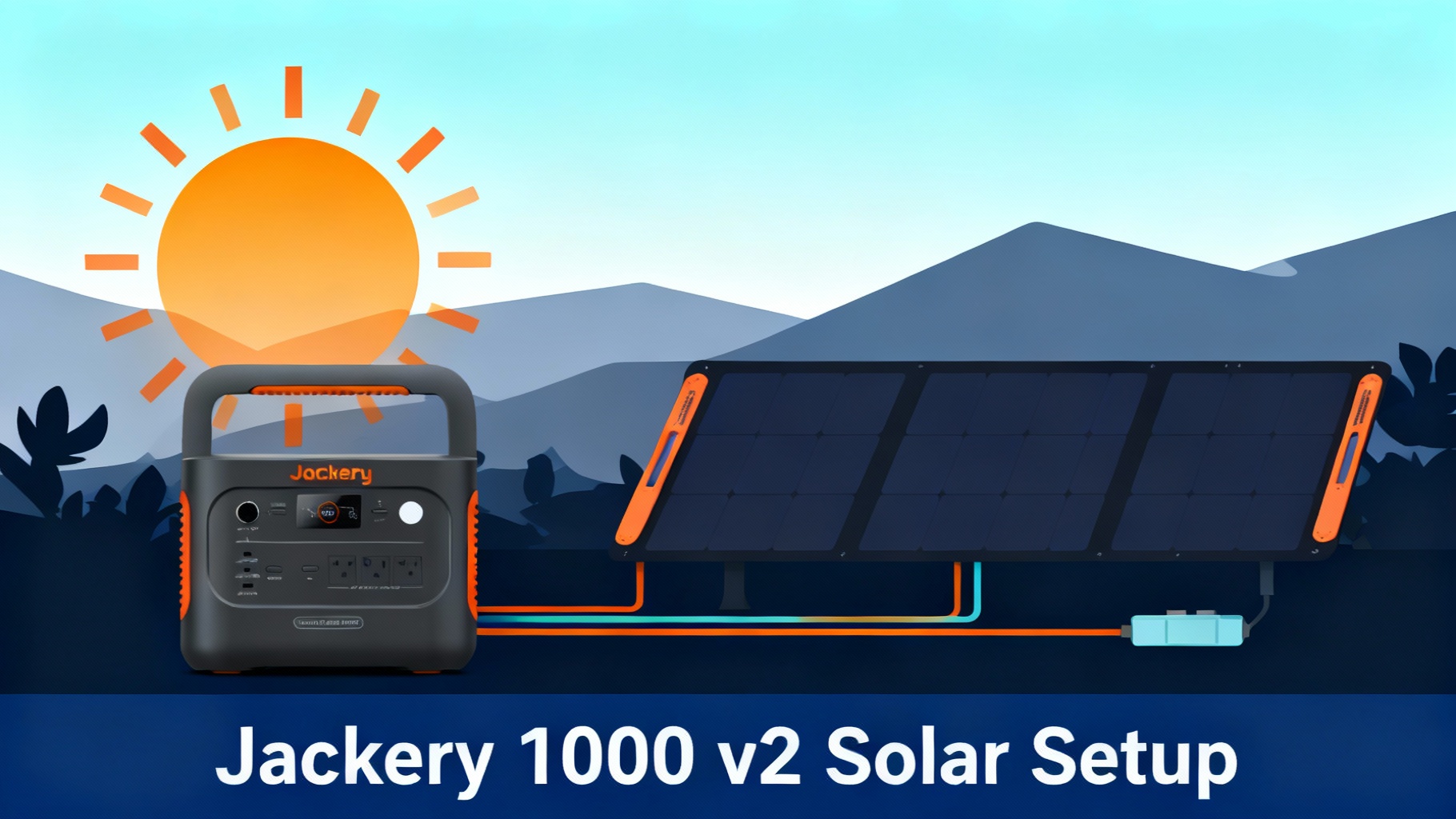
 Explorer 1000 v2 with SolarSaga 200W solar panel setup” />
We'll cover everything from identifying the right connectors to optimizing panel angle for maximum charging speed, plus troubleshooting the most common issues that trip up first-time users.
🏆 Ready to Set Up Your Solar System?
Why we recommend the Explorer 1000 v2: 1070Wh capacity, 1500W output, and built-in MPPT controller for optimal solar charging. Perfect for weekend camping and emergency backup.
$799 | Free shipping | 3-year warranty + 2-year extended warranty
What You'll Need (Materials & Tools)
Before we dive into the setup process, let's make sure you have everything within reach. Missing a single adapter can turn a 15-minute setup into a frustrating afternoon.
Required Equipment

1. Jackery Explorer 1000 v2 Portable Power Station
This is your main power hub. The Explorer 1000 v2 holds 1070Wh of capacity and delivers 1500W continuous output (3000W surge). What matters for solar charging is the built-in MPPT charge controller—it automatically optimizes power intake from your panels.
The unit weighs about 23 pounds, making it portable but substantial enough that you'll want a stable surface for setup.
2. Jackery SolarSaga 200W Solar Panel (recommended)
The SolarSaga 200W pairs perfectly with the Explorer 1000 v2:
- 200W output with bifacial design (captures light from both sides)
- 24.3% conversion efficiency
- IP68 waterproof rating (handles rain and splashes)
- Includes 3-meter cable with DC8020 connector

Alternative option: You can use 1-2x SolarSaga 100W panels instead. They're more affordable at $209 each but you'll need two to match the 200W charging speed.
Estimated Time & Difficulty
Before You Start: Safety & Preparation
Solar panels generate electricity the moment sunlight hits them. That's great for charging, but it means you need to follow a few safety rules to avoid damaging your equipment.
Safety Precautions
⚠️ WARNING: Connecting panels with reversed polarity can damage the charge controller permanently. Always double-check the polarity markings (+ and – symbols on the connectors).
1. Avoid Electrical Shock
- Never connect or disconnect cables while panels are in direct sunlight
- Cover panels with a blanket or flip face-down during initial setup
- Keep panels angled away from the sun until all connections are secure
2. Prevent Equipment Damage
- Check polarity markings before connecting
- Never force connectors—they should click easily
- Don't exceed 400W solar input for the Explorer 1000 v2
3. Environmental Safety
- Avoid setup in rain or wet conditions
- Keep connectors dry and clean
- Use only Jackery-approved cables to maintain warranty
Important Preparation Steps
1. Charge Power Station First
Charge your Explorer 1000 v2 to at least 20% using the AC wall outlet before attempting solar charging for the first time. This initializes the battery management system and charge controller properly.
2. Download Jackery App (optional but recommended)
The Jackery mobile app transforms your setup from guesswork to precision. It shows real-time solar input in watts, displays estimated time to full charge, and alerts you to any charging errors.
💡 Complete Solar Generator Bundle
Save time with the ready-to-go system: Explorer 1000 v2 + SolarSaga 200W bundled together. Everything you need, optimized for compatibility.
$1,299 | Bundle price saves $199 | Free shipping
Step-by-Step Solar Panel Connection
Follow these steps in order—each one builds on the previous, so don't skip ahead.
7-Step Connection Process
Step 1: Position Your Jackery Explorer 1000 v2
Action: Place the power station in a shaded, well-ventilated location near where panels will be positioned.
Why this matters: The power station should NOT be in direct sunlight during operation—it can overheat. Keep it cool for optimal charging efficiency.
Details:
- Distance from panels: Within 3 meters (cable length)
- Surface: Flat, stable ground (not tilted)
- Ventilation: All sides have 6+ inches clearance
- Protection: Under awning/tent, never in rain
✓ You'll know it's correct when: The power station sits level, all vents are unobstructed, and it's protected from both rain and direct sunlight.
Step 2: Unfold and Position Solar Panels

Action: Unfold your SolarSaga panel and position it in the sunniest spot available, facing directly toward the sun.
Setting the angle:
Optimal Panel Angles by Time of Day
Pro tip: Just point the panel directly at the sun and adjust the kickstand until the shadow it casts is directly behind it. That's close enough for optimal charging.
✓ You'll know it's correct when: The panel face points directly at the sun, casts a shadow straight back, and feels stable when you gently push on it.
Step 3: Identify the Solar Input Port
Action: Locate the DC input port on your Explorer 1000 v2 and verify it's the correct one for solar charging.
Look at the front panel of the Explorer 1000 v2. The DC input port is usually labeled “DC INPUT” or has a sun symbol next to it. It's a circular port about the size of a pencil eraser, located on the right side of the front panel.
⚠️ Common mistake: People sometimes try to use the car charging port (12V output) instead of the DC input port. The car port is for powering devices, not charging the battery. Make sure you're looking at the INPUT port.
✓ You'll know it's correct when: You've identified the circular DC input port with the sun symbol, and it's labeled DC8020.
Step 4: Connect the Solar Panel Cable
Action: Take the solar cable from your SolarSaga panel and plug it into the DC input port on the Explorer 1000 v2.
The SolarSaga 200W comes with a 3-meter cable already attached. At the far end, you'll see the DC8020 connector—it looks like a metal cylinder with a pin in the center.
Align the connector with the DC input port and push firmly but gently. You should feel it slide in smoothly. When it's fully seated, you'll feel a slight resistance—that's the internal contact making connection.
Within 5-10 seconds of connecting, you should see the display on the Explorer 1000 v2 change:
- A sun icon or “SOLAR IN” indicator on the screen
- A wattage number showing solar input
- The battery icon showing charging animation
✓ You'll know it's correct when: The Explorer 1000 v2 display shows solar input with a wattage number, and the charging animation is active.
Step 5: Verify Charging Is Active
Action: Check the display and confirm that solar charging has begun with the expected wattage range.
Expected Charging Speeds (SolarSaga 200W)
Important: Don't expect exactly 200W from a 200W panel. Real-world efficiency losses mean you'll typically see 70-90% of rated wattage even in perfect conditions.
✓ You'll know it's correct when: The display shows 100+ watts of solar input, the charging animation is active, and the estimated time to full charge seems reasonable.
Step 6: Optimize Panel Angle for Maximum Power
Action: Fine-tune your panel angle while watching the wattage readout to achieve the highest possible charging speed.
The difference between a good angle and a great angle can be 50+ watts—that's 30-40 minutes saved on your charging time.
Real-time adjustment process:
- Note your current solar input (e.g., “135W”)
- Adjust the kickstand to change the panel angle slightly
- Wait 5-10 seconds for the MPPT controller to stabilize
- Check if the wattage increased or decreased
- Repeat in small increments until you find the peak wattage
The shadow trick: Adjust the panel until its shadow falls directly behind it, forming the smallest possible shadow. When the shadow is straight back and compact, the panel is close to perpendicular to the sun.
✓ You'll know it's correct when: You've achieved the highest wattage reading you can get by adjusting angle, and the panel feels stable and secure.
Step 7: Set Up Pass-Through Charging (Optional)
Action: If you need to power devices while charging, connect them to the AC outlets or USB ports on the Explorer 1000 v2.
The Explorer 1000 v2 supports pass-through charging, meaning solar power first goes to your connected devices, and excess power charges the battery. This is incredibly useful for running a fridge while simultaneously recharging.
Example: Your SolarSaga 200W is generating 180W. Your mini-fridge uses 60W. The remaining 120W charges the battery.
💡 Pro Tip: Pass-through charging generates more heat than charging alone. Make sure all ventilation slots remain unobstructed and the unit is in shade.
Connecting Multiple Solar Panels
If you have two SolarSaga panels, connecting them in parallel doubles your charging speed. The Explorer 1000 v2 accepts up to 400W of solar input.
What You Need
- 2x SolarSaga panels (200W or 100W)
- 1x Solar Panel Connector (Jackery part, around $69)
- Both solar panel cables (included with each panel)
Parallel Connection Process
Step 1: Position both panels near the Explorer 1000 v2, ideally at the same angle and orientation.
Step 2: The Solar Panel Connector has two input ports and one output port. Plug the cable from Panel #1 into one input port, and Panel #2 into the other input port.
Step 3: Take the output cable from the Solar Panel Connector and plug it into the DC input port on the Explorer 1000 v2.
Step 4: Check the display. You should see roughly double the wattage:
- 2x SolarSaga 200W in optimal conditions: 300-400W
- 2x SolarSaga 100W in optimal conditions: 150-200W
⚠️ WARNING: Do not exceed 400W total solar input. The Explorer 1000 v2's charge controller is rated for 400W maximum. Connecting more can damage the controller and void your warranty.
Troubleshooting Common Issues
Even with perfect setup, you'll occasionally encounter problems. Here's how to diagnose and fix the most common issues.
No Charging / “Solar Not Detected”
Symptoms: The Explorer 1000 v2 display shows no solar input, or the solar icon doesn't appear at all.
Likely causes and fixes:
1. Loose connection (most common)
- Disconnect the cable completely
- Inspect the connector for dirt or damage
- Reconnect firmly, pushing until you feel resistance
- Give it a gentle tug to verify it's seated
2. Panel not in sunlight
- Check that the panel face is in direct sunlight
- Remove any blanket or covering from setup
- Verify the panel is unfolded fully
3. Wrong port
- Verify you're using the DC INPUT port (marked with sun symbol)
- The port should be labeled DC8020
Low Charging Speed (Below 100W)
Symptoms: The panel is connected and charging registers, but wattage is much lower than expected.
Likely causes and fixes:
1. Suboptimal panel angle (most common)
- Use the app or display to monitor wattage in real-time
- Adjust panel angle in small increments
- Aim for the panel shadow to fall straight behind it
2. Partial shading
- Inspect the entire panel surface for shadows
- Look for tent guy lines, tree branches, or your own shadow
- Relocate the panel to full sun if necessary
3. Dirty panel surface
- Wipe the panel clean with a damp microfiber cloth
- Check both the front and back (it's bifacial)
- Allow to air-dry completely
4. Cloud cover
- Expect 20-40% of rated wattage under heavy clouds
- Even partly cloudy conditions can cut output by 50%
- Be patient or wait for clearer conditions
Pro Tips for Power Users
Once you're comfortable with basic setup, these advanced tips squeeze every last watt from your solar system.
The “Bifacial Advantage” Trick
The SolarSaga 200W is a bifacial panel, meaning it captures light from both the front and back surfaces. Most people ignore the back side, losing 10-20% potential power.
How to leverage bifacial design:
- Set up panels on a light-colored surface (white gravel, sand, light-colored pavement)
- Angle the panel so sunlight reflects off the ground onto the back surface
- Avoid dark surfaces like asphalt or dark soil
- In snow, bifacial panels can capture massive reflected light (40-60% boost)
Bifacial Power Boost by Surface Type
Weather-Adaptive Charging Strategy
Different weather conditions call for different approaches.
Sunny days:
- Optimize panel angle aggressively
- Charge in midday window (10am-2pm)
- Expect full charges in 5-6 hours (single 200W panel)
Partly cloudy days:
- Use multiple panels if available (double your chances of capturing sun)
- Be patient—charging takes 8-10 hours
- Keep panels aimed at the brightest part of the sky
Overcast days:
- Lower your expectations (20-30% of rated wattage)
- Leave panels set up all day for trickle charging
- Consider AC charging if you need power urgently
Combining Solar + AC Charging
The Explorer 1000 v2 supports simultaneous solar and AC charging for ultra-fast recharge.
How it works:
- Plug solar panels into the DC input port (as usual)
- Simultaneously plug AC adapter into a wall outlet
- The unit combines both power sources
Combined charging speeds:
- Solar alone (200W): ~6-8 hours to full
- AC alone (1000W): ~1.7 hours to full
- Solar + AC combined (1200W): ~1.4 hours to full
Frequently Asked Questions
Can I leave my solar panels connected to the Explorer 1000 v2 permanently?
Yes, it's perfectly safe for long-term connection. The MPPT charge controller automatically stops charging when the battery reaches 100%, preventing overcharge. However, keep these practices in mind: store the power station in shade (not direct sun), check connections monthly for corrosion or looseness, disconnect during severe weather, and cover panels at night to prevent minimal reverse discharge.
What happens if I accidentally connect panels with reverse polarity?
The Explorer 1000 v2 has built-in reverse polarity protection, so incorrect connection won't damage the unit. You'll simply see an error message or no charging activity. The SolarSaga panels use keyed DC8020 connectors that physically only fit one way, making reverse polarity nearly impossible unless you're using third-party cables or adapters.
Can I use non-Jackery solar panels with the Explorer 1000 v2?
Yes, but with important caveats. Third-party panels must meet these requirements: voltage between 12-60V DC (anything outside this range damages the charge controller), current under 12A maximum, DC8020 connector or adapter, and total power cannot exceed 400W. However, Jackery doesn't guarantee performance with non-Jackery panels, and warranty may be voided if third-party panels cause damage. We recommend sticking with Jackery panels for guaranteed compatibility and warranty protection.
How long will the Explorer 1000 v2 battery last with regular solar charging?
The Explorer 1000 v2 uses a lithium-ion battery rated for 1,000 charge cycles to 80% capacity. With daily use, expect 3-4 years before noticeable capacity loss. With weekly use, 15-20 years. Solar charging doesn't degrade the battery faster than AC charging—in fact, the slower charge rate from solar is slightly gentler on battery chemistry. To maximize battery life: avoid completely draining to 0%, don't store at 100% for months (50-60% is ideal for storage), and keep the unit cool.
Can I charge the Explorer 1000 v2 while simultaneously powering devices?
Absolutely. Pass-through charging is fully supported. Solar power first goes to connected devices, and excess power charges the battery. For example, if solar input is 180W and your device uses 60W, the net battery charge is 120W. The display shows both INPUT and OUTPUT separately so you can monitor the power balance. Ensure good ventilation when using pass-through charging, as it generates more heat than charging alone.
Does cloudy weather completely stop solar charging?
No, but it significantly reduces charging speed. Clear sky provides 100% rated power (180-200W from a 200W panel). Light clouds deliver 60-80% (110-160W). Heavy clouds provide 20-40% (40-80W). Dense overcast gives 10-20% (20-40W). Even on completely overcast days, you'll still get trickle charging that extends runtime significantly. To maximize cloudy-day charging: leave panels set up all day, use multiple panels if available, and point panels at the brightest part of the sky.
Can I connect more than 2x SolarSaga 200W panels (over 400W total)?
No, absolutely do not exceed 400W total solar input. The MPPT charge controller is rated for 400W maximum. Exceeding this limit can overheat and damage the charge controller, void your warranty, and create safety hazards including fire risk from overload. Safe configurations include 2x SolarSaga 200W (400W), 4x SolarSaga 100W (400W), or 1x SolarSaga 200W + 2x SolarSaga 100W (400W). When in doubt, stay under the 400W limit.
Does the Explorer 1000 v2 charge faster with 2 panels or 1 larger panel?
Charging speed is identical if total wattage is the same. Two 100W panels equal one 200W panel in charging speed. However, multiple smaller panels offer advantages: easier to position in tight spaces, better redundancy if one fails, more flexible layout options, and lighter weight per panel. Single larger panels are simpler to set up, have fewer connections to manage, and cost less per watt. For most users, 1x SolarSaga 200W is the sweet spot.
Ready to Start Solar Charging?
Get the complete Jackery solar generator system and start harvesting free power from the sun today.
View Complete Solar Generator Bundle
3-Year Warranty + 2-Year Extended | Free Shipping | 30-Day Returns
Conclusion: You're Ready to Harness the Sun
Congratulations—you now know everything you need to set up, optimize, and troubleshoot your Jackery Explorer 1000 v2 solar charging system.
Here's what you've learned:
- The complete step-by-step connection process from unboxing to active charging
- How to position and angle panels for maximum power capture
- Safety precautions that protect both you and your equipment
- Troubleshooting techniques for common issues
- Pro tips that squeeze extra performance from your system
Your action plan:
- Gather your equipment (Explorer 1000 v2, SolarSaga panel, cables)
- Choose a location with shade for the power station and sun for the panels
- Follow the 7-step connection process outlined in this guide
- Use the Jackery app to monitor and optimize performance
- Adjust panel angle 2-3 times throughout the day for best results
Most importantly: Remember that solar charging is a skill that improves with practice. Your first setup might take 20 minutes and deliver suboptimal wattage. By your third or fourth time, you'll complete setup in under 10 minutes and consistently hit peak charging speeds.
The Explorer 1000 v2 paired with SolarSaga panels gives you reliable off-grid power for camping, emergencies, or remote work. With proper setup and maintenance, this system will serve you for years.
Now get out there and start charging. The sun is waiting.
Related Reads
Originally published: December 9, 2025