
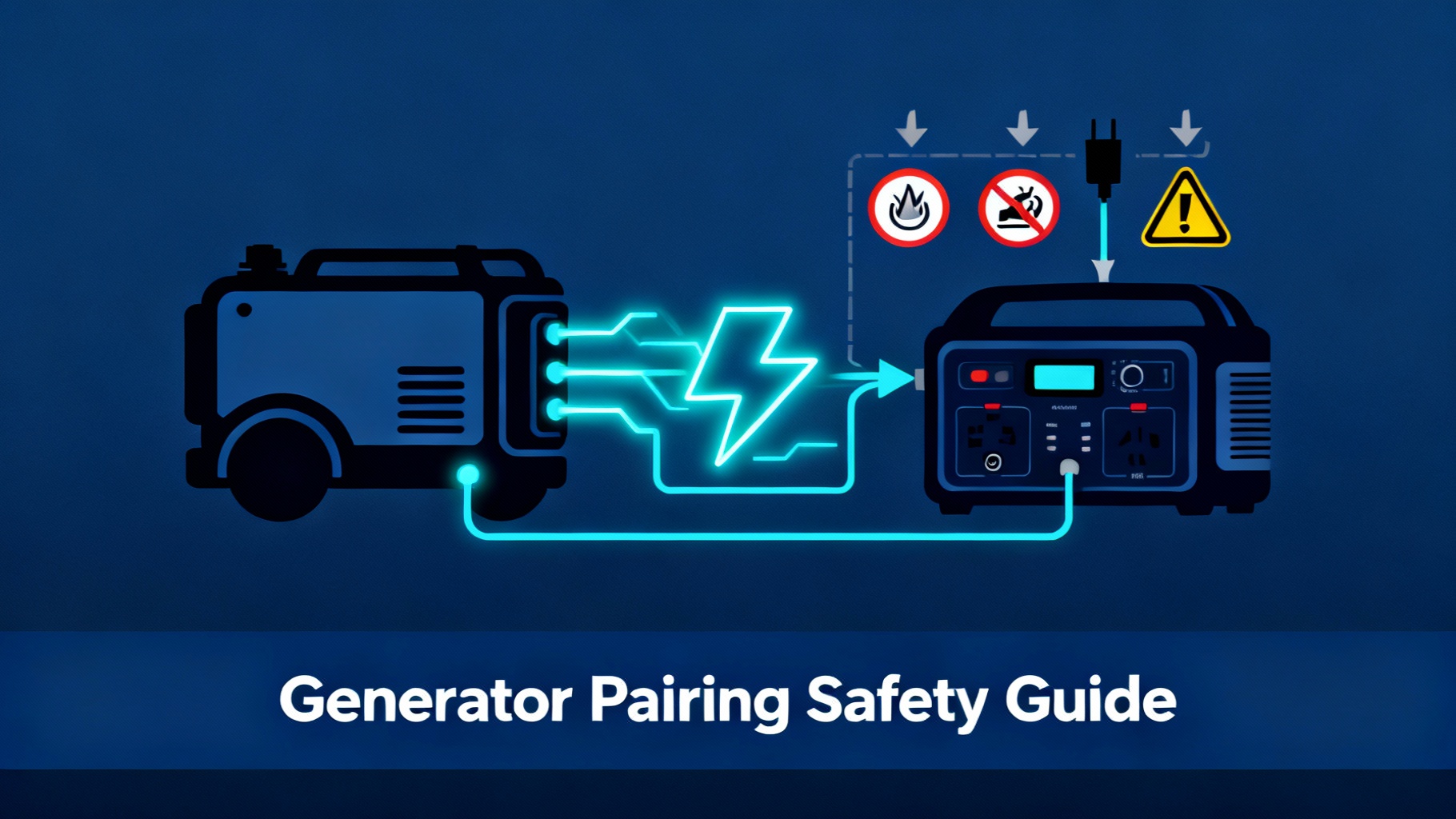
At 2 AM on night two of a power outage, your gas generator is still roaring outside. Your neighbors hate you, you've burned through 4 gallons of fuel, and you still have another day to go. There's a better way.
Running a backup power generator for home continuously during extended outages is expensive, noisy, and puts unnecessary wear on the engine. You're looking at 3-4 gallons per day at $5+ per gallon, plus the constant drone that makes sleeping impossible. And if you're powering sensitive electronics—medical equipment, home office gear, refrigerators—the generator's inconsistent power quality could cause damage.
Generator plus power station hybrid systems let you charge the battery in 2-3 hours, then run silent overnight on stored power. Analysis shows 60-70% fuel savings and near-elimination of noise complaints in multi-day outage scenarios. You get clean power for your electronics, quiet operation when it matters most, and significantly lower home backup power generator costs.
This guide covers safe generator-to-power-station charging for Jackery, Bluetti, and Anker SOLIX units. We'll walk through compatibility requirements, step-by-step connection procedures, critical safety protocols, and optimization strategies backed by manufacturer specs and electrical code requirements. The process is straightforward once you understand the key safety principles for your backup power generators for homes setup.
🏆 Our Top Pick: Anker SOLIX F3800

Best Home Backup Battery Generator
Why we recommend it for generator pairing:
- Fast 2,400W AC input – Fully charge in under 2 hours with most generators
- 3,840Wh capacity – Run your home 18-24 hours between charges
- 120V/240V compatibility – Works with standard portable generators
$3,999
Save $1,300
✓ Free shipping | ✓ 5-year warranty | ✓ Save extra $100 with code SOLIXHAW02
Why Pair a Generator with a Power Station?
The hybrid approach solves problems that neither device handles well alone for home backup power. Generators provide unlimited runtime as long as you have fuel, but they're loud, inefficient, and produce power that's rough on electronics. Power stations deliver clean, silent power, but eventually run out. Combine them strategically, and you get the best home backup solar generator performance.
The Hybrid Power Advantage
Here's the math that makes this work. A typical portable generator running at 50% load burns about one gallon every 6-8 hours. Over 24 hours, that's 3-4 gallons at roughly $5 each, totaling $15-20 per day. The generator runs continuously, which means constant noise, fuel trips, and engine maintenance.
In a hybrid setup with your home backup battery that can be charged with a generator, you run the generator just long enough to charge your power station—typically 2-3 hours depending on generator size and battery capacity. Then the battery powers your home silently for 12-18 hours before needing another charge cycle. You're down to about 1 gallon per day, or $5-7 in fuel costs. The Anker Smart Generator 5500 is designed specifically for this kind of pairing with their power stations.
💡 Pro Tip: Performance data indicates hybrid systems reduce fuel consumption by 60-70% in multi-day outage scenarios while delivering cleaner power to sensitive electronics. The generator's Total Harmonic Distortion can spike above 5%, which risks damaging devices with microprocessors. Power stations output pure sine wave AC below 3% THD, similar to grid power.
Beyond fuel savings, you get significant noise reduction for your backup power generator for home. Run the generator mid-morning to charge, then shut it down for dinner and overnight. Your family sleeps better, neighbors don't complain, and you maintain the social peace that matters during stressful situations.
When It Makes Sense (and When It Doesn't)
The hybrid approach delivers maximum value when silence, fuel efficiency, and power quality outweigh the simplicity of running a generator continuously. This matters most in specific situations for your home backup battery vs generator decision.
Best use cases for hybrid setup: Multi-day outages where you expect to be without power for 48+ hours. If you live in a residential neighborhood with noise restrictions or close neighbors, the ability to run silent overnight is valuable. Homes with high-value electronics—CPAP machines, medical equipment, home office setups, modern refrigerators with digital controls—benefit from the clean power delivery. Limited fuel storage capacity also favors the hybrid model, since you're using 60-70% less fuel overall.
When generator-only is sufficient: Short outages under 12 hours don't justify the complexity of managing two systems. Remote locations where noise isn't a concern eliminate one of the key benefits. If you're running heavy continuous loads like well pumps or central HVAC systems 24/7, the generator needs to run constantly anyway. And if you don't already own a generator portable power station, buying one just for backup charging may not make financial sense.
Real-World Fuel & Noise Comparison
The generator runs during mid-day hours when noise is more acceptable. Neighbors typically tolerate mid-morning generator use better than late-night operation. You avoid the 2 AM scenario where you're the only house making noise on the block.
📊 Fuel Savings Visualization
Before You Start: Safety First
Generator-to-power-station charging is safe when done correctly, but it involves enough power to cause serious harm if you ignore basic electrical safety. This section covers the non-negotiable safety requirements before you touch any equipment for your best backup power generator for home setup.
Carbon Monoxide Awareness
⚠️ Critical Safety Warning: According to the Consumer Product Safety Commission, generator-related CO poisoning causes 70+ deaths annually in the United States, with most occurring during power outages when people position generators incorrectly.
Generators produce carbon monoxide, an odorless gas that kills silently. Never operate a generator indoors, in a garage, or in any partially enclosed space—even with doors or windows open. CO accumulates faster than ventilation can remove it.
🚨 The 20-Foot Rule (Non-Negotiable)
- Minimum distance: 20 feet from ANY building opening
- Includes: Windows, doors, vents, garage doors, crawl spaces, HVAC intakes
- Exhaust direction: Point AWAY from all structures
- Never use in: Open garages, under decks, covered porches, sheds
Install battery-powered CO detectors in your home if you plan to use a generator. Place them in sleeping areas where people are most vulnerable. Check batteries regularly and replace detectors according to manufacturer schedules.
Back-Feeding Prevention
Back-feeding occurs when generator power flows backward through your home's electrical system into utility lines. This can electrocute utility workers trying to restore power, start fires in your electrical panel, or damage equipment when grid power returns according to the National Electrical Code (NEC 2020, Article 702).
If you're charging a power station, you're not directly connected to your home's wiring, which eliminates most back-feeding risk. But you need to understand the concept because improper connections can still create hazards.
⚠️ Never: Never plug a generator into a wall outlet thinking you'll “feed power back” into your house. This defeats safety mechanisms and violates electrical code. If you want whole-home backup with your best home backup power generator, use a properly installed transfer switch system.
Equipment Compatibility Check
Not all generators work well with all power stations for your home backup battery generator setup. Compatibility issues cause charging failures, equipment damage, or safety hazards. Verify these factors before attempting to connect anything.
Check your power station's AC input specifications—this tells you maximum wattage it draws during charging. Add 25% for safety margin. If the power station draws 1,500W, use a generator rated for at least 2,000W. For a complete comparison of best power stations for home backup, see our comprehensive roundup.
Extension Cord Safety
The extension cord connecting your generator to power station handles significant power. Using an undersized cord causes voltage drop, overheating, and potential fire hazards. This is where many people make dangerous mistakes.
⚡ Extension Cord Gauge Guide
• Max 50 feet length
• Most power stations
• Up to 100 feet
• High-capacity stations
What You'll Need
Setting up a generator portable power station charging system requires specific equipment. Don't try to improvise with what you have on hand—using the wrong components creates safety hazards for your home backup power generators setup. Here's exactly what you need.

Required Equipment
Portable Generator: Size it appropriately for your power station's AC input requirements plus a 25% safety margin. For power stations drawing 1,500W during charging, use a generator rated for at least 2,000W. The Honda EU2200i (2,200W) and Champion 3400 (3,400W) are popular choices that work well with most power stations for a best home backup battery generator setup.
Inverter generators are preferred because they produce cleaner power with stable voltage and lower Total Harmonic Distortion. Standard generators work but may trigger error codes if power quality drops during charging. If you already own a standard generator, try it first—many work fine despite not being inverter models.
Power Station: The Anker SOLIX F3800 offers 3,840Wh capacity with 120V/240V split-phase charging capability, accepting up to 2,400W input—perfect for the best home backup solar generator setup. The Jackery Explorer 2000 Plus provides 2,042Wh with 1,800W AC input. The Bluetti AC180 delivers 1,152Wh with 1,440W AC charging.
💡 Sizing Tip: For most homes running essential loads—refrigerator, lights, phone charging, laptop, occasional microwave use—2,000Wh provides 8-12 hours of runtime. Larger capacities like the F3800's 3,840Wh can power a home for 18-24 hours before needing recharge, reducing the number of generator cycles needed. For detailed comparisons, see our F3800 vs 2000 Plus comparison.
Heavy-Duty Extension Cord: Use a 10-gauge or 12-gauge outdoor-rated extension cord, depending on the power level. For 120V connections drawing up to 1,500W, 12-gauge wire over 25 feet is adequate. For connections drawing 1,500-2,400W, use 10-gauge wire.
For a more specific use case, see our best power stations for refrigerator backup.
The cord must be outdoor-rated with weather-resistant insulation and properly rated plugs. Look for cords marked for 15-amp or 20-amp service depending on your power requirements for backup power generators for homes. A 50-foot 10-gauge cord rated for 20 amps typically costs $60-80 and handles most power station charging scenarios.
🎯 Complete Home Backup Solution

F3800 + Home Backup Kit + 400W Solar
- Transfer switch included – Whole-home backup capability
- 400W solar panel – Charge with sun or generator
- Complete system – Everything for multi-day outages
$5,497
The Complete Step-by-Step Process
This process assumes you're starting from scratch with a fully fueled generator and a depleted power station for your home backup battery that can be charged with a generator. Follow these steps in order—skipping steps or changing the sequence creates safety hazards.
📋 8-Step Safety Process Overview
Step 1: Position Your Generator
Generator placement determines safety for everyone in and around your home. Get this right before you do anything else for your best backup power generator for home setup.

Critical Positioning Requirements:
- 20+ feet from buildings – Measure, don't estimate
- Level ground – Flat surface for proper operation
- Exhaust away from structures – Check wind direction
- 3-5 feet clearance all sides – Cooling and access
- CO detector inside home – Backup protection
Choose a location at least 20 feet from any building opening—windows, doors, garage doors, vents, crawl space access, and air intakes. Measure the distance; don't estimate. Twenty feet is minimum—more is better if you have the space.
Position the generator on level ground. Generators need to sit flat for proper oil circulation and carburetor function. Point the exhaust away from your home and neighboring homes. Check wind direction—if the wind typically blows from the generator toward your house, reposition or wait for wind direction to change.
⚠️ Common Mistake: Putting generators under decks or in open garages for weather protection. These partially enclosed spaces allow CO to accumulate to dangerous levels even with “good ventilation.” If you need weather protection, use a properly designed generator cover with open sides.
Step 2: Prepare Your Power Station
Before connecting anything, verify your power station is ready to receive a charge. This prevents confusion and potential errors during connection for your home backup battery generator.
Confirm the power station is turned off. Most units have a main power button—press it to ensure the display is dark and no indicator lights are active. Locate the AC input port. This is usually labeled “AC IN,” “AC INPUT,” or has a symbol showing a plug with wavy lines representing AC power.
Check that no devices are plugged into the power station's output ports. While many units support Bluetti pass through charging, start without any loads connected. This lets you verify the charging process works correctly before adding complexity.
💡 Pro Tip: Review your power station's battery level. Most units display state of charge as a percentage or number of bars. Note the starting level so you can monitor charging progress. A completely depleted battery takes longer to charge than one at 30-40% capacity.
Step 3: Connect the Extension Cord
The extension cord connection sequence matters. Connect in the wrong order and you could create sparking, voltage surges, or equipment damage for your generator portable power station setup.
We also cover this in depth in our best power stations for large houses.
Start with everything powered off—generator off, power station off if possible, nothing plugged in anywhere. This is your safe baseline. Plug one end of the extension cord into the generator's 120V outlet. Use the standard household-style outlet, not the 240V twist-lock outlets that some generators have.
Route the extension cord from generator to power station carefully. Avoid creating trip hazards, running through puddles, or placing the cord where closing doors or windows could pinch it. Keep the cord as straight as possible—avoid tight coils or kinks that can generate heat under load.
Plug the other end of the extension cord into your power station's AC input port. Push firmly until the plug seats completely. You should feel a definitive click or see the plug sit flush with the port housing.
Step 4: Start and Configure Generator
Generator starting procedure varies by model, but the safety principles remain constant for your best home backup power generator. Follow your generator's specific starting instructions while incorporating these best practices.
Ensure the generator's fuel valve is open. Check the engine oil level if you haven't already. Low oil triggers safety shutoffs on most modern generators. Set the choke according to engine temperature. Cold engines need full choke; warm engines need partial or no choke.
Let the engine warm up for 60-90 seconds before applying any load. The generator needs time to stabilize speed and voltage. If your generator has an economy mode or variable speed feature, disable it for charging purposes. Power stations need consistent voltage—economy mode can cause voltage fluctuations that trigger charging errors.
💡 Visual Confirmation: You'll know it's ready when the engine runs smoothly at consistent RPM and indicator lights show normal operation. The generator might be louder during warm-up, then settle to quieter running once the engine reaches operating temperature.
Step 5: Initiate Charging
With the generator running and stabilized, you're ready to begin charging your home backup battery that can be charged with a generator. This is where careful monitoring matters most.
Turn on your power station if it's not already on. Press the main power button and wait for the display to initialize. Most units take 2-3 seconds to boot up and show the home screen.
The power station should automatically detect AC input and begin charging. You'll see one or more indicators: Display shows “AC Charging” or similar status, battery percentage begins increasing, input wattage appears on screen (showing how many watts the generator is supplying), and charging indicator light illuminates (often green or blue).
⚡ What You Should See When Charging Starts
Battery % increasing
Steady reading
Consistent RPM
Watch the input wattage reading for 30-60 seconds. It should stabilize at a consistent level—typically anywhere from 500W to 2,400W depending on your power station's maximum AC input rating and current battery level. Listen to the generator's response. When charging begins, the generator's load increases and you'll hear the engine work slightly harder. This is normal.
⚠️ Safety Check: Verify the extension cord isn't overheating. Touch the cord gently near both ends—it should be slightly warm at most. If the cord is hot to the touch, you have a problem: either the cord is undersized for the load, or there's a poor connection somewhere. Shut everything down immediately and investigate.
Need more guidance? Our best power stations for well pump backup has you covered.
Step 6: Monitor the Charging Process
Active monitoring during the first charge cycle ensures everything works correctly for your whole home battery backup vs generator setup. Future charges require less attention, but the first time deserves your focus.
For the first 10-15 minutes, stay nearby and check equipment every few minutes. Listen for unusual sounds from the generator—sputtering, surging, or knocking indicate problems. Watch the power station display to confirm charging continues steadily.
Power stations typically charge slowest in the final 10-15% of capacity. Don't be alarmed if progress slows as you approach 100%—this is the battery management system protecting cell longevity by reducing charge current during the absorption phase. These times assume optimal conditions—temperature around 70°F, minimal voltage drop in extension cord, and stable generator output. Cold weather increases charging time by 20-40%.
💡 Pro Tip: After the initial monitoring period, check every 30-60 minutes. Note the battery percentage and estimated time to full. Track fuel consumption if you want to optimize future charge cycles for your home backup power generators. This helps you plan fuel needs for longer outages.
Step 7: Shut Down Safely
The shutdown sequence matters as much as the startup sequence. Do this wrong and you can damage equipment or create safety hazards for your backup power generators for homes.
Wait until your target charge level is reached. Most people charge to 80-90% rather than 100% because the final 10% takes disproportionately long and provides marginal additional runtime. Charging to 80% also extends battery longevity by reducing stress on cells.
Once charging completes (or you manually stop it), disconnect the extension cord from the power station first. Pull straight out with steady pressure—don't yank at an angle. Walk back to the generator and disconnect the extension cord from the generator outlet second. Again, pull straight out steadily.
⚠️ Common Mistake: Disconnecting the extension cord from the generator while the generator is still running under load, then shutting down the generator. This creates an electrical arc at the generator outlet and can damage both the outlet and the extension cord plug. Always disconnect from the power station first (removing the load), then disconnect from the generator.
Now shut down the generator. Turn off the engine using the ignition switch or fuel valve method (consult your generator's manual). Let the engine cool for 10-15 minutes before moving or storing the generator.
Step 8: Transition to Battery Power
With your power station charged, you're ready to power your home silently. This is where the hybrid system delivers its primary benefits for your generator portable power station setup.
Connect your home's essential loads to the power station's AC outlets. Priority order: refrigerator first (runs efficiently and preserves food), then lights, phone/device charging, and whatever else fits your capacity. Most power stations provide real-time wattage displays showing current draw.
Run your loads through the night and morning until battery level drops to 20-30%. Recharge before reaching 0%—deep discharges stress batteries and reduce longevity. When battery level drops to your predetermined recharge point (usually 20-30%), repeat the generator charging process.
You can find tailored recommendations in our best power stations for apartments.


For multi-day outages, settle into a rhythm: charge mid-morning, run on battery through afternoon and overnight, recharge next morning. This schedule minimizes noise impact and fuel consumption while maintaining comfortable power availability for your best home backup solar generator.
Common Mistakes to Avoid
These errors cause the majority of problems people encounter when pairing generators with power stations for home backup battery vs generator setups. Learn from others' mistakes rather than making them yourself.
🚫 Fatal Mistakes Infographic
Symptoms: Surging, unstable charging, shutdowns
Fix: Use generator rated 25% above power station draw
Symptoms: Hot cord, voltage drop, fire risk
Fix: Use 10-gauge for high wattage, 12-gauge for moderate
Symptoms: CO buildup (no warning until too late)
Fix: 20+ feet from buildings, open area only
Symptoms: Failures during outages when needed most
Fix: Oil change every 50-100h, follow manufacturer schedule
Troubleshooting: When Things Go Wrong
Even with perfect setup, you might encounter issues with your RV generator shore power transfer switch or home backup battery generator. Here's how to diagnose and fix the most common problems.
Pro Tips for Optimization
Once you've mastered the basics, these advanced techniques squeeze even more value from the hybrid system for your best home backup battery generator.
⚙️ Advanced Optimization Strategies
⏰ Strategic Timing
- Charge mid-morning (9 AM-12 PM) for minimal noise complaints
- Avoid early morning (<8 AM) and late evening (>8 PM)
- Charge during warmest part of day in winter (60°F+ optimal)
⛽ Fuel Economy
- Stop at 80-85% charge (saves fuel, final 15% charges slowly)
- Match generator to 50-80% capacity while charging
- Consider inverter generator upgrade (30-50% better fuel efficiency)
🔋 Battery Longevity
- Start recharge at 30% (avoid deep discharge below 20%)
- Store at 60-80% when not in use (not 100% or 0%)
- Keep in climate-controlled space (garages OK, not outdoor sheds)
Following a proper power station maintenance schedule ensures optimal performance and extends lifespan to manufacturer ratings. Strategic load management during outages—knowing which devices to prioritize—maximizes your backup runtime.
🏆 Ready to Build Your Hybrid Backup System?
Anker SOLIX F3800: The Ultimate Generator-Compatible Power Station
Why it's perfect for hybrid systems:
- Industry-leading 2,400W AC input – Fastest charging with most generators
- Massive 3,840Wh capacity – Longest silent runtime between charges
- Split-phase 120V/240V support – Maximum compatibility
- 10-year lifespan LiFePO4 battery – Best long-term investment
$3,999
Free shipping | 5-year warranty | 30-day returns | Save up to 30% with Residential Clean Energy Credit
FAQ: Your Questions Answered
How long does it take to charge my power station with a generator?
Charging time depends on your power station's capacity and AC input rating, plus your generator's output capability for your home backup battery that can be charged with a generator. For a 2,000Wh power station with 1,500W AC input: approximately 1.5 hours from 0% to 80%, or 2-2.5 hours to 100%. For a 3,800Wh power station with 2,400W AC input: approximately 1.5-2 hours from 0% to 80%, or 2.5-3 hours to 100%.
These times assume optimal conditions—moderate temperature (60-80°F), proper extension cord, and generator operating at steady output. Cold weather (below 40°F) can increase charge times by 30-50%. Most people charge to 80% rather than 100% because it saves time—you get most of the capacity for significantly less charging duration.
Can I use any generator with my power station?
Most modern portable generators work with power stations, but compatibility isn't universal. Your generator must produce voltage output that matches your power station's AC input specification (most accept 110-130V). Wattage capacity must exceed your power station's AC input draw by at least 25%—if your power station charges at 1,500W, use a minimum 2,000W generator.
Related reading: our best power stations for multi-story homes goes deeper on this topic.
Inverter generators are preferred because they produce cleaner power with stable voltage and low Total Harmonic Distortion (below 5%). Standard generators work but may occasionally trigger voltage protection errors if power quality fluctuates. Test compatibility before relying on the setup during an actual outage.
Is it safe to charge my power station and run devices from it simultaneously?
Most modern power stations support pass-through charging, meaning you can charge the battery while powering devices through the outlets. However, this requires careful load management for your whole home battery backup vs generator setup. Add charging wattage plus load wattage and ensure your generator can supply that total plus 20% margin.
Simpler approach: charge first, power devices later. This eliminates load calculation complexity and ensures both systems operate optimally. If you do use pass-through charging, monitor the power station display to ensure it's actually accumulating charge, not just maintaining current level while powering loads.
What size extension cord do I need for my best backup power generator for home?
Extension cord gauge (thickness) must match the power level you're transferring. For loads up to 1,500W (12.5 amps at 120V): use 12-gauge wire for cords up to 50 feet, or 10-gauge wire for cords 50-100 feet. For loads 1,500-2,400W (12.5-20 amps at 120V): use 10-gauge wire for cords up to 50 feet.
Always use outdoor-rated extension cords with weather-resistant insulation. Never daisy-chain multiple extension cords together. Use a single cord of appropriate gauge and length. Inspect the cord before each use for damage, exposed wire, or loose plugs.
How much fuel will I use compared to running the generator continuously?
Fuel savings are significant with the hybrid approach for backup power generators for homes. Generator-only for 24 hours at moderate load (1,000W average) uses 3-4 gallons. Hybrid system for 24 hours (2-3 hour generator charge cycle) uses only 0.5-1 gallon. That's 60-70% fuel reduction.
Over a 3-day outage, you save 6-9 gallons of gasoline, roughly $30-45 at current prices. For longer outages, the savings compound. A week-long outage costs about $100-140 in fuel with generator-only operation versus $35-50 with the hybrid approach.
What's the safest distance to place my generator from my house?
Minimum 20 feet from any building opening—windows, doors, vents, garage doors, crawl spaces, and HVAC intakes. This distance provides basic protection against carbon monoxide infiltration for your home backup power generators setup. More distance is better if you have the space. 30-40 feet provides an extra safety margin.
Always point the exhaust away from your home and neighboring homes. Never place generators in partially enclosed spaces like open garages, under decks, on covered porches, or in sheds even with doors open. Use a battery-powered CO detector inside your home as backup protection.
Can I charge in the rain?
Charging in rain requires careful precautions for your generator portable power station. For the generator: use a properly designed generator cover or canopy that protects from rain while maintaining ventilation. Never drape tarps directly over the generator. For the power station: keep it dry—charge indoors or under shelter. Most units aren't waterproof.
For the extension cord: use outdoor-rated cords designed for wet conditions. Keep connection points elevated above ground to prevent water pooling. Best practice: wait for a break in the rain if possible. Charging in dry conditions is simpler and safer.
Can I connect multiple power stations to one generator?
Technically yes, but it requires careful load calculation. Add up the AC input draw from all power stations you want to charge simultaneously. Your generator must supply the combined wattage plus 20% safety margin. For 3,000W total draw, you need a generator rated at least 3,600W.
Use separate extension cords—run dedicated cords from generator to each power station, using appropriate gauge for each cord's load. Mind outlet limits: a 20-amp outlet safely supplies about 2,400W at 120V. Simpler approach: charge power stations one at a time to eliminate complexity.
What's the difference between 120V and 240V charging?
120V charging is standard for most portable power stations and works with nearly all portable generators. Charging speeds are moderate—typically 1,500-1,800W maximum input. 240V charging is available on larger power stations like the Anker SOLIX F3800. It requires a generator with 240V outlets and can reach 2,400W or higher, cutting charge time nearly in half.
The tradeoff: 240V generators are larger, heavier, and more expensive. For most users doing hybrid operation with once-daily charging, 120V charging is perfectly adequate. Consider 240V if you need very rapid charging (under 2 hours for large capacity) or you're charging multiple times per day.
How long will the power station battery last with this usage pattern?
Modern LiFePO4 batteries (used in Anker SOLIX F3800, Jackery 2000 Plus, and newer models) last 3,000-4,000 cycles to 80% capacity retention. With hybrid operation charging once daily, that's 8-11 years of typical emergency backup use. For emergency backup use averaging 2-3 outages per year at 3 days each, you're looking at about 15-20 charge cycles annually.
Factors that extend battery life: charging to only 80-85% instead of 100%, starting recharge at 30% instead of running to 0%, and keeping batteries in moderate temperatures (60-80°F) during storage. Realistic service life for backup use: 10-15 years before battery capacity degradation becomes noticeable.
Conclusion: Power When You Need It, Silence When You Don't
The generator-to-power-station hybrid system delivers what neither device achieves alone for your best home backup power generator: unlimited runtime with the fuel efficiency and quiet operation that make extended outages manageable.
You've learned the complete process—from initial equipment selection through daily charging cycles to troubleshooting common problems. The safety principles aren't optional, but once you've done the setup correctly, subsequent charging cycles become routine for your home backup battery generator setup.
The fuel savings alone justify the approach for anyone facing multi-day outages. Reducing consumption by 60-70% means fewer fuel runs during emergencies and lower overall costs. More importantly, the quiet operation preserves neighborhood relationships and lets your family sleep properly during what's already a stressful situation.
Start with a single test charge cycle before you need the system during an actual outage. This builds confidence and reveals any equipment compatibility issues while you still have time to adjust. The hybrid approach works best when you understand your home's actual power needs and match equipment capacity accordingly.
For extended outages beyond 72 hours, explore our multi-day outage planning strategies covering food preservation, communication, and power rationing. Power security doesn't require choosing between generator reliability and power station convenience. Use both strategically, and you get reliability when you need it, silence when you don't, and fuel efficiency throughout.
Ready to Start Your Hybrid Backup System?
Join thousands of homeowners who've reduced fuel costs by 60-70% and eliminated noise complaints during outages.
$2,699 (Save $1,300) | Free Shipping | 5-Year Warranty
Originally published: December 26, 2025