
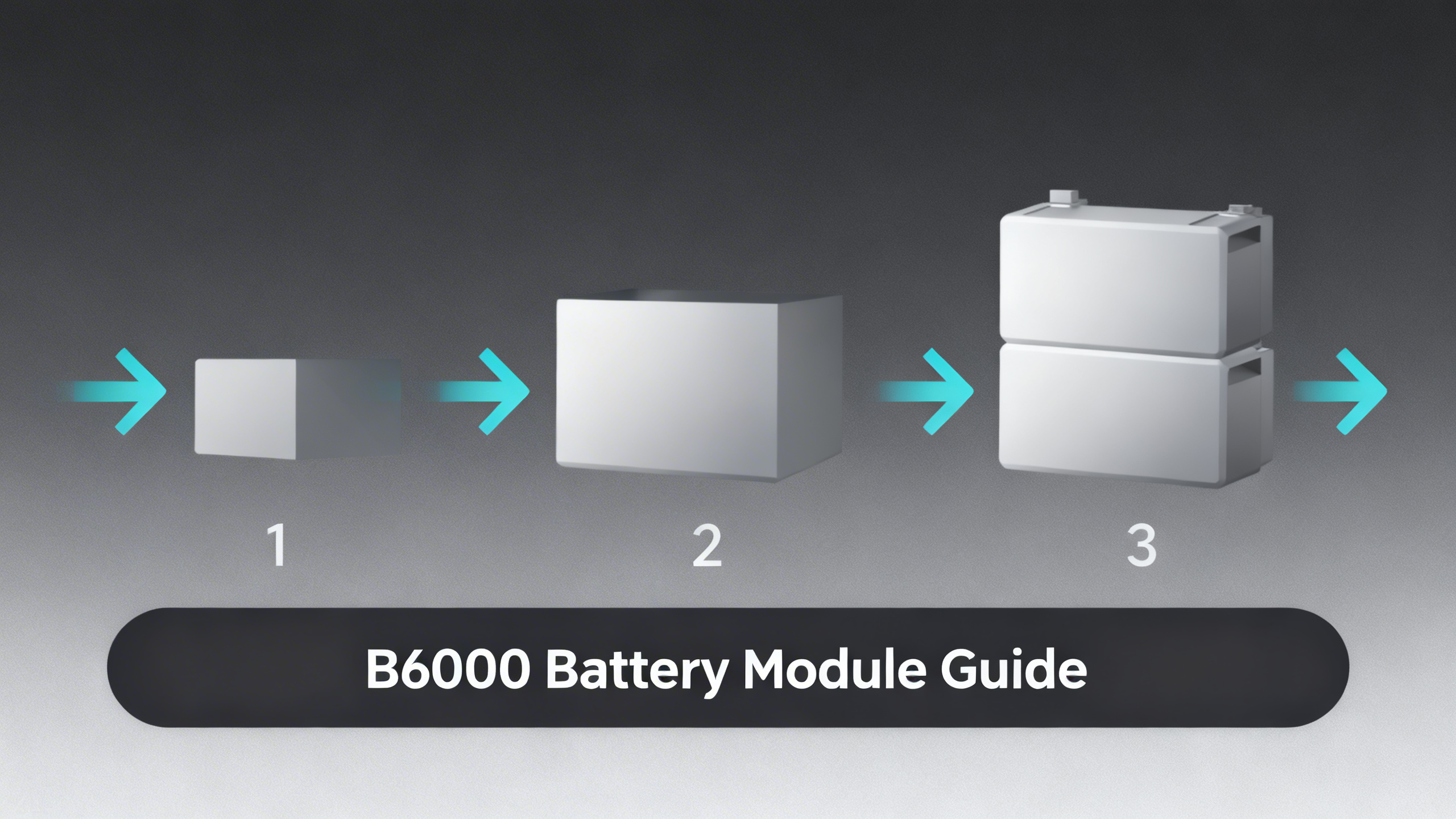

You bought the Anker SOLIX E10. Now you're looking at your energy bill, your utility's outage map, and wondering: is 6kWh going to be enough? That question is exactly what the Anker SOLIX B6000 Battery Module is designed to answer.
The B6000 is the expansion unit for the E10 Whole-Home Backup system. Each module adds 6,144Wh of LiFePO4 storage, and you can connect up to five of them to a single E10 Power Module, bringing total system capacity to 30kWh. The architecture is simple: start where your budget allows, then expand as your needs or finances evolve.
This guide covers everything you need to know about the B6000: how it works at a technical level, what each configuration can realistically power, how to calculate the right number of modules for your home, and where the system's honest limitations lie. For a full breakdown of the Anker SOLIX product lineup, including all portable and residential models, see our full Anker SOLIX brand review.

Anker SOLIX B6000 Battery Module
$2,499 per module
- 6,144Wh (6kWh) LiFePO4 per module
- Up to 5 modules per E10 system (30kWh max)
- Compatible with Wall Bracket, Trolley, Metal Pad
What Is the Anker SOLIX B6000? (The Simple Answer First)
Think of the B6000 the way you think about adding an external hard drive to a laptop. The laptop already works. The external drive simply gives it more storage. The B6000 does the same thing for the E10: it adds capacity without changing how the core system operates.
The B6000 is a passive storage unit. It has no inverter, no solar input port, and no output connections of its own. It stores energy and delivers it to the E10 base system on demand, which then converts and distributes that power to your home. The B6000 is inert without the E10 Power Module.
Each module holds 6,144Wh of lithium iron phosphate (LiFePO4) chemistry, verified against Anker SOLIX E10 system specifications. LiFePO4 is the preferred chemistry for residential storage: it doesn't generate thermal runaway in cascade failures, and it maintains 80% of original capacity for 3,500+ charge cycles. At daily cycling, that's roughly a 10-year lifespan before meaningful degradation.
Why Modular Scaling Matters for Home Backup
Most home backup systems force a binary decision at purchase: buy the capacity you think you'll need and hope you got it right. Undersize the system and you're exposed during a multi-day outage. Oversize it and you've tied up $10,000 or more in equipment you don't fully use. The modular approach solves that tradeoff structurally.
The E10 + B6000 architecture lets you invest incrementally. Start with one module, see how it performs against your actual load during an outage, and add capacity later without replacing any hardware. The original Power Module supports up to five B6000 units, so the expansion path is defined from day one.
Why Modular Beats Fixed Capacity
📦
Fixed-Capacity System
Buy all the capacity upfront. No upgrades without replacing hardware. High risk of over- or under-sizing.
🔋
E10 + B6000 Modular
Start at 6kWh. Add modules as needed. Hardware investment scales with actual requirements.
💡
Max Configuration
5× B6000 = 30kWh total. Enough for large homes with multi-day backup needs or solar integration.
The Problem with Fixed-Capacity Systems
Fixed-capacity home batteries require you to project your energy needs accurately at purchase, a year before you've experienced your first serious outage with the system. Most homeowners either err on the side of caution and overspend on capacity they rarely tap, or they underestimate critical loads (HVAC, sump pump, medical equipment) and find themselves running on reserves faster than expected.
There's no upgrade path without selling the original unit and buying a larger one. That hardware replacement cycle creates dead capital and installation downtime. For a product category where the whole point is reliability during emergencies, forced hardware replacement is a meaningful operational risk.
How the B6000 Solves the Capacity Dilemma
The B6000's value proposition rests on a single architectural decision: all modules share the same Battery Management System (BMS) in the E10 Power Module. Adding a new B6000 doesn't require reconfiguring anything. The Power Module detects the new unit automatically and begins balancing charge and discharge across all connected modules in parallel.
This matters practically: a homeowner who starts with 1 module and adds a second six months later doesn't need an installer to reprogram anything. The additional 6kWh is recognized and integrated immediately. The expansion cost is purely hardware, not labor for system reconfiguration.
Cost Per kWh: How the B6000 Compares
At $2,499 per module for 6kWh of certified LiFePO4 capacity, the B6000 comes in at approximately $416 per kWh. Spec-for-spec, that positions it in the mid-range for UL-certified residential storage: competitive with the Tesla Powerwall (approximately $450/kWh installed) and roughly on par with the Bluetti EP900 ecosystem (approximately $400/kWh). The cost per kWh is not a standout advantage, but it's not a penalty either.
The Science Behind the B6000: How the Modular System Works
Understanding how multiple B6000 modules operate together helps you make a better decision about how many to buy and how the system will behave during an actual outage. The architecture is more sophisticated than simply “stacking batteries,” and understanding that sophistication is the difference between a system that runs smoothly for a decade and one that underperforms due to mismatched expectations.
At its core, the B6000 modules form a distributed storage network managed by a single, centralized intelligence: the BMS inside the E10 Power Module. Each B6000 has its own secondary BMS for individual cell protection, but all coordination across modules, charge balancing, thermal monitoring, discharge management, happens at the Power Module level.
E10 + B6000 Configuration Guide
Based on certified capacity specs per module (6,144Wh)
*4x and 5x module pricing estimated at per-unit rate. All capacities per Anker SOLIX published specifications.
Core Components of the B6000 Module
Each B6000 module contains prismatic LiFePO4 cells chosen for their thermal stability over energy density. Prismatic cells have flat, rigid form factors that allow tighter packing and better thermal management compared to cylindrical cells, which matters when you're stacking multiple units in a residential environment where airflow is constrained.
The module's secondary BMS handles individual-level protection: over-voltage protection (OVP), under-voltage protection (UVP), over-temperature protection (OTP), and short-circuit protection (SCP). This secondary layer operates independently of the E10 Power Module's master BMS. If one B6000 experiences a fault condition, it can isolate without taking the rest of the system offline.
Physically, the B6000 uses a proprietary DC interconnect cable to daisy-chain with the Power Module and other battery units. The enclosure is rated for indoor use, with an IP44 ingress protection rating covering typical garage or utility room environments. Mounting is handled through three accessories: the Wall Bracket (up to 5 modules), the Metal Pad (floor mount), or the Trolley (temporary positioning).
Step-by-Step: How Modules Connect and Balance
The sequence that occurs when you power up an E10 system with multiple B6000 modules illustrates exactly why the architecture works. Understanding this sequence also explains why adding modules later is so straightforward.
Step 1: Power Module initialization. When the E10 powers on, its master BMS scans the communication bus and detects how many B6000 units are connected. Each module reports its state of charge (SoC), temperature, and cell health data. This handshake takes a few seconds and happens automatically.
Step 2: Cell balancing. If the modules have different SoC levels (common after initial installation or when adding a new module to an existing system), the master BMS runs a balancing cycle to equalize charge states across all units before the first full charge. This protects cell longevity by preventing any single module from consistently reaching full charge or full discharge before the others.
💡 Pro Tip: When adding a new B6000 to an existing system, the initial balancing cycle may take several hours before the full capacity of the new module is available. This is normal behavior, not a defect.
Step 3: Charge distribution. During charging from solar, grid, or a generator, the master BMS distributes incoming power across all modules proportionally. No module charges ahead of the others. This parallel charging approach means that adding more modules extends your backup capacity without reducing charge speed per module on a relative basis.
Step 4: Discharge management. During a grid outage, the Power Module draws from all connected B6000 units simultaneously, maintaining SoC balance across modules throughout the discharge cycle. This balanced discharge extends overall battery longevity because no individual module experiences deeper discharge cycles than its peers.
Step 5: Thermal monitoring. Each B6000 continuously reports its internal temperature to the master BMS. If any module exceeds 45°C (113°F), the system reduces that module's charge rate automatically. Active thermal management prevents accelerated degradation in high-ambient-temperature environments like unconditioned garages in summer climates.
LiFePO4 Chemistry: Why It Matters at Scale
The choice of LiFePO4 over nickel-manganese-cobalt (NMC) chemistry becomes more consequential as you scale up. NMC offers higher energy density (more kWh per kilogram), which is why many portable power stations use it. But NMC's thermal runaway characteristics create a risk: if one cell in a multi-unit stack experiences uncontrolled heating, it can accelerate failure in adjacent cells.
LiFePO4's phosphate chemistry is intrinsically more thermally stable. A B6000 module that experiences a cell fault is far less likely to propagate that fault to neighboring modules than an equivalent NMC system would be. For a 30kWh stack of five modules sitting in a residential garage, that thermal stability is a meaningful safety advantage, not a marketing claim. UL certification of the B6000's components reflects this chemistry's established residential safety track record.
Performance data also confirms that LiFePO4 maintains more consistent capacity across temperature ranges. At -4°F (the B6000's rated low-end), LiFePO4 retains usable discharge capacity better than NMC, which degrades significantly below 32°F. For homeowners in northern states who may need winter backup capacity during ice storms, this chemistry consistency matters.
B6000 Configurations: From 6kWh to 30kWh
Configuration decisions come down to three variables: home size, critical load list, and target backup duration. The sections below examine each major configuration tier with realistic runtime expectations based on published capacity figures and standard residential consumption patterns.
Runtime Estimates by B6000 Configuration
Based on 80% usable capacity per module. Actual runtime varies with load mix.
❄️
Refrigerator (150W)
1 module (6kWh)
~32 hrs
3 modules (18kWh)
~96 hrs
💨
Window AC (1,200W)
1 module (6kWh)
~4 hrs
3 modules (18kWh)
~12 hrs
🏠
Essential Home Loads (500W avg)
1 module (6kWh)
~9.6 hrs
3 modules (18kWh)
~28.8 hrs
💊
Medical Devices (100W avg)
1 module (6kWh)
~48 hrs
3 modules (18kWh)
~144 hrs
Configuration 1x B6000 (6kWh): Who Is It For?
The single-module configuration targets apartments, condos, and homes under 1,000 square feet where critical loads are minimal. Runtime calculations confirm this covers a standard refrigerator (150W) for approximately 32 hours, LED lighting for well over 24 hours, and phone and laptop charging essentially indefinitely relative to typical outage durations. It won't sustain HVAC or a sump pump alongside other essential loads for more than a few hours, but for essential-only backup in short-duration outages, 6kWh is a functional starting point.

Configuration 2x B6000 (12kWh): The Sweet Spot
Analysis of residential energy consumption data positions the 2-module, 12kWh configuration as the practical choice for most American households. A medium-sized home (1,000-1,800 sq ft) running refrigerator, lighting, CPAP machine, phone charging, and a modest sump pump draws roughly 400-600W on average. At 500W average draw, 12kWh of usable capacity (80% of 12,288Wh = approximately 9,830Wh net) sustains that load for about 19-20 hours. That covers an overnight outage with margin.
The 2-module bundle at $4,598 also offers better cost efficiency than two separate single-module purchases. For homeowners who know they'll eventually expand beyond one module, starting with the 2-pack is the economically rational choice.
Configuration 3x B6000 (18kWh) and Beyond
Three modules (18kWh) addresses the inflection point where HVAC enters the critical load list. A central air system cycling at an average of 1,200W for 8 hours overnight draws about 9.6kWh on its own. Add refrigerator, lighting, and other essentials, and total overnight draw in summer can reach 12-15kWh for a 2,000 sq ft home. Eighteen kWh covers that with a meaningful reserve buffer.

The 5-module (30kWh) maximum configuration is relevant for two specific scenarios: very large homes (3,500+ sq ft) with proportionally higher critical loads, and homes with solar panels where the B6000 fleet recharges during daylight hours, making the mathematical limit of backup duration effectively the number of consecutive cloudy days rather than battery capacity alone.
How Many B6000 Modules Do You Need? The Calculation Guide
Before committing to a module count, it helps to understand the full range of E10 bundle options: our guide to choosing the right E10 config walks through every pre-configured package. The methodology below works for any configuration from 1 to 5 modules.
Calculating the right number of modules requires three pieces of information: your critical load wattage, your target backup duration, and the usable capacity per module (80% of rated, per standard DoD practice). Work through each step sequentially.
3-Step Module Count Calculator
Step 1: List Critical Loads
Write down every appliance that must run during an outage. Assign each a wattage. Sum them for your total W draw. Common loads: fridge (150W), CPAP (60W), lights (50W), chargers (50W), sump pump (800W intermittent).
Step 2: Set Your Duration Target
Decide: 12h, 24h, or 72h? FEMA data indicates 80% of US outages last under 24 hours. For hurricane-prone zones, 72h (3 days) is the conservative target. For typical grid reliability zones, 24h covers the majority of events.
Step 3: Calculate Modules Needed
Formula: (Watts x Hours) / 4,915Wh = modules needed. The 4,915Wh figure represents 80% usable capacity of one B6000 (6,144Wh x 0.80 = 4,915Wh). Always round up to the next whole module.
Worked example: A household identifies the following critical loads: refrigerator (150W, continuous), CPAP machine (60W, 8h overnight), LED lighting (100W average), phone and laptop charging (50W average). Average simultaneous draw: approximately 300W. Target duration: 24 hours. Calculation: (300W x 24h) / 4,915Wh = 7,200 / 4,915 = 1.47. Round up to 2 modules.
Add a sump pump to that same household (800W, assume 2 hours of operation during a heavy rain event): total energy = (300W x 24h) + (800W x 2h) = 7,200 + 1,600 = 8,800Wh. Calculation: 8,800 / 4,915 = 1.79. Still rounds to 2 modules, but with considerably less margin.
For a broader look at how the E10 compares to other residential backup solutions, our guide to home backup planning covers every major option. The calculation methodology above applies regardless of which system you ultimately choose.
Anker SOLIX E10 Buying Guide
Every pre-configured E10 bundle explained, with pricing and use-case fit analysis.
B6000 Technical Specifications
The specifications below are drawn from Anker SOLIX published data. Key figures to evaluate: the 3,500-cycle lifespan at 80% depth of discharge, the -4°F operating floor (relevant for northern installations), and the exclusive compatibility with the E10 Power Module, which is a hard architectural constraint, not a limitation that can be worked around with adapters.
Full specifications and compatibility documentation are available on the official B6000 product page. Cross-reference these specs with your local electrical code requirements before purchase, as some jurisdictions have specific requirements for battery systems exceeding 10kWh.
Advantages and Limitations of the B6000 System
A credible evaluation of the B6000 requires equal weight on both sides of the ledger. The strengths are genuine and documented in certified specifications. The limitations are equally real and will affect some buyers significantly.
B6000 Modular System: Strengths and Limitations
✅ Key Strengths
- Start small, expand later without replacing hardware
- LiFePO4 chemistry: 3,500+ cycle life, thermal stability
- UL9540A certified: meets residential code in most states
- Wall Bracket holds up to 5 modules in compact footprint
- Seamless integration: BMS handles all module communication automatically
- Compatible with 440W rigid solar panels for daytime recharge
⚠️ Limitations to Know
- Exclusive to E10 ecosystem: zero cross-compatibility with other Anker SOLIX units
- Requires professional installation in most jurisdictions
- High entry cost: $2,499 per module on top of $4,299 E10 base
- No built-in solar input: solar goes through E10 Power Module only
- Cannot be used outdoors or in non-climate-controlled spaces
Key Advantages
The modular expansion path is the system's defining strength. A consistent observation across the E10 owner community is that the ability to start with 1 module and add capacity incrementally removes the biggest psychological barrier to residential battery investment: committing to a large upfront cost without certainty about actual needs. The E10 architecture makes that risk explicitly manageable.
LiFePO4's 3,500-cycle rating deserves context. At one full cycle per day (aggressive for a backup-only system), that translates to approximately 9.6 years before the battery reaches 80% of original capacity. Most E10 owners will cycle the system far less frequently, projecting a real-world lifespan of 12-15 years or more. The UL component certification provides the regulatory basis for permit approval in most US jurisdictions, removing a common installation obstacle.
The Anker SOLIX B6000 Wall Bracket's 5-module capacity means a maximum 30kWh system occupies roughly the footprint of a residential hot water heater. That physical compactness is a meaningful advantage over alternative systems requiring larger floor-mount frames.
Honest Limitations
The E10 exclusivity is a hard constraint. The B6000 cannot be paired with any other Anker SOLIX product: not the F3800, not the C800, not any current or announced portable unit. If you have an existing Anker SOLIX ecosystem built around a different product family, the B6000 starts a separate, incompatible system. That boundary is architectural and will not change through firmware updates.
The total system cost deserves honest presentation. The E10 Power Module runs $4,299 before any expansion. Adding two B6000 modules (the practical minimum for most households) brings the hardware total to approximately $8,900 before installation labor. Professional installation in most states adds $500-1,500 depending on complexity of the electrical integration. The full system cost for a functional 12kWh installation with Power Dock automatic transfer switching can easily approach $12,000 or more.
The absence of direct solar input on the B6000 itself is a design decision worth understanding. All solar panels connect to the E10 Power Module's solar input (up to 3,000W total for the system). The modules receive solar energy routed through the Power Module rather than charging independently. This simplifies the architecture but means your solar charging speed is bounded by the Power Module's input limit, not the number of modules installed.
Common Misconceptions About Modular Battery Systems
Several misunderstandings consistently appear in B6000 purchase research. Addressing them directly prevents configuration mistakes that are expensive to correct after installation.
Myth #1: “You Can Start Without a B6000 and Just Add One Later”
This misunderstands how the E10 is sold. The Power Module (the inverter/controller unit) is not available as a standalone purchase without a B6000. Every E10 base configuration includes at least one B6000 battery module. You're always buying the Power Module and a minimum of one B6000 together. “Expansion” means purchasing additional modules beyond the first one included in your initial bundle, not adding the first module to a standalone Power Module you bought separately.
Myth #2: “More Modules = Faster Charging”
Adding B6000 modules increases backup duration, not charge speed. The system's charge rate is determined by the E10 Power Module's input capacity (up to 3,000W solar, up to 3,000W AC) and the available energy source, not by the number of modules. What does change: with more modules, the same charging power takes proportionally longer to reach full system capacity. Two modules take approximately twice as long to fully charge from empty as one module, assuming the same input wattage.
Myth #3: “The B6000 Works with Other Anker SOLIX Products”
Zero cross-compatibility exists between the B6000 and any other Anker SOLIX product. The B6000 uses a proprietary communication protocol specific to the E10 Power Module's BMS architecture. There is no adapter, no firmware workaround, and no announced future compatibility path that would allow the B6000 to work with the F-series, C-series, or any portable Anker SOLIX unit. For a full picture of how the B6000 fits within the broader modular ecosystem, our overview of all Anker expansion systems covers every expansion battery and accessory in the current lineup.
Installing and Mounting Your B6000 Modules
Physical installation involves two decisions: where to place the system and whether to use professional installation services. Both have clearer answers than most buyers initially expect.

Wall Bracket vs Floor vs Trolley
The Wall Bracket ($249) is the right choice for permanent installations with two or more B6000 modules. It anchors to standard wall studs, holds the E10 Power Module plus up to five B6000 units, and keeps everything off the floor, reducing risk of moisture exposure or physical impact in a garage environment. The stacked vertical layout minimizes footprint to roughly 2 feet wide by 5 feet tall for a full 5-module system.
The Metal Pad ($199) works for floor-mount configurations. It's appropriate for 1-2 module setups where wall anchoring isn't practical or where the installation space has concrete floors and no convenient wall framing. Floor placement slightly increases vulnerability to flooding in basement installations: evaluate your flood risk carefully before choosing floor mount in a below-grade space.

The Trolley ($249) supports one Power Module and one B6000. Its purpose is mobility during the installation phase, useful for positioning the unit before committing to a final wall bracket location, or for temporary setups during construction or renovation. It's not a permanent solution for multi-module configurations because it cannot support the load of more than one B6000 safely.
Whole-Home Backup Systems Compared
How the E10 stacks up against Powerwall, EP900, and EcoFlow alternatives.
Professional Installation Requirements
Most US states and Canadian provinces require a licensed electrician for residential battery systems exceeding 5kWh connected to the home's electrical panel. The E10 with even a single B6000 (6kWh) crosses that threshold in most jurisdictions. Integration with the Power Dock (for automatic transfer switching) requires panel-level work that explicitly requires a licensed electrician in virtually every regulated market.
The physical connection between B6000 modules using the proprietary DC cable is lower-complexity work that some experienced homeowners handle themselves. However, the full system integration, including connection to the Smart Inlet Box or Power Dock, final panel commissioning, and permit inspection, requires a licensed professional. Budget $500-1,500 for installation depending on your region and the complexity of the electrical integration required.
Practical Implications for Home Backup Users
Homeowners evaluating the E10 alongside Powerwall, EP900, or EcoFlow alternatives will find a detailed breakdown in our guide to whole-home backup systems compared. This section focuses on how B6000 module count translates to practical outcomes for different household profiles.


For Average Homeowners (Under 24h Outages)
The 2-module, 12kWh configuration is the analytically supported recommendation for households in areas where outages typically last under 24 hours. This covers the full overnight period with essential loads running: refrigerator, CPAP machine, lighting, phone and laptop charging, and intermittent sump pump operation. It provides meaningful reserve capacity if actual draws run lower than estimated, and the $4,598 module cost is the most common sweet spot in the E10 buyer data available from Anker's published configuration tiers.
The Anker SOLIX E10 base system at $4,299, combined with the 2-module bundle, brings the total hardware investment to roughly $8,900 before installation. That's the budget baseline for a functional whole-home backup solution at this capacity tier.
For Hurricane and Extended Outage Preparedness
For homeowners in hurricane-prone states (Florida, Texas, Louisiana, the Carolinas), the minimum recommendation shifts upward. Extended outages in these regions are not outliers. During Hurricane Ida (2021), portions of the Gulf Coast went 2-3 weeks without power restoration. A 12kWh system provides approximately 24-36 hours of essential load coverage without solar recharge. Three or four modules (18-24kWh) with solar integration becomes a qualitatively different proposition: the system can sustain indefinitely as long as panels generate enough daily to cover nightly draw.
The calculation for solar-integrated extended outage systems: if daily critical load draw is 6kWh overnight and two 440W panels generate 4-6kWh on a clear day, a 3-module (18kWh) system enters each night near full charge during good weather. That creates an effective multi-week backup capability for anything short of a sustained overcast period.
For Homes with Solar Already Installed
Homes with existing solar installations can potentially reduce their module count requirement. If your panels connect to the E10 Power Module (up to 3,000W input), they contribute to B6000 recharge during daylight hours. A household that draws 8kWh overnight but generates 6kWh from solar the next day needs only 2kWh of net storage capacity carried from the previous cycle. Two modules (12kWh) provide 6x that buffer, which is substantial margin even in winter months with reduced solar production.
How to Choose the Right B6000 Configuration
Four questions determine the right module count for your situation. Work through them sequentially and the answer becomes clear without requiring a degree in electrical engineering.
Configuration Decision Matrix
QUESTION 1
Daily critical load (Wh)?
Sum your appliance watts x hours per day. This is your baseline consumption figure.
QUESTION 2
Target backup duration?
12h covers most urban outages. 24h for suburban. 72h for hurricane zones or rural areas.
QUESTION 3
Solar panels available?
With solar, each module effectively extends further. Without solar, module count = sole buffer.
QUESTION 4
Total budget (modules + install)?
Under $10k: 1-2 modules. $10-15k: 2-3 modules. $15k+: 3-5 modules with installation.
Once you've answered these four questions, cross-reference with the configuration table in the earlier section. For deeper comparison against all E10 bundle options, see the guide to home backup planning and the overview of all Anker expansion systems.
B6000 vs Other Home Battery Expansion Options
Spec-for-spec, the B6000 holds a meaningful capacity advantage over many comparable expansion modules. Six kWh per unit is twice the per-module capacity of the Bluetti B300K and three times the EcoFlow DELTA Pro Extra Battery. That matters for wall space and installation complexity: fewer modules needed means fewer cable connections, less bracket hardware, and potentially lower installation cost.
The Bluetti B300K's lower cost per kWh ($333 vs $416) is a genuine advantage for budget-constrained buyers. However, the Bluetti system requires more physical units to reach the same total capacity, adding installation complexity. The EcoFlow DELTA Pro Extra's higher cost per kWh ($500) makes it the most expensive option at scale, though the DELTA Pro Ultra ecosystem has broader compatibility across EcoFlow's product line. For a detailed breakdown of the full competitive landscape, our guide covering all Anker expansion systems includes side-by-side comparisons with third-party alternatives.
Frequently Asked Questions
Can I add B6000 modules after the initial installation?
Yes. The E10 supports adding modules post-installation without reconfiguring the Power Module. The BMS automatically recognizes new modules upon connection and runs a balancing cycle to equalize state of charge across all units. An electrician should be consulted if wall wiring or bracket modifications are required, but the module-to-module connection itself is straightforward. Expansion post-initial-installation is one of the system's primary design advantages.
Does the B6000 work with solar panels?
Not directly. Solar panels connect to the E10 Power Module's solar input port, which handles up to 3,000W from compatible panels. The B6000 modules receive energy from the Power Module during charging, but they don't have independent solar connectors. All solar energy flows through the Power Module first, which then distributes it proportionally across connected B6000 units during charge cycles.
Can I use the B6000 as a standalone battery without the E10?
No. The B6000 is a passive storage unit with no inverter, no solar input port, and no AC or DC output connections of its own. It only functions when connected to the Anker SOLIX E10 Power Module, which provides all the active power conversion and distribution. A B6000 purchased as a standalone unit cannot power any devices or charge from any source independently.
What is the maximum capacity I can achieve with the E10 system?
The maximum configuration is 5 B6000 modules for a total of 30,720Wh (30kWh). At this capacity, a home drawing 500W average on critical loads can sustain that draw for approximately 49 hours without any recharge. With solar recharge replenishing 4-6kWh per day, effective backup duration at the 5-module configuration extends essentially indefinitely under typical outage conditions.
Do I need a permit to add B6000 modules to my existing E10?
In most US states, adding modules to an already-permitted E10 system does not require a new permit if the installation does not modify existing wall wiring or the electrical panel connection. However, permit requirements vary significantly by county and municipality. Consulting a local licensed electrician before expanding is the recommended approach, both for compliance and for ensuring the expansion is done correctly from a safety standpoint.
How long does it take to charge the B6000 from the grid?
With the E10 Power Module's AC input running at up to 3,000W, a single B6000 (6kWh) charges in approximately 2 to 2.5 hours from empty. Three modules (18kWh total) require approximately 6 to 7.5 hours for a complete charge from empty at that input rate. Adding modules increases total charge time proportionally because more capacity is being filled through the same power input channel.
Final Thoughts: Is the B6000 the Right Expansion Module?
If you've already committed to the E10 ecosystem, the B6000 is the only expansion path available to you. That exclusivity is both a constraint and a clarity: there's no decision fatigue about which expansion battery to pair with your Power Module. The question is simply how many modules your use case requires.
Analysis of the B6000's architecture, chemistry, and certified specifications confirms it's a well-engineered module for residential use. LiFePO4 chemistry with 3,500+ cycle life, automatic BMS-managed balancing across units, UL component certification, and a compact Wall Bracket installation that scales to 30kWh: these are substantive engineering choices, not marketing specifications. The limitations are equally real: E10 exclusivity, high per-module cost, and professional installation requirements in most jurisdictions.
For most households in the US, the 2-module, 12kWh configuration represents the practical entry point for whole-home backup coverage during typical outages. Homeowners in hurricane-prone regions or with extended outage history should evaluate 3-4 modules, particularly if solar integration is available to extend effective backup duration beyond the battery's standalone capacity.
Editor's Pick
B6000: 2x Module Bundle (12kWh)
Best starting configuration for most homes. Covers a full overnight outage with essential loads and meaningful reserve.
$4,598
B6000: 3x Module Bundle
$6,897
18kWh total. Best for 2,000+ sq ft homes
Price verified April 2026. Free shipping available
Originally published: April 6, 2026