
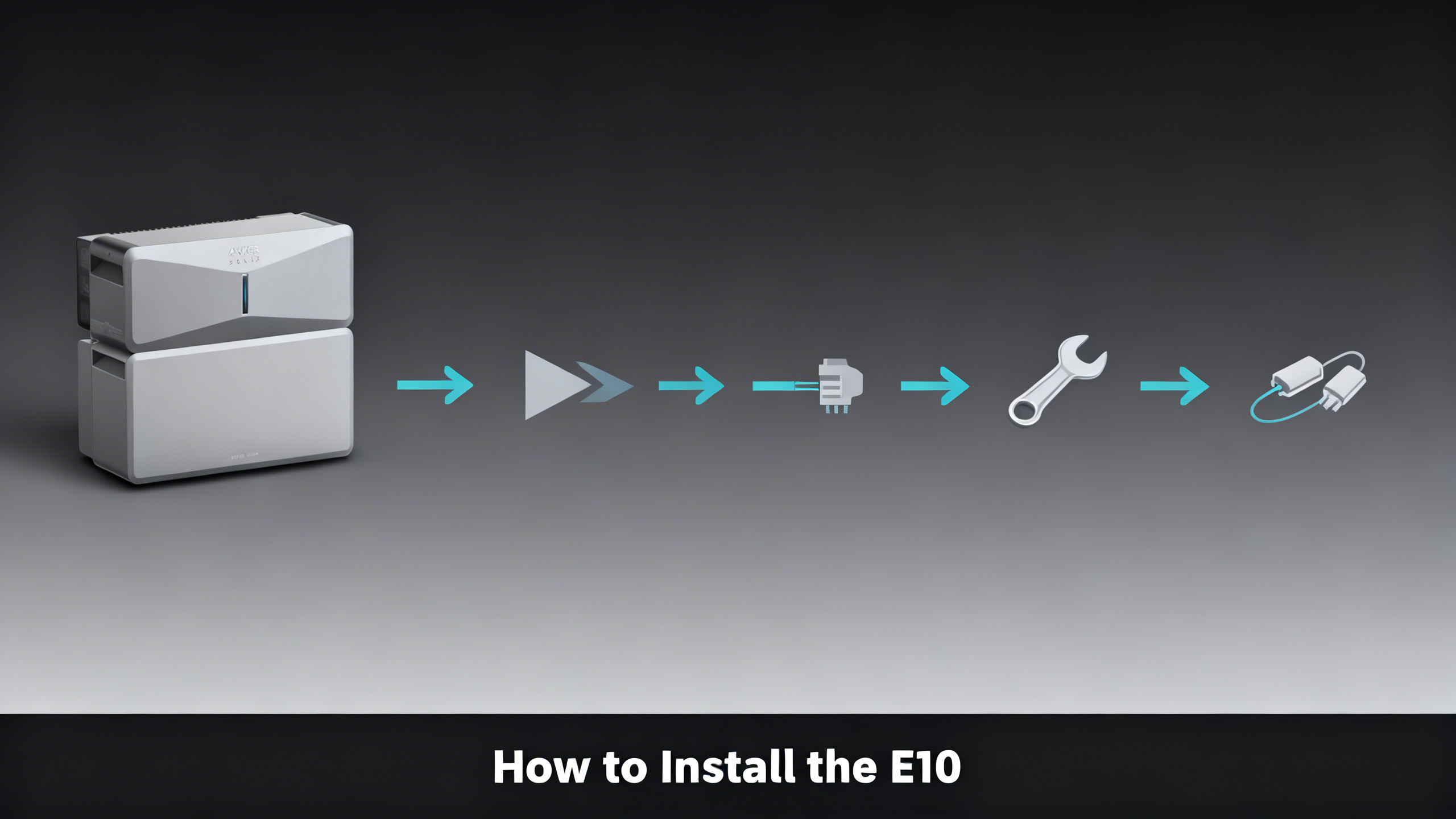

The Anker SOLIX E10 is one of the most flexible whole-home battery systems available in 2026, but the setup path you choose at purchase determines everything: which circuits you can back up, whether you need a licensed electrician, and how much manual intervention you’ll need during an outage. This guide walks through all three connection interfaces, what each one requires, and how to match the right option to your home.
For broader product comparisons and capacity planning, the Anker SOLIX home backup hub covers every E10 configuration option. This guide focuses on installation specifics, picking up where the product overview leaves off.
Own a Anker SOLIX? Get the owner's checklist.
Storage, cold weather, solar limits and battery health for your Anker SOLIX power station, in one email. After that, about one email a week with setup guides, plus a heads-up when compatible batteries or panels go on sale.
Unsubscribe in one click. We may earn a commission when you buy through our links, at no extra cost to you. Privacy Policy
What Is the Anker SOLIX E10 and Why Does Installation Method Matter?
The Anker SOLIX E10 is a modular whole-home battery backup system built around LiFePO4 (LFP) chemistry. Each Power Module pairs with at least one B6000 Battery Module, delivering approximately 6kWh of usable capacity per battery. The system runs 120V/240V split-phase AC power and carries UL9540 and UL9540A certification.
Where the E10 differs from most home battery systems is its connection flexibility. Three distinct interfaces bridge the battery and your home’s electrical panel, each with a different installation complexity, price point, and operational mode. The choice you make at the point of purchase shapes every aspect of the ownership experience.

Before You Start: Pre-Installation Requirements
Before ordering hardware or scheduling installation, verified setup requirements for the E10 confirm that preparation work significantly affects both cost and timeline. Skipping this step is the most common reason installations stall after delivery.
Electrical requirements vary by interface. Power Dock installations require a 200A main service panel with room for the transfer switch wiring. Smart Inlet Box setups need a compatible 120V/240V outlet (NEMA 14-30 or 14-50) accessible near the target circuits. Both interfaces require split-phase power, standard in most US homes built after the 1950s.
Physical placement data from Anker’s published documentation confirms the E10 must be installed indoors or in a sheltered location. Temperature range is 14°F to 113°F. A minimum 36 inches of wall clearance is required around the unit. Wi-Fi connectivity is necessary for app-based monitoring and control features. The unit can sit on a flat floor or mount via a separately sold wall bracket.
Pre-Installation Checklist
Electrical Requirements
- 200A main service panel (Power Dock)
- 120V/240V split-phase power available
- Sufficient wall clearance (36″+ minimum)
- Licensed electrician booked (Power Dock)
Physical Requirements
- Indoor/sheltered location (no direct weather)
- Flat floor or wall-mount bracket (sold separately)
- Temperature range: 14°F to 113°F
- Wi-Fi connectivity for app features
Documentation Needed
- E10 installation manual (PDF)
- Local utility interconnection approval
- Building permit (Power Dock, most jurisdictions)
- HOA approval (if applicable)
Prioritizing which circuits to back up is a critical decision that affects which interface makes sense. The home power load management guide walks through load calculation and circuit prioritization for whole-home battery systems before you commit to a connection method.
Own a Anker SOLIX? Get the owner's checklist.
Storage, cold weather, solar limits and battery health for your Anker SOLIX power station, in one email. After that, about one email a week with setup guides, plus a heads-up when compatible batteries or panels go on sale.
Unsubscribe in one click. We may earn a commission when you buy through our links, at no extra cost to you. Privacy Policy
Understanding the Three Connection Methods
The E10’s three interface options represent meaningfully different ownership experiences. The Power Dock ($1,999) is an automatic transfer switch rated for full 200A panel integration. When grid power drops, the transition to battery happens in milliseconds with no manual action required. The Smart Inlet Box ($399) connects to selected circuits and requires a manual switch during an outage, but installation is far simpler and often DIY-accessible. The Transfer Switch bundle ($4,999 with E10) targets homeowners already in the F-series ecosystem who want circuit-level backup control.
The hardware specs, certification details, and full capacity analysis are covered in depth in the E10 system review. This guide picks up where the review ends: the physical installation for each interface type.
Which E10 Interface Matches Your Situation?
⚡ Power Dock ($1,999)
Automatic transfer, no manual switch needed
- Whole-home integration (200A panel)
- Seamless grid-to-battery transition in milliseconds
- Requires licensed electrician
- Best for: families wanting true “set and forget” backup
🔌 Smart Inlet Box ($399)
Manual transfer, simpler installation
- Selected circuits only (not whole-panel)
- DIY-friendly in many installations
- Manual switch required during outage
- Best for: budget-conscious installs, renters or apartments
🔧 Transfer Switch ($399+)
Manual transfer, F-series compatible
- 6 or 10 circuits depending on model
- Designed primarily for F-series (F2000, F2600, F3000, F3800)
- Works with E10 via adapter bundle
- Best for: existing F-series owners adding E10
✅ Best DIY-Friendly Entry Point
Anker SOLIX E10 + Smart Inlet Box
$4,599
Why we recommend it: The most accessible E10 entry point with DIY-friendly installation and UL9540-certified protection.
- Smart Inlet Box integrates with existing panel: no full panel work required for basic setups
- LiFePO4 chemistry with UL9540 and UL9540A certification
Option 1: Installing with the Power Dock (Full Automatic)
What the Power Dock Does

The Power Dock functions as an automatic transfer switch integrated with the full 200A panel. When utility power drops, the system transitions to battery in milliseconds without any homeowner action. This is the closest available equivalent to whole-home generator integration, but without combustion fuel or exhaust concerns.
Spec analysis confirms the Power Dock covers all circuits within panel capacity limits. The E10 module handles 120V/240V split-phase output, so anything from refrigerators to HVAC systems can stay powered as long as capacity allows. The app provides real-time load monitoring and lets you configure priority thresholds.
Step-by-Step Power Dock Installation
Published installation requirements for the Power Dock are unambiguous: a licensed electrician is required for panel work, and a building permit is needed in most jurisdictions. The installation workflow based on Anker’s documentation proceeds as follows:
Step 1: Choose your location. Garages, utility rooms, and mechanical rooms are the typical placements. The E10 needs a sheltered indoor space with 36 inches of clearance. The Power Dock itself mounts at or near the main panel.
Step 2: Prepare the electrical panel. Your electrician will evaluate the existing panel, confirm 200A service compatibility, and handle all wiring from panel to Power Dock. This is licensed work in every US jurisdiction and cannot be DIY’d legally.
Step 3: Connect the Power Module to the Power Dock. The purpose-built connection cable links the E10 Power Module to the Power Dock using a dedicated port. The cable routing is specified in Anker’s installation manual based on your layout.
💡 Pro Tip: Anker offers a dedicated Anker’s professional installation service for $2,000. For homeowners unfamiliar with electrical panel work, this removes the contractor-sourcing burden and provides a warranty-backed installation.
Step 4: Configure the Anker SOLIX app. After the hardware is connected, add the E10 to your account via Wi-Fi. Set backup thresholds, enable auto-transfer, and verify the app recognizes both the Power Module and any battery expansion units.
Step 5: Test the automatic transfer. With your electrician present, simulate a grid outage by opening the main breaker. The Power Dock should transition load to battery within milliseconds. Verify all critical circuits are receiving power before considering the installation complete.

Option 2: Installing with the Smart Inlet Box (Manual, DIY-Friendly)
What the Smart Inlet Box Does

The Smart Inlet Box connects the E10 to selected circuits rather than the full panel. During normal operation, those circuits run on grid power. When grid power fails, you manually switch the circuits to battery via the app or a physical control. This requires active intervention during an outage but avoids the panel-level electrical work the Power Dock requires.
Spec-for-spec, the Smart Inlet Box requires fewer electrical modifications than the Power Dock. Published installation documentation indicates many Smart Inlet Box setups are accessible to homeowners with basic electrical experience, particularly when connecting to an existing NEMA 14-50 outlet. That said, electrical experience is recommended regardless.
Step-by-Step Smart Inlet Box Installation
Step 1: Identify your target circuits. Determine which circuits you want backed up: refrigerator, lighting, phone charging, critical medical equipment. These will be routed through the Smart Inlet Box during outages.
Step 2: Connect the Smart Inlet Box to a NEMA outlet. The Smart Inlet Box plugs into a compatible NEMA 14-30 or NEMA 14-50 outlet. If one doesn’t exist near your installation location, you’ll need an electrician to install one first.
Step 3: Connect the E10 Power Module via the dedicated cable. The same purpose-built cable that works with the Power Dock connects the E10 to the Smart Inlet Box. Route the cable according to Anker’s layout recommendations.
Anker SOLIX Power Dock vs Smart Inlet Box
A full comparison of both connection methods, covering cost, installation complexity, and which one fits your home.
Step 4: Configure the Anker SOLIX app. Add the system via Wi-Fi and configure which circuits should switch to battery during an outage. The app supports scheduling and remote control if you’re away from home when grid power fails.
Step 5: Test manual switchover. Simulate a grid failure and practice switching the target circuits to battery using the app or physical controls. You’ll know the installation is correct when the selected circuits stay powered without any grid connection.
The Smart Meter (SKU A17X7111, $249) is worth considering as a complementary accessory. It provides real-time whole-home energy monitoring, which helps identify load patterns and optimize when the E10 charges and discharges. An E10 + Smart Inlet Box bundle at $4,599 is the most accessible starting configuration for most homeowners.
Option 3: Installing with a Manual Transfer Switch
Which Transfer Switch Models Are Compatible?

Anker’s Transfer Switch lineup was originally designed for the F-series portable stations (F2000, F2600, F3000, F3800). The E10 can integrate with this ecosystem via an adapter bundle, making it a logical upgrade path for homeowners already using F-series hardware.
Two Transfer Switch models are available. The 6-Circuit version (SKU B17B71A1, $399) supports F2000, F2600, and F3000 units. The 10-Circuit version (SKU B17B31A1, $599) handles the F3800 and dual F3800 Plus configurations. Both require a separate cable kit for E10 integration. The E10 + Transfer Switch bundle (SKU B17E114T, $4,999) includes everything needed for a complete installation.
If you’re unfamiliar with how manual transfer switches work at the electrical panel level, the site’s general transfer switch installation guide covers the fundamentals before you begin. Understanding the basics saves significant time during the actual installation.
Step-by-Step Transfer Switch Installation
Step 1: Identify priority circuits. Choose 6 or 10 circuits based on your switch model. Typical selections include the refrigerator, lighting, furnace controls, sump pump, and phone charging circuits. The 10-circuit model allows for more granular coverage.
Step 2: Wire the transfer switch to the panel. A licensed electrician is strongly recommended for this step. The transfer switch must be physically wired to the selected breakers and isolated so that grid and battery power can never energize the same circuit simultaneously.
⚠️ Important: Never connect the E10 Power Module while the transfer switch is still live on the grid side. The connection sequence matters for safety and to protect the battery management system.
Step 3: Connect the E10 Power Module. Using the adapter cable kit, connect the Power Module to the transfer switch. Verify all connections are secure and that the cable routing avoids heat sources or sharp edges.
Step 4: Test under load. With the transfer switch in “generator” mode, verify each of the selected circuits receives power from the E10. Record actual draw per circuit to confirm the battery can handle your expected load profile.
★ Best Whole-Home Automatic Option
Anker SOLIX E10 + Power Dock
Why we recommend it: Automatic panel-level transfer with zero manual intervention during outages.
$5,799
Which Interface Should You Choose? (Side-by-Side Comparison)
The decision between the two connection methods is covered in detail in the dedicated Power Dock vs Smart Inlet Box comparison. The short version: Power Dock for full automatic operation, Smart Inlet Box for manual control and lower upfront cost. The Transfer Switch sits in a specific niche for F-series users expanding to the E10 ecosystem.


For a full picture of the E10’s place in the Anker SOLIX lineup, the Anker SOLIX brand overview covers every model tier from compact portables to whole-home systems.
Expanding Your E10 System Later
One of the E10’s strongest data points is its scalability. The B6000 Battery Module ($2,499 per unit) adds approximately 6kWh per module, and each Power Module supports up to three B6000 batteries. That means a single Power Module installation can scale from ~6kWh to ~18kWh without replacing any core hardware.
All three connection interfaces (Power Dock, Smart Inlet Box, Transfer Switch) are compatible with battery expansion. You add a B6000 to the existing Power Module stack, the app detects it automatically, and available capacity updates in real time. The Trolley accessory (SKU A17E1141-87, $249) is also worth noting for installations where the E10 may need to be repositioned seasonally. You can also check the official E10 product page for current compatibility details as the lineup expands.
Anker SOLIX for Home Backup
Comprehensive guide covering every E10 configuration, capacity planning, and which bundle fits your home’s load profile.
Frequently Asked Questions
Do I need an electrician to install the Anker SOLIX E10?
It depends on the connection method. Power Dock installation requires a licensed electrician for panel work and local permit compliance. Smart Inlet Box installation is more accessible for DIY setups, though electrical experience is recommended. Transfer switch installation also typically requires a licensed professional. Anker’s professional installation service is available for $2,000 (Power Dock) and $800 (Smart Inlet Box), which covers contractor sourcing and installation warranty.
What is the difference between the Power Dock and the Smart Inlet Box?
The Power Dock ($1,999) handles automatic transfers for your entire panel (200A), switching from grid to battery in milliseconds with no manual action needed. The Smart Inlet Box ($399) connects to selected circuits and requires a manual switch during an outage. Power Dock requires a licensed electrician for installation; Smart Inlet Box is more DIY-accessible in many configurations. The right choice depends on your budget, home setup, and how much automation you want during a grid failure.
Can I install the E10 myself (DIY)?
The Smart Inlet Box option is the most DIY-accessible path. Published installation requirements suggest it can be connected without full panel work in some configurations, particularly when an existing NEMA 14-30 or 14-50 outlet is already present. Power Dock installation is classified as a professional-only job due to panel modifications required. Transfer switch installation is generally also a licensed job. Anker offers professional installation for both the Power Dock ($2,000) and Smart Inlet Box ($800).
How many circuits can the E10 power?
With the Power Dock, the E10 integrates with your full 200A panel, providing backup across all connected circuits within capacity limits. With the Smart Inlet Box or Transfer Switch, coverage is limited to the circuits explicitly wired to the unit: 6 or 10 circuits depending on the transfer switch model used. Runtime on any configuration depends on the total load draw versus the installed battery capacity (approximately 6kWh per B6000 module).
Can I add more battery capacity to my E10 system later?
Yes. The B6000 Battery Module ($2,499 per unit) adds approximately 6kWh per module. Each Power Module supports up to three B6000 batteries, allowing the system to scale from ~6kWh to ~18kWh without replacing the Power Module. Battery expansion is compatible with all three connection interfaces. The Anker SOLIX app detects new modules automatically and updates available capacity in real time.
Is the Anker SOLIX E10 eligible for the federal tax credit?
Not if it’s installed in 2026. The federal Residential Clean Energy Credit, which covered 30% of qualifying home battery costs, ended for systems installed after December 31, 2025, and the date that counts is when installation is completed. An E10 installed by then can still be claimed on a 2025 return. See our E10 tax credit guide for details.
Conclusion: Your E10, Your Installation Path
The Anker SOLIX E10 installation guide comes down to one key decision: how much automation do you want, and what’s your budget for integration hardware and electrical work? The Power Dock delivers the cleanest whole-home experience at a higher upfront cost and installation complexity. The Smart Inlet Box makes the E10 accessible to a much wider range of homeowners and budgets. The Transfer Switch serves a specific upgrade path for existing F-series users.
Spec analysis confirms all three paths share the same core hardware: the LFP battery, the split-phase output, and the UL certification stack that makes the E10 one of the most rigorously validated home battery systems available in 2026. The interface is the variable. Choose the one that matches your home, your budget, and how much you want to rely on the system during an outage.
For the Transfer Switch bundle, the E10 + Power Dock bundle at $5,799 is the recommended path for homeowners who want automatic whole-home backup without any manual intervention during outages.
Best Entry-Level Whole-Home Bundle
Anker SOLIX E10 + Transfer Switch
$4,999
Why we recommend it: The most affordable whole-home E10 configuration with circuit-level control.
Price verified April 2026. Free shipping available
Originally published: April 6, 2026