
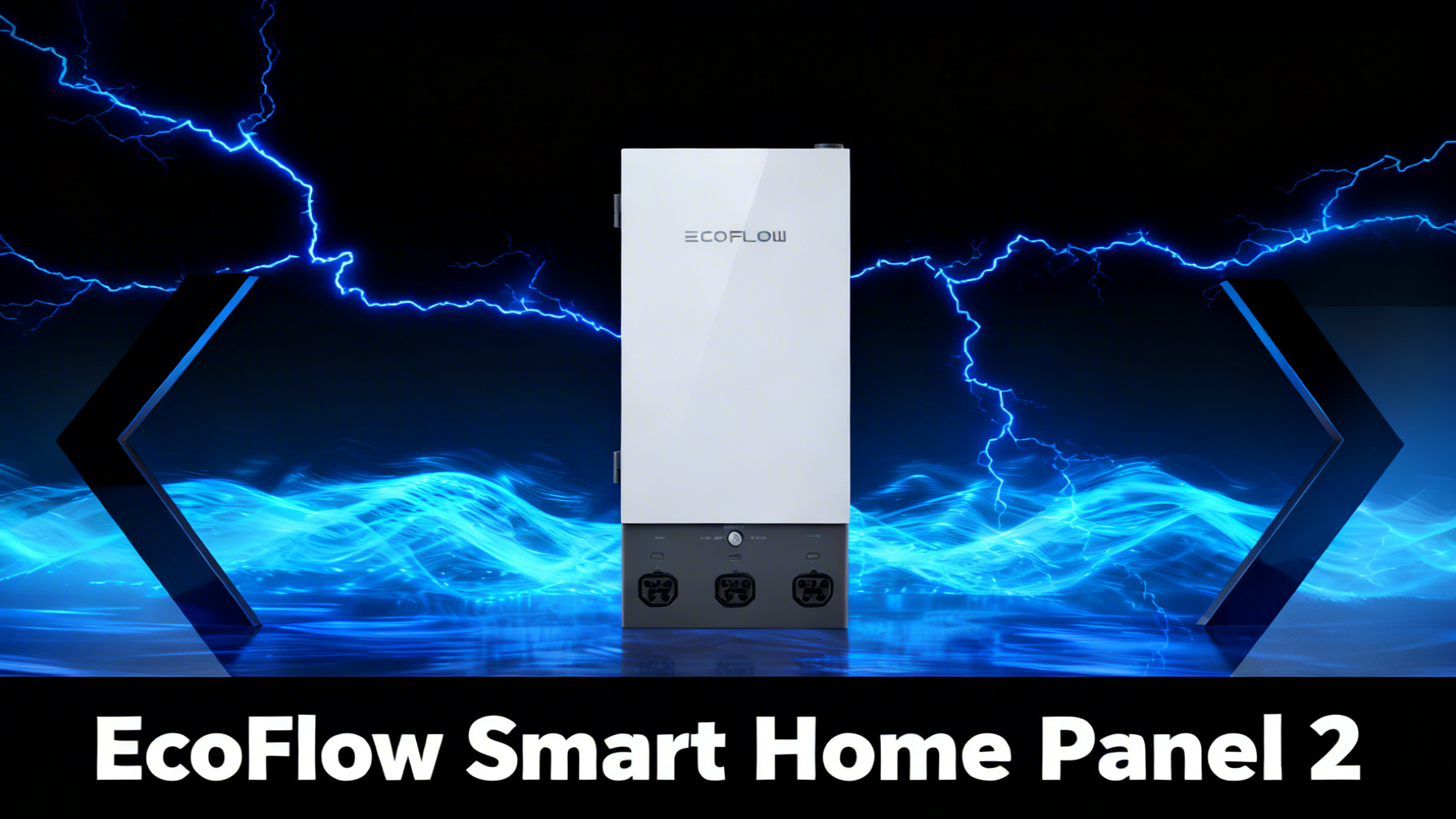
What does it actually take to power your whole home from a battery during an outage? For most homeowners, the answer isn’t just buying a big power station. It’s connecting that station to your home’s electrical system in a way that’s safe, automatic, and manageable. That’s exactly the gap the EcoFlow Smart Home Panel 2 is designed to fill.
The SHP2 is an intelligent sub-panel priced at $1,599 that integrates directly with compatible EcoFlow power stations to provide backup power for up to 12 home circuits. This review covers what the device actually does, how it works at a technical level, which power stations it supports, and what the installation process looks like in practice. If you’re considering a home backup investment in the $3,500 to $12,000 range, here’s what the data shows.

EcoFlow Smart Home Panel 2
$1,599 $1,899
- 12-circuit intelligent subpanel
- 20 ms automatic switchover
- EcoFlow app monitoring and control
Get our Black Friday alerts for EcoFlow
We track live prices on 40+ models from Jackery, EcoFlow, BLUETTI and Anker SOLIX. When a deal beats the lowest price we've recorded, you'll hear from us. During Black Friday week, one short recap a day at most.
Unsubscribe in one click. We may earn a commission when you buy through our links, at no extra cost to you. Privacy Policy
What Is the EcoFlow Smart Home Panel 2? (The Short Answer)
The Smart Home Panel 2 is not a power station. It doesn’t store energy. Instead, it acts as an intelligent electrical hub between your EcoFlow battery system and your home’s existing circuits. Think of it as the translator layer that lets a portable power station talk directly to your home’s wiring.
The SHP2 is a 12-circuit sub-panel. It mounts on your wall alongside (or instead of) your existing electrical panel and routes selected circuits through the battery backup system. When grid power drops, it switches those circuits to battery power automatically. When grid power returns, it switches back and begins recharging the battery. The entire process, in either direction, happens in 20 ms. You can review the full specifications on the EcoFlow Smart Home Panel 2 product page before committing.
For a broader look at which power stations pair best with this setup, our guide to EcoFlow whole-home backup options compares the DELTA Pro Ultra and DELTA Pro 3 in depth.
Specifications and What’s in the Box
Before evaluating whether the SHP2 makes sense for your setup, the spec sheet tells you a lot. Verified specifications from EcoFlow’s official Smart Home Panel 2 product page confirm the following:
The modular design deserves attention here. Unlike a fixed panel that locks you into a specific configuration, the SHP2 lets you add or reassign circuits over time as your backup needs evolve. That flexibility matters for homeowners who expect to expand their system.

Get our Black Friday alerts for EcoFlow
We track live prices on 40+ models from Jackery, EcoFlow, BLUETTI and Anker SOLIX. When a deal beats the lowest price we've recorded, you'll hear from us. During Black Friday week, one short recap a day at most.
Unsubscribe in one click. We may earn a commission when you buy through our links, at no extra cost to you. Privacy Policy
The Science Behind SHP2: How It Actually Works
Understanding what’s inside the SHP2 helps you evaluate whether it’s the right solution for your home’s electrical setup. This isn’t a black box: published specs and installation documentation make the technical architecture clear.
Core Component Breakdown
The SHP2 contains an automatic transfer switch (ATS) circuit, a power distribution board with 12 breaker slots, a communication module that links to the EcoFlow app, and the physical wiring interface for connecting to your power station via an Infinity Cable or direct port. The ATS is the critical element: it monitors grid power constantly and triggers the switchover when voltage drops below acceptable thresholds.

The 20 ms Switchover: Why That Number Matters
Verified specs confirm a 20 ms transfer time from grid power to battery backup. To put that in context: a standard manual transfer switch takes 10 to 30 seconds (requiring someone to physically throw a switch), and even well-designed automatic transfer switches typically operate in the 1 to 30 second range. At 20 ms, the SHP2 is fast enough that most sensitive electronics, including computers, medical equipment like CPAP machines, and smart home hubs, won’t even register a power interruption.
For comparison, the UL 9540 certification standard for energy storage systems sets demanding benchmarks for safety and performance. The SHP2 is designed to meet these standards through EcoFlow’s certified installation process, which is another reason professional installation isn’t optional: it’s part of the compliance chain.
💡 Pro Tip: When selecting circuits for your SHP2, prioritize by daily necessity first: refrigerator, medical devices, a few lighting circuits, and your internet router. Heating, cooling, and appliances like dryers draw far more power and will drain your battery faster.
App Control and Energy Management Features
The EcoFlow app integration goes beyond a simple on/off switch. Owner reports across the community consistently describe the ability to monitor real-time energy draw per circuit, set charging schedules (for example, charging only during off-peak electricity rate hours), receive outage alerts, and adjust which circuits are prioritized during a backup event. The app works on both iOS and Android.
This level of visibility is genuinely useful. Most traditional home backup systems give you no data whatsoever. The SHP2 effectively turns your home electrical panel into a monitored, schedulable system.
SHP2 vs Transfer Switch: Which Approach Makes Sense?
The honest comparison here depends almost entirely on what power source you plan to use. Our traditional transfer switch installation guide covers the manual approach in detail, but the SHP2 automates the entire process through the EcoFlow app, with a very different feature set.
SHP2 vs Traditional Transfer Switch
EcoFlow Smart Home Panel 2
- 20 ms automatic switchover
- App-controlled circuit management
- Real-time energy monitoring
- Modular: add circuits over time
- Charges station via grid (3,400W input)
- Supports dual power stations
- EcoFlow ecosystem integration
From $1,599 (installation extra)
Traditional Transfer Switch
- Manual or automatic (ATS add-on needed)
- No app control
- No energy monitoring
- Fixed circuit configuration
- Generator-focused, not battery-native
- Single source switching only
- Works with any power source
From $350–$500 (installation extra)
The transfer switch wins on upfront cost and source flexibility. It works with a generator, a battery, or anything in between. The SHP2 is battery-native and EcoFlow-specific: it’s purpose-built to unlock the full capability of a DELTA Pro Ultra or DELTA Pro 3 system. For homeowners already committed to the EcoFlow ecosystem, the SHP2 provides substantially more functionality. For those who want brand-agnostic backup or are primarily using a generator, a standard automatic transfer switch is the more logical choice.
Compatible Power Stations: Which Works With SHP2?
Compatibility is one of the most searched questions about this product, and the answer is narrower than many buyers expect. The SHP2 is designed for EcoFlow’s high-output, whole-home tier of power stations. It does not work with the DELTA 2, DELTA 3, or any RIVER series unit.
SHP2 Compatibility: Which EcoFlow Station Works?

Best Match for Most Homes
EcoFlow DELTA Pro 3
4,096Wh | 120V/240V | 4,000W AC
$2,799 $3,299

The DELTA Pro 3 represents the most accessible entry point for most homeowners: at $2,799, it brings 4,096Wh of LFP capacity, true 120V/240V split-phase output at 4,000W, and SHP2 compatibility. Expandable to 48kWh with additional batteries, it covers essential circuits during multi-day outages without the scale (or cost) of the DELTA Pro Ultra system.
EcoFlow Whole-Home Backup: DELTA Pro Ultra vs DELTA Pro 3
Full capacity, runtime, and cost comparison to help you pick the right station for your SHP2 setup.
The DELTA Pro Ultra is the power station for serious whole-home backup. A single unit delivers 7.2kW of continuous AC output and starts at 6kWh (expandable to 90kWh). Two DELTA Pro Ultra units paired with the SHP2 represent the maximum configuration: 21.6kW output and 90kWh of storage. That’s enough to run an average American home for two to four days on a fully charged system.


If the DELTA Pro Ultra is your choice, our dedicated DELTA Pro Ultra whole-home setup guide walks through the full installation sequence step by step.
Setup Guide: Step-by-Step Installation Overview
Unlike DIY setups covered in our roundup of whole-home battery backup systems, the SHP2 integrates directly with EcoFlow’s ecosystem through a certified installation process. This is not a weekend DIY project: EcoFlow explicitly requires professional installation, and select bundles include installation service as part of the package price.

Here’s what the installation process looks like in practice, based on EcoFlow’s published documentation and owner reports from the community.
Step 1: Assess Your Circuit Panel and Load Requirements
Before scheduling installation, you need to identify which 12 circuits you want backed up. This is a planning step you can do yourself. List your priority loads: refrigerator, medical equipment, lighting circuits, internet router, and any essential outlets. Then add up the estimated wattage. Your chosen power station needs to handle the combined draw of everything you plan to run simultaneously.
⚠️ Important: The SHP2 supports 12 circuits, but that doesn’t mean you should back up 12 circuits. Running heavy loads like electric dryers, HVAC systems, or electric water heaters will drain your battery dramatically faster. Prioritize essentials over convenience loads.
Step 2: Schedule EcoFlow Certified Installation
EcoFlow connects buyers with certified electricians through their installation service network. The fee varies based on your home’s panel configuration, local electrical code requirements, and the complexity of the installation. Some buyers report assessments in the $500 to $1,200 range; others pay more for panel upgrades or complex configurations. Factor this into your total budget.
The home backup power station guide covers how to evaluate total system cost before committing, which is worth reading before you reach this step. Compared to a traditional generator setup, a whole-home battery system like this offers silent, emission-free operation with instant switchover.
Step 3: Connect Your Power Station via Infinity Cable or Direct Port
The physical connection between your DELTA Pro Ultra or DELTA Pro 3 and the SHP2 runs through EcoFlow’s proprietary Infinity Cable connector or a direct power port, depending on which power station you’re using. The installer handles this wiring: the power station connects to the SHP2, which is wired into your home’s main panel as a sub-panel drawing from up to two power stations and from the grid for charging.
Step 4: Configure Circuits in the EcoFlow App
Once the hardware is installed, circuit assignment happens in the EcoFlow app. You’ll see each of your 12 circuits listed and can designate their priority level: critical circuits switch to battery immediately, while non-critical circuits can be configured to drop during an outage to conserve battery runtime. This configuration step takes 15 to 30 minutes and can be adjusted at any time.
Step 5: Test Switchover and Set Backup Priority
The final step is a switchover test: simulating a grid outage to confirm all designated circuits switch to battery power in under 20 ms and that the EcoFlow app reflects the status correctly. Most owners report this test goes smoothly when performed by a certified installer. After testing, set your preferred backup priority and charging schedule in the app. You’re done.
Transfer Switch Installation Guide
Comparing the manual transfer switch approach before committing to the SHP2 ecosystem.
Is the EcoFlow Smart Home Panel 2 Worth $1,599?
Analysis of the complete system cost shows the SHP2 is a genuine premium product: $1,599 for the panel alone, plus installation (typically $500 to $1,200 or more), plus the power station (starting at $2,799 for a DELTA Pro 3). Added together, those three items set the minimum realistic investment for a working SHP2 system, before any solar integration.
That’s a significant sum. The question is whether the SHP2’s feature set justifies the premium over a simple transfer switch setup. For homeowners who are already buying a DELTA Pro Ultra or DELTA Pro 3, the answer is generally yes: the SHP2 is what unlocks the whole-home capability of those power stations. Without it, you’re using a very expensive power station as a portable unit. With it, you get an integrated, app-managed, automatically switching home energy system.

Who Should (and Should Not) Buy the SHP2
The SHP2 makes sense for a specific type of buyer. Understanding whether you’re in that group is the fastest way to evaluate whether this product belongs in your home.
✅ Buy this if…
- You already own or plan to buy DELTA Pro Ultra or DELTA Pro 3
- You want automatic, app-managed backup for 12 specific circuits
- You live in an outage-prone area (hurricane, ice storm, wildfire zones)
- You want to monitor and schedule energy use from your phone
- You’re building a scalable home energy system over time
❌ Skip this if…
- Your power station is a DELTA 2, DELTA 3, or RIVER series (not compatible)
- You only need occasional portable backup, not whole-home integration
- Your budget doesn’t cover both the SHP2 and a compatible power station
- You prefer a simpler, brand-agnostic transfer switch setup
The SHP2 is also worth considering if you’re in a state with active net metering or time-of-use electricity rates. The app’s scheduling features let you charge during off-peak hours and draw from battery during peak pricing windows, which can meaningfully reduce your utility bill over time alongside the backup function.
Frequently Asked Questions
What is the EcoFlow Smart Home Panel 2?
The EcoFlow Smart Home Panel 2 is an intelligent sub-panel that connects compatible EcoFlow power stations to up to 12 home circuits. It enables automatic 20 ms switchover during outages, app-based circuit management, and whole-home backup without a traditional generator. It’s designed as a permanent wall-mounted installation, not a portable device.
What power stations are compatible with the Smart Home Panel 2?
The SHP2 is compatible with the EcoFlow DELTA Pro Ultra and DELTA Pro 3. The original DELTA Pro can also work with a legacy connection setup. DELTA 2, DELTA 3, and RIVER series power stations are not compatible with the SHP2. Compatibility is limited to EcoFlow’s high-output, whole-home tier of products.
Does the EcoFlow Smart Home Panel 2 require professional installation?
Yes. EcoFlow explicitly states that professional installation is required before use. EcoFlow offers a certified installation service alongside select bundle configurations (SHP2 + DELTA Pro Ultra + Installation, SHP2 + DELTA Pro 3 + Installation). Costs vary based on your home’s panel configuration and local electrical requirements, but owner reports suggest $500 to $1,200+ is a reasonable range to budget for installation.
How fast does the Smart Home Panel 2 switch to backup power?
The SHP2 switches to battery backup in 20 ms, which is fast enough to keep most sensitive electronics and appliances running without interruption. By comparison, a standard manual transfer switch takes several seconds, and even automatic transfer switches typically operate in 1 to 30 seconds. At 20 ms, computers, medical devices, and smart home systems generally won’t register any power interruption.
Can I use the Smart Home Panel 2 with two DELTA Pro Ultra units?
Yes. The SHP2 supports two DELTA Pro Ultra units simultaneously, enabling up to 21.6kW of output and up to 90kWh of capacity when fully expanded with extra batteries. This dual-unit configuration represents the maximum power and capacity available from the SHP2 ecosystem.
How much does the EcoFlow Smart Home Panel 2 system cost in total?
The SHP2 itself is $1,599. A DELTA Pro 3 starts at $2,799, and the pair forms the minimum working system before installation. The DELTA Pro Ultra starts at $4,199, and a combined SHP2 + DELTA Pro Ultra bundle is available at $4,999. Installation fees are additional and vary by location. A realistic all-in budget for a complete system starts at the DELTA Pro 3 entry point and climbs steeply for a dual DELTA Pro Ultra configuration.
Is the EcoFlow Smart Home Panel 2 worth it vs a transfer switch?
Analysis of the two options shows the SHP2 costs significantly more upfront but delivers automatic 20 ms switchover, app monitoring, EcoFlow ecosystem integration, and energy scheduling, features a basic transfer switch cannot match. For homeowners already investing in a DELTA Pro Ultra or DELTA Pro 3 system, the SHP2 represents the natural upgrade that unlocks the full whole-home backup capability. For occasional backup needs or generator-based setups, a simpler transfer switch may suffice at a much lower cost.
Final Verdict
The EcoFlow Smart Home Panel 2 is a purpose-built product for a specific use case: homeowners who want whole-home battery backup with automatic switching, app control, and EcoFlow ecosystem integration. On those terms, the data supports a clear verdict. The 20 ms switchover is genuinely fast, the 12-circuit modular design provides meaningful flexibility, and the app features go well beyond what any transfer switch can offer.
The limitations are equally clear. The SHP2 is EcoFlow-specific, requires professional installation, and makes sense only when paired with a DELTA Pro Ultra or DELTA Pro 3. The total system investment starts at the price of the panel plus a DELTA Pro 3 and can reach $10,000 or more. For that kind of money, you’re buying a complete home energy management system, not just a backup solution. If that’s what you need, the SHP2 delivers it well.
For buyers still evaluating whether to go with a power station system at all, our home backup power station guide covers the full landscape of options across brands and price points.
EcoFlow Smart Home Panel 2
$1,599
Best intelligent subpanel for EcoFlow home backup systems
Price verified March 2026. Professional installation available
Related Reads
Related Reads
Originally published: March 31, 2026