
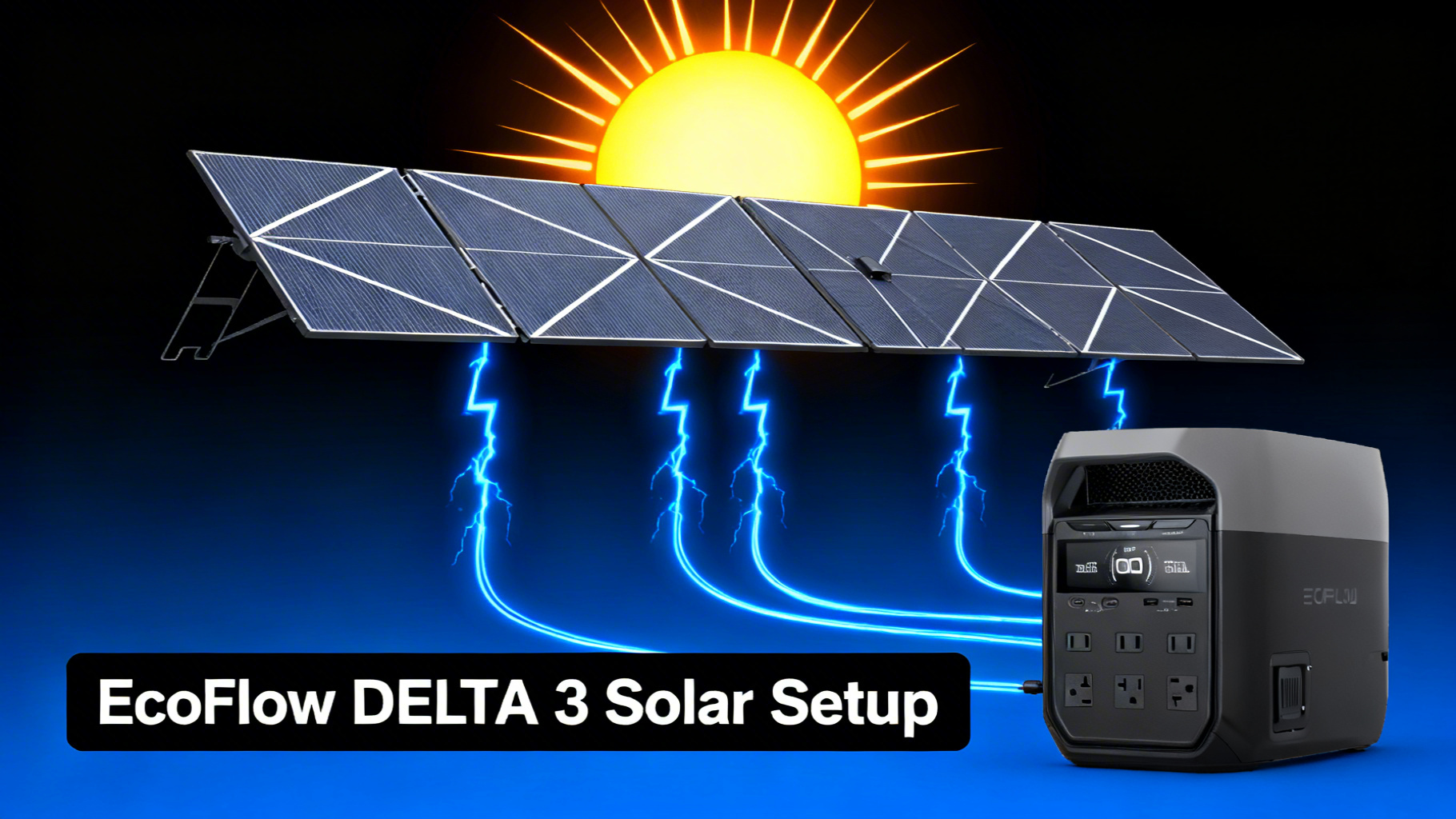
Just picked up the EcoFlow DELTA 3 Classic, or about to? The solar charging question comes up immediately. The unit ships at $449 with a 1,024Wh LFP battery and a solid 400W max solar input. Those specs are genuinely capable for an entry-level station. But which panel gets you there fastest, and how do you wire it correctly?
This guide covers the exact solar input specs, EcoFlow’s own panel lineup matched to the DELTA 3 Classic’s input window, a step-by-step wiring walkthrough, and charge time data based on rated wattage. No guesswork, no vague recommendations.

EcoFlow DELTA 3 Classic (1024Wh)
$449 $599
- 1024Wh LFP capacity, 1800W AC output
- 0-80% AC charge in just 45 minutes
- X-Boost supports devices up to 2600W
Own a EcoFlow? Get the owner's checklist.
Storage, cold weather, solar limits and battery health for your EcoFlow power station, in one email. After that, about one email a week with setup guides, plus a heads-up when compatible batteries or panels go on sale.
Unsubscribe in one click. We may earn a commission when you buy through our links, at no extra cost to you. Privacy Policy
What You’ll Need Before Starting
The Power Station
The EcoFlow DELTA 3 Classic is the centerpiece. It uses an LFP (lithium iron phosphate) battery, more stable and longer-lasting than standard lithium-ion. The built-in MPPT controller handles all voltage regulation automatically. You don’t need any external charge controller.
Compatible Solar Panels
Any solar panel rated between 11V and 60V DC and up to 400W total input works with the DELTA 3 Classic. EcoFlow’s own NextGen panels come with the XT60 connector pre-installed. Third-party panels with MC4 connectors need an MC4-to-XT60 adapter cable (sold separately). Stick to rated panels within this voltage window: going below 11V and the MPPT won’t activate.
Cables and Accessories
EcoFlow NextGen panels include a solar charging cable. For a dual-panel setup, you’ll need either a daisy-chain cable (if the panels support it) or a parallel Y-splitter. Keep voltage within the 11–60V window regardless of how many panels you connect.
EcoFlow DELTA 3 Classic Solar Input Specs
Before choosing a panel, it helps to understand what the DELTA 3 Classic’s input window actually means. The full breakdown of EcoFlow solar input specs across every model confirms the DELTA 3 Classic accepts up to 400W at 11–60V DC. Here’s the complete spec picture according to EcoFlow DELTA 3 Classic official specs:

The 11–60V input window is wider than many entry-level stations offer. In practice, this means a single panel in the 160–220W range connects directly without any adapter or series configuration. The MPPT controller handles partial wattage efficiently too. If clouds cut your 160W panel down to 80W, the controller adjusts tracking to extract maximum power from the available irradiance.
One thing to keep in mind: the MPPT controller is designed to optimize what it receives, but rated efficiency assumes clean input. Shading even a small corner of the panel surface can drop output significantly more than the shaded percentage alone. More on that in the efficiency tips section.
Own a EcoFlow? Get the owner's checklist.
Storage, cold weather, solar limits and battery health for your EcoFlow power station, in one email. After that, about one email a week with setup guides, plus a heads-up when compatible batteries or panels go on sale.
Unsubscribe in one click. We may earn a commission when you buy through our links, at no extra cost to you. Privacy Policy
Panel Recommendations for the DELTA 3 Classic
EcoFlow’s own NextGen lineup slots cleanly into the DELTA 3 Classic’s input window. Three setups cover the practical range from budget-conscious to maximum speed.

Best Budget Pick: EcoFlow NextGen 160W ($209)
The EcoFlow NextGen 160W hits the sweet spot for most DELTA 3 Classic owners. At $209 (down from $449), it delivers up to 25% conversion efficiency with an adjustable 30–60° angle bracket and an ETFE coating rated IP68. Lightweight and compact enough to pack for camping trips without the panel dominating your gear list.
Charge time data based on rated wattage at 80% MPPT efficiency and 5 peak sun hours puts a single 160W panel at roughly 7–9 hours to fill the 1,024Wh battery from empty. That’s a full day of sun, practical for weekend camping but tight if you’re running loads throughout the day simultaneously. The EcoFlow NextGen 160W is the entry point that makes sense if you charge overnight via AC and use solar as a daytime supplement.
Best Overall Pick: EcoFlow NextGen 220W Bifacial ($279)
The EcoFlow NextGen 220W Bifacial brings two meaningful upgrades. First, its bifacial design captures up to 25% more energy by collecting light from both the front surface and reflected light hitting the rear. Second, at 220W it cuts estimated charge time to around 5–7 hours, a meaningful improvement over the 160W panel for the same general use case.

It shares the same IP68 rating, 30–60° adjustable bracket, and ETFE coating as the 160W. Tempered glass on the front surface adds durability. At $279 (from $649), the $70 premium over the 160W is justifiable if you’re relying on solar as your primary charge source rather than a supplement. See the NextGen 220W Bifacial panel page for full specs.
Maximum Speed Setup: 2x NextGen 160W ($418)
Two 160W panels connected in parallel deliver 320W combined, still within the DELTA 3 Classic’s 400W ceiling. Spec-for-spec, this configuration cuts charge time to approximately 3.5–5 hours under peak conditions. It’s the fastest practical solar recharge available for this unit without exceeding the input limit.
Cost sits at $418 for the pair, slightly above the single 220W Bifacial option. The tradeoff: two panels to manage and position vs. one. For van lifers or base camps with fixed panel placement, the dual setup makes sense. For hikers or frequent movers, the single 220W Bifacial is simpler.
EcoFlow DELTA 2 vs DELTA 3: Which Generation Wins?
Still deciding between models? The DELTA 2 vs DELTA 3 comparison breaks down where each generation excels on solar recharge speed.
Step-by-Step Solar Setup
Step 1: Connect the XT60 Cable
Locate the solar input port on the rear panel of the DELTA 3 Classic. It’s a clearly marked XT60 connector. Plug in the solar panel’s XT60 output with firm pressure until you feel it seat. There should be no wobble. You’ll know it’s connected correctly when the DELTA 3 Classic display immediately shows an incoming wattage reading, even in indirect light, you should see a few watts registering.
⚠️ Common mistake: Connecting the XT60 cable with the power station turned off and then wondering why it shows zero input. The DELTA 3 Classic must be powered on to display solar input wattage. The unit charges regardless, but the display only activates when the station is on.
Step 2: Position Your Panel for Max Output
Panel angle has a measurable impact on actual wattage delivered. Published efficiency data from EcoFlow’s integrated solar angle guide recommends 30–60° tilt facing the sun directly. At solar noon (typically 11am–2pm local time), a 45° angle facing true south in the Northern Hemisphere captures peak irradiance.


Adjust every 2–3 hours as the sun moves to maintain optimal angle. Even a 15° misalignment can reduce effective output by 10–15% depending on time of day and latitude. The bifacial 220W panel partially compensates with its rear surface collecting reflected light, but direct angle optimization still matters for both models.
Series vs Parallel Solar Panels: Which Connection Method Wins?
Before connecting two panels, understand the output difference. The guide on series vs parallel solar wiring applies directly to the DELTA 3 Classic’s input voltage window.
Step 3: Monitor Input on the DELTA 3 Classic Display
The DELTA 3 Classic’s OASIS 3.0 display shows real-time solar input wattage. Open the EcoFlow OASIS 3.0 app for more granular data including estimated time to full charge and charging mode settings.


If the display shows significantly less than your panel’s rated wattage, check panel angle first, then inspect the XT60 connection. A reading of 60–80% of rated wattage under good conditions is normal. MPPT efficiency and panel temperature both affect real-world output. Readings below 50% of rated wattage usually indicate an angle or shading issue.
Step 4: Connecting Multiple Panels (Optional)
Two NextGen 160W panels connected in parallel via a Y-splitter cable deliver 320W combined. Both panels share the same XT60 port on the DELTA 3 Classic. Parallel connection keeps voltage within the safe 11–60V window while doubling amperage, which is exactly what you want for this setup.
💡 Pro Tip: Do not connect panels in series for this unit. Series connection doubles voltage, which could push past the 60V ceiling depending on panel open-circuit voltage (Voc) under cold or low-load conditions. Parallel is the correct configuration for dual-panel setups on the DELTA 3 Classic.
Estimated Charge Times by Panel Configuration
Charge time estimates below are based on rated panel wattage, 80% MPPT efficiency, and 5 peak sun hours, a reasonable baseline for most locations in the continental US during summer months. Your actual results depend on location, season, and how consistently you track the sun.
Estimated Solar Charge Time: DELTA 3 Classic (1,024Wh)
☀️
1x 110W Panel
~10–12 hrs
Peak conditions
⚡
1x 160W Panel
~7–9 hrs
Peak conditions
🔆
1x 220W Panel
~5–7 hrs
Peak conditions
💥
2x 160W Panels
~3.5–5 hrs
320W combined
Estimates based on rated wattage at 80% MPPT efficiency and 5 peak sun hours. Real-world results vary with conditions and panel angle.
EcoFlow DELTA 3 Classic (1024Wh)
$449 $599
- 400W max solar input, 11–60V DC window
- Built-in MPPT controller, no external unit needed
- OASIS 3.0 app: real-time solar monitoring
Portable Power Station Runtime Calculator
Use the site’s runtime calculator to estimate how long the DELTA 3 Classic will power your specific devices after a full solar charge.
Tips to Maximize Solar Efficiency
Panel angle is the single highest-impact variable you can control. The NextGen panels’ 30–60° adjustable bracket covers the practical range for most locations. Set the angle based on your latitude: around 45° works well for most of the US; lower latitudes (Florida, Texas) benefit from a shallower tilt; higher latitudes (Pacific Northwest, upper Midwest) from steeper angles.
Peak sun hours vary significantly by region and season. The southwestern US typically sees 5.5–6.5 peak sun hours in summer, while the Pacific Northwest drops to 3–4 hours during winter months. The charge time estimates above assume 5 hours. Adjust your expectations accordingly for your location and time of year.
Shading is the most damaging efficiency factor for MPPT systems. Unlike some older charge systems, MPPT controllers optimize around partial shade, but even a small shadow crossing part of the panel surface causes a disproportionate drop in total output. Keep the full panel surface unobstructed. If shade is unavoidable during part of the day, position the panel where it gets unshaded sun during peak hours (11am–2pm) rather than unshaded sun during morning or evening low-irradiance periods.
💡 Pro Tip: Angle your panels every 2–3 hours to track the sun across the sky. Owner data consistently reports 15–25% more total daily energy harvested compared to a fixed-angle setup pointed at solar noon position.
On simultaneous AC and solar charging: the DELTA 3 Classic supports up to 4 charging methods. However, the exact behavior when combining AC wall input with solar simultaneously should be verified in the OASIS 3.0 app under charging mode settings before connecting both sources. The app’s Self-Powered Mode and Storm Guard Mode affect how the unit prioritizes inputs.
Common Setup Mistakes to Avoid
Using a panel outside the 11–60V input window is the most consequential error. Panels rated below 11V open-circuit voltage won’t activate the MPPT controller. The station simply won’t charge from solar. Panels exceeding 60V Voc risk tripping the overvoltage protection. Always verify the panel’s Voc (open-circuit voltage) spec, not just its rated operating voltage, before connecting.
Running high-draw appliances simultaneously while solar charging reduces net charge rate. If you’re pulling 200W of loads while your 220W panel delivers 170W at 80% efficiency, the station is net discharging, slowly. Solar charging on the DELTA 3 Classic is most effective when the unit is idle or powering low-draw devices (phone charging, LED lighting) during the charging window, then tapped for heavier loads once the battery reaches a comfortable level.
A loose XT60 connection causes more problems than a failed connection. A partially-seated XT60 under high-current solar input generates heat at the contact points. Inspect the connection if the housing around the port feels warm to the touch. A properly seated XT60 should be flush, locked, and show no play when tugged gently.
FAQ
What is the maximum solar input wattage for the EcoFlow DELTA 3 Classic?
The DELTA 3 Classic accepts up to 400W of solar input within a voltage range of 11 to 60V DC. A single 220W panel falls comfortably within this window. Two 160W panels connected in parallel (320W combined) also remain within the limit. Exceeding 400W does not damage the unit: the MPPT controller simply caps the intake.
Can I use non-EcoFlow solar panels with the DELTA 3 Classic?
Yes. Any XT60-compatible solar panel rated between 11V and 60V DC and up to 400W is compatible. The DELTA 3 Classic’s MPPT controller handles panels from other brands. Third-party panels with MC4 connectors require an MC4-to-XT60 adapter cable (sold separately). Performance depends on the panel’s rated efficiency and actual peak output.
How long does it take to fully charge the DELTA 3 Classic with solar?
Charge time depends on panel wattage and sun conditions. A single 220W NextGen panel reaches a full charge in approximately 5 to 7 hours under peak sun. Two 160W panels (320W combined) cut that to around 3.5 to 5 hours. These estimates assume roughly 80% MPPT efficiency and 5 peak sun hours. Real-world results vary by location, season, and panel angle.
Does the DELTA 3 Classic support simultaneous AC and solar charging?
Based on published product specifications, the DELTA 3 Classic supports up to 4 charging methods: AC wall, solar, car port, and DC5521. The OASIS 3.0 app dashboard lets you monitor input sources in real time. The exact behavior of simultaneous AC plus solar charging should be confirmed in the EcoFlow app settings under charging mode before connecting both sources.
Do I need a charge controller to use solar panels with the DELTA 3 Classic?
No external charge controller is needed. The DELTA 3 Classic has a built-in MPPT (Maximum Power Point Tracking) charge controller that handles voltage regulation, current optimization, and overcharge protection automatically. Simply connect the solar panel’s XT60 output directly to the unit’s solar input port and the MPPT manages the rest.
Conclusion
The EcoFlow DELTA 3 Classic’s 400W solar input and wide 11–60V voltage window make it a genuinely capable ecoflow solar generator for off-grid charging, not just a token solar port. The NextGen 160W panel at $209 is the logical starting point for most users. The 220W Bifacial at $279 is the upgrade that makes sense if you’re relying on solar daily. Two 160W panels in parallel is the maximum-speed configuration for users who need a full recharge every day regardless of conditions.
For readers evaluating the DELTA 3 Classic for home backup, the solar setup described here provides a reliable daily recharge cycle even without grid access. Pair it with the right panel, keep the angle optimized, and the 1,024Wh capacity stays meaningfully topped off through a full day of normal use.
EcoFlow Solar Input Specs: Every Model’s Max Watts and Voltage
Compare solar specs across the full EcoFlow lineup to see how the DELTA 3 Classic stacks up.
EcoFlow DELTA 3 Classic
$449
Best entry-level EcoFlow for solar pairing
Price verified March 2026. Free shipping available
Originally published: March 31, 2026