
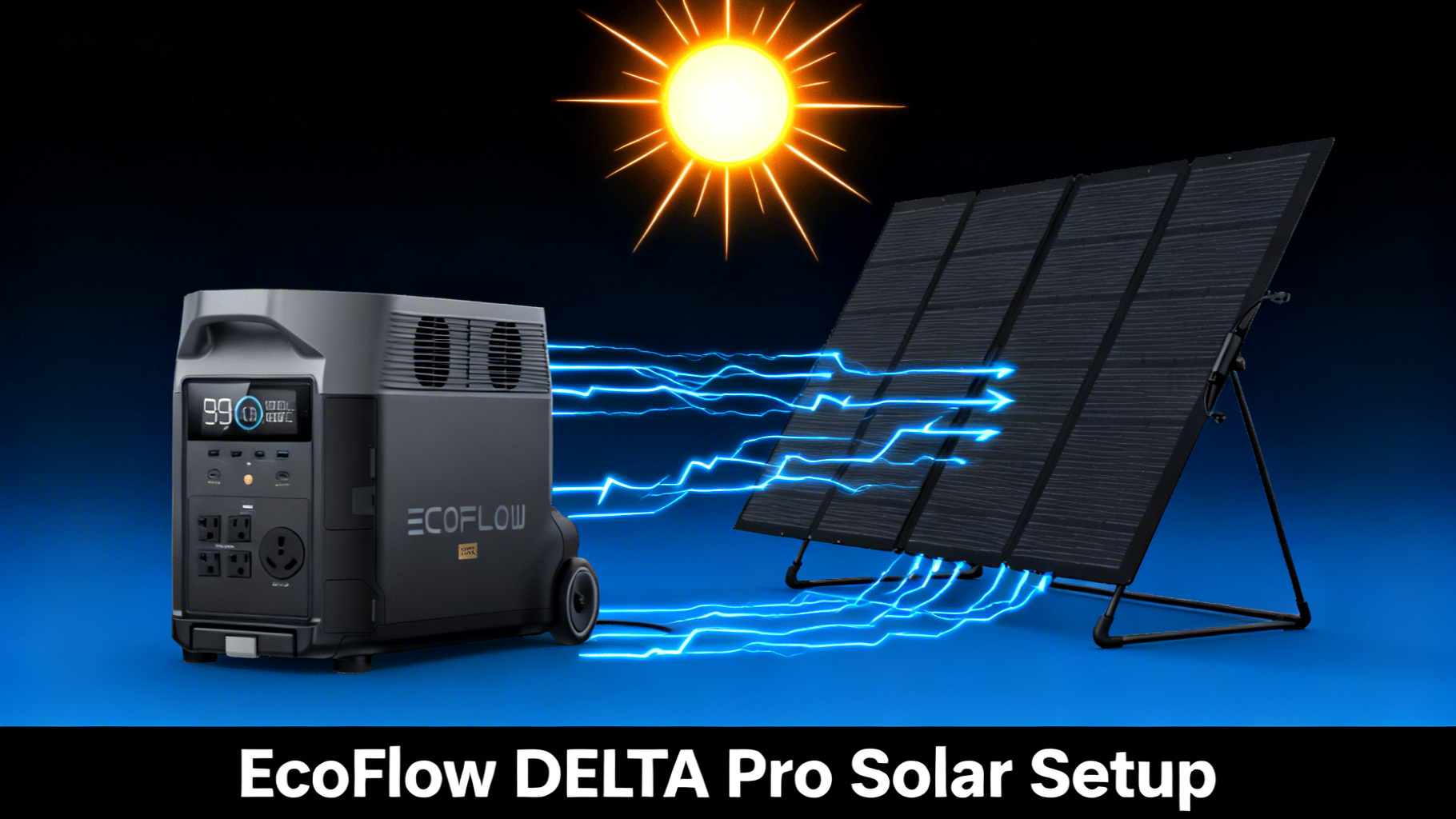
Want to recharge your EcoFlow DELTA Pro without depending on a wall outlet? The DELTA Pro accepts up to 1,600W of solar input, the highest in the portable power station category. That means a full solar recharge of the massive 3,600Wh battery in as little as 3 to 4 hours under ideal conditions.
But here’s the thing: reaching that 1,600W ceiling takes the right panel combination, proper wiring, and correct positioning. Get it wrong, and you could be waiting all day for a partial charge. This guide walks you through the complete EcoFlow DELTA Pro solar setup, from choosing panels to optimizing angle, so you squeeze every available watt from the sun.

✅ Invest in solar for the DELTA Pro if…
- You use it for home backup and want grid-independent recharging
- You camp or go off-grid regularly and need renewable power
- You want to reduce long-term electricity costs for a large-capacity unit
- You live in a hurricane, wildfire, or storm-prone area
❌ Solar may not be worth it if…
- You only use the DELTA Pro indoors with reliable wall outlet access
- Your budget is tight (panels add $279-$2,396 to total cost)
- You live in a region with very limited annual sunlight hours
- You need fast recharges every time (AC wall charging is faster: 2.7 hours)
EcoFlow DELTA Pro
$1,599 $3,699
- 3,600Wh capacity, expandable to 25kWh
- 1600W max solar input (highest in class)
- 3600W AC output, 7200W surge
DELTA Pro Solar Input Specs: What You Need to Know
Key Solar Specifications
Before you start shopping for solar panels, you need to understand what the DELTA Pro can actually accept. The solar input specs determine which panels work, how many you can connect, and how fast you’ll charge. You can verify these numbers on the official EcoFlow DELTA Pro specs page.

Two Solar Input Ports, 800W Each
The DELTA Pro has two XT60i solar input ports on the rear panel. Each port accepts up to 800W, and together they allow the full 1,600W maximum. The voltage range is 11-150V DC with a max current of 15A per port. Staying within these limits is critical to avoid triggering error codes.
⚡ DELTA Pro Solar Connection Quick Reference
Solar Input Ports
2x XT60i ports on rear panel
Max 800W per port
Combined max: 1,600W
Voltage / Current Limits
Voltage range: 11-150V DC
Max current: 15A per port
Stay within limits to avoid errors
Cable Included?
EcoFlow panels: XT60 cable included
Third-party panels: MC4 to XT60 adapter needed
Buy the XT60i (2.5m) version for DELTA Pro
What You’ll Need (Materials and Setup Checklist)
Required Equipment
The shopping list is short. You need the EcoFlow DELTA Pro itself, one or more compatible solar panels (covered in the next section), and the solar-to-XT60i charging cable that comes included with every EcoFlow panel. If you’re using third-party panels with MC4 connectors, you’ll need an MC4 to XT60i adapter cable, sold separately.

Optional But Helpful Items
A compass app on your phone helps you find true south for panel positioning. A small level tool can confirm your tilt angle is correct. And if you’re setting up on grass or soft ground, a tarp or plywood board underneath keeps panels stable and prevents overheating from ground contact.
Estimated Time and Difficulty
Plan for 15 to 30 minutes for the initial setup. Difficulty level: beginner. No technical background needed. If you can plug in a laptop charger, you can set up solar panels for the DELTA Pro.
Best Solar Panel Combos for the DELTA Pro
The DELTA Pro’s 1,600W solar input capacity gives you serious flexibility. The right combo depends on your budget, how fast you need a recharge, and how much portability matters. Here’s a breakdown of every practical option from the EcoFlow solar panel lineup.
Combo #1: Maximum Speed (4x 400W Panels, 1600W)
Four EcoFlow 400W Portable Solar Panels fill the DELTA Pro’s input ceiling completely. Charge data confirms a full 3,600Wh recharge in approximately 3 to 4 hours under ideal sunlight. The trade-off: at $2,396 for panels alone, this is the premium route. It also requires significant space for four unfolded panels.
Combo #2: Best Value (2x 220W Bifacial)
Two EcoFlow NextGen 220W Bifacial panels deliver 440W base output. But here’s where it gets interesting: the bifacial design collects up to 25% additional energy from rear-side reflections, pushing effective output toward 550W on light-colored surfaces. At just $558 total, this combo offers the lowest cost per watt. Expect charge times of 8 to 10 hours in good sun.
Combo #3: Balanced Performance (2x 400W Panels)
Two 400W panels deliver 800W of input, enough for a full charge in roughly 5 to 7 hours. At $1,198 total, this is the sweet spot for most users who want meaningful solar speed without the cost and space demands of four panels. Each panel connects to one of the two XT60i ports, so wiring is straightforward.
Combo #4: Starter Setup (1x 400W Panel)
A single 400W panel keeps things simple and portable. Charge time data indicates approximately 10 to 12 hours for a full recharge, so this setup works best as a daily top-up rather than a rapid refill. At $599, it’s the most affordable entry point for solar charging on the DELTA Pro.
*Bifacial panels collect up to 25% additional energy from rear-side reflections on light surfaces.


Step-by-Step: Connect Solar Panels to Your DELTA Pro
The process is straightforward once you understand the basics. No tools required, no wiring expertise needed. Here’s how to get solar power flowing into your DELTA Pro.
Step 1: Choose Your Location and Surface
Find a flat, unshaded area with direct southern exposure (if you’re in the Northern Hemisphere). Avoid spots near trees, buildings, or anything that casts shadows during peak sun hours, typically between 10 AM and 2 PM. Even partial shade on one cell of a panel can reduce output by 30% or more.
⚠️ Common mistake: Setting up panels on grass without checking for afternoon shade. A spot that looks sunny at 10 AM may be shaded by a fence or tree by 1 PM. Scout your location at multiple times of day before committing.
Step 2: Position Your Solar Panels
Unfold your panel and position it facing south at a 30 to 45 degree tilt angle. EcoFlow panels have a built-in kickstand that makes this easy. The ideal angle depends on your latitude and the season. For a deeper dive on how to optimize your solar panel angle, the ideal tilt depends on your latitude and the season.

If you’re using bifacial panels like the NextGen 220W, place them on a light-colored surface (concrete, sand, snow) to maximize rear-side energy collection. Analysis shows that reflective surfaces can boost output by up to 25%.
Step 3: Connect the Cables to the DELTA Pro

Plug the XT60i connector from your solar panel into one of the two solar input ports on the rear of the DELTA Pro. The connector only fits one way, so you can’t get it wrong. For a single panel, either port works.
If you are using multiple panels, understanding series vs parallel solar wiring is essential to staying within the DELTA Pro’s voltage limits. For most EcoFlow setups, connect panels in parallel to keep voltage low and current high. With four panels, run two in parallel to each port (800W per port max).
💡 Pro Tip: Always connect your panels to the DELTA Pro before turning the unit on. This allows the MPPT controller to detect and optimize the solar input from the start.
Step 4: Verify Charging on the Display
Check the DELTA Pro’s LCD screen. Within 5 to 10 seconds of connecting a panel, you should see a solar input wattage reading appear. You’ll know it’s working correctly when the display shows watts coming in and the estimated time to full starts counting down. If the reading shows 0W, check your cable connections and make sure panels are receiving direct sunlight.
Step 5: Optimize Panel Angle Throughout the Day
Solar input data shows that repositioning panels every 2 to 3 hours to track the sun can increase daily energy harvest by 15 to 25%. Morning: angle panels slightly east. Midday: face due south. Afternoon: angle slightly west. This takes less than a minute each time and makes a real difference, especially with fewer panels.
Solar Charge Times by Panel Combo
How long does it actually take? Charge time depends on panel wattage and real-world sunlight conditions. Keep in mind that you rarely get the full rated wattage from any solar panel. Cloud cover, panel angle, temperature, and time of day all reduce actual output by 20 to 30% compared to ideal lab conditions.
Use our power station calculator tool to estimate exactly how long the DELTA Pro will run your specific appliances.
Estimated Solar Charge Times (3,600Wh DELTA Pro)
⚡
4x 400W Panels
3-4 hrs
1,600W max input
☀️
2x 400W Panels
5-7 hrs
800W input
🔋
1x 400W Panel
10-12 hrs
400W input
🌤️
2x 220W Bifacial
8-10 hrs
440-550W input
Troubleshooting Common Solar Issues
No Solar Input Displayed
If the DELTA Pro shows 0W after connecting a panel, check the XT60i cable connection first. Make sure it’s fully seated in the port. Then verify that your panels are receiving direct sunlight, not shade. If using third-party panels, confirm they output within the 11-150V range.
Low Wattage Reading
A recurring pattern in owner feedback: panels often produce 60 to 80% of their rated wattage in typical conditions. Cloud cover, haze, high temperatures, and suboptimal angle all reduce output. This is normal behavior, not a defect. If you’re consistently below 50% of rated output, check for partial shading or dirty panel surfaces.
Charging Stops Intermittently
This usually indicates passing cloud cover or a loose cable connection. Community reports consistently show that intermittent charging resolves itself once clouds pass. If it persists in clear sky conditions, inspect cable connections and make sure the XT60i plug hasn’t worked loose.
“Overload” or Voltage Error
This error means voltage has exceeded the 150V DC limit. It typically happens when panels are wired in series and total voltage exceeds the threshold. The fix: rewire your panels in parallel instead of series. Parallel wiring keeps voltage low while increasing current.
Slow Charging in Afternoon
Solar output naturally declines after the sun passes its peak (usually around 1 to 2 PM). This is expected. Repositioning panels to face slightly west in the afternoon helps capture remaining energy. Performance data indicates afternoon output can be 30 to 40% lower than peak midday readings.
Pro Tips for Maximum Solar Performance

Adjust tilt angle every 2 to 3 hours. Tracking the sun manually increases daily harvest by 15 to 25%. It takes less than a minute, and the wattage bump is immediately visible on the DELTA Pro display.
Clean your panels before each session. Dust, pollen, and bird droppings reduce efficiency. A damp cloth or squeegee is all you need. Even a thin layer of dust can cut output by 5 to 10%.
Prioritize peak sun hours. The window between 10 AM and 2 PM delivers the strongest solar input. If you can only set up panels for part of the day, make sure this window is covered.
Use reflective surfaces under bifacial panels. Concrete, light gravel, sand, or even a white tarp underneath boosts rear-side collection significantly. Dark surfaces like grass or soil provide minimal benefit for bifacial panels.
Keep cables organized and off hot surfaces. Cable management prevents tripping hazards and reduces heat-related efficiency losses. Route cables away from direct ground contact in summer when surface temperatures can exceed 140°F.
During colder months, review our winter solar charging strategies to keep your system performing at its best. Cold weather actually improves panel efficiency, but shorter days and lower sun angles reduce total energy harvest.
FAQ
How many solar panels can the EcoFlow DELTA Pro handle?
The DELTA Pro supports up to 1,600W of solar input across two XT60i ports (800W per port). In practice, this means you can connect up to four 400W panels, or various combinations of 220W and 400W panels, as long as total wattage stays within the 1,600W limit.
How long does it take to charge the DELTA Pro with solar panels?
Charge time depends on panel wattage and sunlight conditions. With 1,600W of panels in ideal sun, a full charge takes approximately 3 to 4 hours. A single 400W panel takes roughly 10 to 12 hours. Real-world conditions (cloud cover, angle, temperature) typically reduce output by 20-30%.
Can I use third-party solar panels with the DELTA Pro?
Yes, the DELTA Pro works with any solar panel that outputs 11-150V DC. You will need an MC4 to XT60i adapter cable if your panels use standard MC4 connectors. EcoFlow panels include the correct cable in the box.
What is the best single solar panel for the DELTA Pro?
The EcoFlow 400W Portable Solar Panel is the best single-panel option for the DELTA Pro. It delivers the highest wattage per unit, charges the 3,600Wh battery in roughly 10 to 12 hours of good sun, and includes the correct XT60 cable. For budget buyers, the NextGen 220W Bifacial offers strong value with up to 25% bonus rear-side collection.
Can I charge the DELTA Pro with solar and AC wall power at the same time?
Yes. The DELTA Pro supports MultiCharge, allowing simultaneous solar and AC input. Combined input can reach up to 6,500W, dramatically reducing total charge time. Solar input continues to contribute even while the AC charger is active.
Do I need to wire panels in series or parallel for the DELTA Pro?
For most EcoFlow panel setups, parallel wiring is recommended. This keeps voltage within the 11-150V range while maximizing current. If using four panels, connect two in parallel to each of the two solar input ports. Series wiring is possible but requires careful voltage calculation to avoid exceeding the 150V limit.
Final Verdict: Is Solar Worth It for the DELTA Pro?
The EcoFlow DELTA Pro is one of the top picks in our home backup power station guide, and pairing it with solar panels makes it fully energy-independent. With 1,600W of solar input capacity, the DELTA Pro charges faster from the sun than almost any other portable power station on the market.
For home backup users, campers, and off-grid enthusiasts, solar turns the DELTA Pro from a large battery into a true renewable energy system. The 400W panel offers the best single-panel speed, while the 220W Bifacial delivers unmatched value per dollar. Start with one or two panels and expand as your needs grow.
The only scenario where solar doesn’t make sense is if you exclusively use the DELTA Pro indoors with constant wall outlet access. For everyone else, solar pays for itself over time in reduced electricity costs and genuine energy independence.
EcoFlow DELTA Pro
$1,599
1600W solar input, 3600Wh capacity, LFP battery
Price verified March 2026. Free shipping available.
Related Reads
Originally published: March 25, 2026