
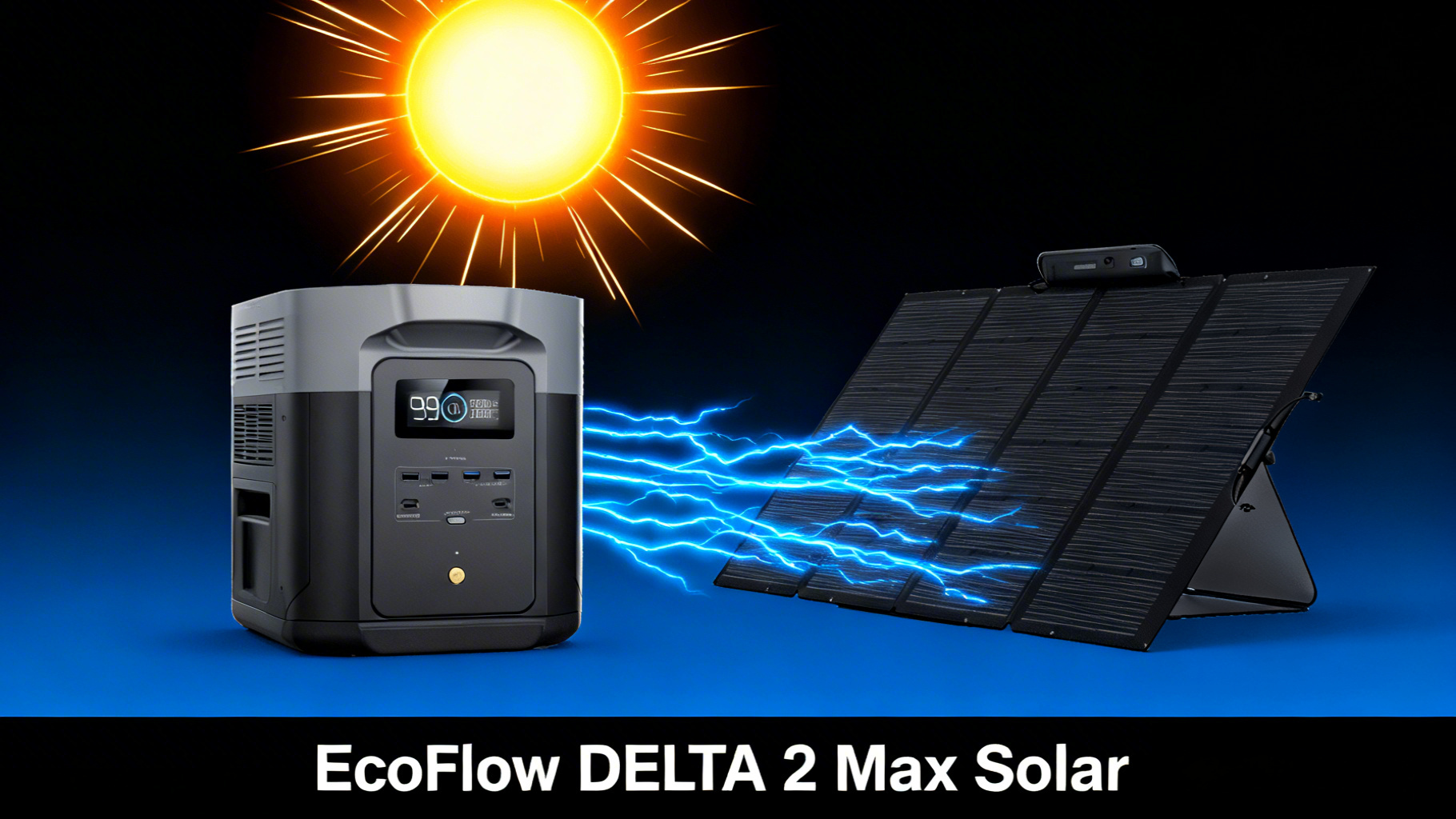
Want to charge your EcoFlow DELTA 3 Max with solar panels but not sure where to start? You’re not alone. With a 1,000W solar input, the DELTA 3 Max is one of the most solar-capable portable power stations on the market, but choosing the right panels and setting everything up correctly makes the difference between a 2-hour charge and an all-day affair.
In this guide, we’ll walk you through the entire process: understanding the DELTA 3 Max’s solar specs, picking the best panel configuration for your needs, connecting everything step by step, and optimizing your setup for maximum wattage. Whether you’re setting up solar for camping, RV trips, or home backup, you’ll have a fully functional solar charging system by the end of this page.

The process is simpler than it looks. If you can unfold a panel and plug in a cable, you can do this. No electrical background needed, no special tools required. Let’s get into it.
EcoFlow DELTA 3 Max
$799 $1,499 -47% OFF
- 2,048Wh LFP battery, 4000+ cycles
- Up to 1000W solar input, 99% MPPT
- 3400W X-Boost output, 15 devices
DELTA 3 Max Solar Input Specs: What You Need to Know
Before picking panels, you need to understand what the DELTA 3 Max can actually handle. These specs determine which panels work, how many you can connect, and how fast you’ll charge. Getting this right upfront saves you from buying incompatible gear.
EcoFlow DELTA 3 Max Solar Input Specs
1,000W max solar input
“One of the highest solar inputs in its class”
Voltage Range 11-60V
Max Current 15A
MPPT Efficiency 99%
Battery Capacity 2,048Wh
Battery Type LFP
Cycle Life 4,000+
Understanding the 1,000W Solar Input
The 1,000W maximum solar input is a standout spec. Most competing power stations in this price range cap out at 400-500W. That extra headroom means you can connect more panels, charge faster, and actually reach full capacity in a single day of sunlight.
What does 1,000W of solar input look like in practice? Based on the 2,048Wh battery capacity, hitting the full 1,000W input means a 0-100% charge in roughly 2.3 hours. That’s fast enough to fully recharge during a lunch break on a sunny day. For reference, you can verify these numbers on the official DELTA 3 Max specifications page.
Keep in mind that “1,000W max” is the ceiling, not the floor. Real-world solar output depends on panel wattage, sun angle, cloud cover, and temperature. You’ll typically see 60-85% of a panel’s rated wattage in good conditions.
Voltage Range and MPPT Explained
The DELTA 3 Max accepts solar input between 11-60V. This is the voltage range your panels need to fall within. Most portable solar panels from EcoFlow (and many third-party brands) output in the 18-50V range, so compatibility is rarely an issue.
MPPT stands for Maximum Power Point Tracking. It’s the charge controller built into the DELTA 3 Max that constantly adjusts to extract the maximum possible energy from your panels. EcoFlow rates their MPPT at 99% efficiency, which is among the best in the industry. In simple terms, very little solar energy is wasted between the panel and the battery. To understand the underlying science, the U.S. Department of Energy explains how photovoltaic cells convert sunlight into electricity.
Best Panel Configurations for the DELTA 3 Max
Now for the big question: which solar panels should you pair with the DELTA 3 Max? EcoFlow makes two portable panels that work exceptionally well with this unit, the NextGen 220W Bifacial and the 400W Portable Solar Panel. Each serves a different use case.


EcoFlow NextGen 220W Bifacial (Best Value)
At $279, the NextGen 220W Bifacial is the best value option for most DELTA 3 Max owners. The bifacial design is the key feature here: it collects sunlight from both sides, capturing up to 25% more energy than traditional single-sided panels. Place it on a light-colored surface (concrete, sand, snow), and the reflected light hitting the rear side meaningfully boosts output.
The conversion efficiency tops out at 25%, which is among the highest for portable panels. It also includes a 30-60 degree adjustable angle bracket and an integrated solar angle guide, making it easy to dial in the optimal tilt. With an IP68 waterproof rating, it handles rain and dust without worry.

Real-world output from a single 220W Bifacial panel typically lands around 150-170W in direct sun. That’s enough to trickle-charge the DELTA 3 Max, but you’ll want two panels for practical all-day charging.
EcoFlow 400W Portable (Fastest Charging)
The 400W Portable Solar Panel at $599 is the speed-focused option. With the highest single-panel wattage EcoFlow offers, it delivers more power per panel, meaning fewer panels needed to reach high input levels. The conversion rate sits at 23%, slightly below the 220W Bifacial, but the raw wattage more than compensates.
It features a one-piece folding design with a self-supporting adjustable kickstand, plus the same IP68 waterproof rating. The trade-off is size and weight. This is a large panel, better suited for basecamp setups, RV rooftops, or home backup rather than backpacking.
In real-world conditions, expect approximately 280-330W from a single 400W panel. That’s nearly double what one 220W delivers.
Multi-Panel Combos and Charge Times
Here’s where it gets interesting. The DELTA 3 Max’s 1,000W input means you can combine multiple panels for significantly faster charging. Before connecting multiple panels, understanding series vs parallel solar wiring helps you maximize charging speed without exceeding voltage limits.
✅ Best for most users: 2x 220W Bifacial
- Portable enough for camping and RV trips
- Full charge in one sunny day (~6-7 hours)
- Bifacial design captures reflected light
- Budget-friendly at $558 total
⚡ Best for speed: 2x 400W Panels
- Fastest single-day charging (~3-4 hours)
- Ideal for home backup and basecamp
- Approaching max 1000W solar input
- Higher investment at $1,198 total
Solar Charge Times by Panel Configuration
How fast can you actually charge the DELTA 3 Max with solar? The answer depends entirely on your panel setup. The chart below shows estimated charge times for the most common configurations, based on the 2,048Wh battery capacity and realistic (not rated) panel output.
Estimated Solar Charge Times: DELTA 3 Max (2,048Wh)
☀️
1x 220W Panel
~12-14 hrs
~150-170W real output
⚡
2x 220W Panels
~6-7 hrs
~300-350W real output
🔥
1x 400W Panel
~7-8 hrs
~280-330W real output
🏆
2x 400W + 220W
~2.3 hrs
~1000W max input
Times based on optimal sunlight conditions. Real-world results vary by location, angle, and weather.
A few important things to note here. These times assume continuous, unobstructed sunlight. Cloud cover, partial shade, or a non-optimal panel angle will increase charge times. Also, solar panels produce less output in extreme heat (above 95°F/35°C), so summer performance may actually be slightly lower than spring or fall in some regions.
Step-by-Step: Setting Up Solar Charging on the DELTA 3 Max
Ready to connect everything? The entire setup takes about 5-10 minutes. No tools required, no electrical knowledge necessary. Here’s exactly how to do it.
Step 1: Unpack and Position Your Solar Panel
Unfold your EcoFlow solar panel in a location with direct, unobstructed sunlight. Avoid spots where trees, buildings, vehicles, or other structures cast shadows across the panel surface. Even partial shade on a single cell can dramatically reduce total output.
Position the panel facing south if you’re in the Northern Hemisphere (north if you’re in the Southern Hemisphere). This maximizes the total sunlight captured throughout the day. You’ll know you’ve picked a good spot when no shadows fall on any part of the panel during peak sun hours (roughly 10am to 3pm).
Step 2: Adjust the Panel Angle for Maximum Sun
Use the integrated angle bracket to tilt the panel between 30 and 60 degrees. The goal is to position the panel roughly perpendicular to the sun’s rays. The EcoFlow NextGen 220W includes a built-in solar angle guide that makes this easy to dial in.
For maximum wattage, you will want to optimize your solar panel angle based on your latitude and time of year. As a general rule: set the angle equal to your latitude for best annual average. In summer, go 10-15 degrees lower. In winter, go 10-15 degrees higher.
You’ll know the angle is close to optimal when the panel surface casts the smallest possible shadow behind it.
Step 3: Connect the XT60 Solar Cable
Take the solar-to-XT60 cable included with your EcoFlow panel and connect it to the XT60 solar input port on the DELTA 3 Max. The connector is keyed, meaning it only fits one way. Push firmly until it clicks into place.

⚠️ Common mistake: Forcing the XT60 connector in at the wrong angle. If it doesn’t slide in smoothly, rotate the plug 180 degrees and try again. The keyed shape prevents reverse polarity, so if it’s not going in, it’s just oriented incorrectly.
If you’re connecting multiple panels, use a Y-branch (parallel) cable to combine them before plugging into the XT60 port. Make sure the combined voltage stays within the 11-60V range and total wattage doesn’t exceed 1,000W.
Step 4: Verify Charging on the DELTA 3 Max Display
Check the DELTA 3 Max screen. Within 10-15 seconds of connecting the panel in direct sun, you should see a solar input wattage reading appear. A single 220W panel in optimal conditions typically shows 150-180W on the display. A 400W panel should show 280-330W.
You’ll know the setup is working correctly when the display shows a positive watt reading and the estimated “time to full” begins counting down. If the display shows 0W, check the next section on troubleshooting.
Step 5: Optimize and Monitor
Solar charging isn’t completely set-and-forget. For best results, reposition your panels every 2-3 hours to track the sun’s movement across the sky. Each adjustment can recapture 10-20% of lost output as the sun moves. Monitor the input wattage on the DELTA 3 Max display and adjust the panel angle whenever the reading drops significantly.
What Can You Power While Solar Charging?
Yes, you can run devices while solar charging. The DELTA 3 Max supports pass-through charging, which means the solar input feeds the battery while the battery simultaneously powers your gear. The key concept to understand is net charging.
Net charging speed equals your solar input minus whatever your devices are consuming. If your panels deliver 400W and you’re running a 60W laptop and a 45W mini-cooler, your net charging rate is approximately 295W. The DELTA 3 Max still charges, just more slowly.
🧮
Want to calculate exact runtimes?
Use our portable power station calculator to see how long the DELTA 3 Max can run your specific appliances.
Net Charging vs. Active Use
If your solar input exceeds your device consumption, the battery charges (slowly). If your device consumption exceeds solar input, the battery still drains, just slower than without solar. In most camping scenarios with two 220W panels (~350W input), you can run lights, charge phones, power a laptop, and still gain charge throughout the day.
For high-draw appliances like portable air conditioners, microwaves, or hair dryers, the solar input won’t keep up. Those appliances pull 1,000-1,500W or more. Use them from stored battery capacity, then let solar recharge afterward.
Verification and Testing
How to Know Your Solar Setup Is Working
Once everything is connected, confirming a successful setup is straightforward. Check the DELTA 3 Max display for three indicators: solar input wattage (should be above 0W), battery percentage increasing over time, and an estimated “time to full” countdown. If all three are present, your solar setup is working correctly.
You’ll know it’s working at peak efficiency when the displayed wattage reaches 65-85% of your panel’s rated output. A 220W panel showing 150W+ in full sun is performing well. Anything below 50% of rated output suggests a positioning, angle, or shading issue.
Expected Performance Metrics
Here’s what to expect from a properly configured setup. A single 220W Bifacial panel in direct midday sun should show 150-180W on the display, and up to 200W+ on reflective surfaces. Two 220W panels in parallel should produce 300-350W. A single 400W panel should read 280-330W. These numbers drop by 50-80% on cloudy days and decrease slightly in extreme heat.
Troubleshooting Common Solar Charging Issues
Solar charging is reliable, but a few common issues can trip up first-time users. Here’s how to diagnose and fix the most frequent problems.
Issue 1: Display Shows 0W Solar Input
Start with the basics. Is the XT60 cable fully seated in the port? Try disconnecting and reconnecting it firmly. Check that the panel is unfolded and facing the sun. Even a partially folded panel won’t produce meaningful output. If using a Y-branch cable for multiple panels, verify every connection point along the chain.
Issue 2: Very Slow Charging (Under 100W)
Low wattage usually means the panel isn’t getting enough direct sunlight. Check for shadows, even small ones. A shadow on just one cell can cut total panel output by 30-50%. Adjust the angle to be more perpendicular to the sun. Also check the time of day: early morning and late afternoon produce significantly less power than midday.
Issue 3: Charging Stops Intermittently
Intermittent charging is almost always caused by passing clouds or shifting shadows. As the sun moves, a tree branch or building edge may cast a shadow at certain times. The fix is simple: reposition the panel to a spot with a clear view of the sky from horizon to horizon. Loose cable connections can also cause intermittent stops, so double-check the XT60 connector.
Issue 4: Panel Gets Very Hot
Solar panels naturally get warm in direct sunlight. This is normal and expected. However, extreme heat (above 150°F/65°C surface temperature) slightly reduces efficiency. If possible, allow airflow under and behind the panel. Elevating it a few inches off the ground helps. Performance typically recovers once the panel cools in the afternoon or on a breezy day.
Pro Tips and Optimization

💡 Pro Tip: Dual Charging Mode
The DELTA 3 Max supports X-Stream dual AC+Solar charging. By combining wall power and solar input simultaneously, you can achieve even faster charge times. This is especially useful for topping off before a trip.
Reposition Panels Every 2-3 Hours
The sun moves roughly 15 degrees per hour across the sky. A panel that was perfectly aimed at noon will be significantly off-axis by 3pm. Taking 30 seconds to readjust the panel direction every 2-3 hours can capture 20-30% more total energy over a full day compared to a static setup.
Use Bifacial Panels on Reflective Surfaces
The NextGen 220W Bifacial’s rear-side cells capture reflected light. Place the panel on light concrete, packed sand, white gravel, or near snow, and the reflected light adds up to 25% extra output. Dark surfaces like asphalt or grass reflect very little and won’t boost the bifacial advantage.
Combine AC and Solar for Pre-Trip Charging
If you have access to a wall outlet before heading out, the DELTA 3 Max’s X-Stream technology lets you charge via AC and solar simultaneously. This is the fastest way to reach 100% before a camping trip or power outage preparation.
Seasonal Adjustments for Year-Round Use
Solar performance varies dramatically by season. Summer provides 14-16 hours of potential charging, while winter may offer only 8-10 hours with weaker sun angles. For strategies to maximize output in less-than-ideal weather, see our guide to solar charging on cloudy days. If you plan to use your DELTA 3 Max solar setup year-round, our winter solar charging strategies guide covers cold-weather adjustments.
Frequently Asked Questions
What is the maximum solar input for the EcoFlow DELTA 3 Max?
The DELTA 3 Max supports up to 1,000W of solar input through its XT60 port with a voltage range of 11-60V. This is one of the highest solar input ratings in its price class. With optimal panel configurations approaching the 1,000W limit, charge times can be as fast as approximately 2.3 hours from 0 to 100%.
How many solar panels can I connect to the DELTA 3 Max?
You can connect multiple panels up to the 1,000W limit. Common configurations include two 220W Bifacial panels (440W total), two 400W panels (800W total), or a combination of 400W and 220W panels. Use parallel connections via a Y-branch cable to combine panels while keeping each panel’s voltage within the 11-60V range.
Can I use third-party solar panels with the DELTA 3 Max?
Yes, any solar panel with an output voltage between 11-60V and an XT60 connector (or an appropriate adapter) will work with the DELTA 3 Max. That said, EcoFlow panels are optimized for the unit’s MPPT controller, and they include the necessary XT60 cable, making setup straightforward with no extra adapters needed.
How long does it take to solar charge the DELTA 3 Max from 0 to 100%?
Charge times vary by panel configuration and sunlight conditions. With two 220W Bifacial panels, expect approximately 6-7 hours of full sun. With two 400W panels approaching the 1,000W max, charge time drops to approximately 3-4 hours. A single 220W panel takes roughly 12-14 hours, which is more than a full day of sunlight in most locations.
Can I use the DELTA 3 Max while it is solar charging?
Yes. The DELTA 3 Max supports pass-through charging, meaning you can run appliances while the panels are connected. Keep in mind that your net charging speed equals the solar input minus the power your connected devices are consuming. If your devices draw more than the solar input, the battery will still drain, just more slowly.
Does cloud cover affect solar charging on the DELTA 3 Max?
Yes, cloud cover significantly reduces solar panel output, typically by 50-80% depending on cloud thickness. On a fully overcast day, a 220W panel might produce only 40-100W. The DELTA 3 Max’s 99% MPPT efficiency helps capture whatever sunlight is available, but no charge controller can overcome the fundamental loss of solar radiation on cloudy days.
Do I need a charge controller for EcoFlow solar panels?
No. The DELTA 3 Max has a built-in MPPT charge controller with 99% efficiency. There is no need for an external controller. Simply connect your panels directly to the XT60 solar input port, and the internal MPPT handles voltage regulation and power optimization automatically.
Is it safe to leave solar panels connected to the DELTA 3 Max overnight?
Yes, it is completely safe. The DELTA 3 Max’s charge controller automatically stops charging once the battery reaches 100% capacity. At night, solar panels produce zero output, so there is no reverse drain or risk of overcharging. You can leave everything connected 24/7 without concern.
Quick Reference Chart
Keep this cheat sheet handy for your next solar setup. It covers everything you need at a glance: input specs, recommended panel combos, and the basic connection steps.
Conclusion: Your DELTA 3 Max Solar System, Ready to Go
Setting up solar charging on the EcoFlow DELTA 3 Max comes down to three decisions: choosing the right panels, positioning them correctly, and plugging in an XT60 cable. That’s it. The DELTA 3 Max handles the rest with its built-in 99% MPPT controller.
For most users, two 220W Bifacial panels hit the sweet spot of portability, price ($558 total), and performance (full charge in one sunny day). If speed is your priority and budget allows, two 400W panels ($1,198) cut charge time nearly in half. Either way, the DELTA 3 Max’s industry-leading 1,000W solar input means you have room to expand your setup over time.
The hardest part is deciding which panels to buy. The actual setup takes less than 10 minutes.
EcoFlow DELTA 3 Max
$799
Best mid-range solar generator for home backup and camping
Price verified July 2026. Free shipping available.
Originally published: March 25, 2026