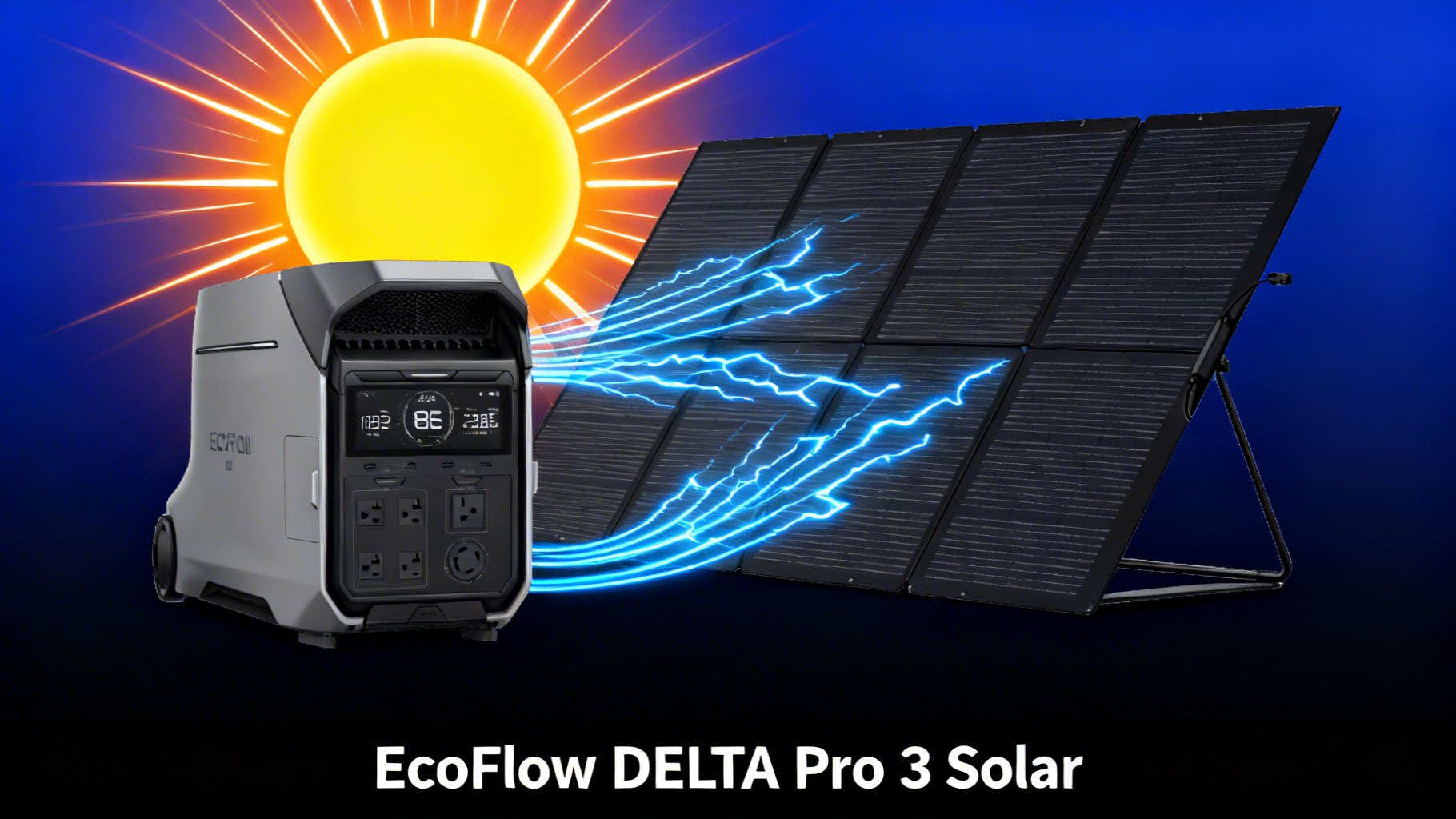
Why the DELTA Pro 3 Is Built for Serious Solar Charging
Want to solar charge a 4,096Wh battery in under two hours? The EcoFlow DELTA Pro 3 makes that possible with its industry-leading 2,600W maximum solar input, the highest of any EcoFlow portable power station. In this guide, we’ll walk you through the complete solar setup process, from choosing the right panel combination to optimizing every watt of output.
Whether you’re building a whole-home backup system, powering an off-grid cabin, or preparing for extended outages, understanding how to maximize this solar capacity is critical. The wrong panel configuration wastes money. The wrong angle wastes sunlight. And the wrong cable setup can leave you pulling 0W when you should be pulling 2,000W+.

Here’s what this guide covers: the DELTA Pro 3’s solar input specs, the best EcoFlow panel combinations with real charge time calculations, a step-by-step setup walkthrough, troubleshooting for common issues, and pro tips to squeeze maximum performance from your solar array. No technical background needed, if you can plug in a cable and adjust an angle, you can do this.
EcoFlow DELTA Pro 3
$1,999 $3,699
- 4,096Wh LFP battery, 4000W output (6000W X-Boost)
- 2,600W max solar input, fastest solar charging
- 120V/240V dual voltage, powers central AC
DELTA Pro 3 Solar Input Specs: What You Need to Know

Before you start shopping for panels, you need to understand what the DELTA Pro 3 can actually accept. Solar input specs determine which panels work, how many you can chain together, and how fast you’ll charge. Let’s break down the numbers.
EcoFlow DELTA Pro 3 Solar Specifications
2,600W max solar input
“The highest solar input of any EcoFlow portable power station”
Battery Capacity 4,096Wh
AC Output 4,000W
X-Boost Output 6,000W
Solar Voltage Range 11-150V
Battery Chemistry LFP
Cycle Life 4,000+
Key Solar Specifications
The DELTA Pro 3 accepts a maximum of 2,600W solar input through its dedicated solar charging port. That’s a massive number, roughly double what most portable power stations in this class offer. For context, at full 2,600W input, charge time calculations show you can fill the entire 4,096Wh battery in approximately 1.6 hours of peak sunlight.
The unit uses an EV-grade LFP (lithium ferro-phosphate) battery rated for 4,000+ cycles before capacity drops to 80%. That longevity matters because a solar setup is a long-term investment. You want the battery to hold up after thousands of solar charge cycles.
Voltage Range and MPPT Controller
The DELTA Pro 3’s solar input operates within an 11-150V voltage range. This range is important when connecting multiple panels in series, as the combined voltage must stay within this window. The built-in MPPT (Maximum Power Point Tracking) controller automatically adjusts to find the optimal voltage and current combination from your panels, maximizing the energy harvested even as light conditions change throughout the day.
For full specs, you can review the official DELTA Pro 3 specifications on EcoFlow’s website. Understanding how solar photovoltaic cells work can also help you get the most from your panels.
Best Panel Combos for the DELTA Pro 3
With 2,600W of solar input available, the question isn’t “can the DELTA Pro 3 handle big solar arrays?” It’s “which panels give you the best bang for your buck?” Here are the top three configurations based on EcoFlow’s own panel lineup.

Option 1: EcoFlow 400W Panels (Fastest Per-Panel Output)
The EcoFlow 400W Portable Solar Panel ($599 each) is the workhorse option. With up to 23% conversion efficiency, an IP68 waterproof rating, and a self-supporting adjustable angle design, it delivers the highest wattage per panel in EcoFlow’s lineup. You can connect up to six of these (2,400W total) while staying comfortably within the 2,600W ceiling.
Start with two panels for 800W of input, then scale up as your budget allows. Four panels at 1,600W hits a sweet spot between charge speed and cost.
Option 2: EcoFlow NextGen 220W Bifacial (Best Portability + Bonus Wattage)
The NextGen 220W Bifacial Panel ($279 each) brings a clever advantage: its two-sided design collects up to 25% more energy by capturing light reflected off the ground beneath it. Place these on a light-colored surface (concrete, sand, snow) and the rear side picks up bonus watts that a standard panel would miss entirely.
With up to 25% conversion efficiency, tempered glass construction, and an adjustable angle bracket (30 to 60 degrees), these panels are lighter and more portable than the 400W option. Four bifacial panels deliver 880W (potentially up to 1,100W with rear capture), which is a solid setup at a lower total cost.

Option 3: Mixed Array (400W + 220W for Flexibility)
Don’t overlook a mixed approach. Combining two 400W panels with four 220W bifacial panels gives you 1,680W of input (potentially up to 1,900W with bifacial bonus). This configuration balances high output from the 400W panels with the portability and bifacial advantages of the 220W models.


Solar Charge Times: How Fast Can You Fill 4,096Wh?
Charge time is the metric that matters most when sizing your solar array. The math is straightforward: divide the 4,096Wh capacity by your total panel wattage, then account for real-world efficiency losses (typically 15-20% from heat, angle, and atmospheric conditions).
Solar Charge Times: DELTA Pro 3 (4,096Wh) by Panel Configuration
☀️
2x 400W (800W)
~5.1 hrs
Full sun, 0-100%
⚡
4x 400W (1600W)
~2.6 hrs
Full sun, 0-100%
🔋
6x 400W (2400W)
~1.7 hrs
Full sun, 0-100%
🏆
Max (2600W)
~1.6 hrs
Full sun, theoretical max
Keep in mind that these are ideal-condition estimates. Cloud cover, panel temperature, and suboptimal angles will extend these times. Realistically, plan for 20-30% longer than the numbers above in typical conditions.

To calculate exact runtimes for your specific appliances, use our portable power station calculator with the DELTA Pro 3’s 4,096Wh capacity.
Step-by-Step: Setting Up Solar Panels with the DELTA Pro 3
Once you see the process, you can set this up in under 30 minutes. Here’s the full walkthrough from unboxing your panels to verifying wattage on the EcoFlow app.
Step 1: Choose Your Location and Position Panels
Find a flat, open area with direct, unobstructed sunlight. Avoid partial shade from trees, buildings, or fences, even a shadow across a single cell on one panel can cut output for the entire array. Position your panels facing south (in the Northern Hemisphere) at a 30-45 degree tilt angle for optimal solar capture during peak hours.
For a deeper dive into tilt angles by season and latitude, check out our solar panel angle optimization guide to squeeze every watt from your panels.
💡 Pro Tip: If you’re setting up on grass or dark surfaces, lay a white tarp or reflective ground cover beneath bifacial panels. This simple trick can boost rear-side capture by 10-15%.
Step 2: Connect XT60 Solar Cables to Panels
Unfold your EcoFlow solar panels and locate the XT60 output cable on each panel. If you’re connecting multiple panels, use parallel XT60 connectors or Y-branch cables to combine outputs into a single input line. Before you chain multiple panels together, review the differences between series vs parallel solar panel wiring to match the DELTA Pro 3’s voltage requirements.
Related Guide: Not sure how to wire multiple panels? Read our series vs parallel solar panel wiring guide before connecting your DELTA Pro 3 array.

Step 3: Plug Solar Input Into the DELTA Pro 3
Connect the XT60 cable from your solar panel array into the DELTA Pro 3’s solar input port, located on the side of the unit. Push firmly until the connector seats fully. You should feel a definitive click. A loose connection can cause intermittent charging or 0W input.
⚠️ Important: Never force the XT60 connector at an angle. Align it straight before pushing. A damaged port voids your warranty and stops solar charging entirely.
Step 4: Verify Charging on the EcoFlow App
Open the EcoFlow app on your phone and check the solar input wattage reading. The display should show wattage within 60-80% of your panels’ total rated output in direct sunlight. For example, with two 400W panels (800W rated), expect to see 480-640W displayed. You’ll know it’s correct when the input wattage remains stable for at least 30 seconds without dropping to zero.
Step 5: Optimize Panel Angle for Maximum Wattage
Here’s where small adjustments make a big difference. With the app open, slowly tilt your panels in 5-degree increments while watching the wattage reading. You’ll see the number climb and fall as you adjust. Find the angle where the wattage peaks, then lock the panel kickstand in place. Re-adjust every 2-3 hours as the sun moves across the sky. This simple habit can increase daily energy harvest by 15-25% compared to a set-and-forget approach.

What Can the DELTA Pro 3 Power on Solar Alone?
With a 4,096Wh battery and 4,000W continuous output (up to 6,000W with X-Boost), the DELTA Pro 3 can run virtually any household appliance. Powered entirely by solar, runtime calculations based on the battery capacity show it can handle a full-size refrigerator for roughly 30-40 hours, a CPAP machine for 50+ nights, or a 3-ton central AC unit for 4-5 hours during a daytime outage.
The key advantage of the 2,600W solar input is sustain: with enough panels, you can replenish faster than you drain. Running a 200W load while pulling in 1,600W of solar means you’re actually gaining 1,400W net, keeping the battery topped off indefinitely during daylight hours.
Troubleshooting Common Solar Charging Issues
Issue 1: 0W Solar Input on Display
Check the XT60 connection on both ends (panel and power station). A partially seated connector is the most common cause. Also verify that your panels are actually in direct sunlight, even light cloud cover can temporarily drop output to near zero on smaller arrays.
Issue 2: Solar Input Below Expected Wattage
Panel temperature, partial shading, and suboptimal angle all reduce output. On a hot day (above 95°F), panels lose efficiency, and output can drop 10-15% compared to cooler conditions. Check for shadows crossing any part of your panels, even a narrow strip of shade on one panel affects the entire series-connected array.
Issue 3: Charging Stops at 80-90%
This is normal behavior. LFP batteries use a tapering charge curve that slows input as the battery approaches full capacity. The last 10-20% charges at reduced wattage to protect long-term battery health. Don’t worry, this is by design.
Issue 4: EcoFlow App Shows Error Code
Restart the power station by holding the power button for 10 seconds, then reconnect your solar panels. If the error persists, check EcoFlow’s support documentation for the specific error code. Firmware updates through the app can also resolve known bugs.
For real-world performance expectations in less-than-ideal weather, our deep dive on solar charging on cloudy days provides data-backed benchmarks.
Pro Tips: Getting the Most from 2,600W Solar
Tip 1: Start with 2 Panels, Scale to 6
You don’t need to buy all six 400W panels at once. Start with two ($1,198 total) to learn the setup process and evaluate your actual charging needs. Add panels incrementally. The DELTA Pro 3’s 2,600W ceiling gives you plenty of headroom to grow.
Tip 2: Use Bifacial Panels on Reflective Surfaces
Bifacial panels perform best when placed above surfaces that reflect sunlight, such as concrete, white gravel, or snow. Spec data shows up to 25% additional energy capture from the rear side under ideal conditions. On dark grass, that bonus drops significantly.
Tip 3: Combine Solar + AC for Fastest Charge
The DELTA Pro 3 supports MultiCharge, which combines solar input with AC wall charging simultaneously. Verified specs confirm this approach can reach 80% charge in as little as 50 minutes when combining all available inputs. This is especially useful before a forecasted outage when you need maximum charge as fast as possible.

If you plan to use the DELTA Pro 3 as a whole-home backup solution, our guide on solar charging for home backup covers load management and panel sizing for extended outages.
✅ This solar setup is ideal if…
- You need whole-home backup with solar recharging
- You want sub-2-hour full solar charges for 4,096Wh
- You plan to scale solar capacity over time (start with 2, grow to 6+ panels)
❌ Consider a smaller setup if…
- You only need portable power for weekend camping (DELTA 3 or RIVER 3 is better)
- Your budget is under $1,000 for the complete solar system
- You have limited roof or ground space for multiple panels
Frequently Asked Questions
What is the maximum solar input for the EcoFlow DELTA Pro 3?
The DELTA Pro 3 accepts up to 2,600W of solar input, the highest in the EcoFlow portable lineup. This capacity allows you to fully charge the 4,096Wh battery in approximately 1.6 hours under ideal conditions with enough panels connected.
How many 400W solar panels can I connect to the DELTA Pro 3?
You can connect up to six 400W panels (2,400W total) while staying within the 2,600W limit. Each 400W panel connects via an XT60 solar charging cable. Adding a seventh panel would exceed the maximum input, so six panels represents the practical maximum for this model.
Can I mix different EcoFlow solar panel sizes on the DELTA Pro 3?
Yes, you can mix panel sizes (for example, two 400W panels and four 220W bifacial panels) as long as the total combined wattage stays within the 2,600W ceiling. The built-in MPPT controller handles different voltages and outputs automatically.
How long does it take to solar charge the DELTA Pro 3 with 400W panels?
With two 400W panels (800W total) in full sun, expect approximately 5.1 hours for a 0-100% charge. With four panels (1,600W), that drops to roughly 2.6 hours. With six panels (2,400W), you can achieve a full charge in about 1.7 hours.
Do I need special cables to connect solar panels to the DELTA Pro 3?
EcoFlow portable solar panels include an XT60 solar charging cable in the box. If you’re connecting multiple panels, you may need additional XT60 parallel connectors or Y-branch cables. Third-party panels require an MC4-to-XT60 adapter cable, sold separately.
Can I charge the DELTA Pro 3 with solar and AC wall power at the same time?
Yes, the DELTA Pro 3 supports MultiCharge, which combines solar input with AC wall charging simultaneously. This can dramatically reduce total charge time, allowing you to reach 80% in as little as 50 minutes when combining all available inputs.
Will solar panels charge the DELTA Pro 3 on cloudy days?
Solar panels will still charge on cloudy days, but output typically drops to 20-40% of rated capacity. A 400W panel might produce only 80-160W under heavy cloud cover. Adding more panels helps compensate for reduced output per panel in variable weather.
Conclusion: Your DELTA Pro 3 Solar System, Optimized
The EcoFlow DELTA Pro 3’s 2,600W solar input puts it in a class of its own among portable power stations. The setup process is straightforward: position your panels, connect the XT60 cables, plug into the solar port, verify wattage on the app, and adjust angles for peak output.
For most users, starting with two 400W panels and scaling to four or six over time delivers the best balance of cost and performance. The bifacial 220W panels offer an affordable, portable alternative with bonus rear-side capture. Either way, the DELTA Pro 3’s massive solar ceiling ensures you won’t outgrow this system anytime soon.
Based on our analysis, the DELTA Pro 3 solar setup makes the most sense for homeowners who want reliable solar-powered backup, RV owners who need fast off-grid recharging, and anyone building a serious portable solar generator system. If your power needs are more modest, a smaller EcoFlow unit with fewer panels will save you money without sacrificing reliability.

EcoFlow DELTA Pro 3
$1,999
Best solar-powered home backup with 2,600W input
Price verified March 2026. Free shipping available