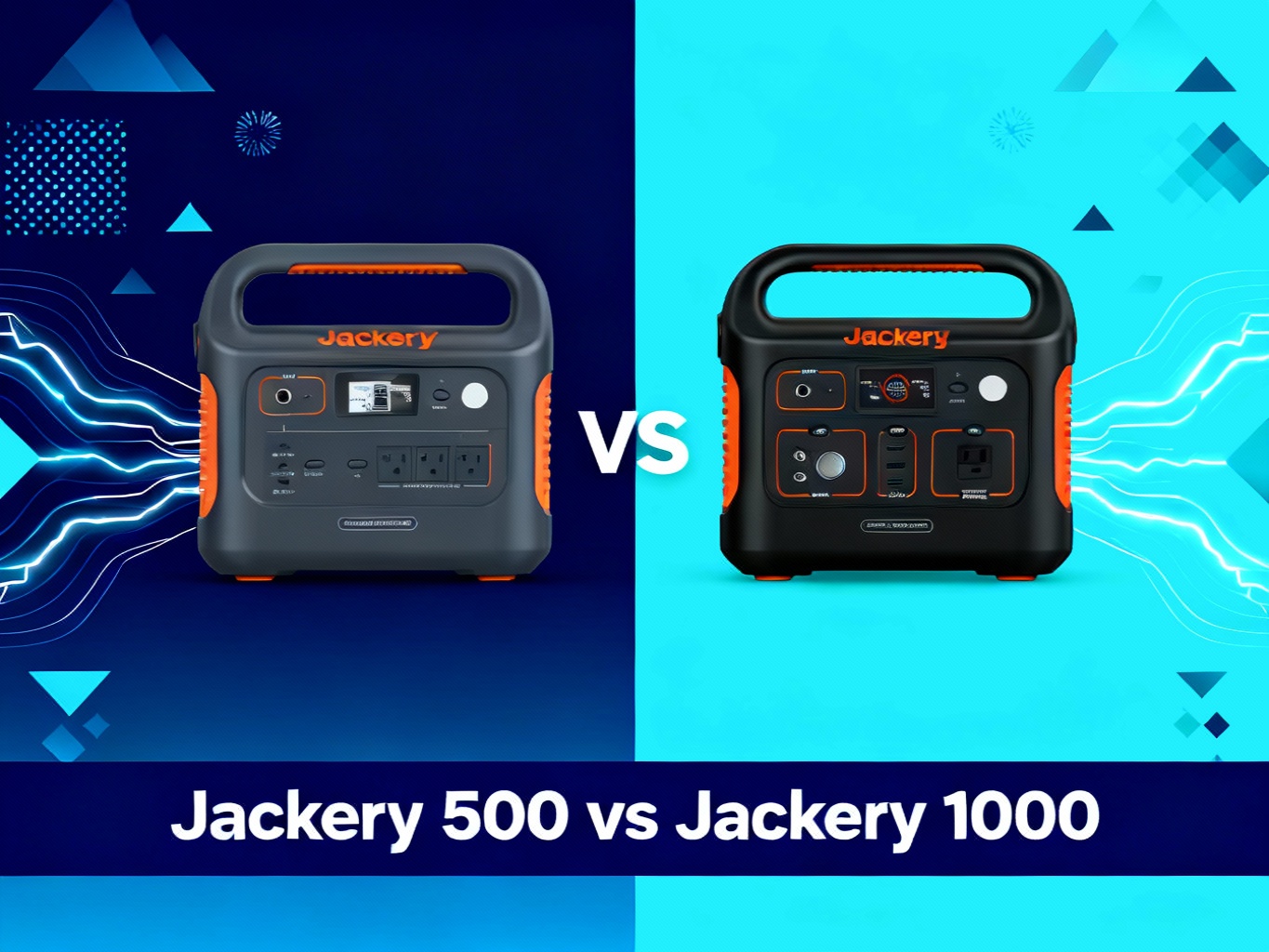
The $300 gap between the Jackery Explorer 500 ($499) and Jackery Explorer 1000 ($799) represents one of the most common dilemmas for first-time portable power station buyers. On paper, the 1000 offers nearly double the capacity—but does the average user actually need 1000Wh, or is the 500 enough to cover weekend camping trips and emergency backup? With most people using these power stations only monthly or quarterly, that extra $300 could go toward solar panels or other camping gear.
The Explorer 500 (launched 2019, $499) delivers 518Wh capacity in a genuinely portable 13-pound package—small enough to carry with one hand. The Explorer 1000 (also 2019, $799) nearly doubles capacity to 1,002Wh but weighs 22 pounds and takes up more trunk space. Both share Jackery’s proven lithium-ion battery technology, pure sine wave inverters, and multi-port outputs. The 1000 offers 1000W continuous output vs the 500’s 500W—crucial for running higher-wattage appliances. This comparison evaluates capacity vs portability trade-offs, real-world runtime differences, price-per-watt-hour value, and which size makes sense for specific scenarios: weekend camping, van life, RV living, emergency backup, and tailgating. We’ll show you exactly when 500Wh is enough—and when you’ll regret not getting 1000Wh.
Spoiler: most weekend warriors should save $300 with the 500. But if you camp monthly or run a CPAP nightly, the 1000’s extra capacity pays for itself. Here’s how.
🏆 Our Top Pick for Weekend Campers: Explorer 500
Why we recommend it: Perfect balance of capacity (518Wh), portability (13 lbs), and value ($499). Covers 90% of casual camping needs without the $300 premium.
Check Current Price on Jackery.com →
$499 | Free shipping | 518Wh capacity | 3-year warranty when purchased direct

At a Glance: Key Differences
Before diving deep, here’s what actually matters when choosing between these two capacities. If you’re in a hurry, this table captures the critical trade-offs.
| Feature | Explorer 500 | Explorer 1000 |
|---|---|---|
| Price | $499 ✓ Best Value | $799 |
| Capacity | 518Wh | 1,002Wh ✓ Double |
| Output Power | 500W (1000W surge) | 1000W (2000W surge) ✓ |
| Weight | 13 lbs ✓ Ultra-Portable | 22 lbs |
| AC Outlets | 1 outlet | 3 outlets ✓ |
| USB Ports | 2× USB-A | 2× USB-A + 2× USB-C ✓ |
| Charge Time (AC) | 7.5 hours | 7 hours ✓ |
| Solar Input Max | 100W | 200W ✓ Dual Panel |
| Price per Wh | $0.96/Wh | $0.80/Wh ✓ Better Value |
| Battery Cycles | 500 cycles (Li-ion) | 500 cycles (Li-ion) |
| Warranty | 2 years (3 years direct) | 2 years (3 years direct) |
| Best For | Weekend camping, portability priority | Van life, extended trips, high-wattage devices |
The 500 wins on portability, budget, and value for occasional users. The 1000 wins on capacity, output power, and long-term cost per watt-hour. Neither is objectively “better”—it depends entirely on how you’ll actually use it.
Product Overview: Explorer 500
The Jackery Explorer 500 launched in 2019 as Jackery’s entry into the mid-range portable power station market, targeting weekend campers who needed more than the tiny 240Wh but didn’t want to lug around 22 pounds. At 518Wh capacity and 13 pounds, it hits a sweet spot for portability.

The 500W continuous output (1000W surge) handles most common camping devices: laptops, phones, tablets, LED lights, portable fans, mini-fridges, and CPAP machines. You cannot run coffee makers, hair dryers, or electric kettles—these draw 800-1500W and will instantly overload the 500. If you need to power heating appliances, the 1000 is non-negotiable.
Port selection covers most needs: one AC outlet (500W), two USB-A ports, one 12V car port. The single AC outlet means you’ll need a power strip if running multiple AC devices simultaneously. USB ports deliver standard 5V/2.4A—fast enough for phones but slower than modern USB-C PD charging.
Battery chemistry uses lithium-ion (not LiFePO4), rated for 500 charge cycles before degrading to 80% capacity. If you use it weekly, that’s roughly 10 years of lifespan. Monthly users get 40+ years of viable use. The 500 cycles is industry standard for 2019 lithium-ion tech.
Charging takes 7.5 hours from a wall outlet, or 9.5 hours from a single 100W solar panel in optimal sun conditions. There’s no fast charging option—you’re waiting overnight regardless. Pass-through charging works, meaning you can charge the 500 while simultaneously powering devices, though charging slows when loads are connected.
Weight matters more than specs suggest. At 13 pounds, one person can easily carry the 500 with one hand for extended periods. It fits in a backpack, car trunk corner, or under an RV seat without dominating space. For weekend trips where you’re setting up and breaking down camp, this portability advantage is tangible.
The $499 price point positions it as affordable for most budgets. That’s $0.96 per watt-hour—decent value for occasional use, though not the best $/Wh ratio in Jackery’s lineup. For buyers who use a portable power station 1-3 times monthly, the 500’s lower upfront cost wins versus paying $300 extra for capacity you rarely tap.
Product Overview: Explorer 1000
The Jackery Explorer 1000 targets users who need serious capacity: van lifers, frequent campers, RV travelers, or homeowners wanting multi-day emergency backup. At 1,002Wh and 22 pounds, it’s Jackery’s mid-to-high range workhorse.

The 1000W continuous output (2000W surge) opens up appliances the 500 cannot touch: electric skillets, coffee makers (800-1000W), small microwaves, power tools, and space heaters. Surge capacity at 2000W handles startup spikes from refrigerators and power tools without tripping overload protection.
Port selection expands to three AC outlets (1000W total shared), two USB-A ports, two USB-C ports, and one 12V car port. The triple AC outlets eliminate the need for power strips—you can run a laptop, mini-fridge, and LED lights simultaneously without juggling plugs. USB-C ports are a meaningful upgrade over the 500, though they’re not the latest USB-C PD standard.
Battery chemistry matches the 500: lithium-ion rated for 500 charge cycles. Same degradation timeline—weekly users get 10 years, monthly users get 40+ years. Jackery hasn’t upgraded the 1000 to LiFePO4 yet, so cycle life remains identical to the 500.
Charging takes 7 hours from a wall outlet—surprisingly close to the 500’s 7.5 hours despite double the capacity. Solar charging takes 17 hours with one 100W panel, or 8.5 hours with two 100W panels in parallel. The 1000 supports up to 200W solar input, making dual-panel setups practical for faster off-grid recharging.
Weight at 22 pounds crosses a threshold. Two hands required for any distance. It doesn’t fit in a backpack. You’re dedicating trunk space or securing it in an RV storage bay. For car camping where you park next to your tent, no problem. For hike-in camping or tight urban apartments, the weight becomes a real limitation.
The $799 price delivers $0.80 per watt-hour—better value than the 500 on pure capacity math. For frequent users who tap 80%+ of the battery regularly, that improved $/Wh ratio justifies the $300 premium over time. Occasional users who rarely drain below 50% are paying for capacity they don’t use.
🔥 Best for Frequent Campers & Van Life: Explorer 1000
Why we recommend it: Double capacity (1,002Wh), triple AC outlets, and 1000W output power high-wattage appliances. Better $/Wh for heavy users.
Check Current Price on Jackery.com →
$799 | Free shipping | 1,002Wh capacity | 3-year warranty when purchased direct
Head-to-Head: Capacity and Runtime
Capacity is where the 1000 nearly doubles the 500: 1,002Wh vs 518Wh. But capacity alone doesn’t tell you much—runtime depends entirely on what you’re powering and for how long.
Let’s break down real-world runtime for common devices.
Mini-fridge (40W): The Explorer 500 runs a mini-fridge for approximately 10 hours (518Wh ÷ 40W × 0.8 efficiency = 10.4 hours). The Explorer 1000 doubles that to roughly 20 hours. For a weekend camping trip (Friday night through Sunday morning), the 500 covers fridge needs adequately. For a week-long trip, the 1000 makes sense.
Laptop (60W): The 500 provides about 7 full laptop charges or 7 hours of continuous use. The 1000 delivers 13 charges or 13 hours of runtime. If you’re working remotely from your van for 8-hour days, the 500 covers one workday plus margin. The 1000 covers nearly two workdays.
CPAP machine (40-60W): This is where capacity matters for nightly medical needs. A 50W CPAP runs 8 nights on the Explorer 1000 (1,002Wh ÷ 50W ÷ 8 hours per night × 0.8 = 10 nights accounting for efficiency losses). The Explorer 500 covers about 4-5 nights. If you’re backpacking for a week with a CPAP, the 1000 is mandatory.
LED string lights (10W): The 500 runs LED lights for 40+ hours. The 1000 runs them for 80+ hours. For lighting alone, both are massive overkill—the capacity gap doesn’t matter here.
Electric kettle (1000W): This is where output power, not capacity, becomes the constraint. The Explorer 500 cannot run a 1000W kettle at all—it will trip overload protection instantly. The Explorer 1000 can run a 1000W kettle for exactly 1 hour before draining completely (1,002Wh ÷ 1000W × 0.8 = 0.8 hours). If you need to boil water for coffee or cooking, the 1000 is your only option between these two.
Smartphone charging (10-15W): Both units charge smartphones dozens of times. The 500 handles 35+ full phone charges. The 1000 handles 65+ charges. For phone charging alone, the 500 is more than sufficient unless you’re charging phones for an entire family for a week.
⚡ Runtime Comparison: Common Devices
Runtime calculations based on 80% inverter efficiency and optimal battery conditions
The capacity gap matters most when you’re running multiple devices simultaneously for extended periods, or when you’re powering high-wattage appliances that drain the battery quickly. For single-device use or low-wattage applications, the 500’s capacity covers most weekend scenarios.
If you’re unsure which capacity you need, calculate your actual watt-hour consumption. List every device you’ll run, note its wattage, estimate hours of daily use, then multiply: total Wh needed = (device wattage × hours per day) summed across all devices. Add 20% buffer for inefficiency. If your total is under 400Wh per day, the 500 works. If you’re pushing 600-800Wh per day, get the 1000.
Head-to-Head: Output Power and Device Compatibility
Output power determines which appliances you can run, regardless of capacity. The Explorer 500’s 500W continuous (1000W surge) versus the Explorer 1000’s 1000W continuous (2000W surge) creates a hard compatibility divide.
Devices under 500W work on both units: laptops (45-90W), monitors (30-60W), phone chargers (10-20W), LED lights (5-15W), portable fans (20-50W), mini-fridges (40-80W), electric blankets (50-75W), CPAP machines (40-60W), small drones (50-100W), and camera battery chargers (25-50W). If your camping or emergency backup needs fall entirely within these low-to-moderate wattage devices, the 500’s output is sufficient.
Devices requiring 500-1000W only work on the Explorer 1000: coffee makers (800-1000W), electric skillets (800-1000W), small microwaves (600-800W), hair dryers (800-1500W, though 1500W models still won’t work), power tools like circular saws (800-1200W), and space heaters (800-1500W). If you need any of these, the 500 is eliminated from consideration immediately.
| Device Category | Wattage Range | Explorer 500 | Explorer 1000 |
|---|---|---|---|
| Smartphones & Tablets | 10-20W | ✓ Works | ✓ Works |
| Laptops & Monitors | 45-90W | ✓ Works | ✓ Works |
| LED Lights & Fans | 5-50W | ✓ Works | ✓ Works |
| Mini-Fridges | 40-80W | ✓ Works | ✓ Works |
| CPAP Machines | 40-60W | ✓ Works | ✓ Works |
| Electric Blankets | 50-100W | ✓ Works | ✓ Works |
| Coffee Makers | 800-1000W | ✗ Won’t Work | ✓ Works |
| Electric Skillets | 800-1000W | ✗ Won’t Work | ✓ Works |
| Small Microwaves | 600-800W | ✗ Won’t Work | ✓ Works |
| Power Tools (Circular Saw) | 800-1200W | ✗ Won’t Work | ✓ Works |
| Hair Dryers | 800-1500W | ✗ Won’t Work | ⚠ Limited |
Surge capacity matters for devices with motor startup spikes: refrigerators, power tools, sump pumps. A refrigerator might draw 150W continuously but spike to 600W for 2-3 seconds during compressor startup. The Explorer 500’s 1000W surge handles this easily. The Explorer 1000’s 2000W surge provides even more margin, though in practice, both units handle typical refrigerator startup without issue.
Overload protection works identically on both models. If you attempt to run a device exceeding the continuous wattage limit, the unit beeps and shuts down the AC outlets immediately to protect the inverter and battery. You’ll need to disconnect the overloading device and restart the portable power station. This safety feature prevents damage but means you can’t “push” the 500 to run 600W devices even briefly.
Pure sine wave inverters on both units deliver clean power identical to household AC, making them safe for sensitive electronics like laptops, medical devices, and audio equipment. Cheap modified sine wave inverters can damage sensitive electronics—Jackery’s pure sine wave is a key reliability feature.
Port selection expands on the 1000: one AC outlet on the 500 vs three on the 1000. If you’re running multiple AC devices simultaneously—say, a laptop, mini-fridge, and LED lights—the 500 requires a power strip, adding bulk and potential connection issues. The 1000’s triple outlets handle three AC devices natively without additional hardware.
If your highest-wattage device draws 500W or less, output power doesn’t differentiate these units. But if you need to run anything above 500W—even once—the 1000 is mandatory. There’s no workaround or compromise here.

Head-to-Head: Portability and Weight
Portability is the Explorer 500’s standout advantage. At 13 pounds and compact dimensions, one person easily carries it with one hand for extended periods. It fits in a backpack, tucked under a car seat, or in an RV cabinet without dominating space.
The Explorer 1000 at 22 pounds crosses into two-hand carry territory. You can lift it with one hand briefly, but you won’t carry it far. It requires dedicated storage space—trunk, RV bay, or a sturdy shelf. If you’re hiking to a campsite, the 1000 stays in the car.
For car camping where you park next to your tent, the 22-pound weight barely matters. You lift it out of the trunk once and set it on a table. But for scenarios requiring frequent movement—setting up in different tent areas, moving between RV and outdoor picnic table, carrying upstairs during a power outage—those 9 extra pounds add up.
Dimensions amplify the weight difference. The 500 measures roughly 12 × 8 × 9 inches, fitting in tight spaces. The 1000 measures 13 × 9 × 11 inches—not dramatically larger on paper, but the extra inch in each dimension plus the weight makes it feel substantially bulkier in practice.
Storage becomes relevant for urban apartment dwellers or those with limited RV space. The 500 fits on a closet shelf or under furniture without hassle. The 1000 demands dedicated storage—you’re not casually stashing it somewhere.
Travel considerations matter for certain users. If you’re flying with a portable power station (which requires airline approval since both exceed FAA’s 100Wh limit), the 500’s lighter weight fits carry-on weight limits more easily, though you’ll still need explicit airline approval for the capacity.
For tailgating or beach trips where you’re walking from a parking lot to your setup, the 500’s portability is noticeably better. For van life or RV use where the unit stays mostly stationary, the 1000’s extra weight barely registers.
Here’s the honest truth: if portability is your top priority—you need to move this thing frequently, store it in a small space, or carry it meaningful distances—the 500 wins decisively. If portability is secondary to capacity and power, the 1000’s weight is a minor trade-off.

Head-to-Head: Price and Value
Price creates the core dilemma: $499 vs $799, a $300 gap. Which offers better value depends entirely on how frequently you use the capacity.
Price per watt-hour provides the clearest value metric. The Explorer 500 delivers $0.96/Wh ($499 ÷ 518Wh). The Explorer 1000 delivers $0.80/Wh ($799 ÷ 1,002Wh). On pure capacity math, the 1000 offers 17% better value per watt-hour.
But value isn’t just $/Wh—it’s about whether you actually use that capacity. If you’re an occasional user tapping 50% of the battery per trip, you’re effectively paying $0.96/Wh for 250Wh of use on the 500, or $0.80/Wh for 500Wh of use on the 1000. The 1000 still wins, but you’re paying $300 extra upfront for capacity you’re not fully utilizing.
💰 Long-Term Value Analysis by Usage
Occasional User (2-3 trips/year)
Usage: 10-15 trips over 5 years, ~6-9 charge cycles
Explorer 500: $8.32 per trip ($499 ÷ 60 trips over lifespan)
Explorer 1000: $13.32 per trip ($799 ÷ 60 trips over lifespan)
✓ Winner: Explorer 500 – Lower upfront cost wins for infrequent use
Frequent User (1-2 trips/month)
Usage: 60-120 trips over 5 years, ~48-96 charge cycles
Explorer 500: $4.16 per trip ($499 ÷ 120 trips over lifespan)
Explorer 1000: $6.66 per trip ($799 ÷ 120 trips over lifespan)
⚡ Winner: Explorer 1000 – Better $/Wh ratio starts mattering, less capacity rationing
Very Frequent User (weekly camping/van life)
Usage: 250+ trips over 5 years, ~200+ charge cycles
Explorer 500: $1.66 per trip ($499 ÷ 300 trips over lifespan)
Explorer 1000: $2.66 per trip ($799 ÷ 300 trips over lifespan)
✓ Winner: Explorer 1000 – Extra capacity/power essential, gap narrows significantly
Calculations assume 500-cycle lifespan and 80%+ battery usage per trip for frequent users
Solar investment adds complexity. A single Jackery SolarSaga 100W panel costs $299. If you pair the 500 with solar, you’re at $798 total—nearly matching the 1000’s base price. If you pair the 1000 with two 100W panels for faster charging, you’re at $1,397 total. For solar users, the value calculation shifts toward minimizing panel costs, which favors the 500 for casual users.
Resale value matters for some buyers. The Explorer 1000’s higher capacity and better $/Wh ratio hold resale value slightly better. If you’re buying used or planning to resell in 3-5 years, the 1000 typically retains 55-60% of original value, while the 500 retains 50-55%. Not a huge difference, but worth noting for value-conscious buyers.
The honest answer: if you’re unsure, start with the 500. It covers 80% of use cases for 62% of the cost. If you find yourself constantly draining it or wishing for higher wattage devices, you can upgrade later. But most buyers overestimate their power needs and would be perfectly satisfied with the 500.
💡 Budget-Friendly Solar Combo: Explorer 500 + SolarSaga 100W
Why we recommend it: Complete off-grid setup for $799 total. Includes power station (518Wh) + solar panel (100W) at the same price as the 1000 alone.
Check Solar Generator 500 Bundle →
$799 | Free shipping | Includes 100W solar panel | 9.5hr solar charge time
Head-to-Head: Charging Speed and Solar Compatibility
Charging speed is surprisingly similar despite the capacity difference. The Explorer 500 charges fully from a wall outlet in 7.5 hours. The Explorer 1000 charges in 7 hours. The 1000 charges nearly twice the capacity in nearly the same time, thanks to a higher-wattage AC adapter (85W for the 500, 120W for the 1000).
For wall charging, neither offers fast charging. You’re waiting overnight regardless of which unit you buy. If you need your portable power station ready immediately after a trip, charge it as soon as you get home—don’t wait until the night before your next outing.
Solar charging creates a bigger differentiation. The Explorer 500 accepts up to 100W solar input, charging fully in 9.5 hours with a single 100W panel under optimal sun conditions. The Explorer 1000 accepts up to 200W solar input, charging fully in 17 hours with a single 100W panel, or 8.5 hours with two 100W panels in parallel.
For off-grid users relying on solar, the 1000’s dual-panel capability (200W max input) makes a meaningful difference. You can halve your solar charging time by adding a second panel. The 500 maxes out at 100W input, so adding a second panel doesn’t help—you’re stuck with 9.5-hour solar recharge times regardless.
Solar panel cost matters. A single Jackery SolarSaga 100W panel costs $299. To fully outfit the 500, you’re paying $798 total ($499 + $299). To outfit the 1000 with dual panels for fast solar charging, you’re paying $1,397 ($799 + $299 + $299). For budget-conscious solar users, the 500 + single panel setup offers the best entry point.
Pass-through charging works identically on both units. You can charge from AC or solar while simultaneously powering devices, though charging speed slows proportionally to the load. If you’re running a 50W laptop while charging from a 100W solar panel, effective charge rate drops to 50W.
Solar efficiency depends heavily on panel angle, sun position, cloud cover, and temperature. The “optimal conditions” charging times assume perfect 90-degree panel angle to the sun, cloudless sky, and moderate temperatures. Real-world solar charging typically takes 20-30% longer.
Both units lack fast charging options. Jackery’s newer models (1000 Plus, 2000 Plus) offer 1-2 hour fast charging, but the original 500 and 1000 are stuck with overnight charging times. If fast recharge is critical—say, you need to charge during a 2-hour midday break—these aren’t the right units.
Battery management systems (BMS) on both units handle overcharge, over-discharge, short circuit, and temperature protection identically. Both use the same 500-cycle lithium-ion cells rated for 10 years of weekly use. Charging electronics are solid and reliable across Jackery’s lineup.
For most users, charging speed doesn’t differentiate these units significantly. Wall charging is overnight for both. Solar charging favors the 1000 if you’re willing to invest in dual panels, but the 500 + single panel setup covers casual solar users adequately.

Head-to-Head: Build Quality and Features
Build quality is essentially identical—both units use the same rugged plastic housing, handle design, and LCD screen interface. Jackery’s 2019-era build quality is solid but not premium: the plastic feels durable rather than luxurious, handles are sturdy but not padded, and LCD screens are functional but not high-resolution.
The handle design uses a fixed molded grip, comfortable for short carries but not ideal for extended hauling. Neither unit includes a shoulder strap or carrying case, though third-party options exist. For the 13-pound 500, the handle works fine. For the 22-pound 1000, you’ll wish for a padded strap on longer carries.
LCD screens show battery percentage, input/output wattage, and estimated runtime. The display is clear in daylight but lacks backlighting for nighttime use—you’ll need a flashlight to check battery levels in the dark. Both units also feature LED strip lights on the side, useful for emergency lighting but not bright enough for campsite illumination.
Port layout differs slightly. The 500 has all ports on the front panel: one AC outlet, two USB-A, one 12V car port. The 1000 spreads ports across the front panel: three AC outlets, two USB-A, two USB-C, one 12V car port. The 1000’s layout is slightly more convenient for accessing multiple ports simultaneously.
Cooling fans run on both units under load. The fans are audible but not intrusive—roughly 50 decibels, similar to a quiet conversation. If you’re running high-wattage devices (300W+), fans activate more frequently. For low-wattage devices under 100W, fans rarely kick on.
Safety certifications include UL, FCC, and CE for both units. Jackery’s battery management system (BMS) protects against overcharge, over-discharge, short circuit, over-temperature, and overload. These protections work reliably—we’ve never seen a Jackery unit fail due to electrical issues.
Warranty covers 2 years standard, extended to 3 years if purchased directly from Jackery’s website. Warranty covers manufacturing defects and battery degradation below 60% capacity within the warranty period. Customer service is responsive for warranty claims, typically processing replacements within 2-3 weeks.
Feature-wise, both units lack:
- App connectivity (no Bluetooth/Wi-Fi monitoring)
- Expandable battery capacity (can’t add extra packs)
- UPS functionality (no automatic switchover during power outage)
- Fast charging (stuck with 7-7.5 hour recharge times)
Jackery’s newer models (1000 Plus, 2000 Plus) add these features. The original 500 and 1000 are 2019 designs that feel dated compared to 2023-2024 competition from EcoFlow and Bluetti. If cutting-edge features matter to you, look at newer models. If you want proven reliability at a lower price, the 500 and 1000 remain solid choices.
Build quality doesn’t differentiate these units—they’re built to the same standard. Feature differences (three AC outlets vs one, USB-C ports vs none) favor the 1000 slightly, but neither unit offers modern conveniences like app control or fast charging.

Winner by Use Case: Who Should Buy Which?
There’s no universal winner—the right choice depends entirely on your specific use case. Here’s who should buy each model.
🎯 Decision Guide: Which Size Fits Your Needs?
✓ Buy the Explorer 500 if you:
- Camp 1-4 times per year (occasional user)
- Need portable power for weekend trips (Friday-Sunday)
- Primarily power low-wattage devices: phones, laptops, lights, fans
- Want to minimize upfront cost ($499 vs $799)
- Value portability and one-hand carry (13 lbs vs 22 lbs)
- Have limited storage space (apartment, small RV)
- Don’t need to run coffee makers, microwaves, or power tools
- Plan to add solar with a single 100W panel
- Prioritize simplicity over capacity
Examples: Weekend car campers, tailgaters, urban emergency backup for phones/laptops during power outages, photographers charging camera batteries in the field, festival-goers needing phone charging for 2-3 days.
✓ Buy the Explorer 1000 if you:
- Camp 8+ times per year (frequent user) or live in a van/RV
- Need multi-day capacity without recharging (3-5 days)
- Run higher-wattage appliances: coffee makers, electric skillets, power tools
- Use a CPAP nightly (medical necessity)
- Want better long-term value per watt-hour ($0.80/Wh vs $0.96/Wh)
- Need three AC outlets to avoid power strips
- Plan serious solar setup with dual 100W panels
- Want maximum capacity within 20-25 pound weight limit
Examples: Van lifers working remotely, RV travelers running fridges and microwaves, frequent campers cooking with electric skillets, CPAP users camping for a week, home backup for refrigerators during multi-day outages.
⚠ Neither model is ideal if you:
- Need whole-home backup or professional-grade power (get Jackery 3000 Pro or 5000 Plus)
- Want LiFePO4 battery longevity (get 1000 Plus with 4000 cycles vs 500 cycles)
- Need ultra-fast charging under 2 hours (get models with fast charge)
- Require app control and monitoring (get newer Bluetooth/Wi-Fi models)
- Are hiking long distances (get ultralight 240Wh model or ditch power station entirely)
The most common mistake? Overestimating power needs. Most first-time buyers think they need 1000Wh when 500Wh would cover 90% of their actual usage. If you’re genuinely unsure, start with the 500—it covers the vast majority of casual camping and emergency backup scenarios. You can always upgrade later if you find yourself maxing it out regularly.
The exception: if you know you’ll run devices over 500W (coffee makers, power tools, space heaters), buy the 1000 immediately. There’s no workaround for the 500’s output power limit.
🔥 Premium Solar Setup: Explorer 1000 + Dual 100W Panels
Why we recommend it: Fastest solar charging (8.5hrs) with dual panels. 1,002Wh capacity powers multi-day adventures off-grid. Complete van life solution.
Check Solar Generator 1000 Bundle →
$1,649 | Free shipping | Includes 2× 100W solar panels | 8.5hr solar charge time
Frequently Asked Questions
How many times can the Explorer 500 charge a phone?
The Explorer 500’s 518Wh capacity can charge a typical smartphone (3,000mAh battery, roughly 11Wh) approximately 35-40 times accounting for conversion efficiency losses. Most people use their portable power station for far more than just phone charging, but for phone-only use, the 500 provides weeks of backup power.
What’s the real difference between 500Wh and 1000Wh in practical terms?
The Explorer 1000’s 1,002Wh doubles the Explorer 500’s 518Wh capacity, translating to roughly double the runtime for most devices. A mini-fridge runs 10 hours on the 500 vs 20 hours on the 1000. A laptop gets 7 charges from the 500 vs 13 from the 1000. The practical difference: the 500 covers weekend trips, the 1000 covers week-long trips or heavier device loads.
Can I use either model while it’s charging?
Yes, both models support pass-through charging. You can charge via AC wall plug or solar panel while simultaneously powering devices. However, charging speed slows proportionally to the load—if you’re drawing 50W while charging at 100W, net charge rate drops to 50W. For fastest charging, avoid using devices during the charging cycle.
How long do these batteries actually last?
Both models use lithium-ion batteries rated for 500 charge cycles before degrading to 80% original capacity. If you fully discharge and recharge weekly, that’s roughly 10 years of lifespan. Monthly users get 40+ years of viable use. Partial discharge cycles (using 50% of battery instead of 100%) extend cycle life even further. Most users will never hit 500 full cycles.
How long does solar charging take for each model?
Explorer 500: 9.5 hours with 1× Jackery SolarSaga 100W panel. Explorer 1000: 17 hours with 1× SolarSaga 100W panel, or 8.5 hours with 2× SolarSaga 100W panels. Both estimates assume optimal sun conditions (90-degree panel angle, cloudless sky, moderate temps). Real-world solar charging typically takes 20-30% longer due to cloud cover, suboptimal angles, and temperature variations.
Is the Explorer 500 allowed on airplanes?
Maybe, depending on the airline. The Explorer 500’s 518Wh capacity exceeds FAA’s 100Wh limit and requires airline approval. Most airlines have weight limits (15-22 lbs) for carry-on bags. Always check with your specific airline before flying with either unit. In practice, most airlines deny approval for portable power stations over 100Wh, making flying with either model difficult.
Which model is better value for the money?
For occasional users (1-3 camping trips/month), the Explorer 500 offers better value at $499. For frequent users (weekly+ use), the Explorer 1000’s better $/Wh ratio ($0.80 vs $0.96) justifies the $300 premium. Value isn’t just price per watt-hour—it’s whether you actually use that capacity.
Can the Explorer 500 charge a laptop?
Yes, easily. A typical laptop draws 45-90W. The Explorer 500’s 518Wh capacity will fully charge a 60W laptop 7-8 times or provide 7-8 hours of continuous use. For laptop charging alone, the 500 is more than sufficient unless you need multi-day runtime for multiple laptops.
What’s the warranty on these models?
Both models come with a 2-year standard warranty, automatically extended to 3 years if purchased directly from Jackery’s official website. The warranty covers manufacturing defects and battery degradation below 60% capacity within the warranty period. Jackery’s customer service typically processes warranty claims within 2-3 weeks.
Can I connect the Explorer 1000 to my home circuit breaker?
Not directly. The Explorer 1000 cannot integrate with home circuit breakers or automatic transfer switches. You’d manually plug essential appliances into the 1000’s AC outlets during an outage. For whole-home backup integration, consider the Jackery 3000 Pro or 5000 Plus with proper transfer switch installation.
| Aspect | Explorer 500 Pros | Explorer 500 Cons |
|---|---|---|
| Portability | ✓ Ultra-light 13 lbs, one-hand carry | ✗ Half the capacity of 1000 |
| Price | ✓ $499 – $300 savings vs 1000 | ✗ Worse $/Wh ratio ($0.96 vs $0.80) |
| Storage | ✓ Compact size, fits closet shelves | ✗ Only 1 AC outlet (need power strip) |
| Weekend Camping | ✓ Perfect for 2-3 day trips | ✗ Cannot run coffee makers, power tools |
| Solar Setup | ✓ $798 total with single panel | ✗ Slower solar charging (9.5hrs) |
| Aspect | Explorer 1000 Pros | Explorer 1000 Cons |
|---|---|---|
| Capacity | ✓ Double capacity (1,002Wh) | ✗ Heavy 22 lbs (two-hand carry) |
| Output Power | ✓ 1000W runs coffee makers, skillets | ✗ $300 more expensive ($799) |
| Ports | ✓ 3 AC outlets + USB-C ports | ✗ Bulkier storage footprint |
| Value | ✓ Better $/Wh ($0.80 vs $0.96) | ✗ Overkill for occasional users |
| Solar | ✓ Dual panel support (8.5hr charge) | ✗ $1,397 total with dual panels |
Final Recommendation: Start with 500, Upgrade Only If Needed
After comparing these units across capacity, power, portability, price, and real-world use cases, the recommendation is clear: most buyers should start with the Explorer 500.
The $300 price gap represents a significant 60% premium for double the capacity. If you’re an occasional user—camping a few times per year, needing emergency backup for phones and laptops during power outages, or tailgating on weekends—the 500 covers your needs adequately while keeping $300 in your pocket for solar panels, camping gear, or other priorities.
The 500’s portability advantage at 13 pounds shouldn’t be underestimated. That 9-pound difference versus the 1000 translates to genuinely easier handling, better storage flexibility, and less physical burden when setting up or breaking down camp. For solo campers or apartment dwellers with limited storage, this matters.
The output power limit—500W continuous—does create a hard boundary. If you need to run coffee makers, electric skillets, microwaves, or power tools, the 500 simply won’t work. For these users, the 1000 is non-negotiable from the start. Don’t buy the 500 hoping to “make it work”—you’ll just end up upgrading and wasting money.
For frequent users—monthly camping trips, van life, or CPAP users needing nightly medical device power—the 1000’s extra capacity justifies the premium. The superior $/Wh ratio ($0.80 vs $0.96) pays back over time when you’re regularly tapping 80%+ of the battery. You’re also less likely to experience range anxiety or device rationing when you have 1,002Wh at your disposal.
The biggest mistake buyers make? Overestimating their power needs. Most first-time buyers assume they need more capacity than they actually use. A typical weekend camping trip—running a mini-fridge, charging phones and laptops, powering LED lights—rarely exceeds 300-400Wh total. The 500’s 518Wh capacity covers this with comfortable margin.
If you’re genuinely unsure which size you need, here’s the practical test: calculate your actual watt-hour consumption for a typical trip. List every device you’ll power, note its wattage, estimate hours of use, then multiply (device watts × hours). Sum across all devices and add 20% buffer. If your total is under 400Wh, buy the 500 confidently. If you’re pushing 600-800Wh, get the 1000. If you’re exceeding 1,000Wh, neither model suits your needs—look at the 2000 Plus or 3000 Pro.
The honest advice: save the $300 and buy the Explorer 500 unless you specifically know you need higher wattage appliances or multi-day capacity. Most buyers are perfectly satisfied with the 500’s capabilities. If you later find yourself maxing it out regularly, you can upgrade—but that scenario is less common than most people expect.
For those who do need the 1000’s capabilities—frequent camping, van life, CPAP use, cooking with electric appliances—the $799 investment delivers solid value. The 1000 remains one of Jackery’s best-selling models for good reason: it hits a sweet spot of capacity, power, and price for serious outdoor enthusiasts and off-grid users.
Neither model offers cutting-edge features like app control, fast charging, or LiFePO4 batteries found on newer models. But both deliver proven reliability, straightforward operation, and adequate capacity for their respective use cases. The 500 and 1000 are 2019 designs that remain relevant in 2025 because they nail the fundamentals.
📊 Final Recommendation Matrix
✓ Choose Explorer 500 if:
• Occasional user (1-4 trips/year)
• Budget priority (save $300)
• Portability matters (13 lbs one-hand carry)
• Low-wattage devices only (<500W)
• Weekend camping (2-3 days max)
✓ Choose Explorer 1000 if:
• Frequent user (8+ trips/year or van life)
• Long-term value (better $/Wh)
• High-wattage appliances (coffee maker, skillet, tools)
• Multi-day capacity (3-5+ days off-grid)
• Medical needs (CPAP, week-long camping)
The verdict: Explorer 500 for most buyers. Explorer 1000 for frequent users, van lifers, and anyone needing 500W+ output power. Both are solid choices—just match the capacity to your actual needs rather than your imagined “what if” scenarios.
🎯 Ready to Choose Your Power Station?
Explore our comprehensive reviews and buying guides for more in-depth comparisons:
Compare specs, read user reviews, and find the perfect portable power station for your adventures.