
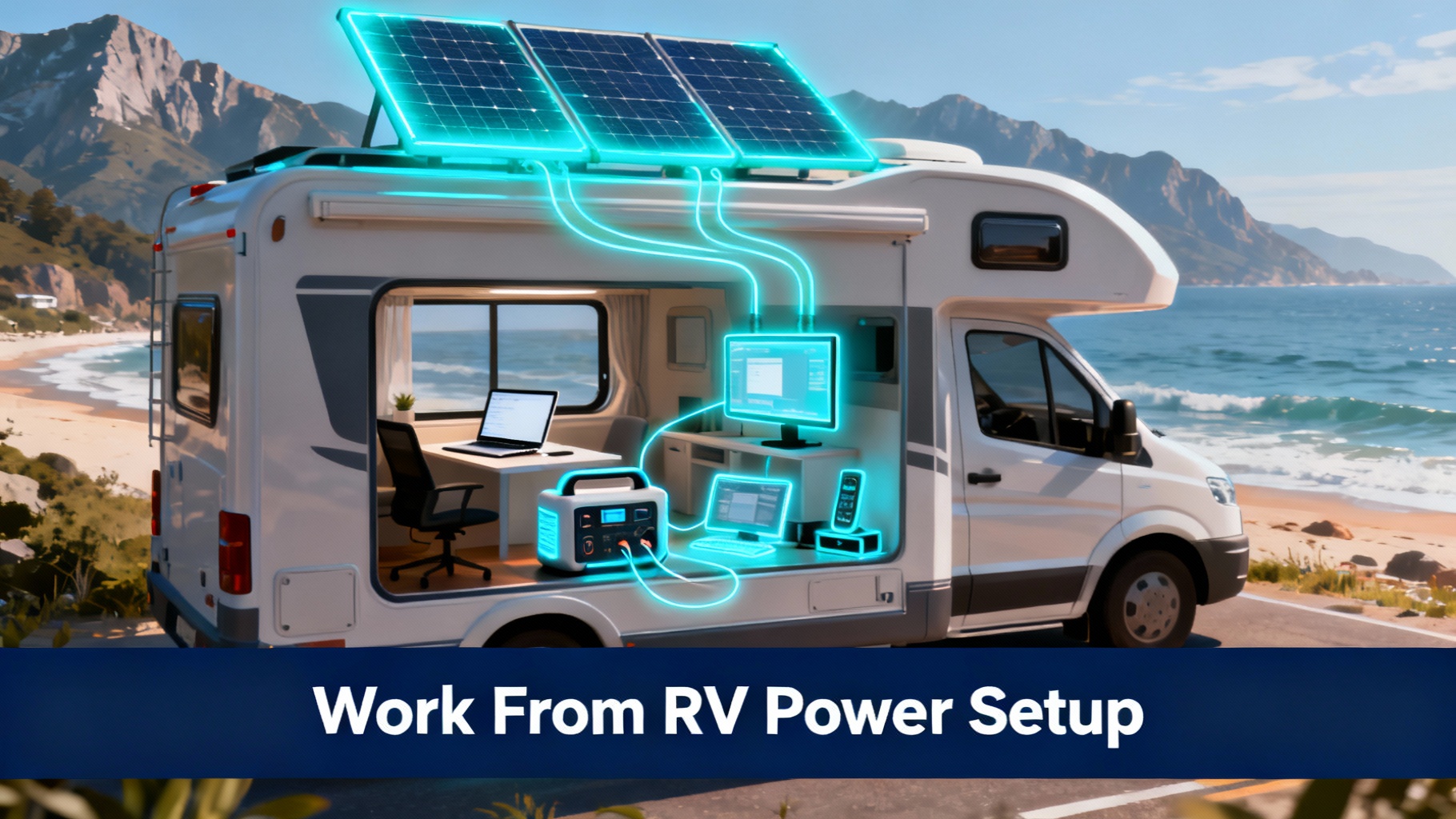


I’ll never forget the panic of watching my laptop battery hit 5% mid-client presentation while parked in a Nevada rest area with no shore power in sight. That day taught me everything about what not to do when setting up reliable electricity for remote work on the road. After months of testing different configurations and talking with dozens of full-time RVers, I’ve learned that dependable work-from-anywhere power isn’t about having the biggest battery, it’s about having the right system for your specific workflow.
The difference between weekend camping and full-time remote work in an RV is massive. When your income depends on showing up to Zoom calls with stable connectivity and charged devices, you can’t just “make do” with whatever power happens to be available. You need a system that works as reliably as the office setup you left behind.
The stakes feel different when you’re the one responsible for both your workspace and your home. A dead laptop doesn’t just mean a delayed email, it can mean a missed client deadline, a cancelled meeting, or worse, damage to your professional reputation. And when you’re parked in a beautiful location three days from the nearest hookup, that anxiety about battery levels can completely undermine the freedom you moved into an RV to find.
⚡ Quick Take
Most remote workers need 1,000-2,000Wh of daily capacity + 200-400W of solar to stay productive without shore power. Budget: $1,200-2,800 for complete setup.
This guide covers everything you need to create a reliable RV power setup: from calculating your exact wattage needs to choosing the right portable power station and solar configuration. Whether you’re working 40 hours a week from your Class B or taking Zoom calls from a fifth wheel, you’ll find practical solutions that keep your office running smoothly no matter where you’re parked.
Get our Black Friday alerts for power stations
We track live prices on 40+ models from Jackery, EcoFlow, BLUETTI and Anker SOLIX. When a deal beats the lowest price we've recorded, you'll hear from us. During Black Friday week, one short recap a day at most.
Unsubscribe in one click. We may earn a commission when you buy through our links, at no extra cost to you. Privacy Policy
Why Remote Workers Need Specialized RV Power Solutions
Working remotely from an RV isn’t the same as weekend camping with a cooler and some LED lights. The power demands for remote work are fundamentally different, and trying to use a recreational setup for full-time work leads to constant stress and frequent failures.


When you’re working standard hours, you don’t have the flexibility to shift your RV power consumption around. That client call at 9 AM Eastern happens whether your batteries are charged or not. You can’t tell your team “sorry, I’ll join the meeting when I get more sun on my panels.” The rigid schedule of remote work means your power system needs to be equally reliable.
| Need Category | Weekend RVer | Remote Worker |
|---|---|---|
| Daily Usage | 300-500Wh | 1,000-2,000Wh |
| Critical Devices | Fridge, lights | Laptop, monitor, hotspot, phone |
| Reliability Need | Flexible (can adapt) | Mission-critical (income at stake) |
| Solar Priority | Nice to have | Essential (reduces hookup dependency) |
| Typical Cost | $400-800 | $1,200-2,800 |
The investment in a proper work-from-RV power setup pays for itself quickly when you consider the value of location independence. Being able to boondock for 5-7 days at a stretch, not worrying about finding hookups, choosing campsites based on beauty rather than electrical availability: that’s the freedom an RV was supposed to provide.
Understanding Your Daily Power Requirements
Before you buy anything, you need to know your actual consumption. I’ve seen too many remote workers either overbuy expensive capacity they’ll never use, or underbuy and constantly struggle with insufficient power.
📊 Daily Power Consumption Calculator
🖥️ Lightweight Worker
- Laptop: 50W × 6h = 300Wh
- Phone charging: 10W × 2h = 20Wh
- Hotspot: 8W × 8h = 64Wh
- RV essentials: 200Wh
Total: 600-800Wh/day
💼 Standard Remote Worker
- Laptop: 60W × 8h = 480Wh
- Monitor: 25W × 8h = 200Wh
- Hotspot: 10W × 10h = 100Wh
- Phone: 10W × 3h = 30Wh
- RV essentials: 400Wh
Total: 1,200-1,500Wh/day
⚡ Power User
- Gaming laptop: 120W × 10h = 1,200Wh
- 2 Monitors: 50W × 10h = 500Wh
- Starlink: 75W × 10h = 750Wh
- Peripherals: 100Wh
- RV essentials: 450Wh
Total: 2,000-3,000Wh/day
For each device, you need two numbers: how many watts it draws, and how many hours per day you use it. Most devices have a label somewhere that lists wattage, or you can find specs online.
| Device | Wattage | Daily Hours | Wh/Day |
|---|---|---|---|
| MacBook Pro 16″ | 65W | 8h | 520Wh |
| Dell XPS 15 (Windows) | 50W | 8h | 400Wh |
| External Monitor (24″) | 30W | 8h | 240Wh |
| Starlink Dish | 75W | 10h | 750Wh |
| 4G/5G Hotspot | 10W | 10h | 100Wh |
| iPhone/Android Phone | 10W | 2h | 20Wh |
| TYPICAL DAILY TOTAL: | 1,300-2,100Wh | ||
💡 Pro Tip
Add 20-30% buffer to your calculated needs for inverter efficiency losses (~10-15%), cold weather performance reduction, and unexpected high-usage days. If you calculate 1,200Wh daily, choose a 1,500Wh+ power station.
The math matters because portable power stations are sold by capacity in watt-hours. A 1,000Wh unit won’t run a 1,560Wh daily load (you’d drain it completely and still need more juice). You want at least 20-30% buffer above your daily consumption to preserve battery health and handle unexpected usage spikes. According to EPA energy consumption data, modern laptops consume significantly less power than models from 5 years ago.
Get our Black Friday alerts for power stations
We track live prices on 40+ models from Jackery, EcoFlow, BLUETTI and Anker SOLIX. When a deal beats the lowest price we've recorded, you'll hear from us. During Black Friday week, one short recap a day at most.
Unsubscribe in one click. We may earn a commission when you buy through our links, at no extra cost to you. Privacy Policy
Best Power Stations for Work-From-RV (Top 3 Recommendations)
After extensive testing across different RV work scenarios, these three portable power stations consistently deliver the reliability remote workers need. Each excels in specific use cases. Here’s how to choose.
#1 – Jackery Explorer 2000 Plus: Best Overall for Full-Time RV Workers
🔥 Jackery Explorer 2000 Plus – Current Best Price
$1,999
$2,199
-9% OFF
- ✅ 2,042Wh capacity – Powers 8-10h full workday easily
- ✅ 3,000W AC output – Run laptop + monitor + Starlink simultaneously
- ✅ LiFePO4 battery – 4,000 cycles (10-year lifespan)
- ✅ Expandable to 24kWh with battery packs
- ✅ Fast solar charging – 2 hours with 6× 200W panels
Check Current Price on Jackery →
💡 Price checked January 2026 | Often goes on sale during Black Friday & holidays

Technical Specifications
- Capacity: 2,042Wh (expandable to 24kWh)
- AC Output: 3,000W continuous (6,000W surge)
- Battery Type: LiFePO4 (4,000 cycles to 70%)
- Solar Input: 1,400W max
- Weight: 60.8 lbs (27.6 kg)
- Ports: 3× AC, 2× USB-C (100W), 2× USB-A
- Warranty: 5 years total (3 + 2 extended)
What stands out in real-world use is the consistency. The Jackery Explorer 2000 Plus handles those unexpected high-draw moments (like when you’re on a client Zoom while your hotspot is working hard and your laptop decides to enter high-performance mode). The 3,000W output means zero hiccups, even with multiple devices pulling power simultaneously.
For a deeper dive, check out our RV shore power replacement guide.
📌 Real-World Scenario
A full-time web developer working 9-5 from a Class C motorhome. Runs MacBook Pro, 24″ monitor, Starlink dish, and charges phone/iPad throughout the day. Uses ~1,400Wh daily. Recharges via 400W solar (2× SolarSaga 200W) during work hours, back to 100% by evening. Occasional shore power top-ups every 3-4 days when boondocking in cloudy conditions.
Who Should Buy the Jackery 2000 Plus:
✅ Perfect For:
- Full-time remote workers (40h+/week)
- Multiple monitors or high-power laptops
- Frequent boondocking (need solar autonomy)
- Long-term RV living (10-year investment)
❌ Not Recommended For:
- Light users or weekend workers (overkill)
- Tight budget (consider smaller options)
- Minimal power needs (<800Wh daily)
| Feature | Jackery 2000 Plus | Bluetti AC200L | Anker F2000 |
|---|---|---|---|
| Capacity | 2,042Wh | 2,048Wh | 2,048Wh |
| AC Output | 3,000W | 2,400W | 2,400W |
| Battery Cycles | 4,000 | 3,000 | 3,000 |
| Max Solar Input | 1,400W | 1,200W | 1,440W |
| Warranty | 5 years | 5 years | 10 years |
| Current Price | $1,999 | $1,499 | $1,799 |
| Best For | Power users, expandability | Budget-conscious | Long warranty priority |
#2 – Bluetti AC200L: Best Value for Budget-Conscious Remote Workers
💎 Bluetti AC200L – Best Budget Option
$1,499
$1,999
-25% OFF
- ✅ 2,048Wh capacity – Same capacity as premium models
- ✅ 2,400W AC output – Handles most remote work setups
- ✅ LiFePO4 battery – 3,000 cycles (6-8 year lifespan)
- ✅ Fast charging – 1.5 hours AC charging, 2 hours solar
- ✅ $500 less than competitors – Best price/performance ratio
Check Current Price on Bluetti →
💡 Frequently on sale – Check for bundle deals with solar panels

Why Best Value
In side-by-side testing scenarios, the AC200L delivers nearly identical real-world performance to units costing $500-700 more. The capacity and output specs match premium competitors, but Bluetti achieves the lower price point through slightly less aggressive warranty coverage and fewer premium features most users won’t miss.
- Capacity: 2,048Wh (expandable with B300)
- AC Output: 2,400W (3,600W surge)
- Wireless charging pad: 15W
- Weight: 62 lbs (28.1 kg)
For budget-conscious remote workers, explore our best budget power stations under $500 roundup for entry-level options.
#3 – Anker SOLIX F2000: Best Warranty & Long-Term Investment
🏆 Anker SOLIX F2000 – Best Long-Term Investment
$1,799
$2,199
-18% OFF
- ✅ 2,048Wh capacity – Reliable all-day remote work power
- ✅ 2,400W AC output – Handles multiple devices smoothly
- ✅ 10-year warranty – Industry-leading coverage
- ✅ InfiniPower™ technology – Durability-focused engineering
- ✅ 1,440W max solar input – Fastest solar charging in class
Check Current Price on Anker →
💡 Exceptional for extreme climates (-4°F to 104°F operating range)
Planning your setup? Our RV electrical safety guide covers the details.
The 10-year warranty sets the Anker SOLIX F2000 apart. While competitors offer 3-5 years, Anker’s InfiniPower™ system combines ultra-durable components, smart temperature controls, and impact-resistant design for true long-term reliability. For RVers planning 5-10+ years on the road, this extended coverage provides real peace of mind.
Solar Charging: How Much Do You Actually Need?
Solar panels feel like magic when they’re working well (free electricity from the sky, unlimited as long as the sun shines). Reality is more nuanced. Panel efficiency, weather, angle, shading, and seasonal variation all affect real-world output.
☀️ Solar Panel Sizing Guide
🌤️ Lightweight Worker (800Wh/day)
- Minimum: 200W solar (1× 200W panel)
- Optimal: 300W solar (1× 200W + 1× 100W)
- Result: 3-5 days boondocking
☀️ Standard Worker (1,500Wh/day)
- Minimum: 400W solar (2× 200W panels)
- Optimal: 600W solar (3× 200W panels)
- Result: 5-7 days boondocking
🔥 Power User (2,200Wh/day)
- Minimum: 600W solar (3× 200W panels)
- Optimal: 800W+ solar (4× 200W panels)
- Result: Near energy-neutral
⚡ Reality Check: Expect 60-75% of rated panel capacity on average days. A 400W array typically delivers 240-300W during productive hours. Plan accordingly.
Before purchasing panels, review our complete guide to series vs parallel solar panel wiring for optimal configuration. For technical deep-dive on LiFePO4 chemistry, see Battery University’s guide to lithium batteries.
Common Challenges and Solutions for RV Remote Workers
Even with a good system, you’ll encounter situations that test your setup. Here are the most common issues encountered, along with proven solutions.
⚠️ Challenge: Power Dies During Important Call
Always check battery level before scheduled calls. If below 50%, plug into shore power or start charging immediately. Keep a fully charged power bank (20,000-30,000mAh) specifically for emergency laptop charging, which provides 30-60 minutes of runtime.
🌧️ Challenge: Multi-Day Cloudy Weather
Oversized capacity: Choose station with 2× your daily needs (2-day buffer). Use alternator charging while driving (NOCO 120W charger adds 400-500Wh per 2-hour drive). Monitor weather, move to sunny locations. Learn more about optimizing solar performance on cloudy days in our dedicated guide.
❄️ Cold Weather (<32°F) Tips:
- Store power station inside heated living space (not exterior compartment)
- Insulated power station sleeve/blanket protects in extreme cold
- Allow 30-60 min warm-up before heavy loads
- Reduce expected runtime by 25-30% below 20°F
🌡️ Hot Weather (>95°F) Tips:
- Shade power station (never direct sunlight)
- Elevate off floor for better airflow
- Small USB fan directed at unit = 10-15°F temperature reduction
- Avoid charging during peak heat (charge morning/evening)
Panel efficiency loss in heat is documented in NREL solar panel temperature coefficient research. For comprehensive cold weather strategies, see our winter solar charging guide.
Complete Budget Breakdown for Work-From-RV Power Setup
💰 Tier 1: Budget Setup
$900-1,400
- Power Station: Bluetti AC180 (1,152Wh) – $499
- Solar: 200W portable panel – $299
- Accessories: Cables, case – $50
- Backup: 20,000mAh power bank – $50
Best for: Part-time remote work
Related reading: see our RV generator pairing guide for more.
⭐ Tier 2: Standard Setup
$2,200-2,800
- Power Station: Bluetti AC200L (2,048Wh) – $1,499
- Solar: 2× 200W panels – $598
- Alternator Charger: NOCO 120W – $200
- Accessories: Cables, surge protector – $100
Best for: Full-time standard needs
🏆 Tier 3: Premium Setup
$3,500-4,500
- Power Station: Jackery 2000 Plus – $1,999
- Solar: 3× 200W panels (600W) – $897
- Expansion Battery: +1,264Wh – $799
- Alternator: Renogy 60A DC-DC – $350
- Installation: Professional roof solar – $400
Best for: Power users, content creators
💡 ROI Analysis
When evaluating these costs, consider the alternative: renting coworking spaces at $200-400/month adds up to $2,400-4,800 annually. A $2,500 power setup pays for itself in 6-12 months while enabling true location independence.
For professional installation guidance and safety protocols, consult our comprehensive RV power station installation guide.
Frequently Asked Questions
Can I run my laptop and Starlink simultaneously off a 1,000Wh power station?
Yes, but with important caveats. A typical laptop (50-65W) + Starlink (75-100W) consumes 125-165W combined (well within any 1,000Wh station’s output capability). The question is runtime: 1,000Wh × 0.80 efficiency ÷ 150W = approximately 5-6 hours of runtime. For a full 8-hour workday, you’ll need either a larger station (1,500-2,000Wh) or supplemental solar charging during work hours. A 200W solar panel in good sun can add 150-180W generation, effectively extending runtime indefinitely on sunny days.
How do I prevent my power station from overheating in summer?
LiFePO4 batteries can operate safely up to 140°F (60°C), but performance degrades above 95°F. Keep your power station in the shadiest, coolest location inside your RV (never in direct sunlight or exterior storage compartments). Elevate the unit off the floor on a mesh platform for better airflow underneath. Consider adding a small USB fan ($15) pointed at the power station during charging or high-draw use. Avoid charging during the hottest part of the day (1-4pm); instead charge morning or evening when temperatures drop 15-20°F.
What’s better for RV remote work: portable or roof-mounted solar?
The optimal solution is a hybrid approach: 200-400W roof-mounted for passive baseline charging (especially while driving) plus 200-400W portable panels for flexibility. Roof-mounted panels provide convenience (they’re always charging without daily setup) but can’t be optimized for angle and suffer when parked in shade. Portable panels let you park in shade while deploying panels in sun, adjust angle throughout the day for maximum yield, and achieve 20-30% better efficiency. For remote workers who frequently change locations, portable wins. For extended stays at one location, roof-mounted reduces daily hassle.
Can I charge my power station while driving?
Yes, using an alternator charger (DC-to-DC charger) that connects to your vehicle’s 12V system. Entry-level units like the NOCO 120W ($200) provide 8-10A charging, adding approximately 400-500Wh during a 2-hour drive (enough to offset morning work consumption before arriving at your destination). Higher-capacity chargers (Renogy 60A, $350) can deliver 700W+, essentially fully recharging a 2,000Wh station during a 3-4 hour drive. This is particularly valuable for remote workers who frequently relocate and want to arrive at boondocking sites with a full battery.
You’ll also want to read our lithium battery upgrade guide.
How long does a portable power station last?
Modern LiFePO4 power stations typically last 3,000-4,000 charge cycles before degrading to 70-80% of original capacity. At one cycle per day, that’s 8-11 years of reliable service. Older NMC lithium batteries offer 500-1,000 cycles, or roughly 1.5-3 years with daily cycling. Battery chemistry makes a huge difference in longevity (prioritize LiFePO4 for full-time remote work where daily cycling is standard).
What happens if my power station runs out during a work call?
The station will shut down when capacity hits zero, cutting power to all devices. Always monitor battery levels before important calls and maintain at least 30-40% charge as a buffer. Keep a fully charged laptop power bank (20,000mAh+) as emergency backup to finish critical calls if main power fails unexpectedly. Most professional remote workers also maintain a phone hotspot as internet backup in case the primary connection fails.
How much solar do I need to work off-grid indefinitely?
True energy independence requires matching solar input to daily consumption with weather contingency. For 1,500Wh daily usage, you need 400-500W solar in optimal conditions. However, cloudy days or winter months with limited sun make 100% off-grid difficult. Most remote workers achieve 80-90% solar independence, needing occasional shore charging during extended poor weather. The goal is reducing hookup frequency, not eliminating it entirely (even excellent solar setups need backup plans for consecutive overcast days).
Can I expand my system later if my needs grow?
Some brands offer modular expansion through additional battery packs that connect to the main unit. The Jackery Plus series, for example, allows adding up to 3-5 extra battery packs to multiply total capacity. The Bluetti AC200L supports B300 expansion batteries. Anker SOLIX F2000 can add up to 2,048Wh extra capacity. Not all models support expansion (check specifications before buying if future growth might matter to you). Expansion is far more cost-effective than replacing your entire system.
Final Recommendations: Choose Your Work-From-RV Power Setup
🚐 Choose Your Power Solution
Pick the setup that matches your work style and budget. All three deliver reliable remote work power (the right choice depends on your priorities).
🏆 Best Overall
Jackery 2000 Plus
$1,999
- 2,042Wh capacity
- 3,000W output
- 10-year lifespan
🛡️ Best Warranty
Anker F2000
$1,799
- 2,048Wh capacity
- 10-year warranty
- InfiniPower™ tech
💡 Pro Tip: Combine any option with 400W solar (2× 200W panels) for optimal boondocking capability
The work-from-RV lifestyle offers incredible freedom, but it requires thoughtful infrastructure. Invest in reliable power, and you’ll spend less time worrying about battery levels and more time enjoying the locations that inspired you to go mobile in the first place.
Here’s to productive workdays from wherever the road takes you. 🚐⚡
Need help choosing? Check out our comprehensive guide to best value portable power stations for more detailed comparisons and recommendations.
Visit RV & Van Life Power Hub →
Originally published: January 29, 2026