
The power’s been out for 48 hours. Your fridge is warming. Your phone’s at 12%. The utility says “unknown restoration time.” This is when most people realize: their power bank isn’t enough.
According to recent data from the Department of Energy, the average American experiences power outages lasting 3 to 7 days at least once every five years. Yet studies show that fewer than 40% of households have any backup power plan beyond flashlights and batteries. When hurricanes, winter storms, or grid failures strike, the gap between preparation and reality becomes painfully clear.
Planning for extended outages isn’t about fear—it’s about realistic assessment of your needs and building proportional solutions. Whether you’re facing 3 days after a regional storm or preparing for 14+ days in a remote location, the approach is the same: understand your critical loads, calculate your capacity requirements, and choose the best emergency power backup for home that scales with your actual usage patterns.
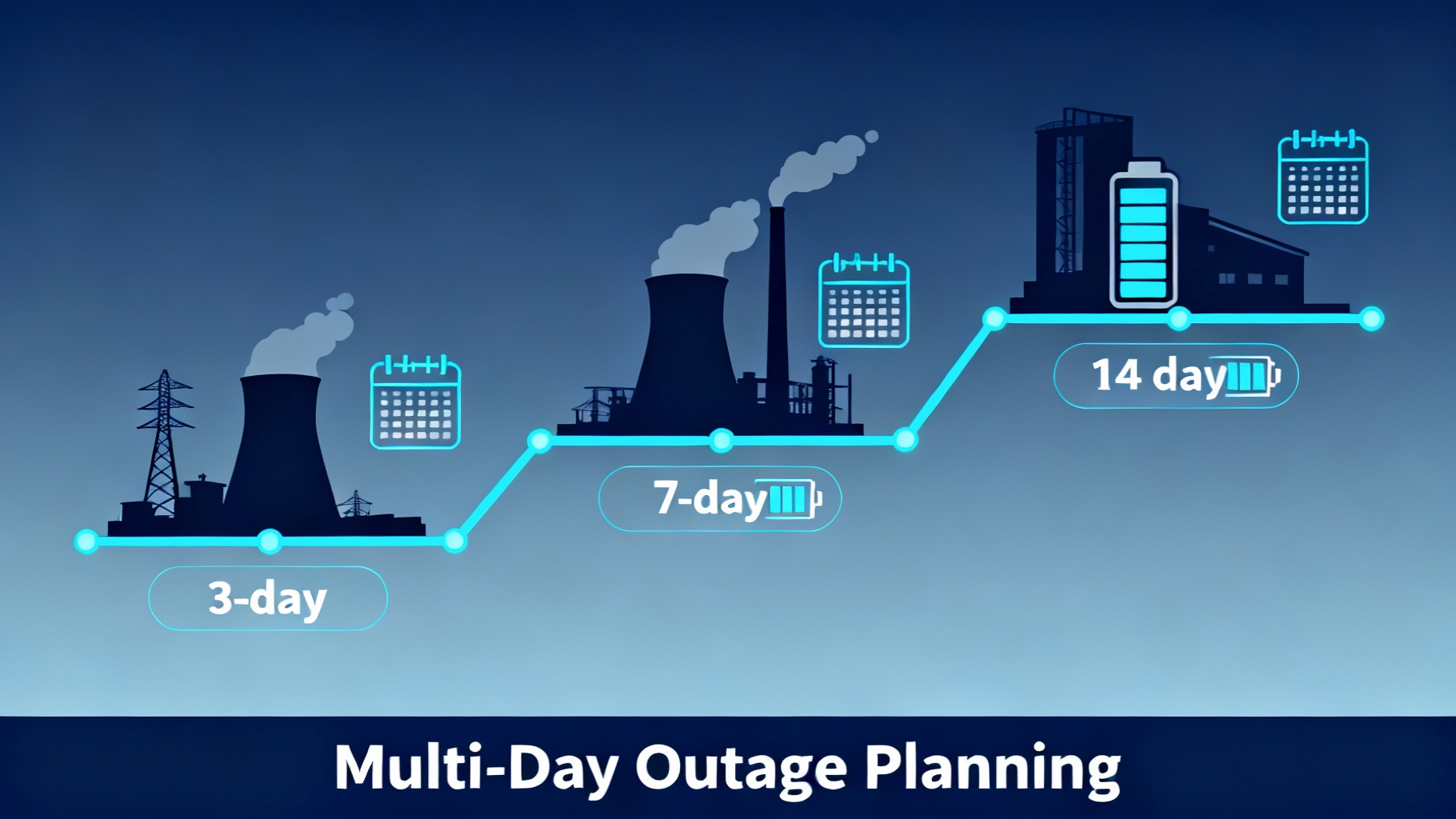
This guide breaks down multi-day outage planning into three actionable tiers based on duration: Essential Survival (3 days), Comfortable Resilience (7 days), and Long-Term Independence (14+ days). For each tier, we’ll cover capacity requirements, budget ranges, recommended power stations for home backup from Jackery, Bluetti, and Anker, and the solar infrastructure you’ll need to sustain operations. For a dedicated hurricane solution, our E10 hurricane backup planning guide covers Anker’s whole-home approach.
🏆 Our Top Pick for 7-Day Outage Protection

Jackery Solar Generator 2000 Plus
Why we recommend it: The perfect balance of capacity (2,042Wh expandable to 24kWh), power (3,000W continuous/6,000W surge), and solar charging (800W max input). LiFePO4 battery lasts 10+ years with 4,000 cycles.
- 2,042Wh capacity – Powers refrigerator 2-3 days
- Fast solar charging – 2 hours with 6×200W panels
- 5-year warranty – 3+2 years automatic extension
$3,099 | Includes 2× SolarSaga 200W panels | Free shipping
Get the 1-page outage plan
What to plug in first, how long a fridge really runs on a battery, and the 3 safety rules for connecting a power station to your home. Printable, sent by email.
About one email a week. Unsubscribe in one click. We may earn a commission when you buy through our links, at no extra cost to you. Privacy Policy
Understanding Multi-Day Outages: What You’re Really Planning For
Before investing in the best portable power station for power outage scenarios, you need to understand what actually causes outages lasting 3 to 14+ days. This isn’t about daily rolling blackouts or brief weather disruptions—these are extended grid failures that test your preparation limits.
The primary causes break down into five categories. Hurricane and tropical storm damage accounts for the longest average outages, with Category 3+ storms routinely causing 7 to 14 days of power loss in affected areas. Hurricane Ian in 2022 left hundreds of thousands without power for two weeks across Florida’s southwest coast. Winter storms create similar durations but across broader geographic areas—the Texas freeze in February 2021 knocked out power for 4 to 7 days for millions of residents.
📍 Extended Outage Risk Zones by Region (2020-2024 Data)
🔴 High Risk (7-14+ days)
Gulf Coast & Atlantic: Hurricane season (June-Nov)
Average outages: 1-2 per year, 7-14 days
Regions: FL, TX, LA, NC, SC
🟡 Moderate Risk (3-7 days)
Northern States: Winter storms (Dec-Feb)
Average outages: Once every 2-3 years, 3-7 days
Regions: Midwest, Northeast, Mountain states
🟢 Lower Risk (1-3 days)
Urban/Suburban: Infrastructure issues
Average outages: Once every 3-5 years, 1-3 days
Regions: Dense metro areas, stable grids
Data sources: NOAA historical data and DOE power outage statistics 2020-2024
Wildfire prevention blackouts in California have evolved into planned 2 to 5 day shutdowns during high wind events. Infrastructure aging contributes to cascading failures that can extend simple equipment malfunctions into multi-day restoration efforts. Finally, grid cyberattacks or physical sabotage, while rare, represent emerging threats with unpredictable restoration timelines.
Common Causes of Extended Outages
Hurricane and major storm damage leads the list of extended outage causes. When sustained winds exceed 100 mph, distribution infrastructure fails catastrophically. Power poles snap, transformers blow, and substations flood. Restoration requires not just repairs but often complete rebuilds of damaged sections. Hurricane Ian demonstrated this reality across Lee and Charlotte counties in Florida, where some communities waited 14+ days for restoration.
Winter storms combine ice, snow, and extreme cold to create compound failures. The weight of ice accumulation snaps power lines and brings down tree limbs onto distribution systems. Extreme cold increases electricity demand just as generation capacity drops. Texas in 2021 showed how winterization failures cascade—frozen natural gas wells reduced fuel supply to power plants, forcing rolling blackouts that evolved into extended outages as equipment failures compounded.
Wildfire prevention has evolved into planned extended outages across the Western states. When weather conditions combine low humidity, high winds, and dry vegetation, utilities preemptively shut down power to prevent equipment sparks from igniting fires. These Public Safety Power Shutoffs (PSPS) routinely last 2 to 5 days, with restoration delayed until conditions improve and crews can physically inspect all de-energized lines.
How Long Should You Really Plan For?
The answer depends on your geographic risk profile and personal tolerance for uncertainty. However, some general principles apply across most scenarios.
According to FEMA recommendations, households should prepare for at least 3 days of self-sufficiency during any disaster. This baseline assumes emergency services and utility restoration will mobilize within 72 hours. For most urban and suburban areas affected by localized outages, this timeline holds. Your goal at the 3-day level is basic comfort—keeping food cold, maintaining communications, and meeting medical device needs if applicable.
Planning for 7 days covers approximately 90% of realistic outage scenarios based on historical data. Major hurricanes, significant winter storms, and most infrastructure failures resolve within a week. If you live in a high-risk area—coastal regions during hurricane season, northern states with harsh winters, or Western states with wildfire exposure—7-day planning makes sense.
💡 Pro Tip: Plan for 2× your expected need. If historical data suggests 5-day outages in your area, prepare for 10 days. Weather is becoming less predictable, infrastructure is aging, and restoration timelines regularly exceed initial utility estimates.
Fourteen-plus days represents serious prepper territory or applies to specific high-risk situations. Remote locations, off-grid lifestyles, areas with demonstrated infrastructure weakness, or situations where you’re supporting vulnerable individuals may justify this level of emergency backup power systems preparation.
The 3-Tier Power Outage Planning Framework
Rather than approaching backup power by budget or specific products, this framework structures planning around outage duration and expected lifestyle maintenance. Each tier represents a clear step up in capacity, cost, and complexity for your best battery backup for home power outage needs.
🏔️ The 3-Tier Emergency Power Framework
TIER 3: Long-Term Independence
14+ Days Coverage
- Capacity: 5,000-10,000Wh+ (expandable)
- Budget: $5,000-$12,000+
- Solar: 800-1,200W+ arrays required
- Loads: HVAC, well pump, full home
Best for: Remote locations, off-grid, medical needs
TIER 2: Comfortable Resilience
7 Days Coverage
- Capacity: 2,000-4,000Wh
- Budget: $2,000-$4,500
- Solar: 400-600W panels essential
- Loads: Fridge, AC/heat, devices, cooking
Best for: Suburban homes, high-risk regions
TIER 1: Essential Survival
3 Days Coverage
- Capacity: 1,500-2,500Wh
- Budget: $1,000-$1,800
- Solar: 200W optional but helpful
- Loads: Fridge, lights, phones, medical
Best for: Urban/suburban, apartments, couples
Understanding which tier matches your needs starts with honest assessment. Where do you live? What’s your regional outage history? Do you have medical devices requiring constant power? Are there vulnerable household members—young children, elderly parents, individuals with health conditions? What’s your realistic budget for the best power station for home backup preparedness?
Tier 1 – Essential Survival (3-Day Outage)
Tier 1 focuses on maintaining life safety and basic comfort for 72 hours. Your goal is preserving food, maintaining communications, providing basic lighting, and supporting any medical devices. This isn’t about watching Netflix or running air conditioning—it’s about intelligent load management to extend limited capacity.
Critical loads at this level typically include: a refrigerator (cycling, not continuous), LED lighting (5-10W total), phone and laptop charging (50-100W), a small TV or radio for information (50-100W), and any medical devices (CPAP machines, nebulizers, oxygen concentrators). If you add up these loads and multiply by their runtime requirements, you’ll land in the 1,500 to 2,500Wh capacity range for 3-day coverage.

Jackery Explorer 1000 v2
Capacity: 1,070Wh
Output: 1,500W continuous
Price: $499
Ideal for apartments and urban dwellers needing 3-day essential coverage.

Anker SOLIX C1000X
Capacity: 1,056Wh (expandable to 2,112Wh)
Output: 1,800W (2,400W SurgePad)
Price: $999
HyperFlash charging reaches 80% in 58 minutes—fastest in class.
💼 Best Tier 1 Value: Jackery Explorer 1000 v2
Why we recommend it: Perfect balance of capacity, fast charging, and price for essential 3-day coverage. Its 100W USB-C port charges a laptop at full speed, and the 1,500W output handles most refrigerators and essential appliances.
$499 | LiFePO4 battery | 5-year warranty | Free shipping
The limitation at Tier 1 is comfort sacrifice. You won’t run air conditioning or heating systems beyond small space heaters. Cooking requires propane or careful management of electric options like instant pots limited to off-peak hours. Tier 1 works best for apartment dwellers, couples without major medical needs, and households in urban areas where utilities restore power quickly.
Tier 2 – Comfortable Resilience (7-Day Outage)
Tier 2 shifts from survival to maintaining a reasonably normal routine for one week. You’re still making compromises—no central air conditioning, limited electric heating, careful appliance scheduling—but you’re not living in survival mode. The goal is preserving normalcy for household members, especially if you have children, work-from-home requirements, or medical considerations.
For other emergency scenarios, see our best power stations for large houses.
Expanded loads at this level include everything from Tier 1 plus: limited window AC units (800-1,200W) or space heaters (500-1,500W) for climate control in key rooms, microwave or electric cooking appliances used strategically (1,000-1,500W), washing essentials, TV and entertainment for morale, and expanded device charging for tablets, laptops, and other electronics.
The capacity sweet spot for 7-day comfort falls between 2,000Wh and 4,000Wh, with solar charging becoming essential rather than optional. This is where the best solar generator for power outage scenarios truly shine.

Jackery Solar Generator 2000 Plus
Capacity: 2,042Wh (expandable to 24kWh)
Output: 3,000W / 6,000W surge
Solar Input: 800W max (2hr full charge w/ 6×200W)
Battery: LiFePO4, 4,000 cycles, 10-year lifespan
Warranty: 5 years (3+2 auto extension)
Bundle includes 2× SolarSaga 200W panels (23% efficiency). Perfect for 7-day comfortable outage coverage with daily solar recharging.

Anker SOLIX F2600
Capacity: 2,560Wh (expandable w/ BP2600)
Output: 2,400W / 2,800W surge
Solar Input: 1,000W max
Battery: LiFePO4, 3,000 cycles
Warranty: 5 years
HyperFlash charging reaches 80% in 1.5 hours from AC. Excellent for rapid recharge scenarios. Bundle with 2× 200W solar panels available.
Solar infrastructure becomes critical at Tier 2. At minimum, you need 400W of solar input to meaningfully extend your runtime. With 400-600W of panels, you’ll generate 1,500-2,500Wh per day in average conditions, effectively meeting your daily consumption and maintaining battery charge. Budget for Tier 2 ranges from $2,000 to $4,500 depending on your chosen capacity and solar array size.
Tier 3 – Long-Term Independence (14+ Day Outage)
Tier 3 represents comprehensive home backup approaching off-grid capability. You’re no longer sacrificing comfort—you’re managing loads intelligently but running most household systems including HVAC, well pumps if applicable, and full kitchen appliances. This level requires significant investment in both equipment and infrastructure for the best whole home solar generator implementation.
Required capacity starts at 5,000Wh but realistically scales to 10,000-15,000Wh for true two-week autonomy. The Jackery Explorer 5000 Plus Whole Home Kit provides 5,000Wh base capacity expandable to massive 24kWh through multiple battery packs. The system includes a transfer switch for whole-home integration, allowing you to power circuits throughout your house rather than running extension cords.
🏠 Whole-Home Backup Solutions (Tier 3)
Jackery 5000 Plus System
Base: 5,000Wh → 24kWh expandable
Output: 6,000W split-phase (120/240V)
Investment: $9,799+ (complete kit)
On a related note, our hurricane preparedness checklist is essential reading.
Includes transfer switch, supports whole-home integration, powers HVAC and major appliances.
Anker F3800 System
Base: 3,840Wh → 26.9kWh expandable
Output: 6,000W split-phase (120/240V)
Investment: $13,225+ (with expansion)
2,400W solar input allows 0-80% charge in 1.5 hours. App control for comprehensive energy management.
Solar infrastructure at Tier 3 requires 800W to 1,200W+ of panel capacity to offset daily consumption. Most Tier 3 users install 1,000W+ arrays with professional mounting on roofs or ground-mount racks. The investment for Tier 3 ranges from $5,000 at the entry level to $12,000+ for comprehensive capability.
Tier 3 users typically include those living in remote rural locations with frequent multi-day outages, off-grid property owners supplementing solar systems, households with critical medical equipment requiring 24/7 power, or serious preparedness enthusiasts committed to long term power outage survival self-sufficiency.
Get the 1-page outage plan
What to plug in first, how long a fridge really runs on a battery, and the 3 safety rules for connecting a power station to your home. Printable, sent by email.
About one email a week. Unsubscribe in one click. We may earn a commission when you buy through our links, at no extra cost to you. Privacy Policy
Calculating Your Power Needs by Outage Duration
Before buying any system, you need to understand your actual power consumption for extended power outage preparation. The industry loves to market capacity numbers—”2,000Wh!” “3,000W output!”—but those numbers mean nothing until you map them to your specific loads and timeframes.
Start with your critical devices and appliances. Walk through your home and list everything you’d need during an outage. For each item, you need two numbers: running watts and estimated daily runtime hours. Running watts tells you whether your power station can handle the load. Runtime hours determines how much capacity you’ll consume.
⚡ Daily Power Consumption Calculator
| Device | Running Watts | Hours/Day | Daily Wh |
|---|---|---|---|
| Refrigerator | 150W | 8h (cycling) | 1,200Wh |
| LED Lights (8 bulbs) | 40W | 5h | 200Wh |
| Phones (4× charging) | 60W | 2h | 120Wh |
| Laptop (2× devices) | 100W | 4h | 400Wh |
| CPAP Machine | 40W | 8h | 320Wh |
| Small Fan | 30W | 10h | 300Wh |
| TOTAL DAILY CONSUMPTION: | 2,540Wh | ||
Add 25-30% margin for efficiency losses → Recommended capacity: 3,000-3,200Wh
Understanding Watt-Hours vs Watts
This confusion trips up nearly every first-time buyer. Watts and Watt-hours measure different things and understanding the difference determines whether you buy the right portable power station power outage system.
Watts measure power—the rate of energy consumption at a given moment. Your refrigerator draws 150W when running. Your microwave draws 1,000W when heating food. Watts tell you whether your power station can handle the load.
Watt-hours measure energy capacity—the total amount of power available over time. A battery with 1,500Wh capacity could theoretically power a 150W refrigerator for 10 hours (150W × 10 hours = 1,500Wh). In reality, you’ll get less due to inverter inefficiency (typically 85-90% efficiency).
⚠️ Important: Check watts to ensure you can run each device. Check watt-hours to determine how long you can run those devices. A 2,000Wh power station with 3,000W output can run a 1,200W microwave (watts are sufficient) but only for about 90 minutes before depleting (2,000Wh ÷ 1,200W × 0.85 efficiency = 1.4 hours).
Essential Features to Look For in Emergency Power Stations
Not all power stations and solar generators perform equally. Certain features separate reliable long-term solutions from frustrating cheap alternatives. Understanding these features helps you compare systems effectively and avoid expensive mistakes when choosing the best emergency power station.
Battery Chemistry: LiFePO4 vs NMC
Battery chemistry determines lifespan, safety, and long-term cost-effectiveness. Two technologies dominate portable power stations: NMC (Nickel Manganese Cobalt) and LiFePO4 (Lithium Iron Phosphate).
NMC batteries offer higher energy density, meaning more capacity in a smaller, lighter package. They charge faster and cost less to manufacture. However, they typically last only 500-800 cycles to 80% capacity retention. For occasional users—true 3-day emergency backup used once or twice a year—NMC batteries work fine.
LiFePO4 batteries provide 3,000-4,000 cycles to 80% capacity, lasting 4-6× longer than NMC. They’re safer with better thermal stability and lower fire risk. The tradeoff is larger size, heavier weight, and higher upfront cost. For regular users, off-grid applications, or anyone planning frequent charge cycles, LiFePO4 pays back its premium through extended lifespan.
💡 Pro Tip: All Tier 2 and Tier 3 recommendations in this guide use LiFePO4 chemistry. The Jackery Explorer 2000 Plus, Bluetti AC200L, and Anker F2600 all feature LiFePO4 batteries with 3,000+ cycle ratings for the best power station for emergency longevity.
Solar Input Capacity and Efficiency
Solar input capacity determines how quickly you can recharge from solar panels. This specification, measured in watts, represents the maximum solar charging speed the power station can accept.
A system with 400W max solar input can accept up to 400W of solar panels. Connect 600W of panels and you’re still limited to 400W charging speed—the extra panels add cost without benefit. Higher solar input allows faster recharging or more flexibility in less-than-perfect sun conditions.
Don’t miss our best Jackery for home backup for related preparation tips.
| Model | Max Solar Input | Capacity | Full Charge Time |
|---|---|---|---|
| Jackery 2000 Plus | 800W | 2,042Wh | ~2.5 hours |
| Bluetti AC200L | 1,200W ✓ | 2,048Wh | ~1.7 hours |
| Anker F2600 | 1,000W ✓ | 2,560Wh | ~2.6 hours |
| Anker C1000X | 600W | 1,056Wh | ~1.8 hours |
MPPT (Maximum Power Point Tracking) charge controllers optimize solar charging efficiency. All quality systems include MPPT technology, but implementation quality varies. Systems with advanced MPPT algorithms extract 5-10% more energy from panels than basic controllers, particularly in marginal conditions (partial shade, clouds, non-optimal panel angles).
Solar Charging Strategy for Extended Coverage
Solar panels transform your power station from a large battery with finite capacity into a renewable energy system capable of indefinite operation. For anything beyond 3-day scenarios, solar becomes essential rather than optional for the best portable power station for home backup performance.
Calculating Your Solar Needs
The fundamental equation for solar sizing is simple: your daily consumption must be less than your daily solar generation. If you consume 2,000Wh daily, you need to generate 2,000Wh+ daily to maintain equilibrium. Accounting for inefficiency and non-optimal conditions, size your solar array to generate 1.25-1.5× your daily consumption.
☀️ Solar Panel Sizing Calculator
Example: Florida Location
400W solar panels
5 peak sun hours/day (average)
0.85 system efficiency
= 1,700Wh daily generation
Peak Sun Hours by Region
Southern States: 4.5-5.5 hours
Central States: 4-5 hours
Northern States: 3-4.5 hours
Winter (all regions): -20 to -40%
If your daily consumption is 2,000Wh, a 400W panel providing 1,700Wh meets 85% of your needs, requiring 300Wh daily from battery reserves. Over 7 days, you’d draw down 2,100Wh from battery capacity—a 2,500Wh battery handles this easily with margin.
Choosing Quality Solar Panels
Solar panel efficiency determines how much power you generate per square foot of panel area. Budget panels provide 15-17% efficiency. Premium panels achieve 22-24% efficiency—requiring 30-40% less space for the same power output.

Jackery SolarSaga 200W
Efficiency: 23% (monocrystalline)
Weight: 15 lbs per panel
Features: Foldable, kickstands, weather-resistant
Premium panels with 5-year warranty (3+2 auto extension). Optimized for Jackery power stations.

Bluetti SP200L 200W
Efficiency: 23.4% (monocrystalline)
Price: $349 (30% off $499)
We also recommend reading our best power stations for refrigerator backup.
Features: Foldable, IP65 rated, adjustable
Excellent value for money. Compatible with most power stations via MC4 connectors.
Common Mistakes to Avoid
Learning from others’ mistakes saves money and frustration when planning your power station for outage protection. These errors appear repeatedly in user reviews and forum discussions about backup power systems.
⚠️ Top 5 Emergency Power Planning Mistakes
1. Underestimating Consumption
Buying insufficient capacity based on optimistic estimates. Stress and boredom during outages increase device usage 30-40% beyond normal.
Solution: Add 30-40% margin to calculations
2. Neglecting Solar Investment
Prioritizing battery capacity over solar panels. A 3,000Wh battery without solar depletes in 1-2 days. The same battery with 600W solar runs indefinitely.
Solution: Budget for adequate solar upfront
3. Ignoring Surge Requirements
Focusing on running watts without considering surge. Refrigerator compressor startup can surge 3× running watts, tripping overload protection.
Solution: Check surge ratings for motor loads
4. Not Testing Before Emergency
Learning system limitations during actual outage. Many buyers never test their setup until a real emergency strikes.
Solution: Schedule quarterly practice outages
5. Poor Cable Management
Using undersized or damaged cables reduces charging efficiency 10-20%. Cheap extension cords cause voltage drop and power loss.
Solution: Use properly-rated MC4 solar cables
⚡ Highest Solar Input: Bluetti AC200L
Why it stands out: The AC200L features high solar input capacity (1,200W) in its class—ideal for rapid recharging during short weather windows. With modular B230/B300 expansion batteries, scale from 2kWh to 8kWh+ as needs grow.
- 1,200W solar input – Fast solar charging
- 2,048Wh capacity – Expandable to 8,192Wh
- 16 output ports – Power everything simultaneously
Starting at $1,299 | 4-year warranty | Free shipping
Cost Analysis: Investment vs Value
Backup power systems represent significant investment. Understanding the cost-benefit tradeoffs helps justify expenditure and choose appropriate solutions for your situation.
💰 10-Year Total Cost of Ownership Comparison
Battery + Solar System
Initial: $3,000-4,500
Maintenance: ~$50 (10 years)
Fuel: $0
Noise: Silent operation
Preparation is everything — see our best Bluetti for home backup.
Lifespan: 10-15 years
Total: $3,050-4,550
Gas Generator System
Initial: $800-2,000
Maintenance: ~$1,200 (10 years)
Fuel: ~$2,000+ (multi-outages)
Noise: 60-70dB constant
Lifespan: 5-8 years
Total: $4,000-5,200+
Assumes 3-4 multi-day outages over 10 years. Generator requires gas ($5/gal), oil changes, repairs. Battery system has near-zero operating costs.
One major advantage of battery-based power stations over generators is minimal ongoing cost. A generator requires oil changes every 50-100 hours ($20-40), spark plug replacement annually ($10-30), air filter replacement ($15-25), and periodic carburetor cleaning ($50-200). Over 10 years, maintenance costs easily exceed $1,000-2,000.
Battery systems require essentially zero maintenance. Keep terminals clean, store in temperature-controlled environments when possible, and run charging cycles every 3-6 months if stored long-term. Total 10-year maintenance cost is typically under $100.
Real-World Outage Scenarios and Solutions
Understanding how different outage scenarios play out helps you evaluate whether your preparation is adequate for extended power outage preparation or needs adjustment.
Hurricane Preparation: 7-10 Day Scenario
Hurricanes provide advance warning allowing preparation time. Charge all batteries to 100% in the 24-48 hours before expected impact. Store extra fuel if you have generator backup. Fill bathtubs for non-drinking water. Prepare emergency supplies beyond power—food, water, medications.
The typical hurricane outage pattern includes complete grid failure during the storm lasting 1-3 days, followed by partial restoration as crews work through affected areas over 5-10 days. A Tier 2 system (2,000-2,500Wh battery + 400-600W solar) handles the typical household through this scenario with careful load management.
The main challenge during hurricane recovery is weather—often days of overcast skies reducing solar generation to 30-40% of normal. Budget this in your planning. If your system normally generates 2,000Wh daily in optimal conditions, expect only 600-800Wh daily in post-storm overcast. This reality makes slightly oversized solar arrays (600W vs 400W) particularly valuable in hurricane-prone regions. Review our dedicated hurricane power backup guide for storm-specific preparation strategies.
Winter Storm: 3-5 Day Scenario
Winter storms arrive with shorter notice than hurricanes—typically 24-48 hours versus 3-5 days. The advantage is shorter typical duration—most winter storm outages resolve within 3-5 days as temperatures moderate.
The challenge is heating. A typical home furnace draws 600-900W when running, consuming 1,500-3,000Wh daily. Your 2,000Wh battery can’t sustain the furnace plus other loads. Space heaters offer a compromise—running 500-1,000W heaters in occupied rooms only, rather than trying to heat the whole house.
Winter presents the worst conditions for solar charging. Short days (8-9 hours daylight), low sun angle, and overcast skies combine to reduce generation to 20-30% of summer rates. Plan accordingly—either accept that winter events will deplete batteries requiring careful load management, or size your battery capacity 2-3× larger knowing you can’t rely on solar during winter events.
Getting Started: Your Action Plan
You’ve now understood multi-day outage planning, capacity requirements, product options from the best emergency lights for home power failure to whole-home systems, and implementation strategies. The remaining question is: what should you actually do next?
Start with honest assessment. Which tier matches your risk profile? Tier 1 if you’re in a relatively reliable grid area with infrequent outages. Tier 2 if you face regular seasonal storm threats or live in an area with demonstrated infrastructure weakness. Tier 3 only if you have specific justification—remote location, medical needs, serious prepper commitment.
Once you’ve identified your tier, prioritize your first purchase. For most readers, that means a 1,000-2,000Wh power station appropriate for their tier plus minimal solar panels if budget allows. For comprehensive equipment selection guidance, check our power station sizing guide and solar generators complete guide.
🎯 Ready to Prepare? Start Here
Step 1: Calculate Needs
Use our power calculation table above to determine your daily Wh consumption. Add 30% margin for realistic sizing.
Step 2: Choose Your Tier
Match your risk level and outage duration expectations to Tier 1, 2, or 3. Most households need Tier 2.
Step 3: Invest Wisely
Start with the Jackery 2000 Plus bundle for Tier 2—best value for 7-day coverage with solar.
Complete 7-day solution: $3,099 | Includes 2× solar panels | 5-year warranty
Set up and test your system immediately. Don’t let it sit in the box or garage. Run a weekend practice outage this month. Learn your system’s capabilities and limitations while grid power is still available. For ongoing maintenance tips, consult our power station maintenance guide for monthly testing protocols.
Finally, share your preparation with family and neighbors. Make sure everyone in your household knows how to operate your backup power system. In an emergency, you might not be home—your spouse or teenage children should be able to deploy and manage the system independently. For detailed home backup strategies, explore our comprehensive home backup power complete guide.
Frequently Asked Questions
How long will a 2000Wh power station run a refrigerator?
A typical refrigerator draws 150W when the compressor runs, cycling on for approximately 8 hours per 24-hour period. With a 2,000Wh power station and 85% inverter efficiency, you can expect 2.5 to 3 days of refrigerator runtime without recharging. However, ambient temperature, door opening frequency, and your specific refrigerator’s efficiency significantly impact actual performance. In summer heat, expect the shorter end of that range. Adding 400W of solar panels extends this indefinitely with daily recharging. Follow CDC food safety guidelines to determine when refrigerated food is no longer safe after extended power loss.
What’s the difference between a portable power station and a generator?
Portable power stations use battery storage (LiFePO4 or lithium-ion) with inverters to provide clean, silent AC power. They require no fuel, produce zero emissions, operate safely indoors, and charge via solar panels or AC outlets. Generators burn gasoline or propane to produce electricity—they provide unlimited runtime with fuel but require outdoor operation, produce exhaust fumes, generate 60-70dB noise, and need regular maintenance (oil changes, spark plugs). For multi-day outages, battery systems paired with solar panels offer better user experience and lower 10-year costs despite higher upfront investment. Generators excel when continuous maximum load exceeds battery capacity or when solar potential is severely limited.
How much does a whole-home backup power system cost?
Complete whole-home battery backup systems (Tier 3) range from $5,000 to $12,000+ depending on capacity and configuration. This includes the power station or modular battery system (5-10kWh capacity), solar panel arrays (800-1,200W), transfer switch for circuit integration ($400-800), and necessary cabling. The Jackery 5000 Plus Whole Home Kit starts at $9,799 and includes everything except professional installation. Compare this to standby generators ($3,000-5,000 equipment + $2,000-4,000 installation) plus ongoing fuel and maintenance costs. Battery systems have higher upfront cost but near-zero operating expenses over their 10-15 year lifespan.
Can I run my air conditioner on a portable power station?
Window AC units: Yes, with limitations. A typical 8,000 BTU window AC draws 800-1,200W when running. Power stations rated for 2,000W+ continuous output (like Jackery 2000 Plus at 3,000W or Anker F2600 at 2,400W) can handle these units. However, runtime is limited—expect 1.5-2.5 hours per 1,000Wh of capacity. Solar charging extends this significantly; 600W of panels in good conditions generates enough to run a window AC 4-6 hours daily. Central AC: Generally no. Central air systems draw 2,000-5,000W depending on tonnage—exceeding most portable power station capacity. Tier 3 systems (Jackery 5000 Plus, Anker F3800) with 6,000W split-phase output can run smaller central units, but massive battery capacity (10kWh+) is required for meaningful runtime.
Is LiFePO4 worth the extra cost over regular lithium batteries?
Absolutely, for frequent use or long-term planning. LiFePO4 (Lithium Iron Phosphate) batteries last 3,000-4,000 cycles versus 500-800 cycles for standard NMC lithium batteries—4-6× longer lifespan. They’re safer with better thermal stability and essentially zero fire risk. For a $3,000 system, LiFePO4 costs $300-500 more upfront but saves $1,500-2,000 over 10 years by avoiding premature replacement. If you’ll use your system multiple times per year or for regular off-grid activities, LiFePO4 pays for itself within 3-5 years. For true emergency-only backup used once every few years, standard lithium works fine—you won’t cycle the battery enough to wear it out. All our Tier 2 and Tier 3 recommendations feature LiFePO4 for this reason.
How many watts of solar panels do I need for a 2000Wh power station?
For daily energy independence (generating as much as you consume), size solar to match your daily consumption. If you use 2,000Wh daily, you need solar panels generating 2,000Wh+ per day. The calculation: Daily Wh ÷ Peak Sun Hours ÷ 0.85 efficiency. In a location with 5 peak sun hours: 2,000 ÷ 5 ÷ 0.85 = 470W minimum. Round up to 500-600W for margin. For extended runtime without independence, even 200-400W panels meaningfully extend battery life by regenerating 1,000-1,700Wh daily—covering 50-85% of typical consumption and reducing battery depletion dramatically. Most Tier 2 users find 400-600W (two 200W or 300W panels) the practical sweet spot for 7-day outage coverage with load management.
What appliances can a 1000W power station run?
A 1,000W continuous output power station can run: Refrigerators (150-200W running), laptop chargers (45-100W), phone chargers (10-20W), LED lighting (5-15W per bulb), fans (25-75W), TV (50-150W), CPAP machines (30-60W), internet modem/router (10-30W), and small power tools (300-800W). It cannot run high-wattage appliances like microwaves (1,000-1,500W), electric kettles (1,500W), space heaters (1,000-1,500W), hair dryers (1,200-1,800W), or window AC units (800-1,200W) except briefly at the lower end. The surge rating matters too—refrigerator compressor startup can spike to 400-600W, so a 1,000W unit with 2,000W surge handles it fine. For comprehensive appliance power requirements and runtime calculations, check our detailed Jackery vs Bluetti comparison.
Should I buy extra battery capacity now or add it later?
Start with adequate base capacity, then expand based on real experience. Buy a power station that meets your calculated minimum needs (Tier 1: 1,500Wh+, Tier 2: 2,000Wh+, Tier 3: 5,000Wh+) but choose an expandable system so you can add capacity later if needed. The Jackery 2000 Plus expands from 2kWh to 24kWh, Anker C1000X doubles from 1kWh to 2kWh, and modular systems like Bluetti AC300 scale indefinitely. The advantage of phased expansion: you avoid over-buying capacity you may not need, spread cost over time, and base expansion decisions on actual usage data from practice outages. The disadvantage of buying maximum capacity upfront: you spend $5,000-10,000 on features you might never use. Exception: if you have specific medical device requirements or live in an area with demonstrated 10-14+ day outage history, buy full capacity immediately—your needs are certain.
How do I protect my power station during a hurricane or flood?
Power stations are not waterproof—even weather-resistant models fail if submerged or exposed to heavy rain. During hurricanes: (1) Store power station on upper floor or elevated surface above potential flood levels. (2) Keep units indoors away from windows where wind-driven rain could enter. (3) If you must operate outdoors temporarily, use weatherproof covers or plastic sheeting creating a protective tent. (4) Solar panels can tolerate rain and wind—secure them with sandbags or tie-downs but leave them deployed if safe to do so. (5) After the storm, inspect all connections for moisture before reconnecting batteries or panels. Water intrusion voids warranties and creates electrocution/fire hazards. If flooding is likely in your area, consider mounting panels on roof or elevated racks and storing battery units on second floor or high shelving. For detailed coastal preparedness, see our specialized hurricane guide.
Can I use my portable power station to charge an electric vehicle?
Technically yes, but impractically slow for most portable units. Electric vehicles have massive batteries (40-100kWh). A 2,000Wh portable power station can add only 2kWh of charge—enough for 5-8 miles of range—before depleting completely. Charging at standard Level 1 speeds (1.4kW), it would take 25+ full power station cycles to meaningfully charge an EV. However, Tier 3 whole-home systems like the Anker F3800 (6,000W output with NEMA 14-50 outlet) can charge EVs at Level 2 speeds when connected to large battery arrays (10kWh+). This works for emergency scenarios where you need 20-40 miles of range to reach safety, but it’s not a practical primary charging solution. For daily EV charging needs, dedicated home charging stations or solar carports provide better economics. For emergencies, portable power stations prioritize critical home loads over EV charging.
Take Action: Your Power Independence Starts Today
Multi-day outage planning is ultimately about proportional preparation. You’re not building a bunker or preparing for societal collapse. You’re intelligently assessing realistic risks in your area and investing in systems that provide reasonable protection against scenarios you’re likely to face.
A $3,000 investment in quality backup power provides peace of mind that far exceeds its monetary cost when the grid fails and you’re still comfortable, connected, and secure. Start with Tier 2 (the Jackery 2000 Plus bundle covers 90% of outage scenarios), test your system quarterly, and adjust based on real experience.
Don’t wait for the next outage to realize you’re unprepared. Act now while you have power, time, and options.
Visit Emergency Preparedness Power Hub →
Originally published: January 4, 2026