
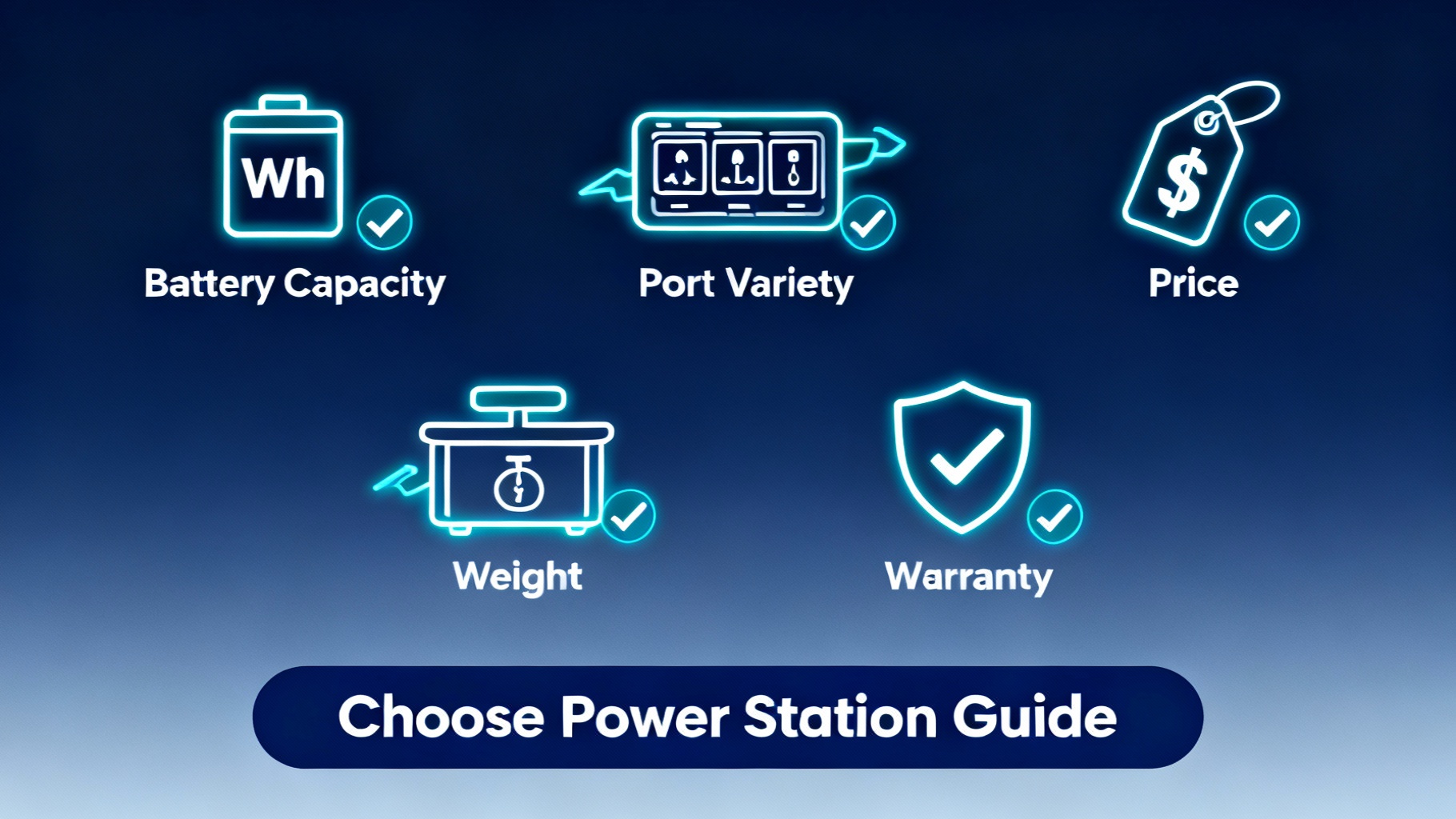
The portable power station market exploded from a niche camping accessory to a $2.8 billion industry in just three years, with over 200 models now available across dozens of brands. Walk into any outdoor retailer or browse Amazon, and you’ll face an overwhelming wall of nearly identical rectangular boxes—all claiming to be “the best” for your needs.
So why does one unit cost $200 while another is $4,000? And more importantly, which one do YOU actually need?
The answer isn’t obvious. Most first-time buyers make one of two expensive mistakes: overspending on capacity they’ll never use (paying $2,000 for 2000Wh when 1000Wh would suffice), or worse—underbuying and discovering their $600 unit can’t run their coffee maker without triggering overload protection.
This portable power station buying guide exists to eliminate that confusion. Whether you’re powering weekend camping trips, backing up your home during outages, or living full-time in a van, you’ll learn the exact criteria that matter, how to calculate your real power needs, and which models deliver the best value for your specific situation.
By the end of this guide, you’ll know exactly how to choose a portable power station—and more importantly, why. No more paralysis by analysis. No more buyer’s remorse. Just a clear, confident decision based on your actual needs.
Let’s start by understanding what these devices actually are.
🏆 Ready to Find Your Perfect Power Station?
Our top pick for most buyers: The Jackery Explorer 1000 v2 offers 1,070Wh capacity with reliable 1,500W output—perfect for camping, emergencies, and light off-grid use.
Check Current Price on Jackery →
$559 | 1,070Wh Capacity | 1,500W Output | Free Shipping
Get our Black Friday alerts for power stations
We track live prices on 40+ models from Jackery, EcoFlow, BLUETTI and Anker SOLIX. When a deal beats the lowest price we've recorded, you'll hear from us. During Black Friday week, one short recap a day at most.
Unsubscribe in one click. We may earn a commission when you buy through our links, at no extra cost to you. Privacy Policy
Understanding Portable Power Stations – The Basics
Before diving into buying criteria, let’s establish what we’re actually talking about. A portable power station is a rechargeable lithium battery pack with a built-in AC inverter, DC outlets, and USB ports—essentially a silent, fuel-free generator that stores electricity instead of producing it.
Think of it as a massive power bank for your home appliances, not just your phone.


Here’s how it works: The lithium battery stores energy measured in watt-hours (Wh). The inverter converts that stored DC power into standard AC power (the kind from your wall outlets). A battery management system (BMS) protects against overcharging, overdischarging, and overheating. The basic flow is simple: INPUT (charging) → BATTERY (storage) → OUTPUT (your devices).
How They Differ from Alternatives
Understanding what portable power stations aren’t helps clarify what they are:
Vs. Gas Generators: Power stations are completely silent, produce zero emissions, require no fuel or maintenance, and can be used safely indoors. However, they have limited capacity and runtime compared to a generator that can run as long as you have gasoline. A gas generator can produce power indefinitely; a power station gives you a fixed amount of stored energy.
Vs. Car Inverters: While a car inverter plugs into your 12V outlet, it drains your vehicle’s battery and typically maxes out around 150-200W. A portable power station has its own dedicated battery (often 500-2000Wh), doesn’t risk stranding you with a dead car battery, and can output 1000W or more.
Vs. Home Battery Systems (like Tesla Powerwall): These whole-home systems are permanently installed, cost $10,000-$15,000, and provide 10-15kWh of capacity. Portable power stations are movable, cost $200-$4,000, and provide 200-3000Wh. Different tools for different needs—one backs up your entire house, the other goes camping with you.
Vs. Portable Battery Banks (Anker, RavPower, etc.): Those small battery packs charge phones and tablets. Portable power stations have 100x more capacity and can run actual AC appliances—refrigerators, power tools, coffee makers, CPAP machines.
Categories and Capacity Ranges
📊 Power Station Capacity Categories
Best for: Phones, laptops, camping lights
Price: $200-$400
Example: Jackery Explorer 300 (293Wh, $289)
Best for: Weekend camping, multiple devices
Price: $400-$700
Example: Jackery Explorer 500 (518Wh, $539)
Best for: Extended trips, CPAP, mini-fridges
Price: $500-$1,200
Example: Jackery Explorer 1000 v2 (1,070Wh, $559)
Best for: Off-grid living, RVs, home backup
Price: $1,200-$3,000
Example: Bluetti AC200L (2,048Wh, $899)
Best for: Whole-home backup, off-grid cabins
Price: $3,000-$8,000+
Example: Anker F3800 (3,840Wh, $2,199.99+)
⭐ Sweet Spot: For most first-time buyers, the 500-1500Wh range offers the best balance of capacity, portability, and price.
For most first-time buyers, the sweet spot sits between 500-1500Wh. You get enough capacity for practical use without breaking the bank or sacrificing portability.
Now that you understand what these devices are, let’s dive into how to choose the right one for your specific needs.
The 12 Critical Decision Criteria
Choosing the best portable power station isn’t about finding “the best model”—it’s about finding the best model for YOUR specific needs. Here are the 12 factors that actually matter, ranked by importance.
1. Capacity (Watt-Hours) – THE Most Critical Factor
This is where most people get it wrong. Capacity, measured in watt-hours (Wh), determines how long your power station will run your devices. Think of Wh as the size of your gas tank—it tells you how much energy is stored, not how fast it can deliver that energy.
Here’s the formula that matters:
Runtime (hours) = Capacity (Wh) ÷ Device Power (W) × Efficiency (0.85)
That 0.85 factor accounts for conversion losses—you never get 100% of the rated capacity due to inverter inefficiency and heat.
Real-world example: A 1000Wh power station running a 100W laptop:
- 1000Wh ÷ 100W × 0.85 = 8.5 hours of runtime
The same unit running a 500W mini-fridge:
- 1000Wh ÷ 500W × 0.85 = 1.7 hours of runtime
Keep in mind that refrigerators cycle on and off, so actual runtime extends significantly—maybe 6-8 hours for that fridge because it’s not pulling 500W constantly.
⚠️ Common Sizing Mistakes:
Most buyers either drastically overestimate or underestimate their needs. A weekend camper buying a 2000Wh unit “just in case” wastes $1,000+ on capacity they’ll never use. Meanwhile, a van lifer trying to get by with 500Wh runs out of power by noon.
The key is calculating your actual daily consumption. List every device you’ll run, note its wattage, estimate hours of use, and add them up. We’ll provide a detailed calculator later in this guide.
Budget reality: Every 100Wh of capacity costs roughly $100-$150, depending on features and brand. A 500Wh unit runs $400-$700. A 1000Wh unit costs $500-$1,200. A 2000Wh system hits $1,500-$2,500. Choose the smallest capacity that meets your needs with a 20-30% buffer.
2. Output Power (Continuous Watts)
Capacity tells you how LONG you can run devices. Output power tells you WHICH devices you can run at all.
Every power station has two power ratings:
- Continuous output: What it can deliver steadily
- Surge output (or peak): What it can handle for a few seconds during device startup
A unit rated for 1000W continuous / 2000W surge can run a 900W microwave steadily, and handle the 1500W spike when your refrigerator compressor kicks on.
⚠️ Critical: If you try to run a 1200W device on a 1000W-rated power station, the unit will shut down immediately with an overload error. There’s no “close enough” here—you either have enough output power or you don’t.
⚡ What Can You Run? Output Power Guide
- Phones, tablets
- Laptops
- LED lights
- Small fans
- Portable speakers
- Coffee makers
- Hair dryers
- Mini-fridges
- Power drills
- Electric blankets
- Microwaves
- Electric kettles
- Full-size fridges
- Circular saws
- Space heaters (small)
- Window AC units
- Electric heaters
- Large power tools
- Well pumps
- Electric stoves
Pro tip: Check the label on every appliance you plan to run. Don’t guess—a “small” space heater can easily pull 1500W.
Check the label on every appliance you plan to run. Don’t guess. A “small” space heater can easily pull 1500W.

Pro tip: Most modern power stations offer “power boost” or “surge” technology that can briefly exceed the rated output. Some units can handle 150% of their continuous rating for 10-30 seconds. This helps with motor startup surges but won’t let you continuously run devices above the rated wattage.
3. Battery Chemistry – LiFePO4 vs. Li-ion
This is the longevity decision. Two main battery types dominate the market:
The math: If you use your power station weekly:
- Li-ion battery: ~10 years of lifespan
- LiFePO4 battery: ~40+ years of lifespan
For occasional campers, Li-ion is fine. For frequent users, van lifers, or anyone planning long-term off-grid use, LiFePO4 is worth the 10-20% price premium. For deeper sizing around trip length, see our weekend vs week-long camping power guide. You’re buying a device that will outlast your car.
💰 Best Budget Pick with LiFePO4 Battery
Bluetti Elite 30 V2 offers 288Wh capacity with 600W output and LiFePO4 chemistry for just $249.99—rare at this price point.
View Bluetti Elite 30 V2 Deal →
$249.99 | 288Wh | 600W Output | 3,000+ Cycles | Free Shipping
4. Charging Speed
How long does it take to refill your power station? This matters more than you’d think.
Wall charging (AC input):
- Slow: 6-8 hours (standard 100-150W input)
- Fast: 2-3 hours (300-500W input)
- Ultra-fast: 1-1.5 hours (1000W+ input)
Newer models from Bluetti, Anker, and EcoFlow offer “fast charging” that can hit 80% in 45-60 minutes. The Anker SOLIX C1000 Gen 2 claims 49 minutes to full charge with its 1,600W AC input.
Solar charging (DC input): This depends entirely on:
- Your solar panel wattage (100W, 200W, 400W)
- Actual sunlight conditions (clouds, angle, season)
- The power station’s maximum solar input rating
A unit with 200W max solar input paired with a 200W panel might give you 150W actual power in good conditions—meaning 6-8 hours to full charge a 1000Wh battery on a sunny day. Double your solar panels (if the unit supports it), and you cut that time in half.
Car charging (12V DC): Universally slow—typically 8-12 hours for a 1000Wh unit. This is emergency backup charging, not a primary method. Your car’s alternator only outputs 100-150W to the power station while driving.
For further research, see our power station maintenance schedule.
💡 Pro Tip: Fast charging generates heat, which can reduce battery lifespan slightly. Most manufacturers build in thermal management to mitigate this, but it’s worth knowing. If you’re not in a hurry, slower charging is gentler on the battery.
5. Port Variety and Quantity
Count the outlets. Seriously.
A typical portable power station includes:
- AC outlets (110V/120V): 2-4 standard wall outlets
- USB-A ports: 2-4 ports at 12W each (older standard)
- USB-C ports: 1-2 ports at 60-100W (fast charging for laptops, tablets)
- 12V car outlet: 1 cigarette lighter-style port
- DC barrel ports: 1-2 specialty ports (5521 or 8020 connectors)
🔌 Understanding Port Types
AC Outlets
Standard 110V wall outlets. Run laptops, appliances, power tools. Most units have 2-4 outlets.
USB-C (60-100W)
Fast charging for laptops and tablets. Look for 60W+ for direct laptop charging without AC adapter.
USB-A (12W)
Older standard for phones, headphones, small devices. Slower than USB-C but still widely used.
12V Car Outlet
Cigarette lighter-style port. Runs car fridges, air compressors, dash cams at 12V DC.
DC Barrel Ports
Specialty connectors (5521, 8020). For devices with barrel plug adapters like cameras, routers.
Why variety matters: If you’re running a laptop (USB-C), phone (USB-A), drone batteries (AC), portable fridge (12V car outlet), and a camera battery charger (AC), you need at least 6 ports. Running out of ports means daisy-chaining power strips, which adds inefficiency.
USB-C PD (Power Delivery): Look for at least one USB-C port rated for 60W or higher. This lets you fast-charge laptops directly without needing the bulky AC adapter. Some newer models offer 100W USB-C, which can even charge gaming laptops or run monitors.
What you actually need: For camping, 2 AC outlets + 2 USB-C + 2 USB-A + 1 car outlet covers most use cases. For home backup, prioritize 3-4 AC outlets since you’ll be running appliances, not USB devices.
6. Weight and Portability
This is the trade-off nobody talks about until they’re carrying it.
Portable power stations are heavy. A 1000Wh unit weighs 20-25 pounds. A 2000Wh unit weighs 40-50 pounds. That’s not terrible for loading into your car trunk, but it’s a serious consideration if you’re hiking to a campsite or carrying it up apartment stairs during a power outage.
Weight by capacity:
- 300Wh: 7-8 lbs (truly portable)
- 500Wh: 12-15 lbs (manageable with one hand)
- 1000Wh: 20-25 lbs (two-hand carry, built-in handles)
- 2000Wh: 40-50 lbs (heavy, often includes wheels)
The Jackery Explorer 1000 v2 weighs about 23.8 pounds. The Bluetti AC180 weighs 35 pounds despite having similar capacity (1,152Wh) because it uses different internal components and offers higher output power.
Design matters: Look for ergonomic handles. Some units have a single top handle (easy to grab, awkward for distance). Others feature side handles (better balance, easier to carry far). A few larger models include telescoping handles and wheels, turning them into roller suitcases.
⚠️ Portability rule: If you’ll be moving it frequently, target 20 pounds or less. If it’s staying in your RV or garage and only moving occasionally, weight matters less than capacity.
7. Expandability
Can you add more capacity later?
Some power stations support external battery packs that plug directly into the main unit, effectively doubling or tripling your capacity without buying a whole new system.
Examples:
- Anker SOLIX C1000X: 1,056Wh base, expandable to 2,112Wh with BP1000X battery ($799)
- Bluetti AC200L: 2,048Wh base, expandable with B300 batteries
- Jackery Explorer 1000 Plus: 1,264Wh base, expandable to 5,056Wh with up to 3 battery packs
This is huge for future-proofing. You can start with a base unit that fits your current budget and needs, then add capacity as your requirements grow or your budget allows.
The catch: Expansion batteries are expensive—often $600-$1,200 per pack. And they only work with compatible power stations from the same manufacturer. You can’t mix brands. A Jackery battery won’t connect to a Bluetti unit.
Who needs expandability?
- Van lifers planning to add solar over time
- Homeowners starting with basic backup and wanting to scale up
- Anyone unsure of their exact capacity needs
- Off-grid users who might go weeks between charging opportunities
Who doesn’t need it?
- Weekend campers with fixed, predictable power needs
- Anyone on a tight budget who won’t realistically buy expansions later
- Users with access to shore power or generators for backup
8. Pass-Through Charging
Can you charge the power station while simultaneously running devices from it?
Many models support “pass-through charging,” meaning the unit can charge from AC or solar while powering your devices. The incoming power runs your devices directly, and excess power charges the battery.
Why this matters: During a multi-day power outage, you could have solar panels charging your power station during the day while it simultaneously runs your refrigerator. Without pass-through, you’d need to stop powering devices, charge the battery, then discharge it again—wasting valuable sunlight hours.
UPS functionality: Some power stations with pass-through charging also function as an Uninterruptible Power Supply (UPS). The unit stays plugged into the wall, continuously charging while powering devices. If the wall power fails, the power station switches to battery mode in under 10-20 milliseconds—fast enough to keep computers and networking equipment running without a reboot.
This matters for:
- CPAP users who need power all night, every night
- Home office setups with desktop computers
- Anyone running sensitive electronics that can’t handle power interruptions
💡 Note: Not all pass-through implementations are created equal. Some units can’t deliver full output power while charging (maybe 80% of rated capacity). Others generate significant heat during pass-through operation. Check the specs and user reviews.
9. Solar Input Capacity
If you plan to use solar panels, this number determines your charging speed.
Every power station has a maximum solar input rating—typically 100W, 200W, 400W, 600W, or even 1000W+ on high-end models. This is the maximum solar wattage the internal charge controller can handle.
Real talk about solar charging: A 200W solar panel will NOT give you 200W of actual power. Real-world conditions (cloud cover, panel angle, temperature, time of day) mean you’ll get 60-80% of the rated wattage on a good day. That 200W panel might deliver 120-160W in practice.
Charging speed formula:
Charge time = (Battery capacity ÷ Solar input) ÷ Efficiency
For a 1000Wh battery with 200W solar input:
Our Anker SOLIX buying guide is also worth a read before buying.
1000Wh ÷ 200W ÷ 0.85 = ~6 hours in perfect sunlight
But perfect sunlight is 6-8 hours per day at best. So realistically, you’re looking at one full charge per sunny day with 200W of panels.
Multiple panels: Many power stations support connecting multiple solar panels in parallel or series to increase input. A unit with 600W max solar input could handle three 200W panels, cutting charging time to ~2 hours in good conditions.
MPPT controllers: Look for Maximum Power Point Tracking (MPPT) charge controllers. These optimize solar charging efficiency by automatically adjusting for voltage changes as conditions shift. Cheaper units use PWM (Pulse Width Modulation) controllers, which waste 20-30% of available solar power.
Solar panel compatibility: Not all panels work with all power stations. Most modern units accept standard MC4 connectors, but older models might require proprietary cables or adapters. Check compatibility before buying panels separately. For more details, see our solar panel compatibility guide.
10. Safety Features and Build Quality
Batteries can fail. Inverters can overheat. Build quality separates a reliable power station from a potential fire hazard.
Essential safety features:
Battery Management System (BMS): Every decent power station includes a BMS that monitors temperature, voltage, and current. It prevents overcharging, over-discharging, short circuits, and thermal runaway. You want multiple layers of protection here.
Cooling system: Look for active cooling (fans) rather than passive (heat sinks only). Power stations generate significant heat during heavy discharge or fast charging. Inadequate cooling leads to thermal throttling (reduced performance) or shortened battery life.
Certification marks: Check for:
- UL certification (Underwriters Laboratories) for electrical safety
- FCC certification for electromagnetic interference standards
- UN38.3 for lithium battery transport safety
Cheaper no-name brands skip certifications. Established brands like Jackery, Bluetti, Anker, EcoFlow, and Goal Zero all carry proper certifications.
Surge protection: Quality units include surge protection to guard against voltage spikes when you plug in devices. Cheap units might lack this, risking damage to both the power station and your expensive electronics.
Pure sine wave inverter: This is non-negotiable. Modified sine wave inverters are cheaper but can damage sensitive electronics (laptops, medical devices, modern TVs). Every power station worth buying today uses pure sine wave inverters.
11. Smart Features and App Control
Modern power stations offer smartphone apps for monitoring and control. How much do you actually need?
Basic app features:
- Battery level and remaining runtime estimates
- Input/output wattage in real-time
- Individual port control (turn outlets on/off remotely)
- Firmware updates
Advanced features:
- Historical usage data and graphs
- Customizable charging limits (charge to 80% to extend battery life)
- Power scheduling (automatically switch to battery during peak-rate hours)
- Remote monitoring when you’re away from home
WiFi vs. Bluetooth: WiFi lets you monitor from anywhere with internet. Bluetooth only works within ~30 feet. Some units offer both.
The reality: Smart features are nice-to-have, not need-to-have. If you’re camping off-grid, the app doesn’t matter much—you’ll check the LCD screen on the unit itself. If you’re using it for home backup with solar integration, app control becomes genuinely useful for monitoring solar production and optimizing charge schedules.
⚠️ Reliability concern: Apps add complexity and potential failure points. Some users report buggy apps, connection issues, or features that stop working after firmware updates. Traditional LCD screens and physical buttons never have connection problems. Choose based on your technical comfort level and actual use case, not flashy features you’ll never use.
12. Warranty and Customer Support
Portable power stations are complex electronics with lithium batteries. Things can go wrong.
Standard warranties:
- Budget brands: 12-24 months
- Mid-tier (Jackery, Bluetti, Anker): 24-36 months, sometimes extendable to 5 years
- Premium (Goal Zero, EcoFlow): 24 months to 5 years
The Anker SOLIX line offers 5-year warranties standard. Bluetti recently bumped theirs to 3-5 years depending on the model. Jackery covers the Explorer 1000 v2 for 5 years (3 years + 2 when bought at jackery.com).
What the warranty covers:
- Manufacturing defects
- Battery capacity degradation (typically guaranteed to 80% for X cycles)
- Component failures under normal use
What it doesn’t cover:
- Physical damage (drops, water exposure)
- Damage from improper use (overloading, extreme temperatures)
- Normal wear and tear
- Shipping costs for returns (sometimes)
If you’re investing $1,000+, warranty length and support quality matter. Don’t cheap out and end up with a $800 brick 18 months later.
Get our Black Friday alerts for power stations
We track live prices on 40+ models from Jackery, EcoFlow, BLUETTI and Anker SOLIX. When a deal beats the lowest price we've recorded, you'll hear from us. During Black Friday week, one short recap a day at most.
Unsubscribe in one click. We may earn a commission when you buy through our links, at no extra cost to you. Privacy Policy
Budget Tiers: What You Get at Each Price Point
Let’s talk money. Portable power stations range from $200 to $8,000+. Here’s what to expect at each tier and who should buy where.
Tier 2: Mid-Range ($500-$1,200) – The Sweet Spot
Capacity range: 500-1200Wh
Output power: 500-2000W
Battery type: Mix of Li-ion and LiFePO4
Expected features: Fast charging, app control, expandability, better warranties
Best for:
- Serious campers and weekend warriors
- Light van life use
- Home backup for essentials (fridge, medical devices)
- Frequent outdoor enthusiasts
- CPAP users
What you get:
- Meaningful runtime (8-12 hours for laptops, 6-10 hours for mini-fridges)
- Multiple charging options with faster speeds
- Better build quality and safety features
- Expandability options on some models

Jackery Explorer 500
518Wh capacity | 500W output
Solid mid-range workhorse with reliable performance. Perfect for weekend camping and emergency backup.
$539
Doing your homework? Check our Jackery brand review.
Anker SOLIX C1000 Gen 2
1,024Wh capacity | 2,000W output
Newest tech with 49-min charging! Highest power output in this capacity class. 5-year warranty.
$469.99
Bluetti AC180
1,152Wh capacity | 1,800W output
Powerful output with LiFePO4 battery (3,000+ cycles). Fast 1.5-hour AC charging.
$499
This is the sweet spot for most buyers. You get legitimate capacity without breaking the bank.
🏆 Best Mid-Range Pick for 2026
Anker SOLIX C1000 Gen 2: Revolutionary 49-minute charging with 2,000W output from just 1,024Wh capacity. Perfect balance of power, speed, and portability.
$469.99 | 1,024Wh | 2,000W Output | 49-Min Charging | 5-Year Warranty
Brand Comparison: Jackery vs. Bluetti vs. Anker SOLIX
The big three brands dominating the best portable power station market in 2026. Here’s how they differ.
The verdict: No universal winner. Jackery offers reliability and support. Bluetti delivers raw power and cycles per dollar. Anker provides the latest technology and fastest charging. Choose based on your priorities.
For a detailed head-to-head analysis, see our complete Jackery vs Bluetti comparison.
Use Case Guide: What Do You Actually Need?
Theory is nice. Let’s get practical. Here’s what you need for seven common scenarios.
Use Case #1: Weekend Camping (2-3 Days)
Power needs:
- Charge 4-6 devices (phones, camera batteries, drone)
- Run LED string lights (10W for 4 hours)
- Power portable fan overnight (20W for 8 hours)
- Make morning coffee (800W for 10 minutes)
Daily consumption: ~300-400Wh
Recommended capacity: 500-800Wh gives you 2-3 days between charges with comfort margin
Best picks:
- Budget: Jackery Explorer 500 ($539, 518Wh, 500W)
- Mid-range: Anker SOLIX C800 Plus ($649, 768Wh, 1,200W)
Solar? Optional but nice. A single 100W panel extends your trip indefinitely in sunny weather.
Why not bigger? You’re carrying this to a campsite. Every pound matters. A 1000Wh unit weighs 22+ pounds vs. 12-15 pounds for a 500Wh unit. Save your back.
Use Case #2: Van Life / Overlanding
Power needs:
- Refrigerator (50W continuous, 24/7 = 1,200Wh/day)
- Laptop work (50W for 6 hours = 300Wh)
- Phones, tablets, camera batteries (100Wh)
- LED lighting (50Wh)
- Occasional cooking (400Wh)
Daily consumption: 1,500-2,000Wh
Recommended capacity: 1,500-2,000Wh minimum, with expandability or strong solar
Best picks:
- Jackery Explorer 1000 v2 ($559, 1,070Wh) + 200W solar panels
- Anker SOLIX C1000X ($599.99, 1,056Wh, expandable to 2,112Wh)
- Bluetti AC180 ($499, 1,152Wh, 1,800W) + solar
Solar? Absolutely essential. You need 300-600W of solar to keep up with daily use. Budget $300-$800 for panels.
Expandability matters here. Start with a base unit and add battery packs as your needs grow. For complete van life power solutions, check our guide to portable power stations for van life.
Use Case #3: Home Emergency Backup
Priority loads during outage:
- Refrigerator (150W average, cycling = 300Wh over 8 hours)
- LED lighting (30W for 8 hours = 240Wh)
- Phone charging (50Wh)
- Laptop/internet router (50W for 8 hours = 400Wh)
- Medical devices (CPAP: 50W for 8 hours = 400Wh)
Daily consumption: 1,000-1,500Wh
Recommended capacity: 1,500-2,000Wh for 1-2 days of backup
Best picks:
- Jackery Explorer 1000 v2 ($559, 1,070Wh): Good for 12-24 hours
- Anker SOLIX F2000 ($1,999, 2,048Wh): 2-3 days of essentials
- Bluetti AC200L ($899, 2,048Wh): Best value for home backup
UPS functionality: If you need uninterrupted power for medical devices or networking equipment, verify the unit has <20ms switchover time.
Reality check: A portable power station won’t run your whole house. It’s for keeping essentials operational—refrigerator, lights, medical devices, communications. For comprehensive strategies, see our home emergency backup power guide.
We cover related ground in our Bluetti brand review.
🏠 Best Value for Home Backup
Bluetti AC200L: 2,048Wh capacity with 2,400W output for just $899. Incredible value for keeping essentials running during outages.
$899 | 2,048Wh | 2,400W | LiFePO4 Battery | Expandable
Use Case #6: Medical Devices (CPAP)
Power needs:
- CPAP machine: 30-60W continuous (240-480Wh for 8 hours)
- Phone charging: 20Wh
- Buffer for heated humidifier if used: +100-200Wh
Daily consumption: 300-700Wh depending on CPAP settings
Recommended capacity: 500-1,000Wh for 2-7 nights
Best picks:
- Jackery Explorer 500 ($539, 518Wh): 2-3 nights of CPAP
- Jackery Explorer 1000 v2 ($559, 1,070Wh): About 2-4 nights of CPAP without a humidifier
- Anker SOLIX C1000 Gen 2 ($469.99, 1,024Wh): Fast recharge + UPS backup
CRITICAL: UPS functionality. If you’re using this at home as power outage backup for medical devices, you NEED <20ms UPS switchover. Verify this before buying. Some CPAP machines are sensitive to power interruptions.
Efficiency note: Use 12V DC output if your CPAP supports it (most do with an optional cable). Running through AC inverter wastes 10-15% of power through conversion losses. DC-to-DC is more efficient.
For specific CPAP power requirements, see our guide to portable power stations for CPAP machines.
How to Calculate Your Exact Needs (The Sizing Calculator)
Stop guessing. Let’s calculate your actual power requirements.
🧮 Power Station Sizing Calculator
Step 1: Calculate Daily Consumption
List all devices → Multiply watts × hours/day → Sum total watt-hours
Example:
Laptop: 60W × 4 hours = 240Wh
LED lights: 10W × 4 hours = 40Wh
Fan: 25W × 8 hours = 200Wh
Coffee maker: 800W × 0.2 hours = 160Wh
Total: 640Wh/day
Step 2: Add Inefficiency Factor
Divide by 0.85 to account for inverter losses
640Wh ÷ 0.85 = 753Wh actual required
Step 3: Multiply by Days Between Charges
How many days without recharging?
753Wh × 2 days = 1,506Wh needed
Step 4: Add 20% Safety Buffer
Things never go exactly as planned
1,506Wh × 1.2 = 1,807Wh recommended capacity
Result: You need a 2,000Wh power station
(Anker F2000 at $1,999 or Bluetti AC200L at $899 would work perfectly)
Output power check: After calculating capacity, check your highest-wattage device. If your coffee maker pulls 800W, you need at least a 1,000W-rated power station (with 20% margin). A 2,000Wh unit with only 500W output won’t work.
Pro tip for fridge/freezer calculations: Refrigerators don’t run continuously. They cycle on and off. A fridge rated for 150W might only draw power 40% of the time (duty cycle). Real consumption: 150W × 0.4 × 24 hours = 1,440Wh per day, not 3,600Wh. Check your fridge’s actual duty cycle by measuring with a Kill-A-Watt meter ($20 on Amazon). It’s the only way to get accurate numbers.
For appliance wattage data, check the Department of Energy’s appliance power database for standardized consumption figures.
Common Mistakes (And How to Avoid Them)
Let’s talk about the expensive errors people make when choosing a portable power station.
⚠️ 7 Costly Mistakes to Avoid
1. Overbuying Capacity “Just in Case”
The problem: You spend $1,500 extra on capacity you’ll never use. Battery degradation happens whether you use the unit or not.
The fix: Calculate actual needs with 20-30% buffer. Buy what you’ll use. Technology improves every 2-3 years—in five years, today’s $1,500 unit will be $800 with better features.
2. Underestimating Output Power Requirements
The problem: You try to run a 1,200W microwave on a 1,000W-rated power station. It shuts down immediately with an overload error.
The fix: List every device you’ll run simultaneously. Add up wattages. Buy a power station rated for at least 20% above that total.
3. Ignoring Battery Chemistry for Frequent Use
The problem: After 500 charges (weekly use for 10 years), your Li-ion battery has degraded to 70% capacity. LiFePO4 would still be at 95% after 3,000 cycles.
The fix: If you’ll use your power station more than once per month, pay the 10-20% premium for LiFePO4.
4. Buying Cheap No-Name Brands
The problem: Poor quality control, no certifications, sketchy safety, nonexistent support, and batteries that fail after 200 cycles.
The fix: Stick with established brands with U.S. presence: Jackery, Bluetti, Anker, EcoFlow, Goal Zero.
Final Decision Framework: Your 3-Step Plan
You’ve made it through this complete buying guide. Let’s simplify your decision into three clear steps.
✅ Your 3-Step Decision Plan
Calculate Capacity
List devices → Multiply watts × hours → Sum total → Divide by 0.85 → Multiply by days between charges → Add 20% buffer
Result: Your minimum Wh requirement
Determine Output Power
Check wattage label on your highest-power device → Add 20% for surge protection
Result: Your minimum W requirement
Choose Budget Tier
$200-$500: Budget (200-500Wh)
$500-$1,200: Mid-Range (500-1200Wh) ⭐
$1,200-$3,000: Premium (1500-3000Wh)
$3,000+: Professional (3000Wh+)
Result: Your perfect match
If all boxes check out, you’ve found your match. If not, reassess requirements or budget.
Our Top 3 Recommendations for 2026
The three models we’d recommend to 80% of buyers:
- Best Budget: Bluetti Elite 30 V2 ($249.99, 288Wh, 600W) – Incredible power output for the price
- Best Mid-Range: Jackery Explorer 1000 v2 ($559, 1,070Wh, 1,500W) – Reliable workhorse with strong support
- Best Premium: Anker SOLIX C1000 Gen 2 ($469.99, 1,024Wh, 2,000W) – Latest technology with 49-minute charging
🏆 #1 Recommended Power Station for 2026
Jackery Explorer 1000 v2
Why it wins: Perfect balance of capacity (1,070Wh), reliable output (1,500W), proven build quality, and best-in-class customer support. The sweet spot for 80% of buyers.
- 1,070Wh capacity | 1,500W continuous output
- 8-12 hour laptop runtime | 6-10 hour mini-fridge runtime
- ~23.8 lbs portable weight with ergonomic handle
- 5-year warranty (3 years + 2 when bought at jackery.com) + U.S.-based support
Check Current Price on Jackery →
$559 | Free Shipping | 30-Day Money-Back Guarantee
Frequently Asked Questions
1. How long do portable power stations last?
Battery lifespan depends on chemistry and usage. Lithium-ion batteries last 500-800 cycles (8-15 years of occasional use). LiFePO4 batteries last 2,000-4,000 cycles (40+ years of weekly use). The power station’s electronics and inverter typically outlast the battery. After cycles are exhausted, capacity degrades to ~80% of original—still usable but diminished.
2. Can I use a portable power station indoors?
Yes, that’s one of their main advantages over gas generators. They produce zero emissions, making them safe for indoor use. Many people use them for home backup power, powering medical devices overnight, or in apartments where generators aren’t allowed.
3. Will a power station run my refrigerator during a power outage?
Most modern refrigerators draw 100-200W continuous power. A 1,000Wh power station can run a typical fridge for 6-10 hours (accounting for the duty cycle—fridges cycle on and off rather than running constantly). For multi-day outages, you’ll need 2,000Wh+ capacity or solar panels to recharge during the day.
4. Can I charge a power station while it’s powering devices?
Most quality units support “pass-through charging,” meaning yes. The incoming power runs your devices directly while excess power charges the battery. However, some units can’t deliver full output power while charging simultaneously—check the specs. This feature is essential for solar setups where you want to power devices while charging from panels.
5. How long does it take to recharge a portable power station?
Charging time varies widely by model. Standard charging takes 6-8 hours from AC wall outlet. Fast charging takes 1.5-3 hours. Ultra-fast charging (newer models) takes 45-60 minutes. Solar charging takes 4-12 hours depending on panel wattage and sunlight. Car charging takes 8-12 hours (slowest method). Check the power station’s AC input wattage—higher wattage means faster charging.
6. Can I take a portable power station on an airplane?
It depends on capacity. TSA lithium battery rules prohibit batteries over 100Wh in carry-on or checked luggage without airline approval. Most portable power stations are 300Wh+, making them non-compliant for air travel. Small battery banks (under 100Wh) are allowed in carry-on. If you must fly with a power station, contact the airline in advance for special approval—they rarely grant it.
7. What’s the difference between a portable power station and a generator?
Power stations store electricity in batteries and are silent, emission-free, and maintenance-free. Generators produce electricity from gasoline/propane and are loud, emit exhaust, and require fuel and maintenance. Power stations have limited capacity (fixed amount of stored energy). Generators run indefinitely as long as you have fuel. Different tools for different situations—power stations for quiet, short-duration needs; generators for long-duration, high-power needs.
8. Do I need a pure sine wave inverter?
Yes, and virtually all modern portable power stations include them. Modified sine wave inverters (found in cheap car inverters) can damage sensitive electronics like laptops, medical devices, modern TVs, and variable-speed power tools. Pure sine wave inverters produce clean power identical to wall outlets. Don’t buy a power station without this feature—though you’d be hard-pressed to find one that doesn’t have it today.
9. How much solar panel do I need for my power station?
Match your solar wattage to your daily consumption. If you use 1,000Wh per day, install 300-600W of solar panels (accounting for inefficiency and real-world conditions). Also check your power station’s maximum solar input—there’s no benefit to installing more solar wattage than the unit can accept. For occasional use, solar is optional. For extended off-grid use, it’s essential.
10. What happens when the battery wears out?
After the rated cycle life (500-4,000 cycles depending on chemistry), battery capacity degrades to ~80% of original. The unit still works but provides less runtime. Most power stations have non-user-replaceable batteries—you can’t swap them yourself. At end of life, some manufacturers offer battery replacement services (expensive) or recycling programs. Realistically, by the time an LiFePO4 battery wears out (40+ years for weekly use), you’ll have upgraded to newer technology anyway.
Conclusion: Make Your Decision With Confidence
Choosing a portable power station doesn’t have to be overwhelming. Despite 200+ models on the market, the decision comes down to three simple calculations:
- How much energy do I need? (Capacity in watt-hours)
- What’s the highest-power device I’ll run? (Output wattage)
- How much can I spend? (Budget tier)
Everything else—battery chemistry, charging speed, port variety, expandability—are secondary considerations that refine your choice within the right capacity and power range.
For most first-time buyers, the sweet spot sits in the 500-1,200Wh range with 1,000-2,000W output. To compare camping picks across brands at this tier, see our best solar generators for camping roundup. This gives you meaningful capacity for camping, emergencies, and outdoor use without breaking the bank or sacrificing portability.
The three models we’d recommend to 80% of buyers:
- Best Budget: Bluetti Elite 30 V2 ($249.99, 288Wh, 600W) – Incredible power output for the price
- Best Mid-Range: Jackery Explorer 1000 v2 ($559, 1,070Wh, 1,500W) – Reliable workhorse with strong support
- Best Premium: Anker SOLIX C1000 Gen 2 ($469.99, 1,024Wh, 2,000W) – Latest technology with 49-minute charging
Your specific needs might differ, but use this guide’s framework to calculate your requirements, understand the trade-offs, and choose confidently.
Stop second-guessing. Run the numbers, pick your tier, and make the purchase. You now know more about portable power stations than 95% of buyers walking into outdoor retailers. Trust your calculations and enjoy the freedom of portable power wherever your adventures take you.
Originally published: January 11, 2026