
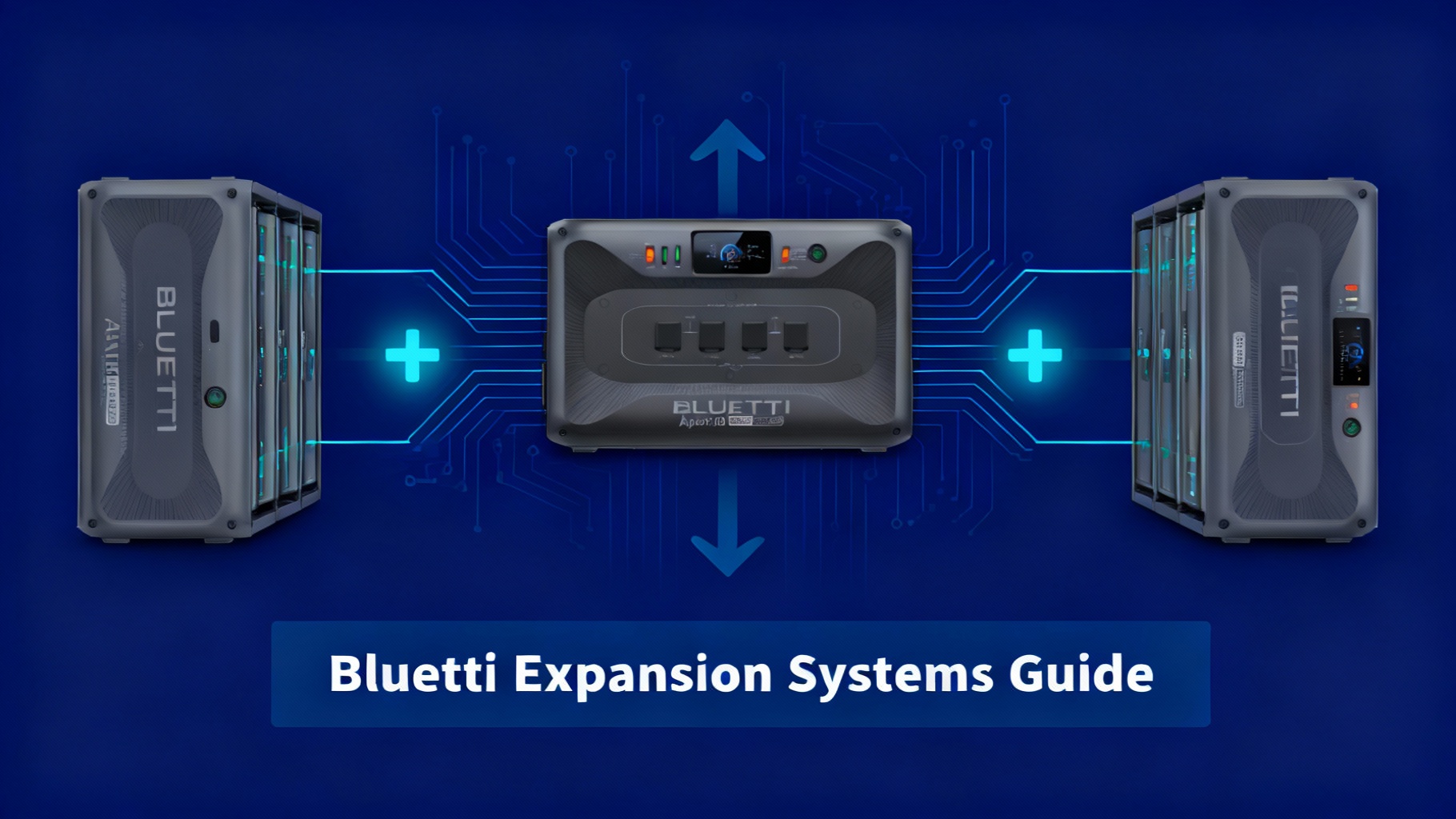
Bluetti Expansion Systems: B300K, Hubs & Accessories Guide 2026

You bought a 2,000Wh power station thinking it’d handle everything. Six months later, you’re running out of juice halfway through the weekend. Sound familiar?

Here’s the frustrating part: replacing your unit means that $2,000 investment becomes a paperweight. But what if you’d started with a system designed to grow with your needs? Bluetti’s modular approach lets you scale from 3,000Wh to 30,000Wh without buying a new inverter. That’s 10× the capacity by adding batteries, not replacing gear.

The problem is knowing which expansion components actually work together. The B300K battery pairs with some units but not others. Hub systems unlock massive capacity but only for specific models. And accessories like the Charger 1 speed up charging, but do you really need one?

This guide breaks down every Bluetti expansion battery option: which batteries work with which power stations, how Hub systems multiply your capacity, and when accessories become essential versus optional. You’ll understand the expansion ecosystem well enough to build a system that actually fits your needs, not just what sounds impressive on paper.

If you own an Apex 300, AC500, or you’re planning a system over 5kWh, this guide is for you. If you’re still deciding on your first power station and think you might expand later, this matters even more.

🏆 Editor’s Pick: Most Popular Expandable Setup

Apex 300 + B300K Bundle — The most versatile starting point for modular power systems. Scale from 6,000Wh to 30,000Wh as your needs grow.


Check Current Price →

$4,098 $2,399 | Save $1,699 (41% Off) | Free Shipping

Bluetti Apex 300 with B300K expansion battery modular power station

Understanding Bluetti’s Expansion Ecosystem (The Basics)

Most portable power stations lock you into whatever capacity you bought. Need more power? Buy a second unit. That’s how Jackery, EcoFlow, and most competitors work. Bluetti took a different approach.

What Makes Bluetti Expandable?

The key is separating the inverter from the battery storage. Your power station (like the Apex 300 or AC500) contains the inverter, which converts DC battery power into usable AC power. The expansion batteries themselves live in separate units that plug directly into the power station.

Think of it like a desktop computer. You can upgrade the hard drive without replacing the entire computer. Same idea here: upgrade your battery capacity without re-buying the inverter, screen, and controls.

This modular design offers three major advantages. First, you upgrade capacity without wasting money on duplicate inverters. Second, if one battery fails, your system still works with the remaining batteries. Third, you can configure your system exactly how you need it, adding capacity only when you actually need it.

Three Expansion Categories

Bluetti’s expansion options fall into three distinct categories, each serving different needs.

Category 1: Direct Expansion Batteries
These batteries plug directly into compatible power stations. The B300K, B300S, B300, B230, and B80 all work this way. You connect them using a simple cable, and your power station immediately recognizes the additional capacity.

For example, the AC500 power station comes with 5,000Wh built-in. Add four B300K batteries at 2,764.8Wh each, and you’re at 16,058Wh total. Same inverter, same unit, just more runtime.

Category 2: Hub Systems
This is where things get interesting. The Hub A1 and Hub D1 act as central management systems for multiple batteries and multiple inverters. They’re exclusive to the Apex 300 ecosystem.

Hub A1 allows you to run two Apex 300 units in parallel. Instead of 3,000W output from a single unit, you get 6,000W combined. The Hub manages power distribution between both inverters so neither one gets overloaded. It also lets you connect up to 10 B300K batteries for that 30,000Wh maximum capacity.

Category 3: Charging Accessories
The Charger 1 is Bluetti’s dedicated DC fast charging unit. It reduces full-charge time from around 8 hours down to about 2 hours when combined with solar panels or AC input.

Here’s when it matters: if you’re relying heavily on solar charging and need your batteries topped up quickly between uses. For casual users charging overnight from AC power, it’s overkill. But for off-grid setups or professional use cases where downtime costs money, the Charger 1 becomes essential.

📊 Expansion Compatibility Matrix

Power Station Compatible Batteries Hub System Max Capacity Charger 1
Apex 300 B300K ✅ Hub A1/D1 30,000Wh
AC500 B300K, B300S 16,588Wh
AC300 B300, B230 12,288Wh ⚠️ Legacy
AC240 B210 2,227Wh
AC180T B80 1,958Wh

⚠️ Critical Rule: You cannot mix battery types on the same power station. Don’t try connecting a B300K and a B300 to the same AC300. It won’t work, and you risk damaging the battery management system.

The B300K: Bluetti’s Flagship Expansion Battery

The B300K represents Bluetti’s current top-tier expansion battery. If you’re building a serious system, this is where you start.

Bluetti B300K expansion battery with Apex 300 power station setup

Core Specifications

Capacity sits at 2,764.8Wh, which translates to real-world runtime you can actually plan around. That’s enough to run a full-size refrigerator for about 24 hours, or a laptop for several days of continuous use.

The chemistry is LiFePO4, which matters more than most people realize. LiFePO4 batteries are rated for 3,500 cycles to 80% capacity. In practical terms, if you fully discharge and recharge once per day, you’re looking at nearly 10 years of usable life before the battery degrades to 80% of its original capacity.

Compare that to standard lithium-ion batteries that typically last 500-800 cycles. The math is compelling: the B300K costs more upfront but lasts 4-5 times longer than cheaper alternatives.

⚡ B300K Capacity: What 2,764.8Wh Powers

🧊
24 Hours
Full-size refrigerator (150W average)
💻
46 Hours
Laptop continuous use (60W)
🏠
2-3 Days
Essential home circuits (1,000Wh/day)
🔧
2.3 Hours
Power tools (1,200W sustained)

💡 Pro Tip: Actual runtime varies with inverter efficiency (typically 90%) and discharge depth. Keep batteries between 20-80% for maximum lifespan.

Who Actually Needs the B300K?

Before you buy, consider your actual usage patterns. The B300K makes sense if you regularly run high-draw appliances for extended periods. Think full-time RV living where you’re running AC units, refrigerators, and multiple devices simultaneously for days without shore power.

It also makes sense for off-grid homes using solar as the primary power source. When your daily consumption exceeds 2-3 kWh, a single B300K becomes baseline rather than luxury.

Here’s who doesn’t need it: weekend campers running a small fridge and charging phones. If your power needs max out at 500Wh per day, you’re overpaying for capacity you won’t use.

Before you add a fourth B300K battery, ask yourself honestly: when was the last time you actually depleted 75% of your current capacity? If the answer is “never,” you don’t need more batteries. You need to reassess your setup.

🔋 Bluetti B300K Expansion Battery

Why we recommend it: 2,764.8Wh LiFePO4 battery with 3,500 cycles. The most future-proof expansion battery for Apex 300 and AC500 systems.


Check Current Price →

Available in bundles with Apex 300 | Free shipping | Check for seasonal deals

Pricing Reality Check

The B300K isn’t cheap. Current pricing sits around $2,000 per battery when purchased separately. That sticker shock is real.

But here’s the ROI calculation that matters: $2,000 divided by 3,500 cycles equals roughly $0.57 per full discharge cycle. Over 10 years of daily use, you’re paying about $200 per year for 2,764.8Wh of storage capacity.

Compare that to running a gas generator. Fuel costs, maintenance, oil changes, and eventual replacement add up fast. The B300K has zero fuel costs and minimal maintenance beyond keeping it clean and stored properly.

Expansion Battery Lineup: Comparing Your Options

The B300K isn’t your only choice. Bluetti offers several expansion batteries, each designed for different use cases and budgets.

⚡ Expansion Battery Comparison

Battery Model Capacity Cycle Life Compatible With Best For
B300K 2,764.8Wh 3,500 cycles Apex 300, AC500 Flagship, max expandability
B300S 2,764.8Wh 3,000 cycles AC500 only Budget-friendly alternative
B300 3,072Wh 3,500 cycles AC300 Legacy AC300 owners
B230 2,048Wh 3,500 cycles AC300 Legacy, value option
B80 806Wh 3,000 cycles AC180T Compact RV expansion

Decision Framework: Which Battery?

If you own an Apex 300 and want maximum expandability, the B300K is your only option. There’s no decision to make.

If you own an AC500 and need high capacity without Hub systems, choose between the B300K and B300S based on budget. The B300S saves you money with minimal performance difference for most users.

If you own an AC300, you’re limited to B300 or B230 batteries. Go with whichever offers better value at purchase time. Both work fine.

The pattern here is simple: your power station dictates your battery options. There’s no mixing and matching across product lines.

Hub Systems: Hub A1 vs Hub D1

Hub systems represent Bluetti’s most advanced expansion capability, but they’re exclusively for the Apex 300 ecosystem. If you don’t own an Apex 300, skip this section.

Bluetti Hub A1 system with dual Apex 300 units and multiple B300K batteries

Hub A1: Parallel Inverter Operation

The Hub A1 solves a specific problem: what happens when your single inverter can’t handle your power draw, even with massive battery capacity?

Think of the Hub A1 as a power distribution manager for two Apex 300 units. It connects two separate Apex 300 inverters and coordinates their output so you get 6,000W combined instead of 3,000W from a single unit.

Here’s the real-world scenario where this matters. You’re running a large RV with rooftop AC (1,500W), an induction cooktop (1,800W), and a washer (1,200W) simultaneously. That’s 4,500W peak draw. A single Apex 300 maxes out at 3,000W continuous, so you’d trip the overload protection.

Add the Hub A1 with a second Apex 300, and suddenly 4,500W is well within limits. The Hub manages power distribution so neither inverter exceeds its 3,000W threshold.

🔌 Hub A1 vs Hub D1: Which Do You Need?

Hub A1

~$500

Purpose: Dual-inverter parallel operation

Output: 6,000W combined (2× Apex 300)

Max Batteries: Up to 10× B300K

Max Capacity: 30,000Wh

Best For: High-power loads (>3,000W), off-grid homes

🏠

Hub D1

~$300-400

Purpose: Distributed battery mounting

Output: 3,000W (single Apex 300)

Max Batteries: Multiple B300K units

Max Capacity: Varies by configuration

Best For: Home installations, separated mounting

⚠️ Reality Check: Most users don’t need Hub systems. If your loads consistently stay under 2,500W, save the money. A single Apex 300 with 2-4 B300K batteries handles the vast majority of realistic use cases.

Do You Actually Need a Hub?

Most users reading this don’t need Hub systems. Let’s be direct about that.

If your loads consistently stay under 2,500W, a single Apex 300 handles it fine. Adding a Hub A1 and second Apex 300 costs roughly $4,000+ (Hub plus inverter). That’s significant money for capability you might rarely use.

The Hub A1 makes sense if you regularly exceed 3,000W loads. Off-grid homes running well pumps, shop tools, and multiple appliances simultaneously. Large RVs with multiple AC units and high-draw appliances. Professional mobile setups where downtime isn’t acceptable.

For everyone else, save the money. A single Apex 300 with 2-4 B300K batteries handles the vast majority of realistic use cases.

⚡ Ultimate Power: Dual Apex 300 + Hub A1 System

Why we recommend it: 6,000W combined output for serious off-grid homes and professional applications. Scale to 30,000Wh capacity.


Check Current Price →

$6,999 $5,499 | Save $1,500 | Includes: 2× Apex 300 + 2× B300K + Hub A1 | Free shipping

Charger 1: When Fast Charging Matters

The Charger 1 is Bluetti’s dedicated fast charging accessory. It’s not a battery or inverter. It’s purely about reducing charge time.

Bluetti Charger 1 DC fast charging unit

What It Does

Standard charging for a B300K through an AC500 takes about 6-8 hours for a full charge. The Charger 1 reduces that to roughly 2 hours by providing higher DC charging current.

It works by connecting directly to your batteries and delivering optimized DC charging power. Think of it as a fast charger for your phone, but scaled up for 2,764.8Wh batteries.

⚡ Charger 1 ROI Timeline: When It Pays Off

Standard Charging

6-8 Hours to Full

With Charger 1

~2 Hours
☀️
75% Faster
Charge speed improvement
⏱️
4-6 Hours
Daily time saved
💰
$249-399
Current pricing

💡 Pro Tip: For solar-dependent setups, the Charger 1 often makes the difference between 70% daily charge and 100% daily charge. Over years of use, that efficiency gain compounds significantly.

Who Needs Fast Charging?

The Charger 1 makes sense for specific use cases, not everyone.

If you’re relying on solar as your primary charging source and you’re in a location with limited sun hours, the Charger 1 maximizes your solar charging window. Getting a full charge in 2-3 hours of peak sun versus 6-8 hours means you can actually achieve full charge on partly cloudy days.

For professional users where downtime costs money, faster charging means more usable hours. If you’re running equipment rentals or mobile services, every hour of charging is an hour you can’t work.

Here’s who doesn’t need it: people charging overnight from AC power. If your power station sits connected to shore power or home AC for 8-12 hours every night, standard charging speed is irrelevant. You’re fully charged by morning either way.

⚡ Bluetti Charger 1: Fast DC Charging

Why we recommend it: Reduce charge time from 8 hours to 2 hours. Essential for solar-heavy setups and professional applications.


Check Current Price →

$399 $249 | Save $150 | Compatible with Apex 300 & AC500 | Free shipping

Real-World Configurations and Use Cases

Understanding components is one thing. Knowing how to configure them for your actual use case is what matters.

🎯 Recommended Configurations by Use Case

🚐 Weekend RV Use

Daily Usage: 1,500-2,000Wh

Autonomy: 2-3 days

✅ Apex 300 + 1× B300K

✅ 200-400W solar panels

❌ Hub systems not needed

❌ Charger 1 optional

Total Cost: ~$5,000-6,000

🚙 Full-Time Van Life

Daily Usage: 3,000-4,000Wh

Autonomy: 2-3 days

✅ Apex 300 + 2-3× B300K

✅ 400-600W solar panels

✅ Charger 1 recommended

❌ Hub systems usually not needed

Total Cost: ~$8,000-12,000

🏠 Off-Grid Home Backup

Daily Usage: 2,000Wh (essential only)

Autonomy: 5+ days

✅ AC500 + 2× B300K

✅ 400-600W solar panels

❌ Charger 1 if backup only

❌ Hub systems not needed

Total Cost: ~$6,000-7,000

🏡 Off-Grid Primary Residence

Daily Usage: 5,000-8,000Wh

Autonomy: 2-3 days minimum

✅ 2× Apex 300 + Hub A1

✅ 4× B300K batteries

✅ 800-1,200W solar panels

✅ Charger 1 essential

Total Cost: ~$15,000-20,000+

Weekend RV Use

You’re out Friday through Sunday, running a refrigerator, charging devices, maybe running a fan or small TV. Daily consumption is probably 1,500-2,000Wh.

A single Apex 300 with one B300K battery gives you roughly 6,000Wh total capacity. That’s three full days without any charging, or indefinitely if you’re adding solar panels.

This configuration costs around $5,000-6,000 depending on sales. It’s straightforward, reliable, and handles typical weekend use with capacity to spare.

Common Mistakes to Avoid When Expanding

People mess up expansion systems in predictable ways. Here are the big ones.

⚠️ Mistake #1: Buying Maximum Capacity Upfront

You don’t need 30,000Wh of capacity just because the system can handle it. Start with your baseline needs plus 30-50% buffer. Use the system for 2-3 months. Track your actual consumption in the Bluetti app.

Solution: Then, and only then, decide if you need more capacity. Most people overestimate their needs by a factor of two.

⚠️ Mistake #2: Ignoring Solar Panel Wattage

Adding four B300K batteries gives you 11,000Wh of storage. Now how do you recharge 11,000Wh with 200W of solar panels?

In ideal conditions, 200W of solar generates maybe 800-1,000Wh per day. You’re burning through capacity 10× faster than you can replace it.

Solution: Match your solar capacity to your battery capacity and daily usage. General rule: you need roughly 1W of solar panel capacity for every 3-5Wh of daily consumption.

⚠️ Mistake #3: Mixing Battery Types

Don’t try connecting a B300K and a B230 to the same power station. They have different voltage characteristics, different BMS systems, and different charge/discharge profiles.

Solution: Stick with one battery type per system. If you want to upgrade from B230 to B300K batteries, replace all batteries at once.

⚠️ Mistake #4: Underestimating Weight and Space

Four B300K batteries weigh about 320 pounds (145 kg) combined. That’s significant weight requiring proper mounting and weight distribution.

Solution: In an RV or van, ensure your vehicle’s weight rating can handle it. In home installations, ensure your floor can support concentrated weight.

⚠️ Mistake #5: Skipping the Manual

Bluetti’s documentation specifies connection sequences, compatibility requirements, and safety procedures. People skip the manual and make expensive mistakes.

Solution: Read the documentation. Follow the procedures. It saves money and frustration.

Decision Framework: Choosing Your Expansion Path

Here’s how to actually decide what you need.

🌳 5-Step Decision Framework

1

Calculate Your Real Daily Usage

Track power consumption for at least one week, ideally a month. Use the Bluetti app or Kill-A-Watt meter. Be honest about actual measured data, not theoretical usage.

2

Determine Your Autonomy Requirement

How many days without recharging? Weekend campers: 2-3 days. Off-grid homes: 5-7 days buffer. Multiply daily usage by required autonomy days. Add 30-50% buffer.

3

Assess Your Peak Power Draw

Look at maximum sustained power draw, not instantaneous peaks. Apex 300 handles 3,000W continuous. Can you manage appliances to stay under that? Most users can through simple timing.

4

Evaluate Your Recharge Options

Unlimited AC power (shore/grid)? Charging speed matters less. Solar-dependent? Charger 1 and adequate panel wattage become important. Alternator charging while driving? Factor in drive time.

5

Start Small, Expand Deliberately

Begin with minimum viable configuration. Use for 3+ months. Track actual patterns. Only then add capacity based on real data showing exact bottlenecks.

💡 Pro Tip: This approach prevents expensive over-buying and ensures your money goes toward components you’ll actually use. Most people discover they use 30-50% less power than they initially thought.

FAQ: Bluetti Expansion Systems

Can I mix different expansion batteries on the same power station?

No, you cannot mix battery types on a single power station. Each power station is designed to work with specific battery models. For example, the AC500 works with B300K or B300S batteries, but you must use all B300K or all B300S—not a mix. Mixing battery types creates voltage mismatches and can damage the battery management system. If you’re upgrading battery types, replace all connected batteries at once.

How many expansion batteries can I connect to my Apex 300?

Without a Hub system, you can connect up to two B300K batteries to a single Apex 300, giving you approximately 8,500Wh total capacity. With the Hub A1, you can connect up to 10 B300K batteries across two Apex 300 units, reaching the theoretical maximum of 30,000Wh. In practice, most users find 4-6 batteries (11,000-16,500Wh) handles any realistic scenario.

Will adding more batteries increase my power output?

No, adding batteries only increases your capacity and runtime, not your power output. Your inverter determines maximum power output. A single Apex 300 outputs 3,000W continuous regardless of whether you have one battery or four. To increase power output, you need the Hub A1 with a second Apex 300 inverter, which gives you 6,000W combined output.

How long does it take to charge multiple expansion batteries?

Charging time depends on your input power source. Using AC charging through an AC500, expect approximately 6-8 hours to fully charge one B300K battery. Multiple batteries charge simultaneously, so charging time for four batteries is similar to charging one—the system distributes charging current across all connected batteries. The Charger 1 accessory can reduce this to approximately 2 hours by providing higher DC charging current.

Can I add expansion batteries later, or do I need to buy everything at once?

You can absolutely add batteries later. Bluetti’s modular design allows you to start with a basic configuration and expand as needed. In fact, we recommend starting small and adding capacity only after you’ve tracked your actual usage for several months. There’s no technical advantage to buying everything upfront, and you’ll avoid over-buying capacity you don’t need.

Do expansion batteries need their own solar panels?

No, expansion batteries don’t require separate solar panels. Your solar panels connect to the main power station, which manages charging for all connected batteries. The system distributes solar input across all batteries automatically. However, if you add significant battery capacity, you should ensure your solar panel wattage is adequate to recharge your total capacity within a reasonable timeframe.

What happens if one expansion battery fails?

You bought a 2,000Wh power station thinking it’d handle everything. Six months later, you’re running out of juice halfway through the weekend. Sound familiar?

Here’s the frustrating part: replacing your unit means that $2,000 investment becomes a paperweight. But what if you’d started with a system designed to grow with your needs? Bluetti’s modular approach lets you scale from 3,000Wh to 30,000Wh without buying a new inverter. That’s 10× the capacity by adding batteries, not replacing gear.

The problem is knowing which expansion components actually work together. The B300K battery pairs with some units but not others. Hub systems unlock massive capacity but only for specific models. And accessories like the Charger 1 speed up charging, but do you really need one?

This guide breaks down every Bluetti expansion battery option: which batteries work with which power stations, how Hub systems multiply your capacity, and when accessories become essential versus optional. You’ll understand the expansion ecosystem well enough to build a system that actually fits your needs, not just what sounds impressive on paper.

If you own an Apex 300, AC500, or you’re planning a system over 5kWh, this guide is for you. If you’re still deciding on your first power station and think you might expand later, this matters even more.

🏆 Editor’s Pick: Most Popular Expandable Setup

Apex 300 + B300K Bundle — The most versatile starting point for modular power systems. Scale from 6,000Wh to 30,000Wh as your needs grow.

Check Current Price →

$4,098 $2,399 | Save $1,699 (41% Off) | Free Shipping

Bluetti Apex 300 with B300K expansion battery modular power station

Understanding Bluetti’s Expansion Ecosystem (The Basics)

Most portable power stations lock you into whatever capacity you bought. Need more power? Buy a second unit. That’s how Jackery, EcoFlow, and most competitors work. Bluetti took a different approach.

What Makes Bluetti Expandable?

The key is separating the inverter from the battery storage. Your power station (like the Apex 300 or AC500) contains the inverter, which converts DC battery power into usable AC power. The expansion batteries themselves live in separate units that plug directly into the power station.

Think of it like a desktop computer. You can upgrade the hard drive without replacing the entire computer. Same idea here: upgrade your battery capacity without re-buying the inverter, screen, and controls.

This modular design offers three major advantages. First, you upgrade capacity without wasting money on duplicate inverters. Second, if one battery fails, your system still works with the remaining batteries. Third, you can configure your system exactly how you need it, adding capacity only when you actually need it.

Three Expansion Categories

Bluetti’s expansion options fall into three distinct categories, each serving different needs.

Category 1: Direct Expansion Batteries
These batteries plug directly into compatible power stations. The B300K, B300S, B300, B230, and B80 all work this way. You connect them using a simple cable, and your power station immediately recognizes the additional capacity.

For example, the AC500 power station comes with 5,000Wh built-in. Add four B300K batteries at 2,764.8Wh each, and you’re at 16,058Wh total. Same inverter, same unit, just more runtime.

Category 2: Hub Systems
This is where things get interesting. The Hub A1 and Hub D1 act as central management systems for multiple batteries and multiple inverters. They’re exclusive to the Apex 300 ecosystem.

Hub A1 allows you to run two Apex 300 units in parallel. Instead of 3,000W output from a single unit, you get 6,000W combined. The Hub manages power distribution between both inverters so neither one gets overloaded. It also lets you connect up to 10 B300K batteries for that 30,000Wh maximum capacity.

Category 3: Charging Accessories
The Charger 1 is Bluetti’s dedicated DC fast charging unit. It reduces full-charge time from around 8 hours down to about 2 hours when combined with solar panels or AC input.

Here’s when it matters: if you’re relying heavily on solar charging and need your batteries topped up quickly between uses. For casual users charging overnight from AC power, it’s overkill. But for off-grid setups or professional use cases where downtime costs money, the Charger 1 becomes essential.

📊 Expansion Compatibility Matrix

Power Station Compatible Batteries Hub System Max Capacity Charger 1
Apex 300 B300K ✅ Hub A1/D1 30,000Wh
AC500 B300K, B300S 16,588Wh
AC300 B300, B230 12,288Wh ⚠️ Legacy
AC240 B210 2,227Wh
AC180T B80 1,958Wh

⚠️ Critical Rule: You cannot mix battery types on the same power station. Don’t try connecting a B300K and a B300 to the same AC300. It won’t work, and you risk damaging the battery management system.

The B300K: Bluetti’s Flagship Expansion Battery

The B300K represents Bluetti’s current top-tier expansion battery. If you’re building a serious system, this is where you start.

Bluetti B300K expansion battery with Apex 300 power station setup

Core Specifications

Capacity sits at 2,764.8Wh, which translates to real-world runtime you can actually plan around. That’s enough to run a full-size refrigerator for about 24 hours, or a laptop for several days of continuous use.

The chemistry is LiFePO4, which matters more than most people realize. LiFePO4 batteries are rated for 3,500 cycles to 80% capacity. In practical terms, if you fully discharge and recharge once per day, you’re looking at nearly 10 years of usable life before the battery degrades to 80% of its original capacity.

Compare that to standard lithium-ion batteries that typically last 500-800 cycles. The math is compelling: the B300K costs more upfront but lasts 4-5 times longer than cheaper alternatives.

⚡ B300K Capacity: What 2,764.8Wh Powers

🧊
24 Hours
Full-size refrigerator (150W average)
💻
46 Hours
Laptop continuous use (60W)
🏠
2-3 Days
Essential home circuits (1,000Wh/day)
🔧
2.3 Hours
Power tools (1,200W sustained)

💡 Pro Tip: Actual runtime varies with inverter efficiency (typically 90%) and discharge depth. Keep batteries between 20-80% for maximum lifespan.

Who Actually Needs the B300K?

Before you buy, consider your actual usage patterns. The B300K makes sense if you regularly run high-draw appliances for extended periods. Think full-time RV living where you’re running AC units, refrigerators, and multiple devices simultaneously for days without shore power.

It also makes sense for off-grid homes using solar as the primary power source. When your daily consumption exceeds 2-3 kWh, a single B300K becomes baseline rather than luxury.

Here’s who doesn’t need it: weekend campers running a small fridge and charging phones. If your power needs max out at 500Wh per day, you’re overpaying for capacity you won’t use.

Before you add a fourth B300K battery, ask yourself honestly: when was the last time you actually depleted 75% of your current capacity? If the answer is “never,” you don’t need more batteries. You need to reassess your setup.

🔋 Bluetti B300K Expansion Battery

Why we recommend it: 2,764.8Wh LiFePO4 battery with 3,500 cycles. The most future-proof expansion battery for Apex 300 and AC500 systems.

Check Current Price →

Available in bundles with Apex 300 | Free shipping | Check for seasonal deals

Pricing Reality Check

The B300K isn’t cheap. Current pricing sits around $2,000 per battery when purchased separately. That sticker shock is real.

But here’s the ROI calculation that matters: $2,000 divided by 3,500 cycles equals roughly $0.57 per full discharge cycle. Over 10 years of daily use, you’re paying about $200 per year for 2,764.8Wh of storage capacity.

Compare that to running a gas generator. Fuel costs, maintenance, oil changes, and eventual replacement add up fast. The B300K has zero fuel costs and minimal maintenance beyond keeping it clean and stored properly.

Expansion Battery Lineup: Comparing Your Options

The B300K isn’t your only choice. Bluetti offers several expansion batteries, each designed for different use cases and budgets.

⚡ Expansion Battery Comparison

Battery Model Capacity Cycle Life Compatible With Best For
B300K 2,764.8Wh 3,500 cycles Apex 300, AC500 Flagship, max expandability
B300S 2,764.8Wh 3,000 cycles AC500 only Budget-friendly alternative
B300 3,072Wh 3,500 cycles AC300 Legacy AC300 owners
B230 2,048Wh 3,500 cycles AC300 Legacy, value option
B80 806Wh 3,000 cycles AC180T Compact RV expansion

Decision Framework: Which Battery?

If you own an Apex 300 and want maximum expandability, the B300K is your only option. There’s no decision to make.

If you own an AC500 and need high capacity without Hub systems, choose between the B300K and B300S based on budget. The B300S saves you money with minimal performance difference for most users.

If you own an AC300, you’re limited to B300 or B230 batteries. Go with whichever offers better value at purchase time. Both work fine.

The pattern here is simple: your power station dictates your battery options. There’s no mixing and matching across product lines.

Hub Systems: Hub A1 vs Hub D1

Hub systems represent Bluetti’s most advanced expansion capability, but they’re exclusively for the Apex 300 ecosystem. If you don’t own an Apex 300, skip this section.

Bluetti Hub A1 system with dual Apex 300 units and multiple B300K batteries

Hub A1: Parallel Inverter Operation

The Hub A1 solves a specific problem: what happens when your single inverter can’t handle your power draw, even with massive battery capacity?

Think of the Hub A1 as a power distribution manager for two Apex 300 units. It connects two separate Apex 300 inverters and coordinates their output so you get 6,000W combined instead of 3,000W from a single unit.

Here’s the real-world scenario where this matters. You’re running a large RV with rooftop AC (1,500W), an induction cooktop (1,800W), and a washer (1,200W) simultaneously. That’s 4,500W peak draw. A single Apex 300 maxes out at 3,000W continuous, so you’d trip the overload protection.

Add the Hub A1 with a second Apex 300, and suddenly 4,500W is well within limits. The Hub manages power distribution so neither inverter exceeds its 3,000W threshold.

🔌 Hub A1 vs Hub D1: Which Do You Need?

Hub A1

~$500

Purpose: Dual-inverter parallel operation

Output: 6,000W combined (2× Apex 300)

Max Batteries: Up to 10× B300K

Max Capacity: 30,000Wh

Best For: High-power loads (>3,000W), off-grid homes

🏠

Hub D1

~$300-400

Purpose: Distributed battery mounting

Output: 3,000W (single Apex 300)

Max Batteries: Multiple B300K units

Max Capacity: Varies by configuration

Best For: Home installations, separated mounting

⚠️ Reality Check: Most users don’t need Hub systems. If your loads consistently stay under 2,500W, save the money. A single Apex 300 with 2-4 B300K batteries handles the vast majority of realistic use cases.

Do You Actually Need a Hub?

Most users reading this don’t need Hub systems. Let’s be direct about that.

If your loads consistently stay under 2,500W, a single Apex 300 handles it fine. Adding a Hub A1 and second Apex 300 costs roughly $4,000+ (Hub plus inverter). That’s significant money for capability you might rarely use.

The Hub A1 makes sense if you regularly exceed 3,000W loads. Off-grid homes running well pumps, shop tools, and multiple appliances simultaneously. Large RVs with multiple AC units and high-draw appliances. Professional mobile setups where downtime isn’t acceptable.

For everyone else, save the money. A single Apex 300 with 2-4 B300K batteries handles the vast majority of realistic use cases.

⚡ Ultimate Power: Dual Apex 300 + Hub A1 System

Why we recommend it: 6,000W combined output for serious off-grid homes and professional applications. Scale to 30,000Wh capacity.

Check Current Price →

$6,999 $5,499 | Save $1,500 | Includes: 2× Apex 300 + 2× B300K + Hub A1 | Free shipping

Charger 1: When Fast Charging Matters

The Charger 1 is Bluetti’s dedicated fast charging accessory. It’s not a battery or inverter. It’s purely about reducing charge time.

Bluetti Charger 1 DC fast charging unit

What It Does

Standard charging for a B300K through an AC500 takes about 6-8 hours for a full charge. The Charger 1 reduces that to roughly 2 hours by providing higher DC charging current.

It works by connecting directly to your batteries and delivering optimized DC charging power. Think of it as a fast charger for your phone, but scaled up for 2,764.8Wh batteries.

⚡ Charger 1 ROI Timeline: When It Pays Off

Standard Charging

6-8 Hours to Full

With Charger 1

~2 Hours
☀️
75% Faster
Charge speed improvement
⏱️
4-6 Hours
Daily time saved
💰
$249-399
Current pricing

💡 Pro Tip: For solar-dependent setups, the Charger 1 often makes the difference between 70% daily charge and 100% daily charge. Over years of use, that efficiency gain compounds significantly.

Who Needs Fast Charging?

The Charger 1 makes sense for specific use cases, not everyone.

If you’re relying on solar as your primary charging source and you’re in a location with limited sun hours, the Charger 1 maximizes your solar charging window. Getting a full charge in 2-3 hours of peak sun versus 6-8 hours means you can actually achieve full charge on partly cloudy days.

For professional users where downtime costs money, faster charging means more usable hours. If you’re running equipment rentals or mobile services, every hour of charging is an hour you can’t work.

Here’s who doesn’t need it: people charging overnight from AC power. If your power station sits connected to shore power or home AC for 8-12 hours every night, standard charging speed is irrelevant. You’re fully charged by morning either way.

⚡ Bluetti Charger 1: Fast DC Charging

Why we recommend it: Reduce charge time from 8 hours to 2 hours. Essential for solar-heavy setups and professional applications.

Check Current Price →

$399 $249 | Save $150 | Compatible with Apex 300 & AC500 | Free shipping

Real-World Configurations and Use Cases

Understanding components is one thing. Knowing how to configure them for your actual use case is what matters.

🎯 Recommended Configurations by Use Case

🚐 Weekend RV Use

Daily Usage: 1,500-2,000Wh

Autonomy: 2-3 days

✅ Apex 300 + 1× B300K

✅ 200-400W solar panels

❌ Hub systems not needed

❌ Charger 1 optional

Total Cost: ~$5,000-6,000

🚙 Full-Time Van Life

Daily Usage: 3,000-4,000Wh

Autonomy: 2-3 days

✅ Apex 300 + 2-3× B300K

✅ 400-600W solar panels

✅ Charger 1 recommended

❌ Hub systems usually not needed

Total Cost: ~$8,000-12,000

🏠 Off-Grid Home Backup

Daily Usage: 2,000Wh (essential only)

Autonomy: 5+ days

✅ AC500 + 2× B300K

✅ 400-600W solar panels

❌ Charger 1 if backup only

❌ Hub systems not needed

Total Cost: ~$6,000-7,000

🏡 Off-Grid Primary Residence

Daily Usage: 5,000-8,000Wh

Autonomy: 2-3 days minimum

✅ 2× Apex 300 + Hub A1

✅ 4× B300K batteries

✅ 800-1,200W solar panels

✅ Charger 1 essential

Total Cost: ~$15,000-20,000+

Weekend RV Use

You’re out Friday through Sunday, running a refrigerator, charging devices, maybe running a fan or small TV. Daily consumption is probably 1,500-2,000Wh.

A single Apex 300 with one B300K battery gives you roughly 6,000Wh total capacity. That’s three full days without any charging, or indefinitely if you’re adding solar panels.

This configuration costs around $5,000-6,000 depending on sales. It’s straightforward, reliable, and handles typical weekend use with capacity to spare.

Common Mistakes to Avoid When Expanding

People mess up expansion systems in predictable ways. Here are the big ones.

⚠️ Mistake #1: Buying Maximum Capacity Upfront

You don’t need 30,000Wh of capacity just because the system can handle it. Start with your baseline needs plus 30-50% buffer. Use the system for 2-3 months. Track your actual consumption in the Bluetti app.

Solution: Then, and only then, decide if you need more capacity. Most people overestimate their needs by a factor of two.

⚠️ Mistake #2: Ignoring Solar Panel Wattage

Adding four B300K batteries gives you 11,000Wh of storage. Now how do you recharge 11,000Wh with 200W of solar panels?

In ideal conditions, 200W of solar generates maybe 800-1,000Wh per day. You’re burning through capacity 10× faster than you can replace it.

Solution: Match your solar capacity to your battery capacity and daily usage. General rule: you need roughly 1W of solar panel capacity for every 3-5Wh of daily consumption.

⚠️ Mistake #3: Mixing Battery Types

Don’t try connecting a B300K and a B230 to the same power station. They have different voltage characteristics, different BMS systems, and different charge/discharge profiles.

Solution: Stick with one battery type per system. If you want to upgrade from B230 to B300K batteries, replace all batteries at once.

⚠️ Mistake #4: Underestimating Weight and Space

Four B300K batteries weigh about 320 pounds (145 kg) combined. That’s significant weight requiring proper mounting and weight distribution.

Solution: In an RV or van, ensure your vehicle’s weight rating can handle it. In home installations, ensure your floor can support concentrated weight.

⚠️ Mistake #5: Skipping the Manual

Bluetti’s documentation specifies connection sequences, compatibility requirements, and safety procedures. People skip the manual and make expensive mistakes.

Solution: Read the documentation. Follow the procedures. It saves money and frustration.

Decision Framework: Choosing Your Expansion Path

Here’s how to actually decide what you need.

🌳 5-Step Decision Framework

1

Calculate Your Real Daily Usage

Track power consumption for at least one week, ideally a month. Use the Bluetti app or Kill-A-Watt meter. Be honest about actual measured data, not theoretical usage.

2

Determine Your Autonomy Requirement

How many days without recharging? Weekend campers: 2-3 days. Off-grid homes: 5-7 days buffer. Multiply daily usage by required autonomy days. Add 30-50% buffer.

3

Assess Your Peak Power Draw

Look at maximum sustained power draw, not instantaneous peaks. Apex 300 handles 3,000W continuous. Can you manage appliances to stay under that? Most users can through simple timing.

4

Evaluate Your Recharge Options

Unlimited AC power (shore/grid)? Charging speed matters less. Solar-dependent? Charger 1 and adequate panel wattage become important. Alternator charging while driving? Factor in drive time.

5

Start Small, Expand Deliberately

Begin with minimum viable configuration. Use for 3+ months. Track actual patterns. Only then add capacity based on real data showing exact bottlenecks.

💡 Pro Tip: This approach prevents expensive over-buying and ensures your money goes toward components you’ll actually use. Most people discover they use 30-50% less power than they initially thought.

FAQ: Bluetti Expansion Systems

Can I mix different expansion batteries on the same power station?

No, you cannot mix battery types on a single power station. Each power station is designed to work with specific battery models. For example, the AC500 works with B300K or B300S batteries, but you must use all B300K or all B300S—not a mix. Mixing battery types creates voltage mismatches and can damage the battery management system. If you’re upgrading battery types, replace all connected batteries at once.

How many expansion batteries can I connect to my Apex 300?

Without a Hub system, you can connect up to two B300K batteries to a single Apex 300, giving you approximately 8,500Wh total capacity. With the Hub A1, you can connect up to 10 B300K batteries across two Apex 300 units, reaching the theoretical maximum of 30,000Wh. In practice, most users find 4-6 batteries (11,000-16,500Wh) handles any realistic scenario.

Will adding more batteries increase my power output?

No, adding batteries only increases your capacity and runtime, not your power output. Your inverter determines maximum power output. A single Apex 300 outputs 3,000W continuous regardless of whether you have one battery or four. To increase power output, you need the Hub A1 with a second Apex 300 inverter, which gives you 6,000W combined output.

How long does it take to charge multiple expansion batteries?

Charging time depends on your input power source. Using AC charging through an AC500, expect approximately 6-8 hours to fully charge one B300K battery. Multiple batteries charge simultaneously, so charging time for four batteries is similar to charging one—the system distributes charging current across all connected batteries. The Charger 1 accessory can reduce this to approximately 2 hours by providing higher DC charging current.

Can I add expansion batteries later, or do I need to buy everything at once?

You can absolutely add batteries later. Bluetti’s modular design allows you to start with a basic configuration and expand as needed. In fact, we recommend starting small and adding capacity only after you’ve tracked your actual usage for several months. There’s no technical advantage to buying everything upfront, and you’ll avoid over-buying capacity you don’t need.

Do expansion batteries need their own solar panels?

No, expansion batteries don’t require separate solar panels. Your solar panels connect to the main power station, which manages charging for all connected batteries. The system distributes solar input across all batteries automatically. However, if you add significant battery capacity, you should ensure your solar panel wattage is adequate to recharge your total capacity within a reasonable timeframe.

What happens if one expansion battery fails?

If one expansion battery fails, your system continues operating with the remaining batteries. The power station will detect the failed battery and automatically isolate it from the system. This is one key advantage of modular systems—you have redundancy. Compare this to integrated units where a battery failure means the entire unit is non-functional.

Is the Hub A1 necessary for off-grid living?

The Hub A1 is not necessary for most off-grid situations. It’s only required if you need more than 3,000W continuous power output simultaneously. Most off-grid homes can manage loads to stay under this threshold by not running multiple high-draw appliances at once. The Hub A1 becomes valuable for off-grid homes with well pumps, shop equipment, or other high-power requirements that can’t be easily scheduled around each other.

Bottom Line: Is Expansion Right for You?

Bluetti’s expansion ecosystem offers genuine flexibility, but it’s not for everyone.

If you’re outgrowing an integrated power station and you’re frustrated by capacity limits, expansion makes sense. You’re adding capability to a system you already understand and trust.

If you’re planning a system over 5kWh and you value future-proofing, starting with the Apex 300 or AC500 gives you room to grow without replacing equipment.

If you need more than 3,000W power output, the Hub A1 system is one of the few ways to achieve this in a portable, modular format.

But if your needs are modest and stable, a simple integrated unit often makes more sense. You’ll spend less, deal with less complexity, and you won’t waste money on expandability you never use.

The key is honest assessment of your actual needs, not theoretical maximum scenarios. Start with baseline capacity, track your real usage, and expand deliberately based on data rather than assumptions.

Most people reading this will find that an Apex 300 or AC500 with one or two B300K batteries and adequate solar panels handles everything they need. That’s a $6,000-9,000 investment that offers years of reliable power without over-complication.

Skip the Hub systems unless you consistently measure loads above 2,500W. Skip the Charger 1 unless you’re solar-dependent and maximizing charge speed matters to your daily operation. Focus your budget on capacity that matches your usage and quality solar panels for reliable recharging.

Build the system you need, not the system that sounds impressive on paper.

🎯 Ready to Build Your Expandable Power System?

Start with the Apex 300 + B300K bundle and expand as your needs grow. The smartest way to future-proof your power independence.

View Apex 300 + B300K Bundle →

$4,098 $2,399 | Save $1,699 | Free Shipping | 2-Year Warranty

3,000Wh base → Expandable to 30,000Wh | LiFePO4 batteries | 3,500+ cycle life

Leave a Comment