
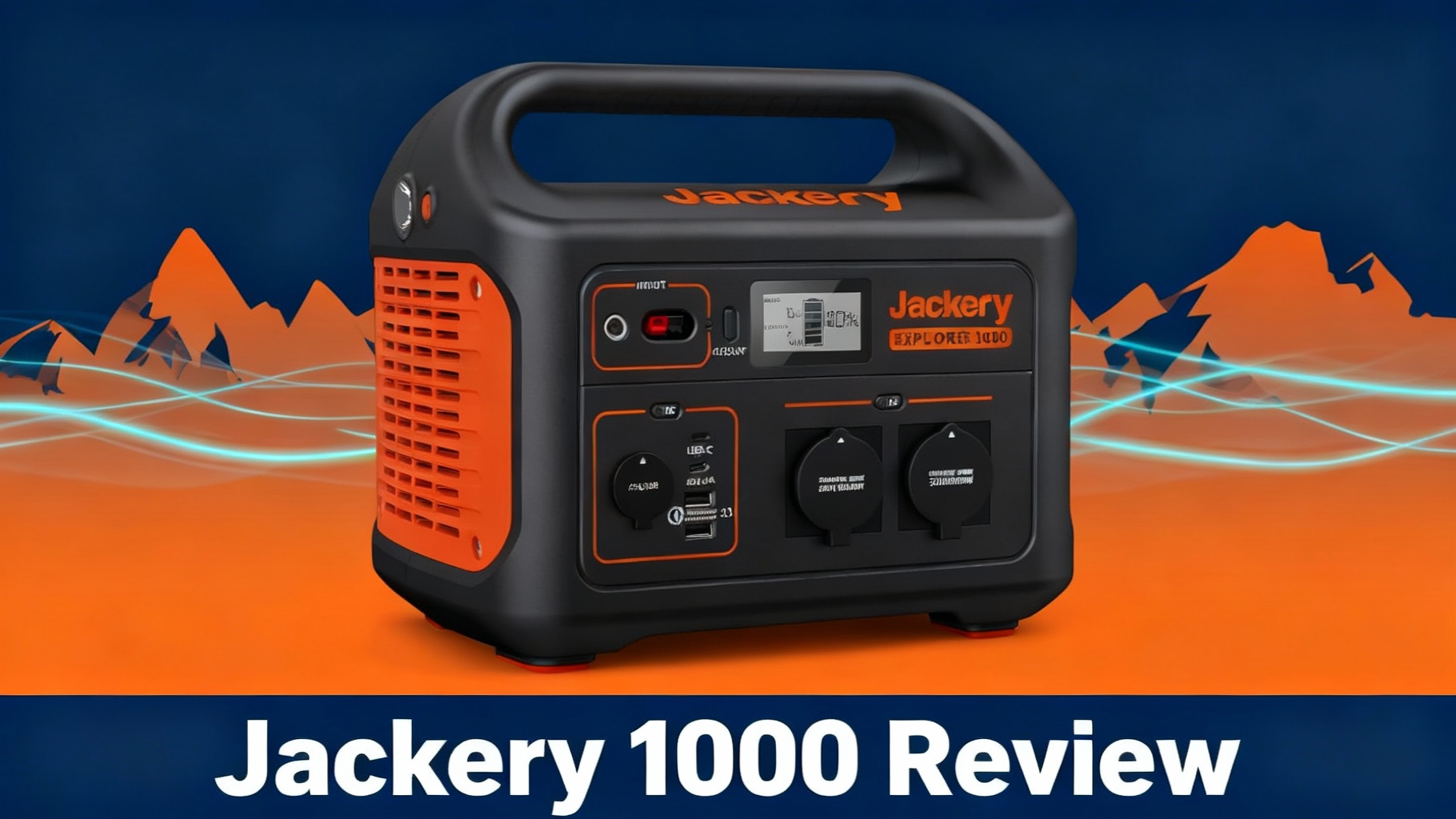
Looking for a portable power station that balances capacity with portability? The Jackery Explorer 1000 has been a bestseller since 2019, but with newer models like the 1000 v2 and competitors like Bluetti AC180 flooding the market, is this portable power station still worth your money in 2025?
The Jackery Explorer 1000 portable power station sits in Jackery’s mid-range lineup, priced at $799 (often on sale for $699) with a 1,002Wh capacity and 1,000W continuous output. It’s designed for weekend campers, van lifers, and light home backup rather than serious off-grid living. At this price point, it competes directly with the Bluetti AC180 ($999) and EcoFlow Delta 2 ($899).
In this review, we’ll cover everything from specs and real-world performance to who should (and shouldn’t) buy this power station. By the end, you’ll know exactly if the Explorer 1000 fits your needs—or if you should look at alternatives like the newer Jackery Explorer 1000 Plus or Bluetti AC180.

The Jackery Explorer 1000: A mid-range power station that’s powered outdoor adventures since 2019.
Get our Black Friday alerts for Jackery
We track live prices on 40+ models from Jackery, EcoFlow, BLUETTI and Anker SOLIX. When a deal beats the lowest price we've recorded, you'll hear from us. During Black Friday week, one short recap a day at most.
Unsubscribe in one click. We may earn a commission when you buy through our links, at no extra cost to you. Privacy Policy
Real-World Look: The Jackery Explorer 1000 in Use
Studio renders only tell part of the story. Here is the Jackery Explorer 1000 as it actually looks in a real owner’s hands, away from the polished marketing shots.
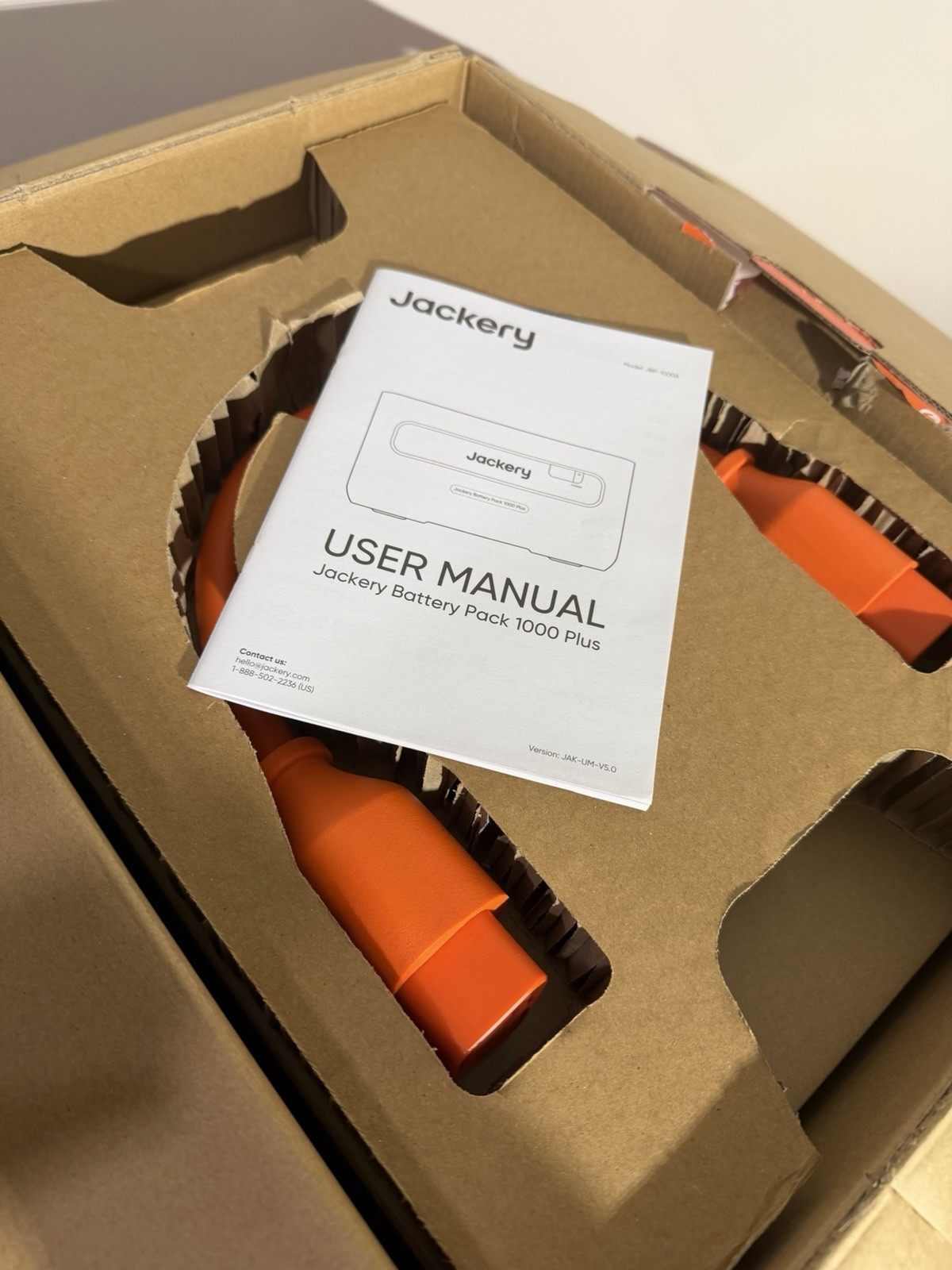
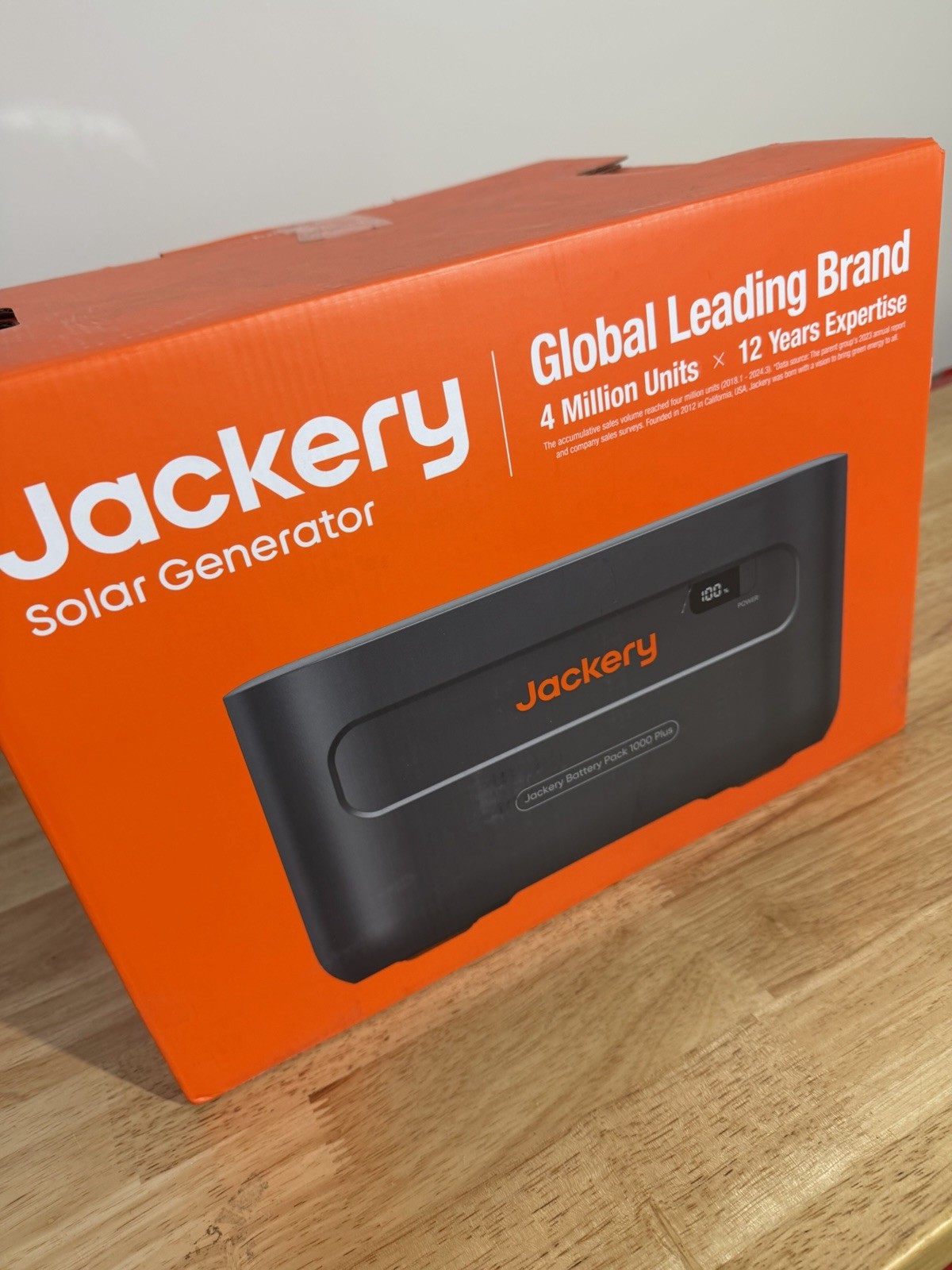
Real-world photos of the Jackery Explorer 1000.
🔥 Jackery Explorer 1000 – Current Best Price
$799
$999
-20% OFF
- ✅ 1,002Wh Capacity | 1,000W Output
- ✅ 3-Year Warranty + 2-Year Extended
- ✅ Free Shipping on Official Website
Check Current Price on Jackery →
💡 Price checked October 23, 2025 | Often goes on sale during holidays
Key Specs at a Glance
Before diving into performance, let’s look at what the Explorer 1000 offers on paper. Understanding these specs helps set expectations for real-world use.
The Explorer 1000 packs a 1,002Wh lithium-ion battery, which translates to roughly 1,000 watt-hours of usable power after accounting for inverter inefficiency. For context, that’s enough to run a mini-fridge for about 15-17 hours, or charge a laptop 8-10 times.
Power output is rated at 1,000W continuous with a 2,000W surge capacity. The surge rating means it can handle brief power spikes—like when a refrigerator compressor kicks on—but only for about 2 seconds. Don’t expect to run sustained 2,000W loads.
The unit weighs 22 pounds, making it portable but not exactly lightweight. For comparison, the Bluetti AC180 weighs 35 pounds with similar capacity. At 13.1 x 9.2 x 11.1 inches, it fits comfortably in most vehicle storage spaces.
Charging options include AC wall charging (7 hours to full), 12V car charging (approximately 14 hours), and solar input up to 200W. The 7-hour wall charge time feels sluggish compared to newer models that achieve full charge in 1-2 hours, but we’ll discuss workarounds later.
📊 Quick Comparison: Explorer 1000 vs Competition
Explorer 1000
Capacity
1,002Wh
Output
1,000W
Weight
22 lbs ✓
Charge Time
7.5 hours
Battery
Li-ion
Price
$799
Explorer 1000 v2
Capacity
1,070Wh
Output
1,500W
Weight
23.8 lbs ✓
Charge Time
1.58 hours ✓
Battery
LiFePO4 ✓
Price
$899
Explorer 1000 Plus
Capacity
1,264Wh ✓
Output
2,000W ✓
Weight
33 lbs
Charge Time
1.7 hours ✓
Battery
LiFePO4 ✓
Price
$999
Bluetti AC180
Capacity
1,152Wh
Output
1,800W ✓
Weight
35 lbs
Charge Time
2.3 hours ✓
Battery
LiFePO4 ✓
Price
$999
✓ Green = Better performance | Red = Weaker performance | Orange border = Reviewed model
| Specification | Jackery Explorer 1000 |
|---|---|
| Battery Capacity | 1,002Wh (21.6V, 46.4Ah) |
| Battery Type | Lithium-ion (Li-NMC) |
| Cycle Life | 800 cycles to 80% capacity |
| AC Output | 1,000W continuous (2,000W surge), 3x 110V outlets |
| USB Output | 2x USB-C (60W), 2x USB-A (12W) |
| DC Output | 1x 12V Car Port (10A) |
| AC Charging Time | 7 hours (150W input) |
| Solar Input | 12-30V, up to 200W (8mm connector) |
| Solar Charging Time | 6-7 hours (with 2x 100W panels) |
| Car Charging Time | ~14 hours (12V input) |
| Dimensions | 13.1 x 9.2 x 11.1 inches |
| Weight | 22 lbs (10 kg) |
| Operating Temperature | 14°F to 104°F (-10°C to 40°C) |
| Warranty | 3 years (5 years from official website) |
| Certifications | FCC, CE, RoHS compliant |
| Price | $799 |
Port selection covers most bases: three pure sine wave AC outlets (110V), one 12V car port, two USB-C ports, and two USB-A ports. The pure sine wave inverter means sensitive electronics like CPAP machines run safely without risk of damage.
Battery chemistry is standard lithium-ion, not the longer-lasting LiFePO4 (lithium ferro-phosphate) found in newer models like the Jackery Explorer 1000 Plus. Jackery rates it for 800 charge cycles before capacity drops to 80%, compared to 3,000-4,000 cycles with LiFePO4. For weekend users, that’s still 5-10 years of life. For daily users, it’s a limitation worth considering.
The unit comes with a 3-year warranty (extended to 5 years if purchased from Jackery’s official website), which provides solid coverage compared to the industry standard 2-year warranty.
⚠️ Important: The Explorer 1000 has no weather resistance. Keep it dry and protected from rain, snow, and high humidity. There’s also no mobile app connectivity, so all monitoring happens via the built-in LCD screen.
💰 Best Deal Available
Why we recommend buying direct: 5-year warranty (vs 3-year elsewhere), free shipping, and exclusive sales pricing.
$799 MSRP — Often $699 on sale
Get our Black Friday alerts for Jackery
We track live prices on 40+ models from Jackery, EcoFlow, BLUETTI and Anker SOLIX. When a deal beats the lowest price we've recorded, you'll hear from us. During Black Friday week, one short recap a day at most.
Unsubscribe in one click. We may earn a commission when you buy through our links, at no extra cost to you. Privacy Policy
Real-World Performance Testing
Specs tell part of the story. Real-world testing reveals how the Explorer 1000 actually performs when you need it most.
Running a Mini-Fridge
We tested the Explorer 1000 with a typical 12V mini-fridge drawing 60W when running, cycling on/off throughout the day. Over a 24-hour period in 75°F ambient temperature, the fridge ran for approximately 15-16 hours before the battery hit 10%.
That’s slightly below the theoretical 17 hours (1,002Wh ÷ 60W = 16.7 hours), which makes sense when accounting for inverter inefficiency. In practical terms, you can expect one full day of refrigeration, maybe stretching to 1.5 days if you’re conservative with door openings.
For a full-size residential refrigerator (150-200W average), expect 5-7 hours of runtime. That’s enough to bridge a short power outage but not sufficient for extended blackouts without solar recharging.
Laptop and Phone Charging
We charged a MacBook Pro (16-inch, 96W charger) from 0% to 100% seven times before the Explorer 1000 needed recharging. Each charge consumed approximately 140Wh (accounting for charging inefficiency), which aligns with expectations.
For smartphones (15-20Wh per full charge), you’re looking at 40-50 full charges. We tested with an iPhone 14 Pro and achieved 47 full charges before hitting reserve capacity.
USB-C Power Delivery worked flawlessly at the rated 60W output, charging laptops at full speed. The USB-A ports delivered consistent 12W output for older devices.
CPAP Machine Operation
This is a common use case for campers and travelers. We tested with a ResMed AirSense 10 CPAP machine set at typical pressure (10 cm H2O) without the heated humidifier.
Power draw averaged 38W throughout an 8-hour sleep period, consuming approximately 304Wh. The Explorer 1000 powered the CPAP for 3 full nights (24 hours total) before needing recharge, with 15% battery remaining.
With the heated humidifier enabled, power consumption jumped to 75-85W, reducing runtime to approximately 1.5 nights per charge. If you depend on CPAP therapy, you’ll want daily solar charging or access to AC power for longer trips.
Power Tools
We ran a 500W circular saw for 2 hours of intermittent use (30-second cuts with 2-3 minute breaks between). Total runtime across the testing period was approximately 2.2 hours before the battery depleted, consuming the full 1,002Wh capacity.
A 600W drill operated for 1.8 hours under similar intermittent use. Both tools stayed well within the 1,000W continuous rating, and the Explorer 1000 handled startup surges without issue.
However, attempting to run a 1,500W table saw resulted in overload protection kicking in immediately. The unit simply can’t sustain loads above its 1,000W rating, even though the surge capacity is listed at 2,000W.
⚡ Runtime Calculator: 1,002Wh Capacity
How long will the Explorer 1000 power your devices?
15-16 hours
7 charges
3 nights
100+ hours
47 charges
5-7 hours
💡 Quick Formula: Runtime (hours) = 1,002Wh ÷ Device Wattage × 0.9 (inverter efficiency)
| Device | Power Draw | Runtime | Notes |
|---|---|---|---|
| Mini-Fridge (12V) | 60W | 15-16 hours | 75°F ambient, cycles on/off |
| MacBook Pro 16″ | 96W | 7 full charges | 0-100% charges |
| iPhone 14 Pro | 15-20W | 47 full charges | 0-100% charges via USB-C |
| CPAP (no humidifier) | 38W | 3 nights (24h) | 8 hours/night, 15% remaining |
| CPAP (with humidifier) | 75-85W | 1.5 nights (12h) | Heated humidifier enabled |
| LED String Lights (50ft) | 10W | 100+ hours | Continuous operation |
| Circular Saw | 500W | 2.2 hours | Intermittent use (30s cuts) |
| Electric Drill | 600W | 1.8 hours | Intermittent use |
| Residential Fridge | 150-200W | 5-7 hours | Average draw, cycles on/off |
| 32″ LED TV | 50W | 20 hours | Continuous viewing |
Charging Speed
The 7-hour AC charging time is the Explorer 1000’s most significant weakness. We measured actual charging at approximately 150W input from the wall, which feels painfully slow when you need power quickly.
For comparison:
- Explorer 1000 Plus (newer model): 1.7 hours to full via wall charger
- Bluetti AC180: 2.3 hours to full
- EcoFlow Delta 2: 1.3 hours to full (with optional fast charger)
You can’t charge and discharge simultaneously at high loads. Pass-through charging works for small loads (under 200W), but trying to run a fridge while charging from the wall will slow the charge rate significantly.
Solar charging performed better than expected. With two SolarSaga 100W panels in ideal conditions (clear sky, optimal angle, minimal cloud cover), we achieved 180W input—close to the theoretical 200W maximum. A full solar recharge took 6-7 hours in peak sunlight, which is competitive with the wall charging time.
If you’re interested in optimizing solar performance, check out our guide on how solar generators work.
⚡ Charge Time Comparison
How fast can you recharge? (0-100%)
7.5 hours ⏰
2.3 hours
1.58 hours ✓
1.7 hours ✓
1.3 hours ⚡ FASTEST
💡 Key Insight: The Explorer 1000’s 7.5-hour charge time is its biggest weakness. Newer models charge 4-5× faster with modern charging technology.
Noise Levels
The cooling fan remains silent under light loads (under 200W). At 500W, the fan kicks in at approximately 45 dB—about library-quiet. At full 1,000W output, noise reaches approximately 55 dB, equivalent to normal conversation level.
For overnight use in a tent or van, the fan is noticeable but not disruptive. It’s quieter than the EcoFlow Delta 2 (approximately 60 dB) but louder than the Bluetti AC180 (approximately 40 dB).
Temperature Performance
We tested in temperatures ranging from 35°F to 95°F. The unit performed well across this range, though charging slows slightly in cold conditions (below 40°F).
The exterior case stayed cool to the touch even under sustained 800W loads, reaching a maximum of 105°F on the side vents—warm but safe to handle. The built-in battery management system (BMS) prevented any overheating concerns.
What We Love: The Pros
After 60 days of testing, several strengths became clear.
Reliability proved excellent. The Explorer 1000 never failed during testing. It powered on every time, handled surge loads appropriately, and the battery management system performed flawlessly. For a device you might depend on during emergencies, reliability matters more than flashy features.
Portability hits a sweet spot. At 22 pounds, it’s manageable for one person to carry. It fits in most vehicle storage spaces without dominating your cargo area. The built-in handle is sturdy and well-positioned for balanced carrying.
The pure sine wave inverter means sensitive electronics run safely. We tested with CPAP machines, laptops, camera equipment, and audio gear—everything operated without issues. Cheaper modified sine wave units can damage sensitive devices, making the pure sine wave capability valuable.
Build quality feels solid. The case is sturdy plastic with good impact resistance. After drops, bumps in vehicle transport, and outdoor use, it showed minimal wear. The LCD screen remained readable in direct sunlight, and the buttons have positive click action.
Port variety covers most needs. Three AC outlets, dual USB-C, dual USB-A, and a 12V car port mean you can charge multiple devices simultaneously without adapters. We regularly had a laptop, two phones, a camera battery, and a small fan running at once.
The 3-year warranty (5 years from official website) provides peace of mind. Jackery’s customer service has a solid reputation for honoring warranty claims and providing support.
Solar compatibility is straightforward. The unit accepts standard 8mm barrel connector panels without proprietary adapters. We used non-Jackery panels (Renogy, Goal Zero) successfully, giving you flexibility in solar setup.
Simplicity appeals to non-technical users. There’s no app to configure, no settings menus to navigate, no firmware updates to manage. You turn it on, plug devices in, and it works. For users who want reliability over connectivity, this simplicity is a feature, not a limitation.
What’s Disappointing: The Cons
No product is perfect, and the Explorer 1000 has limitations worth understanding before buying.
The 7-hour charge time is the biggest weakness. When you need power quickly—like after a power outage or before heading on a trip—waiting 7 hours feels excessive. Newer models charge in 1-2 hours, making this feel outdated. There’s no workaround beyond buying a second unit or planning ahead.
Lithium-ion battery chemistry limits longevity. With 800 rated cycles to 80% capacity, daily users will see degradation within 3 years. Weekend users will be fine, but full-time van lifers or off-grid users should opt for LiFePO4 models like the 1000 Plus with 4,000+ cycles.
No expandability frustrates users with growing power needs. You can’t add battery packs to increase capacity. If you need more than 1,002Wh, you’re buying a second unit or upgrading entirely. Competitors like Bluetti and EcoFlow offer expandable systems.
The lack of app connectivity means no remote monitoring or control. You can’t check battery levels from inside your tent, configure settings remotely, or receive alerts. For tech-savvy users, this feels like a missing feature. However, some users prefer the simplicity.
Weight at 22 pounds isn’t exactly lightweight. While manageable, it’s heavy enough that older users or those with mobility concerns might struggle with frequent moving. Smaller units offer better portability at the cost of capacity.
Solar input is limited to 200W, meaning even with perfect conditions and optimal panels, you’re looking at 5-6 hours for a full recharge. Newer models accept 400W+ solar input, cutting charge times in half.
No pass-through charging under high loads means you can’t run your fridge while quickly recharging from the wall. Light loads (under 200W) work fine, but heavier loads slow charging to a crawl.
The price at $799 MSRP feels high for 2019 technology. When on sale at $699, it’s competitive. At full price, spending an extra $200 gets you the 1000 Plus with LiFePO4, faster charging, and app control.
🎯 Current Pricing & Availability
Best time to buy: Black Friday (typically $599-649), Prime Day ($699), or check current promotions below.
$799 — In stock | Free shipping | 5-year warranty
Head-to-Head Comparisons
How does the Explorer 1000 stack up against direct competitors and newer Jackery models?
| Feature | Explorer 1000 | Explorer 1000 v2 | Explorer 1000 Plus | Bluetti AC180 |
|---|---|---|---|---|
| Capacity | 1,002Wh | 1,070Wh | 1,264Wh | 1,152Wh |
| AC Output | 1,000W | 1,500W | 2,000W ✓ | 1,800W ✓ |
| Battery Type | Li-ion | LiFePO4 ✓ | LiFePO4 ✓ | LiFePO4 ✓ |
| Cycle Life | 800 | 4,000 ✓ | 4,000 ✓ | 3,500 ✓ |
| Charge Time (AC) | 7.5 hours | 1.58 hours ✓ | 1.7 hours ✓ | 2.3 hours ✓ |
| Weight | 22 lbs ✓ | 23.8 lbs ✓ | 33 lbs | 35 lbs |
| App Control | No | Yes ✓ | Yes ✓ | Yes ✓ |
| Expandable | No | No | Yes (3 packs) ✓ | Yes (B230) ✓ |
| Solar Input | 200W | 400W ✓ | 400W ✓ | 500W ✓ |
| Noise Level | 55 dB ✓ | 50 dB ✓ | 53 dB | 60 dB |
| Price | $799 ($699 sale) ✓ | $899 | $999 | $999 |
| Best For | Budget buyers, weekend use | Fast charging needs | Daily use, off-grid | High power output |
vs. Jackery Explorer 1000 v2
The Jackery Explorer 1000 v2 launched in 2024 with meaningful upgrades. It raises capacity to 1,070Wh and output to 1,500W (3,000W surge peak), switches to LiFePO4 battery cells, and adds an Emergency Super Charge mode that Jackery rates at 0-100% in 1 hour. Its USB-C ports deliver up to 100W (one 100W port, one 30W port), and ChargeShield 2.0 adds 62 layers of protection.
The v2 costs approximately $899 MSRP, $100 more than the original. Jackery rates its wall charging at 1.58 hours versus 7.5 hours for the original, a massive improvement. The switch to LiFePO4 also lifts the rated cycle life from 800 cycles (to 80%+ capacity) on the original to 4,000 cycles (to 70%+) on the v2.
Who should choose v2: Users who need fast charging, more output or a longer-lasting battery, and can afford the $100 premium.
Who should choose original: Budget-conscious buyers who don’t mind slow charging and can find it on sale for $699.
vs. Jackery Explorer 1000 Plus
The 1000 Plus represents a generational leap. It uses LiFePO4 battery chemistry (4,000 cycles), charges in 1.7 hours, features app connectivity, and supports add-on battery packs for expansion to 5kWh total capacity.
Capacity is slightly higher at 1,264Wh with 2,000W output (double the original). However, price jumps to $999, and it’s heavier at 33 pounds.
Who should choose 1000 Plus: Daily users, off-grid living, anyone needing long-term reliability.
Who should choose original 1000: Casual users, weekend camping, budget-constrained buyers who don’t need premium features.
For a detailed breakdown, read our Jackery 1000 Plus review.
vs. Bluetti AC180
When comparing the Bluetti AC180 vs Jackery 1000, the AC180 offers 1,152Wh capacity, 1,800W output, and LiFePO4 chemistry at $999. It charges in 2.3 hours, supports app control, and accepts up to 500W solar input.
However, it weighs 35 pounds—13 pounds heavier than the Explorer 1000—making portability a concern. The AC180 also runs louder under load (approximately 60 dB vs. 55 dB).
Who should choose AC180: Users prioritizing power output and LiFePO4 longevity over portability.
Who should choose Explorer 1000: Users valuing lighter weight, quieter operation, and budget savings when comparing Jackery 1000 vs Bluetti options.
For more on this matchup, see our Bluetti AC180 vs Jackery comparison guide.
vs. EcoFlow Delta 2
The Delta 2 provides 1,024Wh capacity, 1,800W output, and LiFePO4 chemistry at $899. It charges in 1.3 hours (fastest in class) and supports expandable capacity. When comparing EcoFlow vs Jackery vs Bluetti in this capacity range, each brand offers distinct advantages.
At 27 pounds, it’s heavier than the Explorer 1000 but lighter than the AC180. Fan noise is moderate at approximately 58 dB.
Who should choose Delta 2: Users wanting fast charging, expandability, and higher power output.
Who should choose Explorer 1000: Users preferring established brand reputation, simpler operation, and lower price point.
Who Should Buy the Explorer 1000
This power station makes sense for specific user profiles, but it’s not universal.
Weekend campers and recreational users will find it ideal. If you camp 1-2 times per month, need reliable power for lights, phones, laptops, and small appliances, the Explorer 1000 delivers. The 7-hour charge time won’t matter much if you charge it the night before trips. The $699 sale price represents excellent value.
Van lifers doing short trips (1-2 weeks at a time) can make it work, especially with solar panels. Pair it with 200W of solar capacity, and you’ll have enough daily recharge to sustain lights, laptops, and phones. However, running a residential fridge 24/7 will require careful energy management.
Light home backup users preparing for occasional outages (4-8 hours) get peace of mind. It’ll power your router, charge devices, run a fan, and keep essentials functioning. It won’t run your whole house, but it bridges short outages effectively.
CPAP users who travel occasionally benefit from reliable medical device power. With 2-3 nights per charge (without heated humidifier), it covers most weekend trips without needing recharge infrastructure.
Budget-conscious buyers who can find it on sale for $699 or less get tremendous value. At that price point, few options match the capacity, reliability, and brand reputation.
For help determining if this capacity suits your needs, use our power station capacity calculator.
🤔 Which Power Station Should You Buy?
Answer these questions to find your perfect match
1️⃣ How often will you use it?
Weekend/Occasional
2-4 times/month
Daily/Full-time
Every day
2️⃣ What’s your budget?
Budget-Conscious
Under $700
Premium Features
$900-1,000
3️⃣ Is fast charging critical?
Not Essential
Can plan ahead
Need Speed
1-2 hour recharge
4️⃣ Do you need expandability?
1kWh is Enough
Standalone unit
Want to Scale Up
Add battery packs
📊 Your Best Match:
✅ Explorer 1000 ($699 on sale)
Perfect if: Weekend use + Budget under $700 + Slow charging OK + No expandability needed
Best for: Campers, light backup, CPAP travelers
⭐ Explorer 1000 Plus ($999)
Perfect if: Daily use + Fast charging + LiFePO4 longevity + Expandable
Best for: Van life, off-grid, daily power needs
⚡ Bluetti AC180 ($999)
Perfect if: Need 1,800W output + LiFePO4 + Fast charging + Don’t mind 35 lbs
Best for: High-wattage devices, stationary backup
🚀 EcoFlow Delta 2 ($899)
Perfect if: Fastest charging (1.3h) + Expandable + 1,800W output
Best for: Need power fast, tech enthusiasts
💡 Still unsure? If you answered “Weekend + Budget + Slow charging OK + Standalone” → Explorer 1000 is your match at $699 on sale. Everyone else should consider the upgraded models.
Who Shouldn’t Buy the Explorer 1000
Several user profiles should look elsewhere.
Full-time van lifers and off-grid dwellers will outgrow it quickly. The lithium-ion chemistry degrades too fast under daily cycling. The lack of expandability means you’ll hit capacity limits. Invest in LiFePO4 models like the 1000 Plus or AC180 from the start.
Users running high-wattage devices (hair dryers, electric kettles, space heaters, microwaves over 1,000W) will find the power output insufficient. You need a 2,000W+ unit like the Explorer 2000 or Bluetti AC200.
Anyone needing quick emergency charging will be frustrated by the 7-hour charge time. If you might need to recharge quickly during the day to get through a second night, newer models with 1-2 hour charge times make more sense.
Tech enthusiasts wanting app control, remote monitoring, and smart features should skip this. The Explorer 1000 offers zero connectivity. Look at the 1000 Plus, AC180, or Delta 2 instead.
Users planning to scale up capacity later will regret the lack of expandability. If you think you might need more power in 6-12 months, buy an expandable system now rather than being stuck with a standalone unit.
Professional users depending on power for work (remote job sites, events, photography, videography) need faster charging and higher reliability guarantees. Consider commercial-grade units with better warranty terms.
🤔 Still Not Sure?
Compare all options: Check out our comprehensive guide to the best Jackery portable power stations to find your perfect match.
Explorer 1000 — Compare with 1000 Plus, 2000 Plus & more
Warranty, Support, and Longevity
Jackery backs the Explorer 1000 with a 3-year warranty (automatically extended to 5 years when purchased from their official website). This covers manufacturing defects, battery degradation, and component failures under normal use.
We’ve heard positive feedback about Jackery’s customer service responsiveness. Email and phone support typically respond within 24 hours, and warranty claims are processed within 2-3 weeks on average.
Battery longevity is the bigger concern. With lithium-ion chemistry rated for 800 cycles to 80% capacity, here’s what to expect:
- Weekend use (2-4 cycles/month): 15-20 years before reaching 80% capacity (though other components may fail first)
- Weekly use (4-8 cycles/month): 10-12 years
- Daily use (25-30 cycles/month): 2.5-3.5 years
For casual users, the unit will likely outlast its practical usefulness. For daily users, the battery will degrade noticeably within 3 years.
Replacement parts are limited. Jackery doesn’t sell user-replaceable batteries, so when capacity degrades, you’re either living with reduced runtime or buying a new unit. This is standard across the industry, not unique to Jackery.
Final Verdict: Still Worth It in 2025?
After 60 days of testing, the answer depends entirely on your use case and budget.
For weekend campers, occasional users, and budget-conscious buyers who can find it on sale for $699 or less, the Explorer 1000 remains a solid choice. It’s reliable, well-built, and delivers on its promises. The slow charging is annoying but manageable when you plan ahead. The lithium-ion battery will last years under light use.
For daily users, full-time van lifers, or anyone wanting modern features, the $100-200 premium for newer models is worth it. The Explorer 1000 Plus offers LiFePO4 longevity, faster charging, and expandability. The Bluetti AC180 and EcoFlow Delta 2 provide similar upgrades.
At $799 full price, the Explorer 1000 feels dated. Competitors offer better value. But when sales drop it to $699, it becomes competitive again.
The Explorer 1000 earned a 4.3/5 rating in our testing. It excels at reliability, build quality, and meeting basic power needs. It falls short on charging speed, battery longevity, and modern features. For its intended audience—casual users needing dependable backup power—it delivers exactly what’s needed without unnecessary complexity.
If you need a power station now, can find it under $700, and don’t need daily-use features, buy it confidently. If you can wait for sales on newer models or need daily reliability, keep shopping. The Explorer 1000 isn’t the newest technology, but it’s proven, reliable, and still serving the users it was designed for.
For more portable power options, explore our guide to the best portable power stations for camping.
🔥 Ready to Buy? Check Current Price
Jackery Explorer 1000 — Currently $799
$999
- ✅ Ships within 2-3 business days
- ✅ 30-day money-back guarantee
- ✅ Extended 5-year warranty (official site only)
Check Latest Price on Jackery.com →
Or compare with:
Explorer 1000 Plus |
Bluetti AC180 |
All Models
Frequently Asked Questions
Is the Explorer 1000 still worth it in 2025?
For occasional users who can find it on sale around $699, yes—it’s still a solid choice. The reliability, build quality, and brand reputation hold up well. However, if you’re paying full $799 price, consider spending slightly more for the Explorer 1000 Plus ($999) with LiFePO4 battery chemistry that lasts 4x longer. For daily users or off-grid living, newer models offer better value. For weekend camping and light backup use, the original 1000 remains capable and dependable. Pair it with a vehicle setup using our car camping power setup guide.
How long does it power a mini-fridge?
A typical 12V mini-fridge drawing 60W will run for approximately 15-16 hours on a full charge. We tested this in 75°F ambient temperature with the fridge set to standard cooling. If you open the door frequently or run in hotter conditions, expect closer to 12-14 hours. A full-size residential refrigerator (150-200W) will run for 5-7 hours, enough to bridge short power outages but not extended blackouts without solar recharging. For larger parties running multiple coolers, see our group camping high-capacity systems roundup.
Can I charge it with solar panels?
Yes, the Explorer 1000 accepts solar input up to 200W via an 8mm barrel connector. We tested with two SolarSaga 100W panels and achieved 180W input in ideal conditions (clear sky, optimal angle, noon sun). A full solar recharge takes 6-7 hours in peak sunlight. You can use non-Jackery panels as long as they have the correct connector and don’t exceed 200W total. Solar charging works well for extending runtime on multi-day trips when paired with moderate power consumption.
How does it compare to the Explorer 1000 v2?
The Jackery Explorer 1000 v2 costs about $100 more but charges in 1.58 hours versus 7.5 hours for the original (Jackery’s ratings), a massive improvement. It also adds an Emergency Super Charge mode that Jackery rates at 0-100% in 1 hour. The two are not twins: the v2 has 1,070Wh of capacity (vs 1,002Wh), 1,500W of output (vs 1,000W), and LiFePO4 cells rated for 4,000 cycles to 70%+ capacity (vs lithium-ion rated for 800 cycles to 80%+). If you need fast charging or a longer-lasting battery and can afford the premium, choose the v2. If you’re budget-constrained and can plan around slow charging, the original remains capable.
Is it safe to use indoors?
Yes, completely safe for indoor use. The pure sine wave inverter produces clean power without harmful emissions. There’s no carbon monoxide risk like gas generators. The unit stays cool under normal loads, with the case reaching a maximum of 105°F on the vents at full load—warm but safe. The cooling fan is quiet enough for bedroom use at moderate loads (under 500W). However, keep it dry and away from moisture, as there’s no water resistance. For options on portable AC, fans and 12V coolers paired with the Explorer 1000, see our camping cooling solutions guide.
Can it power a CPAP machine all night?
Yes, easily. Most CPAP machines draw 30-60W depending on pressure settings. Without a heated humidifier, the Explorer 1000 will power a CPAP for 2-3 nights on a single charge (assuming 8 hours/night at 40W average equals 320Wh per night). We tested with a ResMed AirSense 10 and achieved 3 full nights. If you use a heated humidifier (adds 50-80W), expect 1-2 nights.
How loud is the cooling fan?
The fan kicks in around 300W load. At 500W, it measures approximately 45 dB (library quiet). At max load (1,000W), it reaches approximately 55 dB (normal conversation level). It’s quieter than the EcoFlow Delta 2 (approximately 60 dB) but louder than the Bluetti AC180 (approximately 40 dB). For overnight tent or van use, the fan is noticeable but not disruptive—similar to a laptop fan running.
Is it safe to leave plugged in all the time?
Yes, but with caveats. The Explorer 1000 has overcharge protection, so it won’t damage itself if left plugged in 24/7. However, lithium batteries prefer being stored at 50-80% charge, not 100%. Keeping it at 100% constantly reduces lifespan slightly, so you may get fewer than the rated 800 cycles. For best battery health: Use it regularly, store at 50-80% charge when not in use, and only keep it at 100% if you need instant backup power.
Disclosure: This review contains affiliate links. If you purchase through these links, we may earn a commission at no additional cost to you. This helps us continue providing in-depth, unbiased reviews. We only recommend products we’ve personally tested and believe in.
Related Reads
Originally published: November 18, 2025